


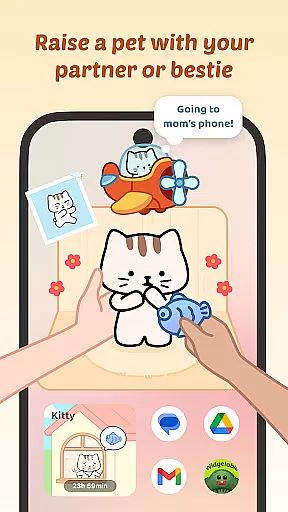
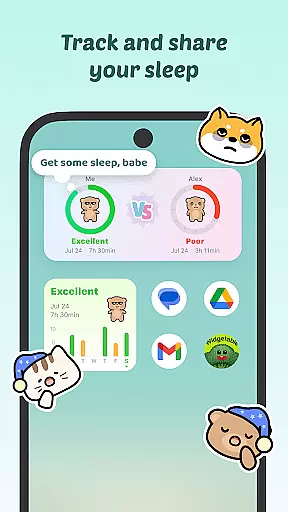
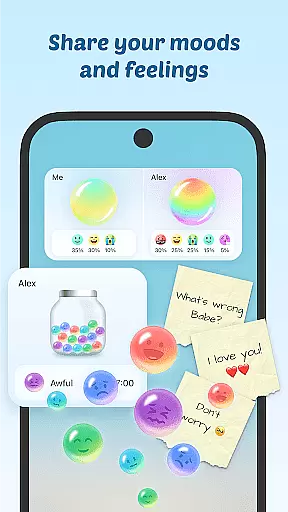
Widgetable is a social app that transforms your lock and home screens into an interactive space for connection and self-expression. With its unique widget system, users can engage in shared activities like co-parenting virtual pets, tracking sleep patterns, and expressing emotions through fun features like Mood Bubble and Mood Jar.
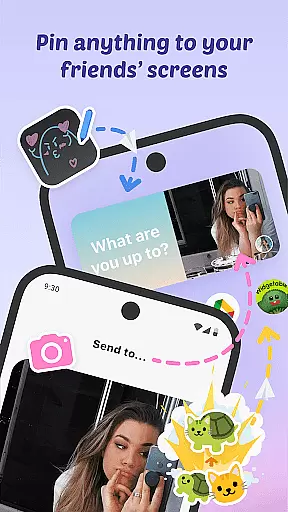
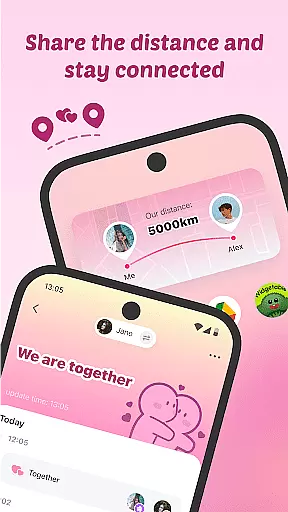
The app bridges distances with real-time updates on friends' statuses and the Distance Widget, which displays how far apart you are from loved ones. Personalization options abound with trendy wallpapers, AI designs, and the ability to grow virtual plants or share funny moments via the Pin It! feature. Widgetable fosters closeness and creativity, making digital interaction feel more personal and vibrant.
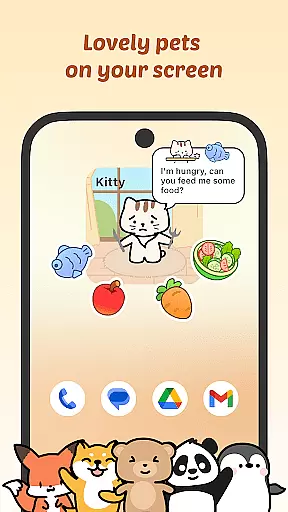
Widgetable offers a rich set of interactive features designed to enhance social connectivity. The app allows users to raise virtual pets together, creating shared responsibilities and joyful memories as they feed, play, and watch their pets grow.
Users can express themselves through playful widgets like Sleep Tracking, Mood Bubbles, and the Distance Widget, which shows real-time distance between friends. The Pin It! feature lets users surprise others by decorating their screens with doodles, emojis, and messages. Additionally, customizable themes, 3D art wallpapers, and the Plant Widget let users create personalized spaces while staying connected with loved ones.
User profile customization is a crucial aspect of any social application, allowing users to express their individuality and create a unique digital identity. Widgetable excels in this area by offering a variety of interactive widgets that enable users to personalize their lock and home screens.
Through features like the Mood Bubble, Mood Jar, and virtual pets, users can showcase their emotions, activities, and shared experiences with friends. The app also provides options for growing virtual plants and choosing from trendy wallpapers, including 3D art and AI designs.
This level of customization not only enhances user engagement but also fosters a deeper connection between users. By sharing personalized content such as sleep patterns, daily activities, and emotional states, users can maintain an authentic and meaningful presence on the platform.
The ability to personalize and share various aspects of one's life creates a vibrant community where users feel more connected and engaged with their friends and loved ones.
Connection discovery is an essential feature in social apps, helping users find and connect with friends and like-minded individuals. Widgetable facilitates this process through its innovative widget system that keeps users engaged and connected.
The Distance Widget shows real-time distance between users, while Status Widgets provide updates on friends' activities. These features, combined with the Miss You Widget that displays affection counts, ensure users remain closely connected regardless of physical distance.
Moreover, the Sleep Widget allows tracking of sleep patterns among friends, adding another layer of interaction and care. Users can also brighten each other's screens with snaps, emojis, and doodles using the Pin It! feature.
These connection discovery tools create a dynamic and interactive environment where users can maintain strong bonds with their besties and loved ones, making Widgetable a unique social platform that goes beyond traditional connection methods.
User-friendly interface
Engaging social features
Vibrant customization options
Real-time interaction tools
Creative virtual pet system
Requires multiple permissions
May drain device battery
Limited offline functionality
Premium features may cost extra
Widgets need frequent updates

This is to support the developer of Infinity for Reddit. No exclusive features.
 4.5
4.5
Meet local people, make friends & network: Join a community, group, host events
4.00
Get your NGL Link
4.60
Date single & make friend
4.60
Discover an open-minded dating experience when you download today
4.10
Chill and Chat with Tagged Live Video with millions of peeps
4.10
live inside your fandom
4.60
Connect and share ideas
4.10
TikTok Lite - Designed for speed, simplicity, and saving your phone’s space!
4.40
Live pics from your friends - Only the photos you want to see
4.60
SuperLive is a super popular video-streaming social network
4.60
Match, chat & date with singles nearby. The dating app to find true love
4.50
Calling and texting app. 2nd virtual line plus new phone number. Txt & talk now.
4.40
FREE calling and texting (SMS texts + MMS) in US & Canada with FREE phone number
4.30
Build Your Team With One App
4.30
A warm, simple dating app for adults seeking real connection.
4.20
Create & share photos, stories, & reels with friends you love
3.90
Resonate & Date with New Match
3.70
Find your next obsession.
3.50


User Reviews