
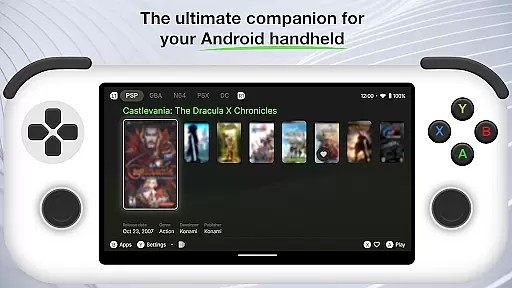
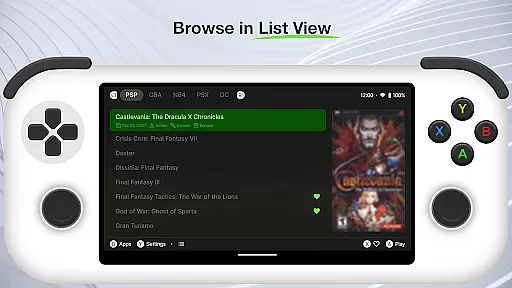
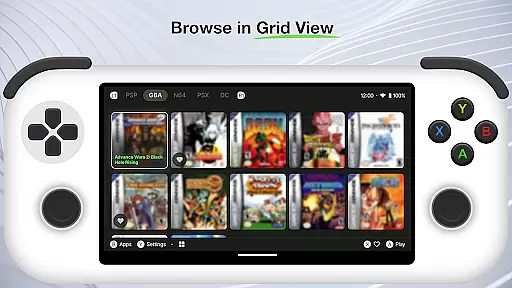
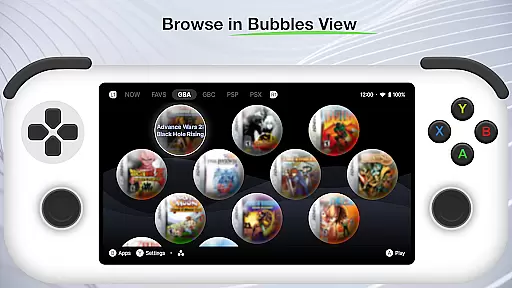
Beacon Game Launcher is an innovative Android launcher specifically designed for retro gaming enthusiasts. This application serves as a central hub to organize and launch your classic game collection.
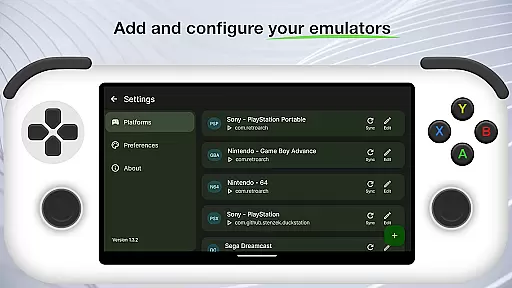
The app's core functionality lies in its ability to integrate with various emulators, allowing users to add their preferred emulation software and manage multiple gaming platforms from one location. Its automated scraping feature enriches your game library by collecting cover art and metadata without manual input.
Ideal for gamers who value both functionality and presentation, Beacon enhances the retro gaming experience by providing a visually appealing and well-organized interface that brings new life to your classic games.
Beacon Game Launcher distinguishes itself through several notable features that cater to retro gaming aficionados. The app's primary characteristic is its emulator integration capability, supporting a wide range of popular emulation software for different gaming systems.
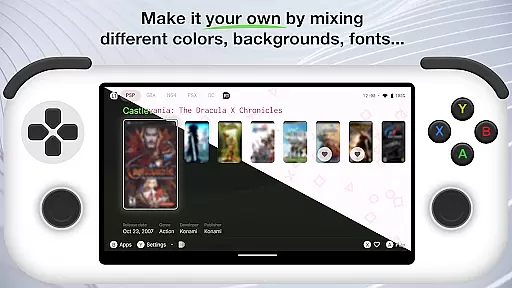
A key innovation is the automatic media scraping function, which populates your game library with professional-quality cover art and detailed metadata. This feature saves considerable time while creating a more engaging visual experience. The customizable interface allows users to personalize their gaming collections' appearance and organization.
Additional practical features include advanced search functionality, game categorization options, and intuitive navigation controls, all working together to create a seamless and enjoyable user experience.
Customization is at the heart of Beacon Game Launcher, allowing users to tailor their gaming experience. This Android launcher provides a versatile platform for classic gaming enthusiasts to organize and access their game library with ease.
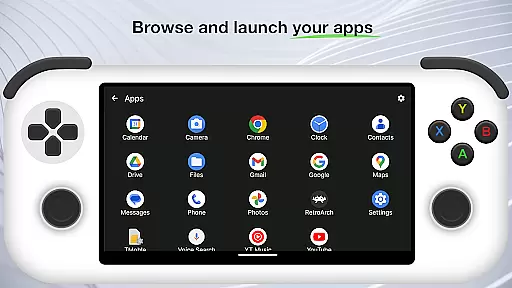
The app supports adding various emulators, giving users the freedom to include their preferred platforms. By enabling direct game launches from within the app, it streamlines the process of accessing one's favorite retro games without the hassle of navigating through different systems.
Beacon also enriches your game library by automatically fetching cover art and metadata, enhancing the visual appeal and organization of your collection. This feature not only adds a professional touch to your library but also makes managing and selecting games a more engaging experience.
Theme compatibility in Beacon Game Launcher ensures that users can enjoy a consistent look and feel across their gaming setup. As an Android launcher dedicated to classic gaming, it integrates seamlessly with various themes to match user preferences.
Users can apply themes that resonate with their personal style or the era of gaming they are indulging in. Whether it's the vibrant pixel art reminiscent of the arcade days or sleek modern designs, Beacon accommodates diverse aesthetics.
This flexibility in theme customization allows gamers to create an immersive environment that enhances nostalgia while providing modern convenience. With Beacon, you're not just playing games; you're stepping into a personalized time capsule of gaming history.
User-friendly interface
Extensive emulator support
Automatic metadata collection
Customizable layout options
Visually appealing design
No built-in games included
Requires manual setup
Limited to retro gaming
Dependent on third-party emulators
Metadata accuracy varies

Customizable Glass widgets. Over 360+ stunning widgets and more!
 4.70
4.70
Capture moments that pass like a storm, second by second.
4.1
Beautiful realistic hybrid watch face with numerous customization options.
4.50
Themes - Widget & Wallpaper: Customize home screen, icon changer w unique themes
4.30
Shimeji adds cute animated characters to your screen, lively and fun.
4.70
Ultimate Gallery Lock App - Hide Pictures, Videos and Lock Apps Instantly!
4.60
Romantic Kiss Stickers App. Start romantic messaging now!
4.30
Adaptive Dot Style IconPack with Light & Dark Theme.
3.70
Adorable pets roam and play right on your phone screen!
3.30
Winter's Journey: digital watch face for Galaxy Watch & Wear OS
4.80
Stylish Pink Cute Hippo keyboard with 10000+ customized keyboard themes!
4.60
3D, live, and moving wallpapers & themes in 4K and HD for your device.
4.50
Turn text & photos into stunning AI videos, art, and creative visual stories.
4.50
Fingerprint Lock Screen & Live Animations with 4K Wallpapers as Live Wallpaper
4.40
Magic fluids wallpaper 4D: Relax with stunning fluid simulation wallpaper app
4.20
Run multiple accounts of the same app on a single device
4.10 4.10
4.10
Realistic animated snow on your wrist, with 10 images landscapes to choose from
4.00
Prank your friends with realistic broken screen and cracked HD effects!
4.1
Wallpaper Engine Android review—PC sync setup, crash issues, sound reactive limitations, and whether this free companion app is actually good.


User Reviews