
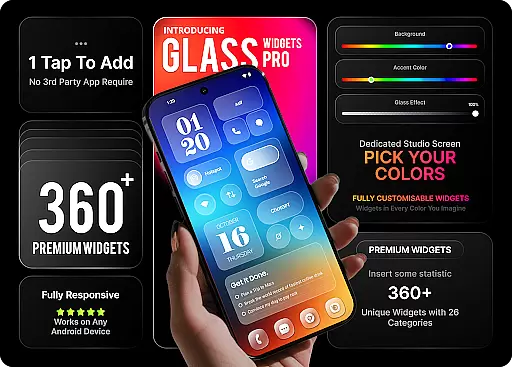
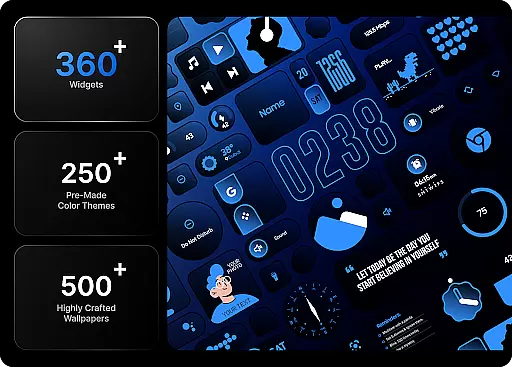
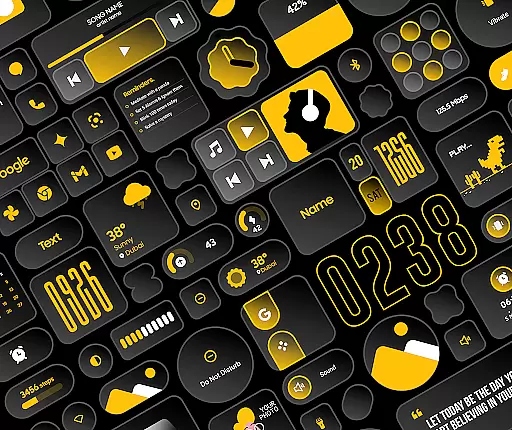
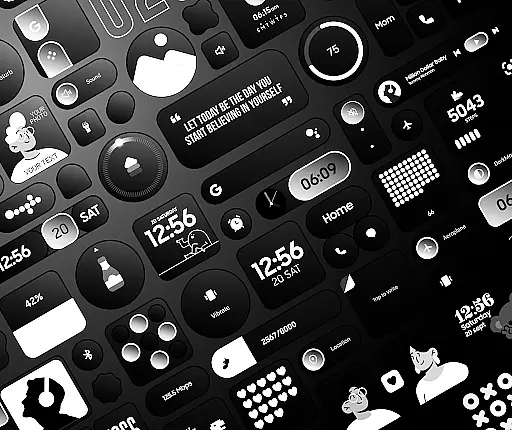
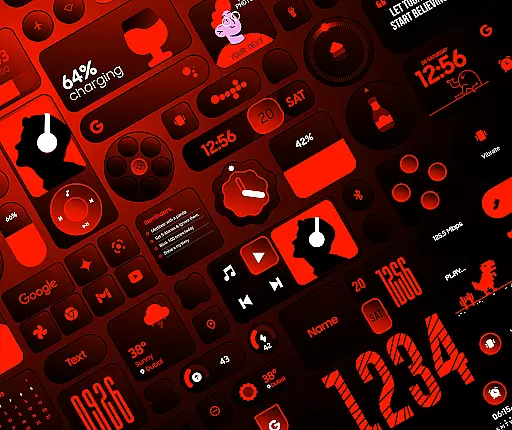
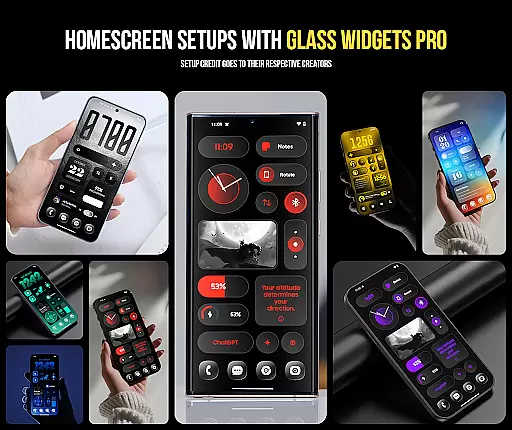
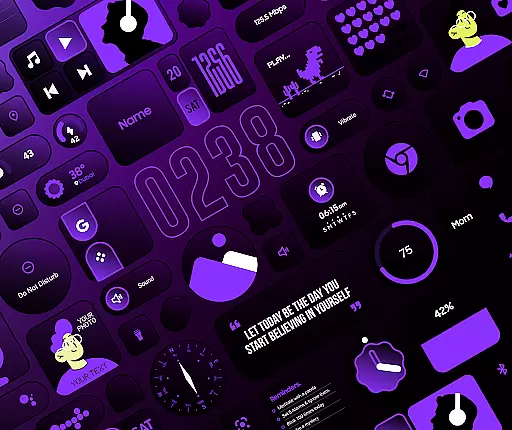
Glass Widgets Pro is a premium personalization app that transforms your smartphone's home screen with fully customizable widgets featuring stunning glass effects. This app offers over 360 premium widgets, 500 curated wallpapers, and 250 theme templates, providing users with extensive options to design a unique and modern interface.
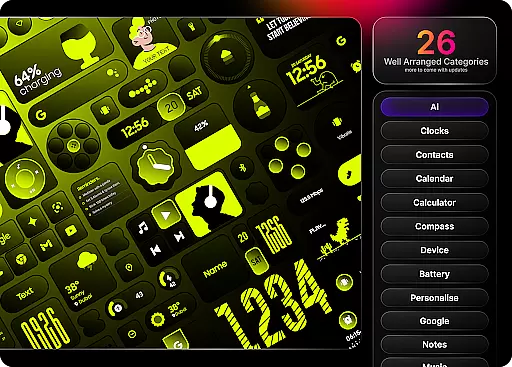
With native functionality, Glass Widgets Pro eliminates the need for additional apps like KWGT. Users can instantly customize their home screens with features such as glass effect on all widgets, fully adjustable colors, and pre-designed color templates. The app covers a wide range of categories including clock, weather, battery, quick settings, productivity tools, utility widgets, photo widgets, folder widgets, specialty widgets, and contact widgets.
This app is perfect for users who want to enhance both the aesthetics and functionality of their devices while enjoying complete creative control over their home screen's appearance.
Glass Widgets Pro stands out with its comprehensive customization capabilities. The app allows users to apply a beautiful glass effect on every widget, creating a transparent and modern look. Users can adjust background colors, accent colors, and control the background glass opacity to achieve their desired aesthetic.
The app includes over 250 professionally designed color templates, enabling users to quickly transform their widgets without starting from scratch. With 27 different widget categories, users can access essential information and tools such as time, weather, battery status, quick settings toggles, productivity aids, utility functions, photo displays, app organization, and more.
Additionally, Glass Widgets Pro provides 500 matching wallpapers to complement the widget setup, ensuring a cohesive and visually appealing home screen design. The app also offers a 100% refund guarantee within 24 hours of purchase, demonstrating confidence in user satisfaction.
Customization is at the heart of Glass Widgets Pro, offering users an extensive range of options to personalize their home screens. With over 360 premium widgets, the app allows for adjustments in background colors, accent colors, and even the opacity of the glass effect, ensuring that every user can craft a look that resonates with their personal style.
The level of customization extends beyond just colors. Users have access to more than 250 professionally designed color templates, providing a quick and easy way to apply complex aesthetics to their widgets. This eliminates the need to start from scratch while still delivering a personalized touch that enhances the overall user experience.
Glass Widgets Pro covers a wide array of categories including clocks, weather, battery indicators, and productivity tools. Each category comes with its own set of customizable features, allowing users to tailor not only the appearance but also the functionality of their widgets. Whether it's a digital clock or a weather forecast display, the ability to customize ensures that the widgets are not only visually appealing but also practical.
This vast variety of customization options empowers users to take full control of their smartphone's interface. By enabling such a high degree of personalization, Glass Widgets Pro transforms a standard home screen into a unique, functional, and aesthetically pleasing environment that truly reflects the user's individuality.
Glass Widgets Pro excels in theme compatibility, ensuring that its widgets integrate seamlessly with various design schemes. The inclusion of over 500 curated wallpapers complements the widgets, allowing users to create a cohesive and visually stunning home screen that aligns with their chosen themes.
Each widget is crafted to maintain visual consistency across different themes. Whether you prefer a minimalist, vibrant, or professional look, the app provides matching elements that enhance the overall aesthetic without clashing with your selected wallpaper or color scheme.
Moreover, the app supports complete thematic transformations by offering specialized widgets like photo displays, contact shortcuts, and utility tools that adhere to the chosen themeu2019s style. This ensures that every element on the home screen, from functional widgets to decorative components, works harmoniously to create a unified appearance.
By prioritizing theme compatibility, Glass Widgets Pro not only enhances the visual appeal of your device but also ensures that all elements function together smoothly. This attention to detail results in an engaging and intuitive user experience, making daily interactions with your smartphone both enjoyable and efficient.
Extensive Customization
Stunning Glass Effects
Variety of Widget Categories
Native Functionality
Matching Wallpapers
Premium Price Tag
Complex for Beginners
Limited Free Options
Occasional Performance Issues
Device Compatibility

Stunningly Different look with Line Icons and Neon Colors
 4.60
4.60
The definitive Icon pack maker and editor
4.30
Romantic Kiss Stickers App. Start romantic messaging now!
4.30
Custom edge gestures for volume control, brightness, apps, and shortcuts.
4.2
Design your screen with unique, vibrant clocks
3.80
Icons made of colorful linear lines
4.60
Stylish Pink Cute Hippo keyboard with 10000+ customized keyboard themes!
4.60
Magic fluids wallpaper 4D: Relax with stunning fluid simulation wallpaper app
4.20
Emoji Maker app - Design custom emojis and effortlessly blend them with Mixer
3.80
Sparkle your screen with Glitter Wallpapers For Girls and Cute Backgrounds!
4.80
100+ Stylish Fonts, Emojis, Symbols keyboard for Instagram & TikTok!
4.80
A launcher for Samsung Good Lock and Good Guardians modules without ads
4.70
Zip lock screen with magic wallpaper to decorate your phone with fun zipper lock
4.60 4.50
4.50
Adult video chat, dating, making friends, random matching
4.20
Organize and manage your photos and videos effortlessly with Photo Gallery
4.20
Crystal-clear, square icon provides a sleek and sophisticated visual upgrade
4.00
HappyLighting is a Bluetooth lamp control software.
3.40
Capture moments that pass like a storm, second by second.
4.1
Wallpaper Engine Android review—PC sync setup, crash issues, sound reactive limitations, and whether this free companion app is actually good.



User Reviews