
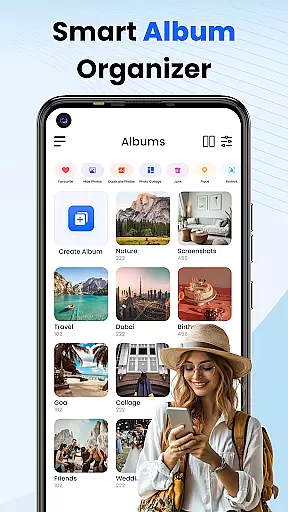
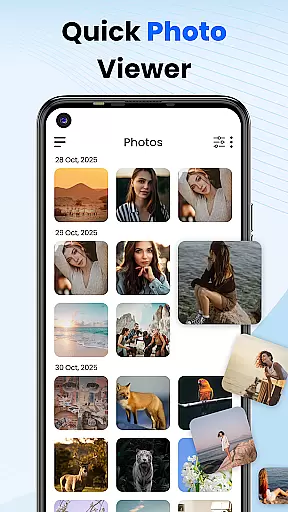

Gallery 2025 is a feature-rich photo management app designed to streamline the organization and enhancement of your photos and videos. With its smart organization capabilities, it automatically categorizes media by timeline, location, and path, making file management effortless. The app also supports easy transfer to and from SD cards, ensuring your memories are always accessible.
Beyond simple organization, Gallery 2025 offers powerful privacy features. It includes a secure vault for safeguarding private photos and videos, protected by PIN, pattern, or security question. Additionally, the built-in editing tools allow users to enhance their images effortlessly, while recovery options ensure no media is lost permanently. This comprehensive solution caters to both casual users and photography enthusiasts alike.
Whether you're looking to organize your personal memories or protect sensitive content, Gallery 2025 provides an intuitive interface with robust functionality. Its lightweight design ensures smooth performance without compromising on features, making it the ultimate tool for managing your digital media library securely and efficiently.
Gallery 2025 stands out with its extensive suite of features tailored for efficient photo and video management. One key highlight is Smart Organization, which uses advanced algorithms to automatically sort media files by timeline, location, and directory paths. This makes searching through thousands of images quick and seamless, especially when paired with the app's powerful search functionality that filters results by date or place.
The Private Vault feature adds another layer of security, allowing users to move confidential media into an encrypted space. Accessible only via PIN, pattern, or security questions, this ensures complete privacy. For creative users, the app doubles as a simple yet effective photo editor, enabling adjustments directly within the gallery interface. Moreover, accidental deletions are no longer a concern thanks to the integrated recycle bin, which allows easy recovery of lost files.
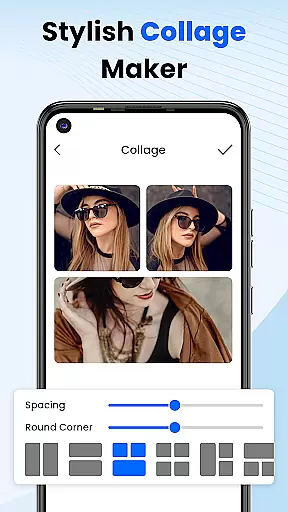
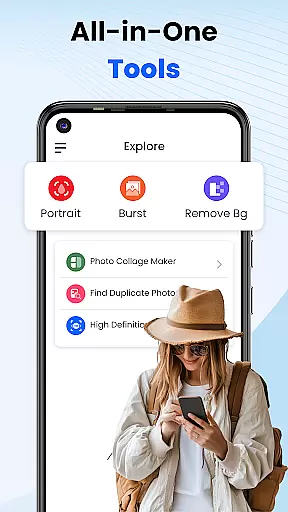
With additional functionalities like album locking, collage creation, and video playback, Gallery 2025 truly serves as an all-in-one solution for personalized media management. Its lightweight design ensures optimal performance even on older devices, offering a smooth experience without unnecessary bloat.
Customization is at the heart of Photo Gallery, allowing users to tailor their photo management experience to their unique preferences. This app offers a diverse range of customization options that cater to both novice and advanced users.
Users can organize their media by timeline, location, and path, ensuring that every photo or video is exactly where you want it. The ability to create collages adds an artistic touch to your memories, while album locking provides peace of mind for private content.
The app's versatility shines through its editing tools, which enable effortless enhancement of images. With features like secure vaults protected by PINs, patterns, or security questions, personalizing your privacy settings has never been easier.
By providing these comprehensive customization options, Photo Gallery empowers users to manage their digital memories in a way that feels intuitive and secure, enhancing both the functionality and enjoyment of photo management.
Theme compatibility in Photo Gallery ensures that users can enjoy a visually cohesive experience across their devices. The app supports various themes, allowing seamless integration with different Android system appearances.
Whether you prefer a light or dark theme, Photo Gallery adapts to your device's settings, offering an interface that is both familiar and comfortable to navigate. This flexibility enhances readability and reduces eye strain during extended use.
Beyond system themes, the app also allows for personalized visual adjustments within its own settings. Users can choose from a variety of display options to best suit their aesthetic preferences and accessibility needs.
This attention to theme compatibility not only improves user satisfaction but also demonstrates Photo Gallery's commitment to providing a customizable and inclusive experience for all users, regardless of their visual preferences or requirements.
User-friendly interface
Advanced privacy controls
Efficient file organization
Built-in editing tools
Secure vault encryption
Limited advanced editing
Occasional slow loading
Ads in free version
No cloud backup
Heavy on storage

Ultra realistic gold analog watch face with lots of customization options.
 4.50
4.50
Wear Os Watch Face - Seasonal - Animated Snow Effect - 9 Animals
4.20
3D, live, and moving wallpapers & themes in 4K and HD for your device.
4.50
Sparkle your screen with Glitter Wallpapers For Girls and Cute Backgrounds!
4.80
Dark icon pack based on One 8
4.80 4.50
4.50
Handcrafted pixel art icons, widgets & wallpapers
4.60
Fast SMS & group chat - use GIFs and emojis from your home screen launcher.
4.50
Cool custom fonts & keyboard themes! Symbols & font changer for Instagram
4.50
Enjoy a variety of amazing live wallpapers and colorful EDGE lighting borders!
4.80
Vertically oriented rectangular icons
4.70
A minimalist productivity launcher. One-hand-friendly. Zero ads.
4.70
Stunningly Different look with Line Icons and Neon Colors
4.60 4.50
4.50
A light in the dark, a unique style and an andless cutomization!
4.30
The definitive Icon pack maker and editor
4.30
Adult video chat, dating, making friends, random matching
4.20
Run multiple accounts of the same app on a single device
4.10
Ultimate widget creator. Design custom widgets for a truly unique home screen!
3.90
Wallpaper Engine Android review—PC sync setup, crash issues, sound reactive limitations, and whether this free companion app is actually good.



User Reviews