
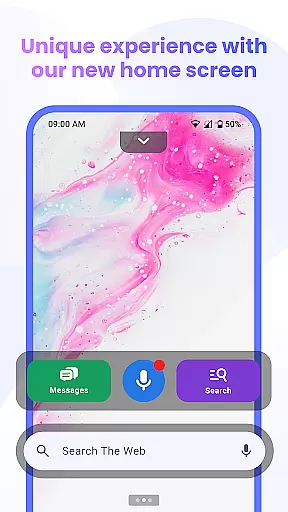
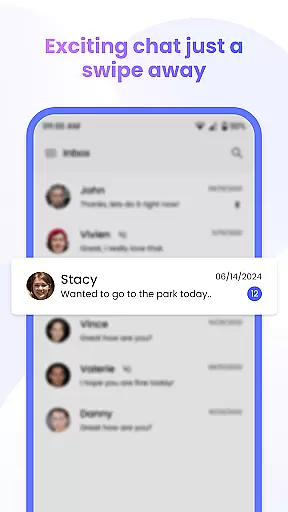
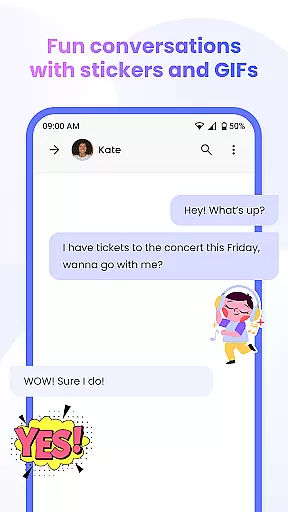
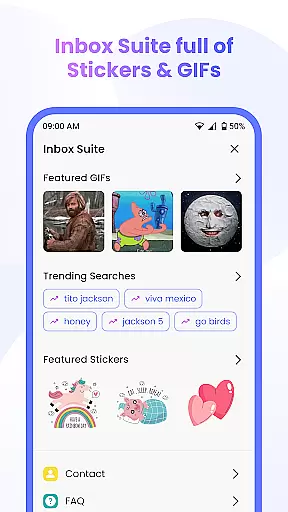
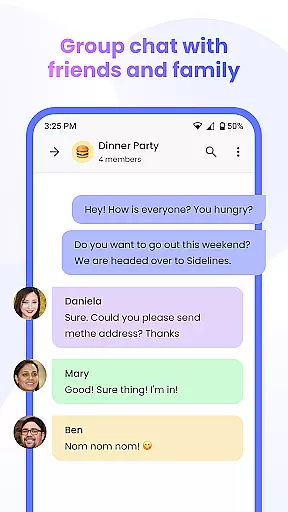
Messenger Chat Home is a unique personalization app that transforms your Android home screen into a smart messaging hub. This innovative application allows users to send and receive SMS & MMS messages, initiate group chats, and express themselves with free stickers, GIFs, and emojis directly from their home screen.
The app combines the simplicity of traditional texting with advanced launcher capabilities, creating a streamlined communication experience. With features like Home Screen Launcher Access and Smart Widget for Messages, users can preview and reply to texts without opening the app. This makes Messenger Chat Home particularly useful for those who value quick access to messaging while maintaining an organized home screen.
Messenger Chat Home stands out with its comprehensive feature set designed to enhance personal communication. The app's Home Screen Launcher provides instant access to your inbox and recent chats, eliminating the need to switch between multiple apps.
One of the most notable features is the integration of Voice to Text functionality, allowing hands-free message dictation. The app also supports rich media sharing, including photos and videos, while offering an Ad-Light Experience that maintains focus on conversations. These features work together to create a messaging solution that's both powerful and user-friendly, making it especially valuable for users who frequently communicate through various media formats.
The combination of classic SMS functionality with modern enhancements like free stickers and GIFs creates a versatile communication tool that adapts to different user preferences and needs.
Customization is at the heart of Messenger Chat Home, allowing users to tailor their messaging experience to fit their personal style. With a wide array of customization options, users can modify their home screen interface and chat appearance with ease.
The app offers thousands of free stickers, GIFs, and emojis that bring personality to every message. This extensive library ensures that users can express themselves in countless creative ways, making each conversation more engaging and fun.
Beyond aesthetic modifications, Messenger Chat Home also provides functional customizations. Users can organize their inbox, set up smart widgets for quick access to messages, and utilize features like voice-to-text for hands-free communication. These options enhance both usability and accessibility.
By integrating these diverse customization features, Messenger Chat Home empowers users to create a personalized and efficient messaging environment. The ability to adjust both form and function results in an optimized user experience tailored to individual preferences.
Messenger Chat Home excels in theme compatibility, ensuring that visual customizations maintain consistency across different devices and operating systems. This compatibility allows users to enjoy a uniform look and feel, regardless of their device specifications.
The app supports various themes, enabling users to switch between different visual styles effortlessly. Whether opting for a light or dark mode, users can expect seamless transitions and coherent design elements that enhance readability and aesthetics.
In addition to basic theming options, Messenger Chat Home integrates advanced theme settings that adapt to user interactions. For instance, dynamic themes can change based on the time of day or user activity, providing a fresh and adaptive interface that keeps the experience engaging.
This commitment to theme compatibility not only enhances visual appeal but also contributes to a cohesive user experience. By prioritizing design consistency and flexibility, Messenger Chat Home ensures that customization does not come at the expense of usability or performance.
Fast SMS access
Free stickers
Ad-light design
Voice-to-text
Group chat support
Limited customization
No end-to-end encryption
Battery consumption
Storage requirements
Learning curve

Only for Wear OS devices!
 4.90
4.90
3D, live, and moving wallpapers & themes in 4K and HD for your device.
4.50
Gun Chase - Let the chase begin.
4.80
Romantic Kiss Stickers App. Start romantic messaging now!
4.30
Aesthetic Widgets, HD Wallpapers, Themes in Mico Widget for Home and Lock Screen
4.50 4.10
4.10 3.50
3.50
Design your screen with unique, vibrant clocks
3.80
Icons made of colorful linear lines
4.60
Customizable Glass widgets. Over 360+ stunning widgets and more!
4.70
300+ Stunning and well-designed widgets inspired by NOTHING.
4.70
A retro cartoon style watch face and a punch right in the face of the copyright
4.60
Add cute Shimeji pets to screen, interact with them and relax with cute motions
4.60
Want to make your phone more special than ever?
4.60 4.50
4.50
Color phone with cool effects for call screen, flash alert & ringtones music
4.50
App Icon Changer & Shortcut Creator. Customize your icons without any watermarks
4.30
Realistic animated snow on your wrist, with 10 images landscapes to choose from
4.00
HappyLighting is a Bluetooth lamp control software.
3.40
Wallpaper Engine Android review—PC sync setup, crash issues, sound reactive limitations, and whether this free companion app is actually good.



User Reviews