
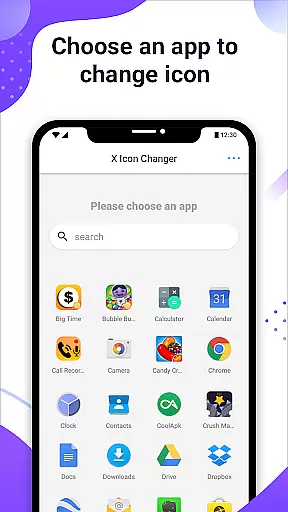
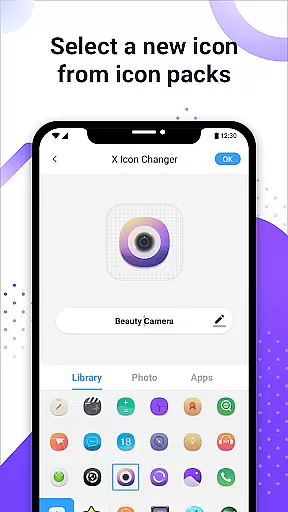
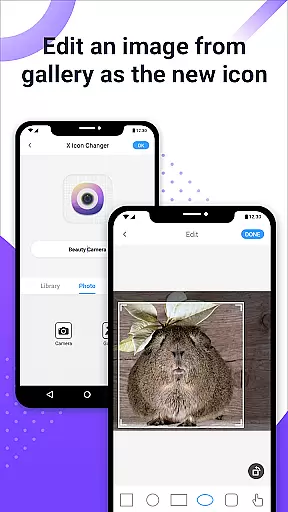
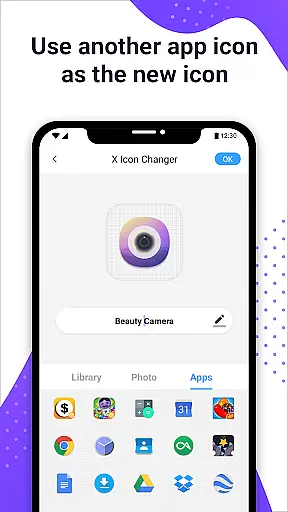
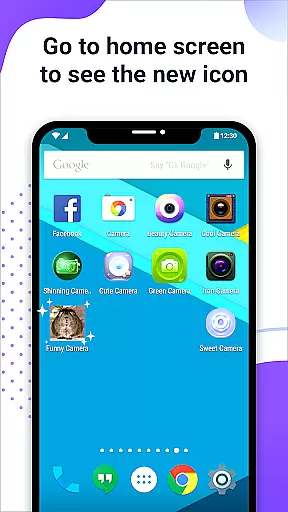
X Icon Changer is a free app designed to help users customize and change icons for any application on their Android devices. With this tool, you can select new icons from various sources including gallery images, other app icons, and personalized icon packs.
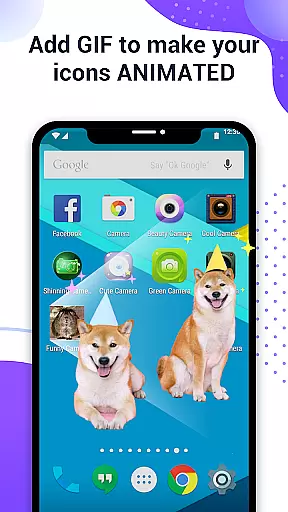
The app simplifies the customization process by creating a shortcut with the new icon directly on your home screen. This makes it easy to give your phone a fresh look without complicated procedures. Additionally, X Icon Changer offers unique features like adding GIF animations to app launches, enhancing both aesthetics and user experience.
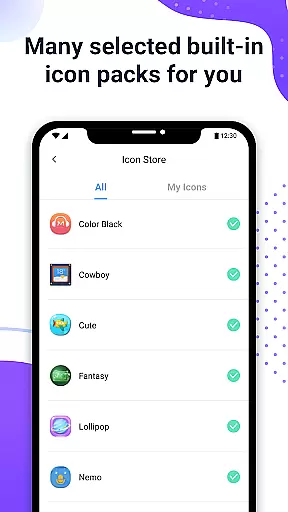
X Icon Changer stands out with its comprehensive set of features tailored for personalizing Android device icons. Users can choose from built-in icon packs or import custom ones from their gallery or third-party sources. The ability to edit app names adds another layer of customization.
A notable feature is the option to add GIF animations that play when launching apps through newly created shortcuts. For devices running Android 8.0 and above, where watermarks might appear on shortcuts, X Icon Changer provides a widget-based solution ensuring watermark-free icons, thus maintaining visual clarity and appeal.
X Icon Changer offers an extensive range of customization options, allowing users to personalize their app icons effortlessly. This application supports a diverse selection of icon sources including built-in icon packs, third-party icon packs, and even images from the user's gallery.
The ability to choose from such a wide array of sources ensures that users can find the perfect icon to match their personal style or mood. Whether you prefer sleek minimalist designs or vibrant and playful aesthetics, X Icon Changer has something for everyone.
Moreover, the app enables users to assign new names to their apps, adding another layer of personalization. This feature is particularly useful for creating shortcuts that are more meaningful or easier to recognize at a glance.
By providing these rich customization options, X Icon Changer empowers users to tailor their smartphone experience, making it truly their own. The ease of use and flexibility in changing icons make this app a valuable tool for anyone looking to refresh their device's appearance regularly.
Theme compatibility is a crucial aspect of any personalization app, and X Icon Changer excels in this area. It ensures that all custom icons blend seamlessly with various Android themes, maintaining visual consistency across the user interface.
This app utilizes advanced widget technology to eliminate watermarks on shortcut icons, a common issue on Android 8.0 and above. By dragging the X Icon Changer widget to the desktop, users can change app icons without any unsightly watermarks, preserving the integrity of their chosen theme.
In addition to its robust theme support, X Icon Changer also allows users to add GIF animations to their app icons. This innovative feature lets users incorporate dynamic visuals that enhance theme compatibility and bring their home screen to life.
With its comprehensive approach to theme integration, X Icon Changer stands out as a versatile solution for users seeking to maintain a cohesive look across their devices while enjoying the freedom to express their individuality through customized icons.
User-friendly interface
Wide selection of icon packs
Customizable app names
GIF animation support
Watermark-free options
Limited to Android devices
Requires manual setup
Some features need specific OS versions
Third-party widgets may be needed
Potential compatibility issues

A retro cartoon style watch face and a punch right in the face of the copyright
 4.60
4.60
3D, live, and moving wallpapers & themes in 4K and HD for your device.
4.50
Make your phone look simple & luxury, like iDevice
4.60
Ultimate widget creator. Design custom widgets for a truly unique home screen!
3.90
More than 3000+ themes and 9000+ wallpapers for everybody!
4.10 4.10
4.10
⭐ OneUI inspired Fluffy Icon Pack – Soft. Stylish. Standout. ⭐
4.4
Icons made of colorful linear lines
4.60
Adorable pets roam and play right on your phone screen!
3.30
Customizable Glass widgets. Over 360+ stunning widgets and more!
4.70
A Colorful and Minimal icon pack in an Outline Style - Over 13,600 icons!
4.70
350+ widgets with a premium glass-style finish, perfect for home & lock screens.
4.70
Stunningly Different look with Line Icons and Neon Colors
4.60
Want to make your phone more special than ever?
4.60
Embrace the Night. Unleash the power of darkness with Raven Dark Icon Pack
4.60 4.50
4.50
Yandex Browser — stylish and secure, with voice search and data compression
4.40
Capture moments that pass like a storm, second by second.
4.4
Modern Glass Icon Pack with glossy icons, clean minimal theme & aesthetic style
4.3
Wallpaper Engine Android review—PC sync setup, crash issues, sound reactive limitations, and whether this free companion app is actually good.



User Reviews