
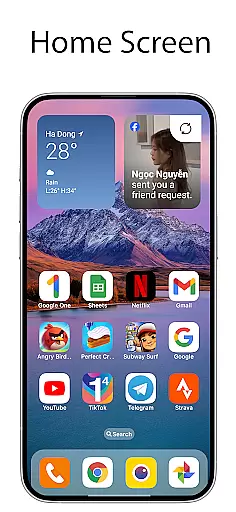
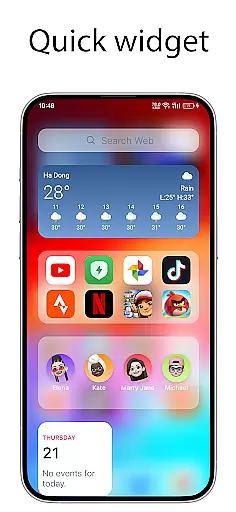
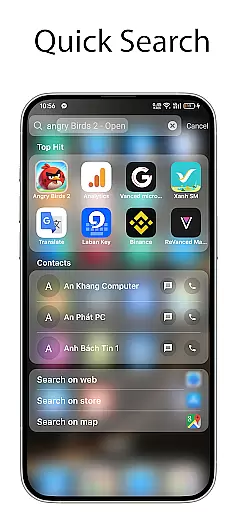
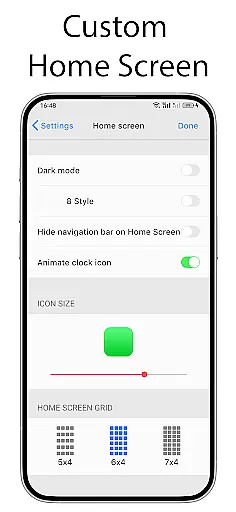
OS Launcher 18 - Phone 16 Max is a personalization app that transforms the visual appearance of Android devices into a more simple and luxurious interface. This launcher provides users with a customized experience, including redesigned app icons, wallpapers, and various other features. It allows Android users to enjoy an elegant design while maintaining the full functionality of their device's operating system.
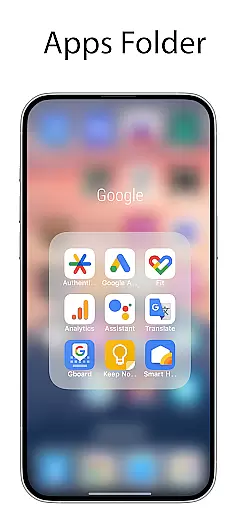
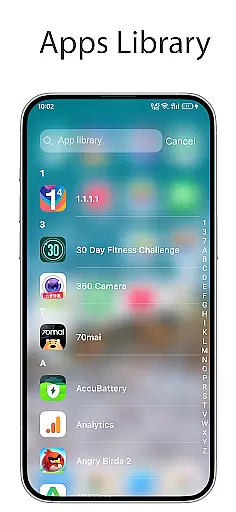
The app offers several key features such as an Apps Library for organizing apps into categories, a Today View for weather updates and calendar events, and customizable widgets. Users can also create folders by dragging and dropping apps together, modify app icons and names, hide apps from the home screen, and use a lock feature to prevent unauthorized access. With its user-friendly interface and versatile customization options, OS Launcher 18 caters to those who seek both aesthetics and practicality in their mobile experience.
OS Launcher 18 - Phone 16 Max stands out with its comprehensive set of features designed to enhance the Android user experience. One of its main attractions is the Apps Library, which helps users organize their apps into easily manageable categories. The Today View feature provides quick access to essential information like weather forecasts, favorite contacts, and upcoming calendar events, all presented in a clean and intuitive layout.
Another notable feature is the ability to create folders by simply dragging and dropping apps onto each other, streamlining navigation and decluttering the home screen. The launcher also includes customizable widgets that add both functionality and style to the user interface. Additionally, users can personalize app icons and names, hide apps they don't want to display, and enable an unread notification dot to keep track of messages. These features collectively offer a highly tailored and efficient user experience, making daily interactions with the device more enjoyable and productive.
OS Launcher 18 - Phone 16 Max offers a wide array of customization options that allow users to tailor their Android device's interface with precision. This app provides features such as customizable app icons, the ability to create folders by dragging and dropping apps, and widgets that can be added to the home screen for enhanced functionality.
The level of personalization extends to being able to hide apps from the home screen and modify both the icon and name of applications according to user preference. These capabilities ensure that each user's device can reflect their personal style while maintaining an organized layout through features like the Apps Library which groups apps into categories.
With OS Launcher 18, you are not just limited to static changes; dynamic elements such as weather forecasts complete with temperature, wind, and humidity information can also be displayed on your home screen. The Today View feature further enriches this experience by showing relevant daily information including weather updates, favorite contacts, and calendar events.
Theme compatibility is at the heart of OS Launcher 18 - Phone 16 Max's design philosophy, ensuring that visual consistency is maintained across all aspects of the user interface. Users have access to a range of themes that harmonize with their desired look and feel, whether they prefer a simple or more luxurious aesthetic for their device.
In addition to offering visually appealing wallpapers, the launcher supports cohesive theme packages that include matching icons and UI elements. This attention to detail guarantees that when users customize their devices using OS Launcher 18u2019s extensive library of options, every element works together seamlessly.
Furthermore, advanced features such as unread notification dots contribute to maintaining an intuitive yet stylish environment without compromising usability. By turning on App Notified settings within the launcher, users receive visual cues about unread messages directly on their customized iconsu2014a testament to how OS Launcher 18 balances both form and function in its approach to theme compatibility.
User-friendly interface
Highly customizable
Comprehensive widgets
Efficient app organization
Enhanced security features
Limited default themes
Occasional performance lags
Advanced features require setup
Notification dot needs permissions
Some features may feel redundant

A retro cartoon style watch face and a punch right in the face of the copyright
 4.60
4.60
More than 3000+ themes and 9000+ wallpapers for everybody!
4.10
Romantic Kiss Stickers App. Start romantic messaging now!
4.30 4.50
4.50
Choose your keyboard with RGB colors effect, themes, fonts, emojis.
4.60
Handcrafted pixel art icons, widgets & wallpapers
4.60
300+ widgets inspired by Material You and Material 3 expressive design.
4.60
Transform your device in a game console
4.40
Enjoy a variety of amazing live wallpapers and colorful EDGE lighting borders!
4.80
A launcher for Samsung Good Lock and Good Guardians modules without ads
4.70
Nothing Icon pack with more than 3750+ highly crafted icons.
4.70
Stunningly Different look with Line Icons and Neon Colors
4.60
Unique Android Launcher
4.60
Bring adorable pets to life on your screen. Playful, interactive and full of fun
4.60
Zip lock screen with magic wallpaper to decorate your phone with fun zipper lock
4.60 4.50
4.50
200+ Material Inspired Widgets
4.50
AI-powered Copilot. Personalized keyboard with gifs, stickers & themes
4.40
Modern Glass Icon Pack with glossy icons, clean minimal theme & aesthetic style
4.2
Wallpaper Engine Android review—PC sync setup, crash issues, sound reactive limitations, and whether this free companion app is actually good.



User Reviews