
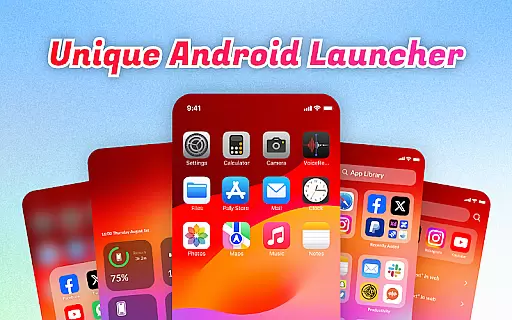
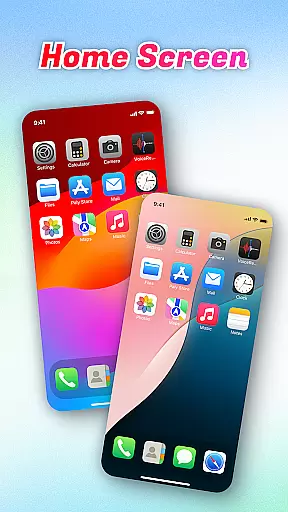
OS Launcher Theme is a personalization app that transforms your smartphone experience with its elegant design and practical features. The app offers an innovative App Library that automatically sorts apps into categories, helping you stay organized. With Quick Center, users can access essential functions like flashlight and settings with a single swipe, making daily tasks more convenient.
In addition to organization tools, the app includes a built-in QR scanner for seamless scanning without switching apps, and provides useful monitoring tools such as Battery Info and Data Usage tracking. These features ensure that you have full control over your device's performance while enjoying a clutter-free interface. Whether you're looking to optimize your phone's usability or simply refresh its appearance, OS Launcher Theme delivers both style and functionality.
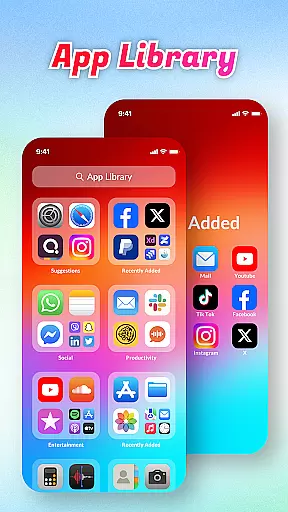
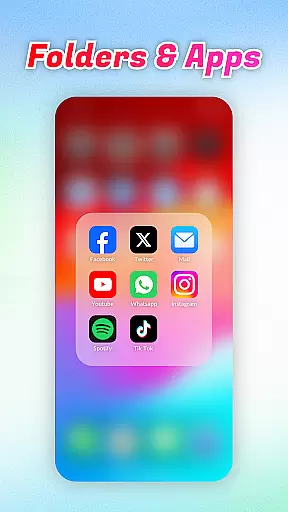
OS Launcher Theme stands out with its comprehensive set of features designed to enhance user convenience. One of its key highlights is the App Library, which intelligently organizes apps into categories, eliminating the hassle of manual sorting. This feature not only declutters your home screen but also makes app discovery faster and easier.
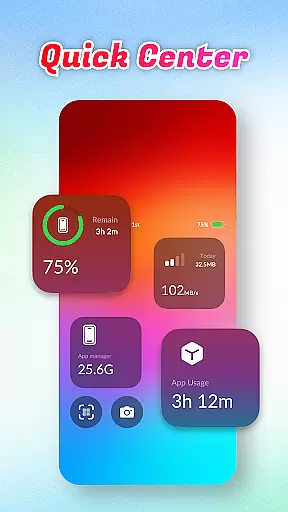
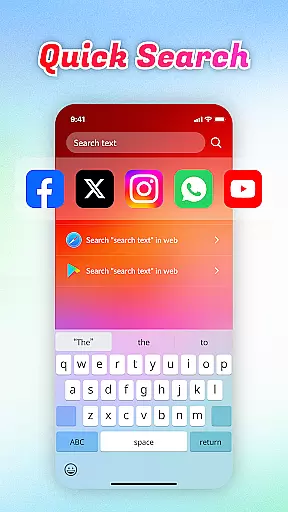
The Quick Center is another standout tool, offering one-tap access to frequently used functions such as flashlight, Wi-Fi settings, and more. Additionally, the app provides a Quick Search bar that allows users to find apps or web content within seconds using keyword searches. For those who value utility, the built-in QR Scanner and system monitoring tools like Battery Info and Data Usage provide added layers of functionality, ensuring that users can manage their devices efficiently while enjoying a sleek, modern interface.
OS Launcher Theme offers a wide array of customization options that cater to individual preferences and needs. The App Library feature automatically sorts apps into categories, reducing clutter and personalizing the user's home screen layout.
With Quick Center, users can enjoy personalized convenience by accessing frequently used settings like flashlight and other utilities with a single swipe and tap. This level of customization ensures that essential functions are always within reach.
The launcher also includes a Quick Search function, allowing users to swiftly find apps or web content using keyword searches. This tailored search capability enhances the overall user experience by adapting to the way users seek information.
Built-in tools such as the QR Scanner, Battery Info, Data Usage monitor, and App Manager provide additional layers of personalization. Users can manage their device's functionalities and storage without leaving the launcher, making OS Launcher Theme an all-encompassing solution for device personalization.
Theme compatibility is at the heart of OS Launcher Theme, ensuring that visual elements and functional widgets integrate seamlessly with various devices and Android versions. This compatibility allows users to enjoy a consistent look and feel across different screens and resolutions.
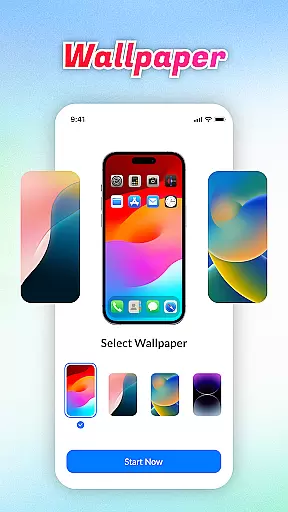
The launcher supports a range of built-in themes which adapt to the user's aesthetic preferences while maintaining optimal performance. Whether it's through vibrant colors or sleek designs, users can select themes that best represent their personal style.
In addition to visual theming, OS Launcher Theme provides functional consistency by incorporating features like Data Usage tracking and Battery Info monitoring. These practical tools blend into the theme, offering both beauty and utility without compromising the system's integrity.
Furthermore, the App Manager feature works harmoniously with the selected theme, enabling users to oversee storage space and app organization without visual disruptions. This cohesive approach to theme compatibility ensures that customization does not come at the expense of usability or device performance.
User-friendly interface
Efficient app organization
Quick access tools
Built-in utilities
Performance monitoring
Limited customization
Occasional bugs
Ads in free version
Device compatibility
Learning curve

Wear Os Watch Face - Seasonal - Animated Snow Effect - 9 Animals
 4.20
4.20
Aesthetic Widgets, HD Wallpapers, Themes in Mico Widget for Home and Lock Screen
4.50
Turn text & photos into stunning AI videos, art, and creative visual stories.
4.50 4.50
4.50
Choose your keyboard with RGB colors effect, themes, fonts, emojis.
4.60
200+ Material Inspired Widgets
4.50
Your home screen, just the way you like it.
4.30
350+ widgets with a premium glass-style finish, perfect for home & lock screens.
4.70
Magic fluids wallpaper 4D: Relax with stunning fluid simulation wallpaper app
4.20
100+ Stylish Fonts, Emojis, Symbols keyboard for Instagram & TikTok!
4.80
Winter's Journey: digital watch face for Galaxy Watch & Wear OS
4.80
Vertically oriented rectangular icons
4.70
Stylish Pink Cute Hippo keyboard with 10000+ customized keyboard themes!
4.60
Fingerprint Lock Screen & Live Animations with 4K Wallpapers as Live Wallpaper
4.40
Art & Emoji Keyboard with Cool Fonts, Cute Themes and Custom Designs.
4.40
App Icon Changer & Shortcut Creator. Customize your icons without any watermarks
4.30 3.50
3.50
Turn your lock screen into fun with smile live wallpapers & animated wallpapers!
2.50
Prank your friends with realistic broken screen and cracked HD effects!
4.4
Wallpaper Engine Android review—PC sync setup, crash issues, sound reactive limitations, and whether this free companion app is actually good.



User Reviews