
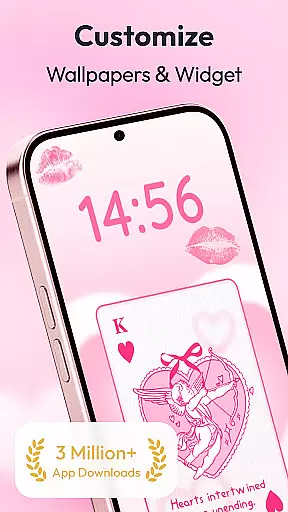
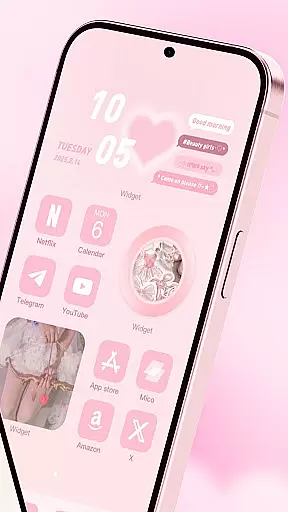
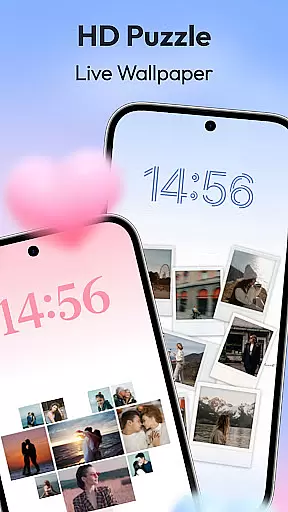
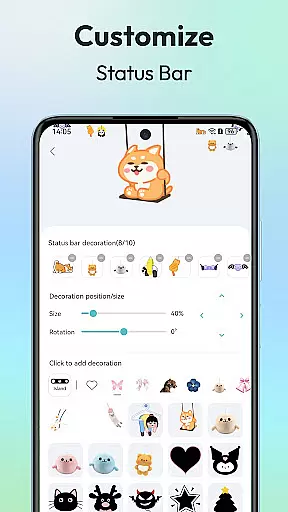
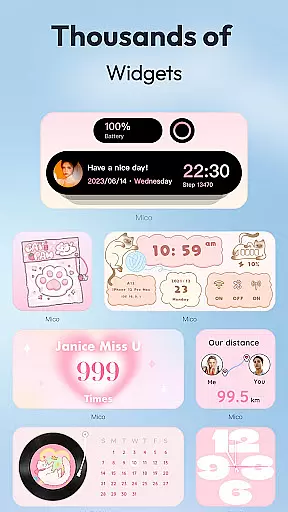
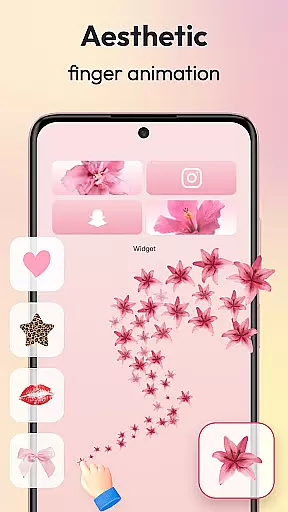
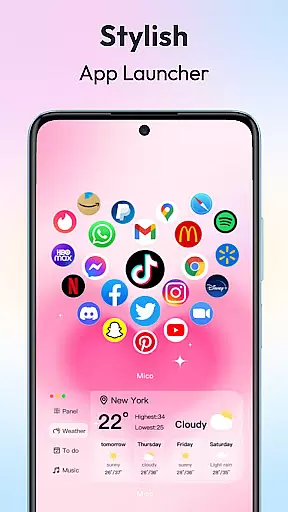
Mico is a powerful personalization app that transforms your mobile device into a creative canvas. With over 1000 customization tools, it offers an extensive range of widgets including couple and battery widgets, 4K live wallpapers, and unique home screen designs. The app allows users to personalize their phone screens with custom themes, photo widgets, and live wallpapers, making each screen 100% unique to its owner.
One of the standout features of Mico is its ability to provide both practical functionality and aesthetic appeal. Users can choose from various widget types like WidgetSmith for versatile decoration options, Widgify Tool for DIY widgets, and Locket Widget for a balance of security and personalized freedom. Additionally, the app includes advanced features such as AI-powered filters, depth effects for portrait wallpapers, and smart text designers with motivational quotes.
The app's comprehensive customization capabilities extend to lock screens, where dynamic widgets and health tracking dashboards can be utilized. Whether you're looking to improve efficiency by customizing your phone as a life assistant or simply want to express your personal style, Mico provides all the tools necessary to create a next-level personalized device experience.
Mico stands out in the personalization category due to its rich feature set tailored for creativity and customization. The app includes a 4K Live Wallpaper Maker that lets users transform their favorite photos or artistic designs into vibrant wallpapers. It also offers daily updated collections featuring manga, anime, landscapes, abstract art, and anime themes, ensuring there's always something new to explore.
Another remarkable aspect of Mico is its Pro Customization Tools. These include a DIY Widget Builder that converts photos and GIFs into live widgets, a Smart Layout Engine with one-tap presets for various styles like Ins, Gaming, and Kawaii, and over 2000 icon packs ranging from retro pixel to neon glow designs. This level of customization empowers users to create a truly unique and personalized device experience.
Furthermore, Mico enhances user engagement with features like Dynamic Widgets for lock screens, Smart Text Designers with motivational quotes, and Health Tracking dashboards with real-time step counters. Cross-platform sync capabilities allow seamless style transfer between iOS and Android devices, making it easy for users to maintain their personalized settings across different platforms.
Customization is at the heart of personalizing your digital experience, and Mico excels in providing a vast array of options to make your device truly yours. With over 1000 creative widgets, the app allows users to add practical functions, photos, panels, and even cute battery indicators to their home screens.
The WidgetSmith feature offers a diverse selection of widgets that can be used to decorate your phone anytime and anywhere, ensuring your home screen is as unique as you are. Additionally, the Widgify Tool empowers users to turn their favorite things into widgets, literally 'Widgifying' everything they love onto their screens.
Mico also includes Locket Widget for a personalized yet secure experience, balancing privacy with freedom. Top designers from around the globe contribute high-quality widgets, while Themify Design enables custom themes and wallpapers application with just one tap.
Ultimately, Mico's customization options allow users to express their individuality through their devices, enhancing both aesthetics and functionality. This extensive variety ensures that whether you're looking for cute animations or practical tools, Mico has something to offer for every kind of user.
Theme compatibility is crucial for users seeking a cohesive look across their devices, and Mico delivers this through its versatile design features. The app provides an impressive range of theme options, including popular themes like Labubu and trending TikTok wallpapers, which can be applied effortlessly to match your personal style.
In addition to static themes, Mico supports dynamic elements such as live wallpapers and video backgrounds. Users can transform their favorite photos or artistic designs into vibrant wallpapers, or choose from daily updated collections featuring manga, anime, landscapes, abstract art, and more.
For those who desire a professional touch, Mico's AI-powered filters and depth effects create stunning portrait wallpapers. The app's Focus Mode Matching takes personalization further by automatically switching wallpapers based on time or location, ensuring your device always feels fresh and relevant.
By offering seamless theme compatibility, Mico not only enhances visual appeal but also improves usability. Whether you're after a complete aesthetic overhaul or subtle enhancements, Mico's comprehensive suite of theming tools caters to all customization needs.
User-friendly interface
Extensive customization options
High-quality 4K wallpapers
Vibrant community support
Cross-platform compatibility
Premium features require subscription
Some widgets may drain battery
Occasional bugs in live wallpapers
Limited free icon packs
Advanced tools have learning curve

Classic analogue watch face. For wear os devices.
 4.60
4.60
A Colorful and Minimal icon pack in an Outline Style - Over 13,600 icons!
4.70
A light in the dark, a unique style and an andless cutomization!
4.30
Realistic animated snow on your wrist, with 10 images landscapes to choose from
4.00
Over 28,000 high quality icons to bring color & homogeneity to your phone.
4.60
Customizable screen pets that play, climb, and keep you company.
4.50
Want to make your phone more special than ever?
4.60
Nothing Icon pack with more than 3750+ highly crafted icons.
4.70
Handcrafted pixel art icons, widgets & wallpapers
4.60
Only for Wear OS devices!
4.90
Winter's Journey: digital watch face for Galaxy Watch & Wear OS
4.80
Sparkle your screen with Glitter Wallpapers For Girls and Cute Backgrounds!
4.80
Icons made of colorful linear lines
4.60
Choose your keyboard with RGB colors effect, themes, fonts, emojis.
4.60
Turn text & photos into stunning AI videos, art, and creative visual stories.
4.50
Organize and manage your photos and videos effortlessly with Photo Gallery
4.20
Ultimate widget creator. Design custom widgets for a truly unique home screen!
3.90
Design your screen with unique, vibrant clocks
3.80
Customize glowing edges, wallpapers, and caller screen with EdgeAura.
3.50
Wallpaper Engine Android review—PC sync setup, crash issues, sound reactive limitations, and whether this free companion app is actually good.



User Reviews