
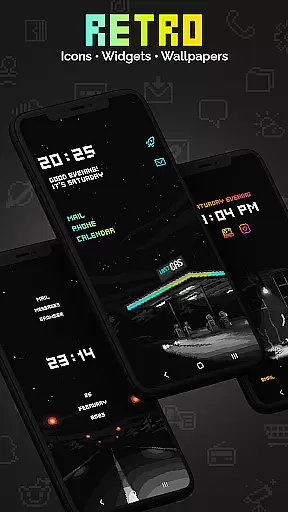
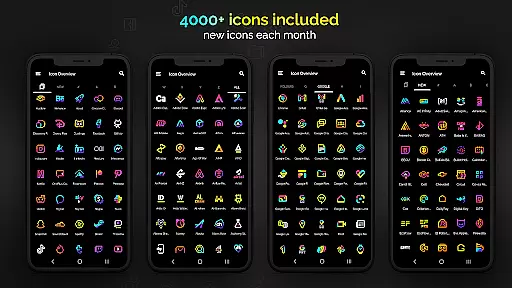
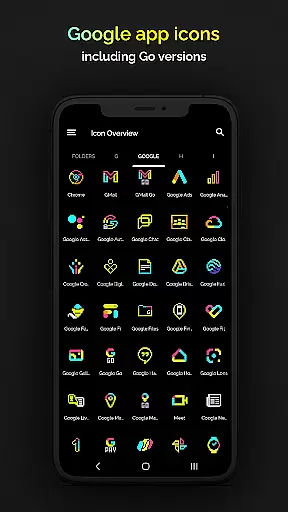
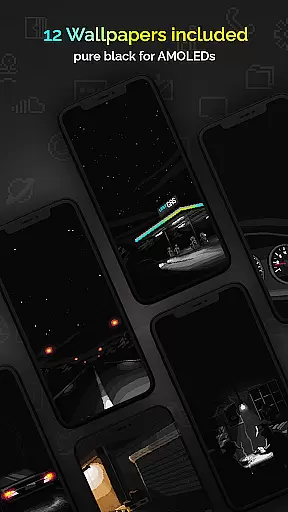
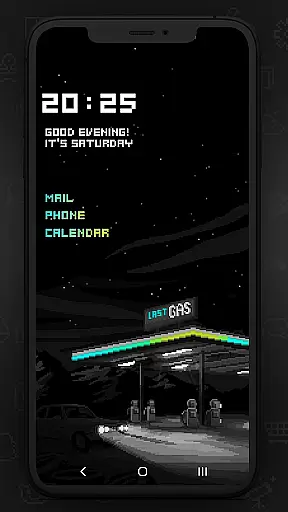
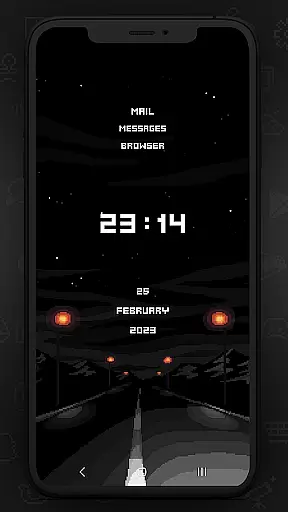
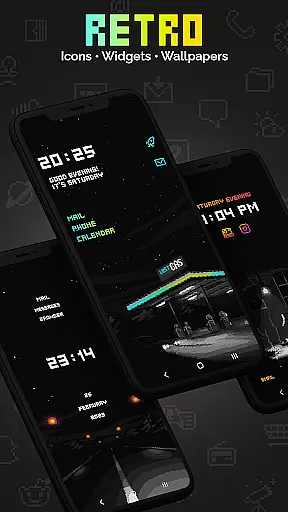
Retro Mode - Icon Pack (Neon) offers a nostalgic pixel art experience with neon colors, bringing users back to the vibrant aesthetics of the 90s. This icon pack includes over 4050 meticulously crafted icons, 12 wallpapers, and 6 unique widgets that support Android 10 and above.
Designed for personalization enthusiasts, this app supports more than 20 launchers and updates monthly with new icons and features. The crisp pixel design without shadows or outlines ensures a clean look, while customizable widgets provide both functionality and style.
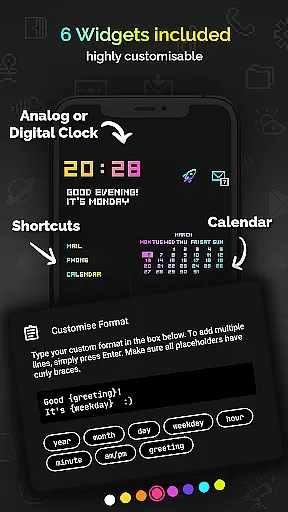
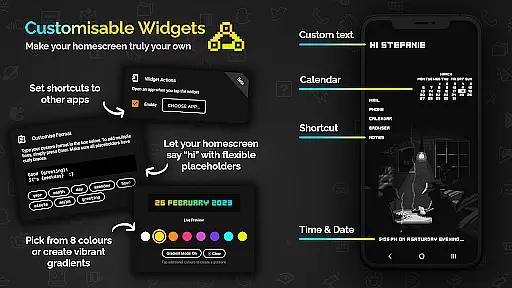
This icon pack stands out with its comprehensive set of features tailored for customization. Users can enjoy an expansive selection of 4050+ pixel-perfect icons, each crafted on a tiny 20x20 canvas then upscaled for sharpness. Additionally, it offers 12 vibrant wallpapers and 6 versatile widgets including digital and analog clocks, date displays, greetings, calendar views, and text shortcuts.
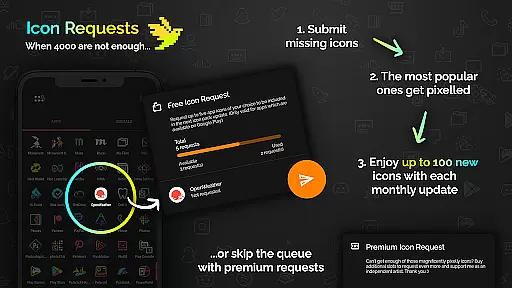
Compatibility is broad, supporting over 20 different launchers such as Nova, Action, ADW, and more. Monthly updates ensure fresh content regularly. Moreover, users benefit from five free icon requests per month, allowing personalized additions drawn by the artist herself.
Customization is at the heart of Retro Mode - Icon Pack (Neon), offering users a wide array of choices to personalize their device's appearance. With over 4050 pixel-perfect icons, this pack ensures that almost every app on your phone can be transformed to fit a vibrant neon aesthetic reminiscent of the 90s digital era.
In addition to the extensive icon library, the pack includes 12 unique wallpapers and six versatile widgets. These widgets are not just functional but also customizable in terms of color and text, allowing users to create a home screen that is truly their own. The ability to mix and match widget colors or apply gradients adds another layer of personal expression.
The level of customization extends to compatibility with more than 20 launchers, ensuring that no matter what device or launcher you use, Retro Mode has you covered. This inclusivity empowers users to enjoy a consistent and personalized experience across different platforms, making it one of the most adaptable icon packs available today.
Retro Mode - Icon Pack (Neon) excels in theme compatibility, designed to work seamlessly with a multitude of launchers including popular ones like Nova, Action, and ADW. This broad compatibility ensures that users aren't restricted by their device's default launcher limitations and can fully embrace the retro aesthetic offered by this icon pack.
For Samsung users, particularly those on Android 12 with OneUI 4.0 or newer, applying these themes becomes even easier with the Theme Park app. Even if your device isn't initially compatible, switching to a supported launcher opens up a world where your home screen can mirror the neon-lit vibrancy of yesteryears' digital interfaces.
Moreover, regular updates and new icon additions ensure that as your apps evolve, so does the icon packu2019s ability to maintain visual harmony across your device. Monthly updates bring fresh content while preserving the cohesive look that makes Retro Mode - Icon Pack (Neon) stand out among other personalization tools.
Extensive icon library
Vibrant neon design
Monthly updates
Customizable widgets
Broad launcher support
Limited to supported launchers
No shadow effects
Additional request costs
Small canvas size
Specific aesthetic appeal

Stunningly Different look with Line Icons and Neon Colors
 4.60
4.60
Ultra realistic gold analog watch face with lots of customization options.
4.50
Wear Os Watch Face - Seasonal - Animated Snow Effect - 9 Animals
4.20
AI-powered Copilot. Personalized keyboard with gifs, stickers & themes
4.40 4.50
4.50
Yandex Browser — stylish and secure, with voice search and data compression
4.40
400+ Beautifully crafted widgets inspired by NOTHING.
4.70
Magic fluids wallpaper 4D: Relax with stunning fluid simulation wallpaper app
4.20
Custom ringtones songs, music ringtones for Android phones
4.60
Wallpaper HD 4K Live - Thousands of high-quality Anime backgrounds for you.
4.80
Dark icon pack based on One 8
4.80
A Colorful and Minimal icon pack in an Outline Style - Over 13,600 icons!
4.70
Make your phone look simple & luxury, like iDevice
4.60
Add cute Shimeji pets to screen, interact with them and relax with cute motions
4.60
Over 28,000 high quality icons to bring color & homogeneity to your phone.
4.60
Vibrant Adaptive Icons with Material You and Enhanced Monet Colors.
4.50
App Icon Changer & Shortcut Creator. Customize your icons without any watermarks
4.30
Your go to Weather App & Home Screen. Get your weather at a swipe of a finger!
3.80
Turn your lock screen into fun with smile live wallpapers & animated wallpapers!
2.50
Wallpaper Engine Android review—PC sync setup, crash issues, sound reactive limitations, and whether this free companion app is actually good.



User Reviews