
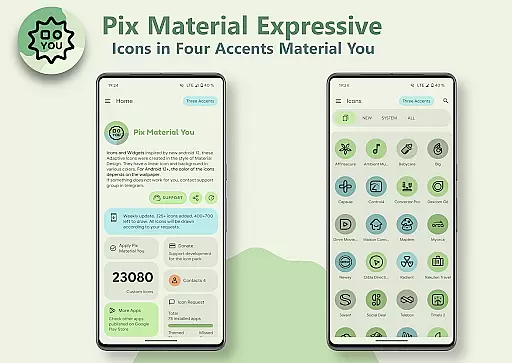
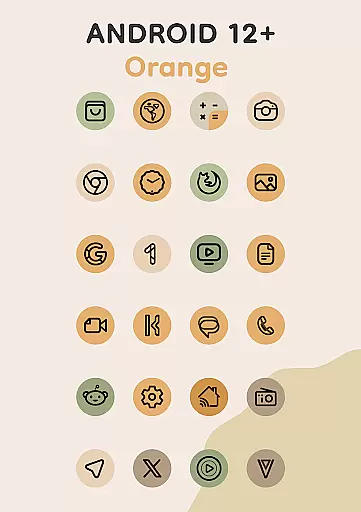
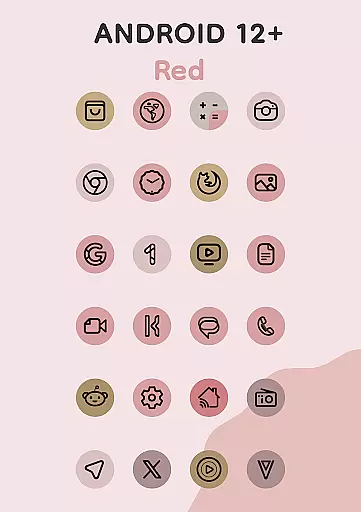
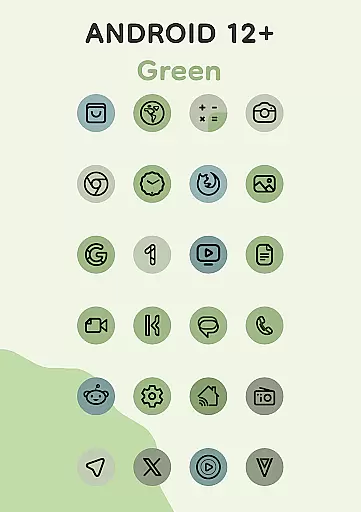
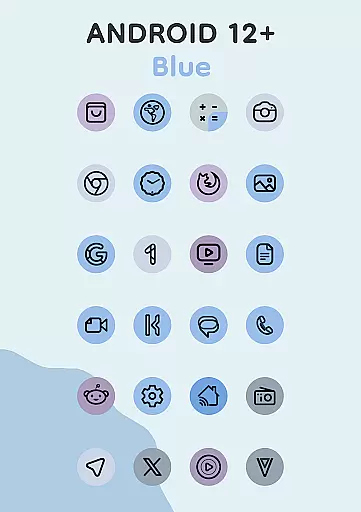
Pix Material Expressive Icons is a dynamic icon pack that transforms your device's interface with adaptive icons fully supporting Material You design. The app offers over 24,000 adaptive icons that adjust their color based on your wallpaper, providing next-level personalization for Android users.
With enhanced Monet palette and expressive accent colors, these icons create a modern, harmonious look across your system. Compatible with various launchers, the icons adapt their shape and style dynamically, ensuring seamless integration with your device's theme and color scheme.
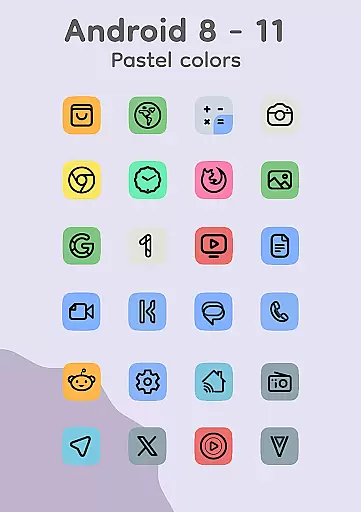
This icon pack stands out with its innovative features designed for maximum customization. Each icon boasts a clean linear outline and dynamic background color adaptation based on your wallpaper choice.
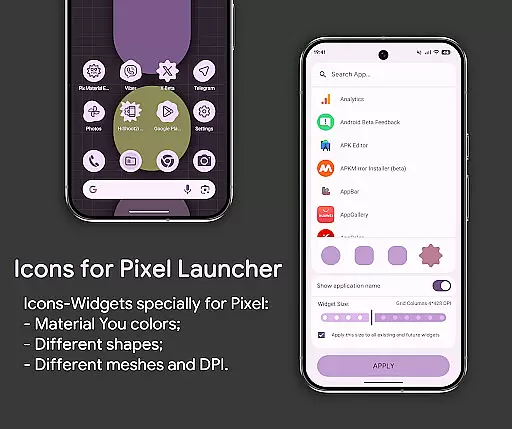
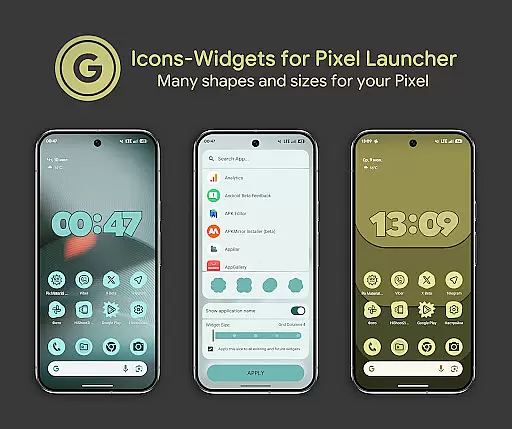
The app supports icon shape-shifting on compatible launchers, automatic color adjustment through Material You integration, and includes specialized Icon-Widgets for devices without native icon pack support. These widgets offer additional customization options including shape selection, icon animation, and size adjustment based on screen grid and DPI settings.
Personalization is at the heart of Pix Material Expressive Icons, offering users a wide array of customization options to truly make their device their own. With full support for Material You, this icon pack goes beyond the standard Monet palette by introducing four expressive accent colors that enhance the visual appeal of icons.
Each icon within the pack features a clean linear outline complemented by a background that dynamically shifts in color based on the user's wallpaper. This seamless integration with the system's color scheme ensures a harmonious and unique aesthetic across the device.
The adaptive nature of these icons allows them to change shape when used with supported custom launchers, providing even more avenues for personalization. Whether it's through altering icon shapes or adjusting to light and dark themes, users have unparalleled control over their device's appearance.
Pix Material Expressive Icons excel in theme compatibility, ensuring that users enjoy a consistent look and feel across their devices. The icon pack supports a range of launchers, including popular options like Nova Launcher and Pixel Launcher, each offering distinct ways to apply and enjoy themed icons.
For Android 12 and above, the colors of icons and widgets are not static but adapt based on the wallpaper and utilize three Material You colors, creating an ever-evolving visual experience. Users need to reapply the icon pack after changing wallpapers to see these effects, except when using launchers that automatically apply color changes.
Included in the application are over 24,000 adaptive icons, clock widgets, music widgets, and icon widgets. These elements collectively contribute to a cohesive thematic experience, whether one is looking to refresh their home screen or seeking specific functionalities like animated icons or varied grid sizes.
Full Material You support
Dynamic color adaptation
Wide launcher compatibility
Extensive icon collection
Innovative widget system
Limited Android 12+ features
Manual reapplication needed
Complex setup process
Specialized launcher required
Wallpaper dependency

The definitive Icon pack maker and editor
 4.30
4.30
Run multiple accounts of the same app on a single device
4.10
Aesthetic Widgets, HD Wallpapers, Themes in Mico Widget for Home and Lock Screen
4.50 4.50
4.50
Color phone with cool effects for call screen, flash alert & ringtones music
4.50
Icons made of colorful linear lines
4.60
Choose your keyboard with RGB colors effect, themes, fonts, emojis.
4.60
Your home screen, just the way you like it.
4.30
Fast SMS & group chat - use GIFs and emojis from your home screen launcher.
4.50
Gun Chase - Let the chase begin.
4.80
Wallpaper HD 4K Live - Thousands of high-quality Anime backgrounds for you.
4.80
Unique Android Launcher
4.60
Add cute Shimeji pets to screen, interact with them and relax with cute motions
4.60
Want to make your phone more special than ever?
4.60
App Icon Changer & Shortcut Creator. Customize your icons without any watermarks
4.30
Unleash Your Creativity and Connect with Loved Ones with Lockscreen Drawing!
4.20 4.10
4.10
Design your screen with unique, vibrant clocks
3.80
HappyLighting is a Bluetooth lamp control software.
3.40
Wallpaper Engine Android review—PC sync setup, crash issues, sound reactive limitations, and whether this free companion app is actually good.



User Reviews