
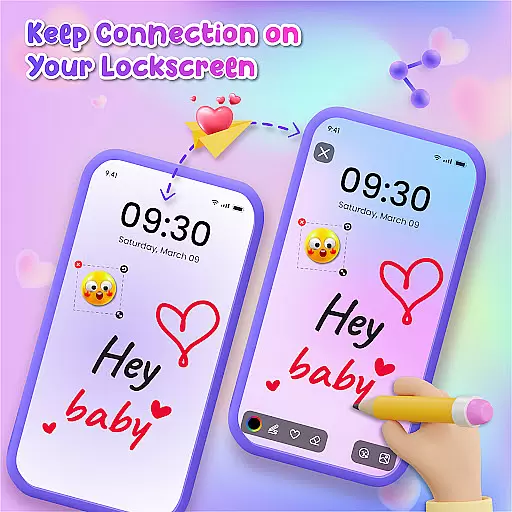
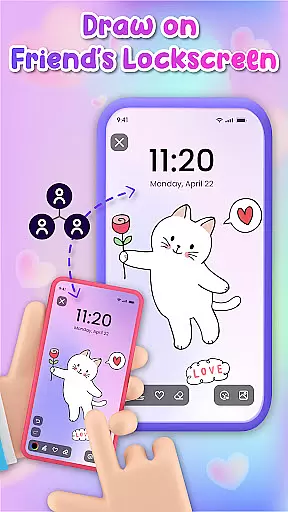
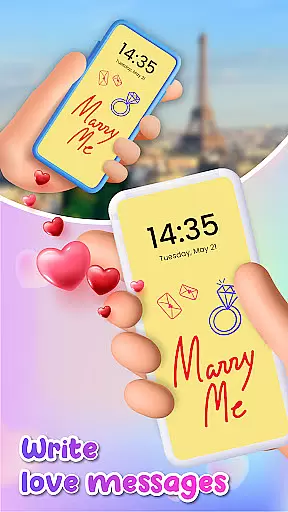
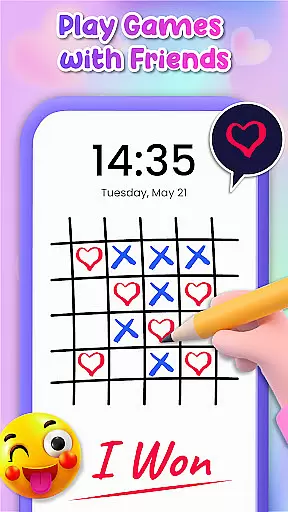
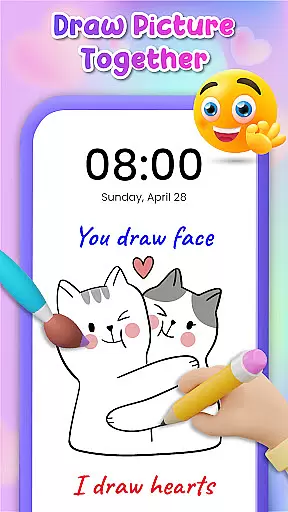
Lockscreen Drawing is a unique personalization app that transforms your phone's lock screen into an interactive canvas. This innovative application allows users to draw directly on their lock screen, share creations instantly with friends, and collaborate on artwork in real-time.
The app offers multiple drawing options including lock screen doodling, widget access, and an in-app canvas feature. Users can choose from various backgrounds and utilize over 100 free stickers to enhance their creations. The app particularly appeals to those seeking creative expression and novel ways to connect with others through digital art.
This functionality proves especially valuable for couples and close friends who wish to surprise each other with personalized messages or drawings that appear every time they unlock their phones, making daily interactions more meaningful and engaging.
Lockscreen Drawing stands out with its comprehensive set of creative tools and collaborative features. The app's signature function is its live lock screen collaboration, where users can create artwork together in real-time across different devices.
Beyond basic drawing capabilities, the app provides users with over 20 themed backgrounds and more than 100 unique stickers. These assets allow for extensive personalization options, while the dedicated widget keeps users updated on their friends' latest creations without needing to open the main application.
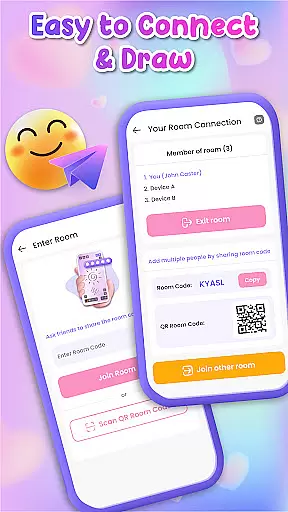
Additional notable features include multiple connection methods using QR codes or special links, plus the ability to save and share finished artworks. These functions work together to create a complete ecosystem for digital artistic expression and social interaction through lock screen personalization.
Lockscreen Drawing offers a rich array of customization options that allow users to express their creativity in unique ways. With over 100 stickers and 20 themed backgrounds, the app provides diverse tools for personal expression.
The ability to choose from various backgrounds, including personal photos, ensures that every user can set the perfect scene for their artwork. This flexibility allows for endless possibilities in terms of visual storytelling and personal branding.
Users can also leverage the live lock screen collaboration feature to create shared experiences with friends. This real-time interaction adds another layer of customization, making each doodle a collaborative masterpiece.
By offering these extensive customization features, Lockscreen Drawing empowers users to transform their lock screens into dynamic canvases that reflect their personalities and moods.
Theme compatibility is a crucial aspect of Lockscreen Drawing's appeal, ensuring that all design elements work seamlessly across different devices and operating systems. The app supports a wide range of themes, from romantic to whimsical, catering to diverse aesthetic preferences.
The widget functionality maintains consistent theming even when users are multitasking, displaying friends' latest creations without disrupting the chosen visual style. This coherence between the main app and its widget enhances overall user experience.
Furthermore, the app's sticker system is designed to be fully compatible with all themes, allowing users to add decorative elements that complement their chosen backgrounds. This attention to detail ensures that every visual element feels intentional and harmonious.
Through meticulous design and testing, Lockscreen Drawing guarantees that its theme compatibility remains robust, providing users with a cohesive and visually pleasing experience regardless of their customization choices.
Unique lock screen drawing
Real-time collaboration
Variety of free stickers
Multiple connection options
User-friendly interface
Limited advanced tools
Potential battery drain
Privacy concerns
Occasional glitches
Basic sharing options

Wear Os Watch Face - Seasonal - Animated Snow Effect - 9 Animals
 4.20
4.20
Gun Chase - Let the chase begin.
4.80
Interactive Miniature Painting Catalogue
3.30
Customizable screen pets that play, climb, and keep you company.
4.50 4.50
4.50
⭐ OneUI inspired Fluffy Icon Pack – Soft. Stylish. Standout. ⭐
4.4
Icons made of colorful linear lines
4.60
Choose your keyboard with RGB colors effect, themes, fonts, emojis.
4.60
Amazing letter fonts in your messages and social statuses
4.70
Winter's Journey: digital watch face for Galaxy Watch & Wear OS
4.80
400+ Beautifully crafted widgets inspired by NOTHING.
4.70
Classic analogue watch face. For wear os devices.
4.60
Transform your phone with Launcher iOS 26 - Smooth & elegant iOS experience
4.50
Fingerprint Lock Screen & Live Animations with 4K Wallpapers as Live Wallpaper
4.40
Art & Emoji Keyboard with Cool Fonts, Cute Themes and Custom Designs.
4.40
Romantic Kiss Stickers App. Start romantic messaging now!
4.30
App Icon Changer & Shortcut Creator. Customize your icons without any watermarks
4.30
Run multiple accounts of the same app on a single device
4.10 3.50
3.50
Wallpaper Engine Android review—PC sync setup, crash issues, sound reactive limitations, and whether this free companion app is actually good.


User Reviews