
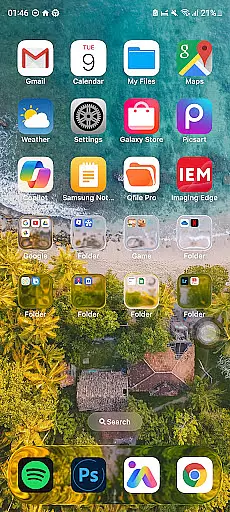
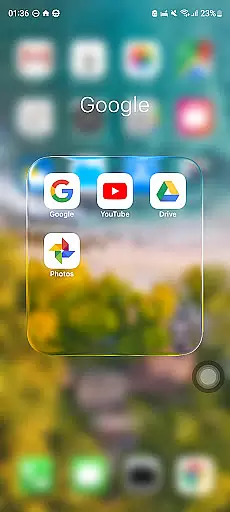
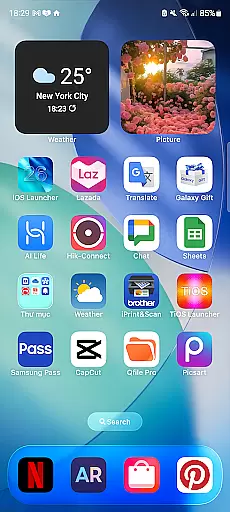
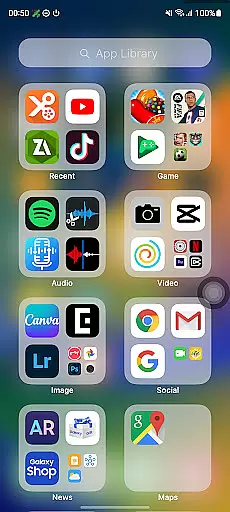
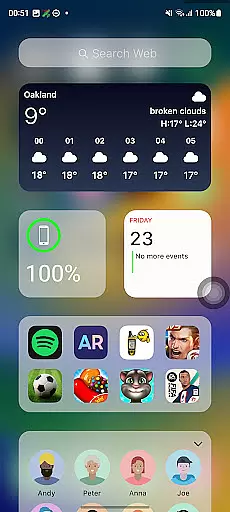
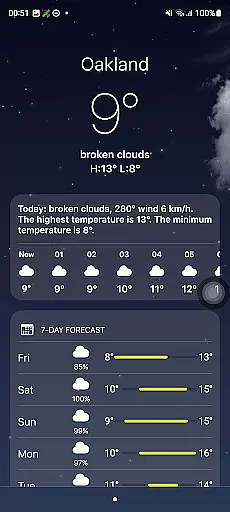
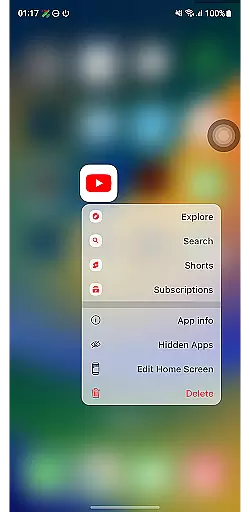
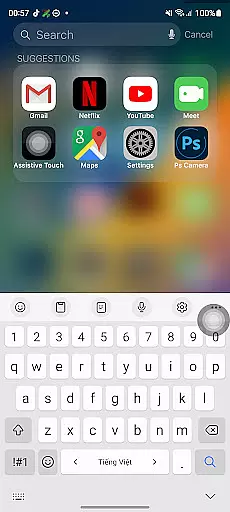
Launcher iOS 26 is a personalization app that brings the familiar iPhone experience to Android devices. This launcher transforms your phone with a sleek and intuitive design inspired by the iPhone interface, offering users an authentic iOS look and feel while maintaining the flexibility of Android.
Beyond its aesthetic appeal, Launcher iOS 26 provides enhanced functionality through features like a convenient Control Center for quick access to essential functions, customizable wallpapers, and easy navigation to favorite apps. These features simplify and personalize the Android experience, making it more user-friendly and efficient.
Whether you're an iPhone enthusiast or simply looking for a fresh and intuitive interface, Launcher iOS 26 offers a unique way to elevate your Android device's usability and appearance.
Launcher iOS 26 stands out with its comprehensive set of features designed to mimic the iPhone experience on Android. The app offers an authentic iOS look and feel, immersing users in a polished and familiar environment that enhances their daily interactions with their device.
One of the key highlights is the Control Center, which allows users to access essential functions with a simple swipe, similar to the iPhone's own Control Center. Additionally, Quick Access provides easy navigation to favorite apps and actions, inspired by iPhone's AssistiveTouch. Users can also customize their home screen with wallpapers, just like on an actual iPhone, allowing for a personalized and unique experience.
These features collectively ensure that Launcher iOS 26 not only enhances the visual appeal of your Android device but also improves its functionality, providing a seamless blend of style and utility.
Launcher iOS 26 offers a rich array of customization options that allow users to tailor their Android devices to closely resemble the iPhone experience. This includes not only aesthetic elements but also functional features inspired by iOS.
The launcher provides an authentic iOS look and feel, with beautifully designed icons and interface elements that mirror the iPhone's polished design. Users can enjoy a familiar layout while still benefiting from the flexibility of Android.
Beyond visual customization, Launcher iOS 26 incorporates practical features like the Control Center, which is accessible with a simple swipe, offering quick access to essential phone functions akin to the iPhoneu2019s own quick settings panel.
Additionally, users have the freedom to personalize their home screens with custom wallpapers, just as they would on an actual iPhone, ensuring a truly unique and personalized user experience across both appearance and functionality.
Theme compatibility in Launcher iOS 26 ensures that users can seamlessly integrate various themes to maintain a consistent visual style across their Android device, much like the cohesive design language found in iPhones.
This launcher supports different themes that align with iOS aesthetics, allowing for an uninterrupted and unified appearance. The attention to detail extends to icon packs and widgets that complement the overall theme, enhancing the authenticity of the iOS experience on Android.
Moreover, Launcher iOS 26 maintains compatibility with customizable wallpapers, enabling users to set any image as their background without disrupting the theme's integrity. This feature mirrors the iPhoneu2019s approach to personalization while preserving visual harmony.
By focusing on theme compatibility, Launcher iOS 26 delivers a fluid and intuitive interface that respects user preferences and adapts to different tastes, providing both beauty and usability in one package.
User-friendly interface
Authentic iOS aesthetics
Customizable Control Center
Quick Access to apps
Flexible wallpaper options
Limited to Android devices
May lack some native iOS features
Potential performance issues
Not a full OS replacement
Some features may require additional setup

Winter's Journey: digital watch face for Galaxy Watch & Wear OS
 4.80
4.80
Make your phone look simple & luxury, like iDevice
4.60
Sparkle your screen with Glitter Wallpapers For Girls and Cute Backgrounds!
4.80
Turn your lock screen into fun with smile live wallpapers & animated wallpapers!
2.50
Romantic Kiss Stickers App. Start romantic messaging now!
4.30
Vibrant Adaptive Icons with Material You and Enhanced Monet Colors.
4.50
Choose your keyboard with RGB colors effect, themes, fonts, emojis.
4.60
350+ widgets with a premium glass-style finish, perfect for home & lock screens.
4.70
Cool custom fonts & keyboard themes! Symbols & font changer for Instagram
4.50
A Colorful and Minimal icon pack in an Outline Style - Over 13,600 icons!
4.70
Nothing Icon pack with more than 3750+ highly crafted icons.
4.70
Ultra realistic high quality analog watch face for Wear OS.
4.60
Want to make your phone more special than ever?
4.60
Art & Emoji Keyboard with Cool Fonts, Cute Themes and Custom Designs.
4.40
Wear Os Watch Face - Seasonal - Animated Snow Effect - 9 Animals
4.20
Magic fluids wallpaper 4D: Relax with stunning fluid simulation wallpaper app
4.20
Customizable flower power digital watch face for Wear OS watches.
4.00
Realistic animated snow on your wrist, with 10 images landscapes to choose from
4.00
Modern Glass Icon Pack with glossy icons, clean minimal theme & aesthetic style
4.1
Wallpaper Engine Android review—PC sync setup, crash issues, sound reactive limitations, and whether this free companion app is actually good.



User Reviews