
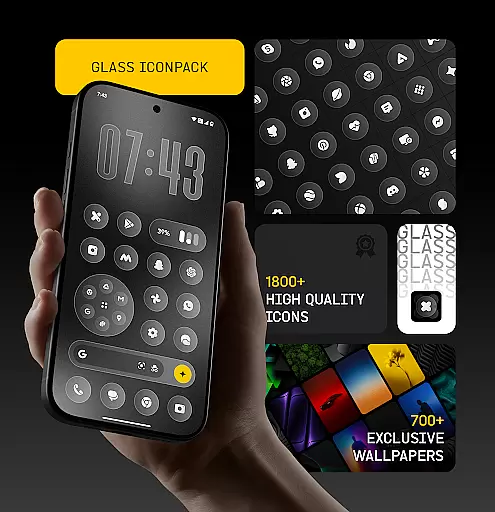
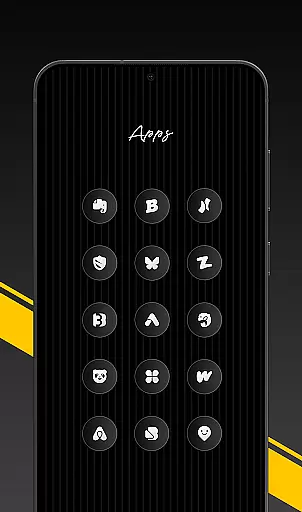
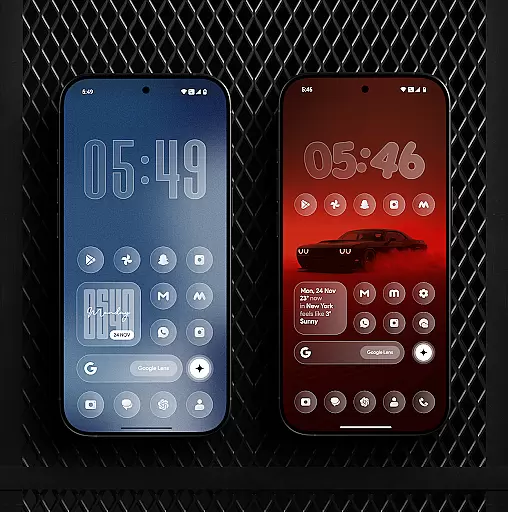
Glass Icon Pack is a premium collection of glossy, modern icons designed to enhance the aesthetic appeal of Android devices. With over 1850 high-quality icons, each crafted with a smooth glass effect and subtle depth, this app brings elegance and timelessness to any home screen.
The pack includes HD resolution icons, 700+ matching wallpapers, dynamic calendar icons, and smart icon masking for unthemed apps. Regular updates ensure continuous improvements and new additions, while an easy-to-use dashboard allows users to search and preview icons effortlessly.
Glass Icon Pack stands out with its comprehensive feature set tailored for customization enthusiasts. The app offers 1850+ meticulously designed icons in HD resolution, ensuring sharp and visually appealing displays on all supported devices.
Beyond icons, the pack provides 700+ matching wallpapers inspired by glass and gradient themes, creating cohesive home screen aesthetics. Dynamic Calendar icons add functionality, while smart icon masking ensures compatibility with unthemed apps. The intuitive dashboard simplifies navigation, and free icon requests cater to user-specific needs.
Customization is at the heart of personalizing your digital experience, and Glass Icon Pack excels in providing a wide array of options to tailor your Android home screen. With over 1850 high-quality glass icons, this pack ensures that you have numerous choices to alter the look and feel of your device.
The pack includes clean, modern, and aesthetic designs suitable for various tastes and preferences. Whether you are looking for glossy, polished, or minimalistic icons, this pack has got you covered. The inclusion of HD resolution icons guarantees sharp and smooth visuals, enhancing the overall appearance of your home screen.
Beyond just icons, the pack also offers 700+ matching wallpapers inspired by glass and gradient themes. This feature allows users to create a cohesive look across their devices, making customization not just about individual elements but the entire visual theme.
Moreover, the dynamic calendar icons and smart icon masking for unthemed apps ensure that your customization efforts extend to all parts of your device's interface. Regular updates with new icons and improvements keep the content fresh and engaging, ensuring long-term satisfaction.
Theme compatibility is crucial when selecting an icon pack, as it determines how well the icons will integrate with your existing setup. Glass Icon Pack shines in this aspect by offering extensive compatibility with a broad range of launchers and devices.
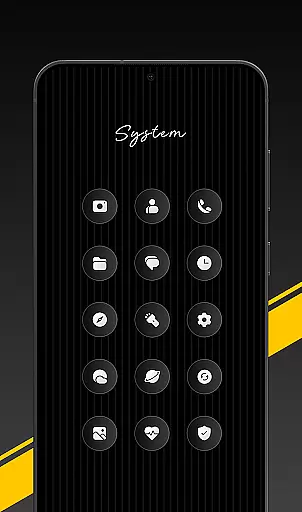
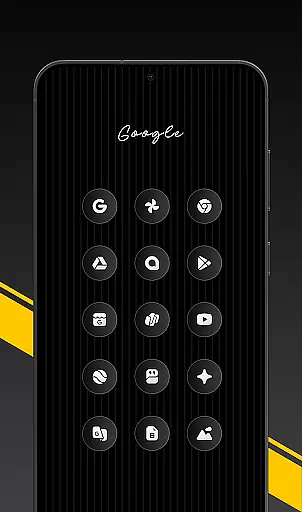
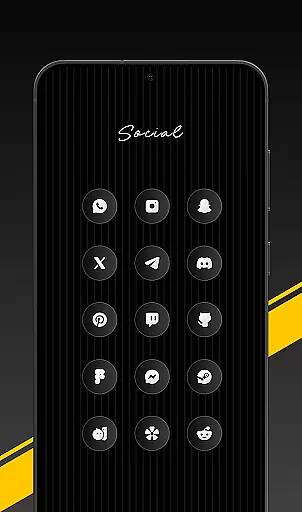
This pack covers categories such as System Apps, Google Apps, OEM Stock Apps, Social Media Apps, Media & Photography Apps, Tools/Utility Apps, and many more Android apps. Such comprehensive coverage ensures that no matter which apps you use, there will be themed icons available to maintain a consistent look throughout your device.
For users with specific launchers, applying the Glass Icon Pack is straightforward. After installing a supported launcher, simply open the pack and tap 'Apply' or adjust via your launcher settings. Even if your launcher isn't listed, you can still apply the pack through your launcheru2019s icon settings.
Additionally, some devices like Nothing, OnePlus, and Poco support third-party icon packs without needing an additional launcher, further expanding its compatibility. If any icons are missing, users can easily send an icon request from inside the app, ensuring continuous improvement and adaptation to user needs.
Premium design quality
Extensive icon library
HD resolution support
Regular feature updates
Responsive customer support
Limited launcher compatibility
Some icons may be missing
No iOS version available
Paid application
Refund policy restrictions

Wallpaper HD 4K Live - Thousands of high-quality Anime backgrounds for you.
 4.80
4.80
Transfer your live wallpapers from Windows to Android using Wallpaper Engine!
4.00
Romantic Kiss Stickers App. Start romantic messaging now!
4.30
Turn text & photos into stunning AI videos, art, and creative visual stories.
4.50
Zip lock screen with magic wallpaper to decorate your phone with fun zipper lock
4.60
Unleash Your Creativity and Connect with Loved Ones with Lockscreen Drawing!
4.20
A minimalist productivity launcher. One-hand-friendly. Zero ads.
4.70
Transform your phone with stunning video wallpapers and a unique, personal touch
3.80
Install amazing sticker packs: endless styles, always cool.
4.70
400+ Beautifully crafted widgets inspired by NOTHING.
4.70
Unique Android Launcher
4.60
Bring adorable pets to life on your screen. Playful, interactive and full of fun
4.60
Choose your keyboard with RGB colors effect, themes, fonts, emojis.
4.60
Color phone with cool effects for call screen, flash alert & ringtones music
4.50
AI-powered Copilot. Personalized keyboard with gifs, stickers & themes
4.40
Wear Os Watch Face - Seasonal - Animated Snow Effect - 9 Animals
4.20
Unique Fonts, typefaces and stylish text. Fonts for Instagram, Whatsapp & others
4.20
Customize glowing edges, wallpapers, and caller screen with EdgeAura.
3.50
⭐ OneUI inspired Fluffy Icon Pack – Soft. Stylish. Standout. ⭐
4.3
Wallpaper Engine Android review—PC sync setup, crash issues, sound reactive limitations, and whether this free companion app is actually good.



User Reviews