
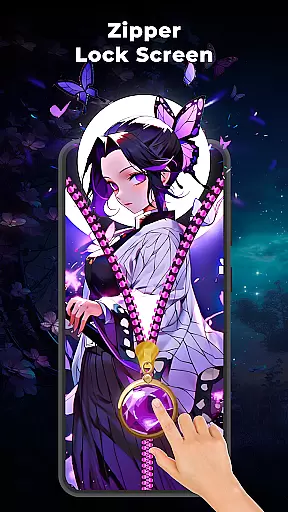
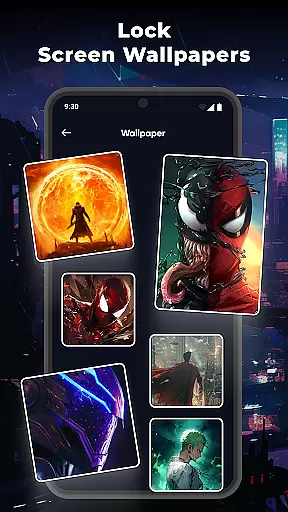
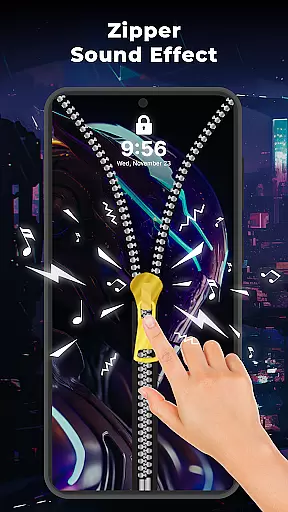
Zipper Lock Screen: Zip Theme is a unique personalization app that brings fun and creativity to your phone's lock screen. The app's standout feature is its zipper effect, which allows users to unlock their devices by sliding a virtual zipper. This interactive mechanism not only enhances security but also adds a stylish flair to the unlocking process.
In addition to the core zipper functionality, the app offers various customization options. Users can choose from multiple zipper styles, adjust row layouts, and select from a range of wallpapers. These features allow for a personalized lock screen experience tailored to individual preferences. Whether you're looking to refresh your phone's appearance or simply enjoy a more engaging way to unlock it, this app delivers both aesthetic and functional value.
Zipper Lock Screen: Zip Theme stands out with its innovative zipper-based unlocking system. The app provides a smooth and interactive experience as users slide the zipper to unlock their phones. Beyond its primary function, the app includes several customization features that enhance user engagement.
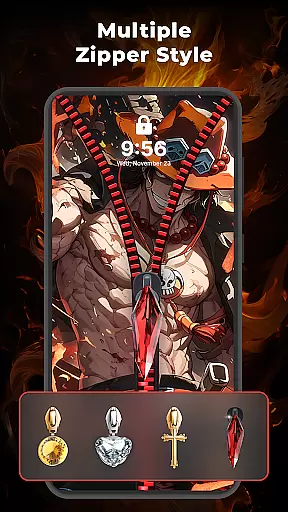
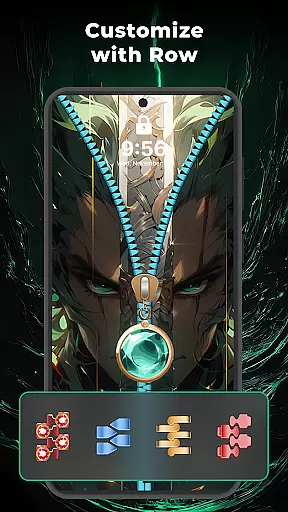
One notable feature is the variety of zipper styles available. Users can pick designs that match their personal taste or complement their device's theme. Additionally, the app supports row style customization, enabling further personalization of the zipper's appearance. For those who love visual aesthetics, the app offers custom wallpapers and sound effects. These elements combine to create an immersive and enjoyable lock screen experience that blends security with personal expression.
Zipper Lock Screen: Zip Theme offers a wide array of customization options that allow users to tailor their lock screen experience. With various zipper styles, row adjustments, and sound effects, the app provides a rich set of features for personalization.
The app includes multiple zipper designs which can be chosen to match the user's personal taste or the theme of the device. This ensures that every user can have a unique and individualized look on their lock screen.
Additionally, the row style customization feature allows users to modify the appearance of the zipper effect, ensuring that every detail aligns with their preferences. This level of customization empowers users to create a lock screen that is truly their own.
By offering these diverse customization options, Zipper Lock Screen enhances user engagement and satisfaction, making daily phone unlocking a more enjoyable and personalized experience.
Theme compatibility is at the core of Zipper Lock Screen: Zip Theme, ensuring that all customizations are visually consistent and compatible with various device themes. Users can seamlessly integrate their chosen zipper styles with their deviceu2019s existing aesthetics.
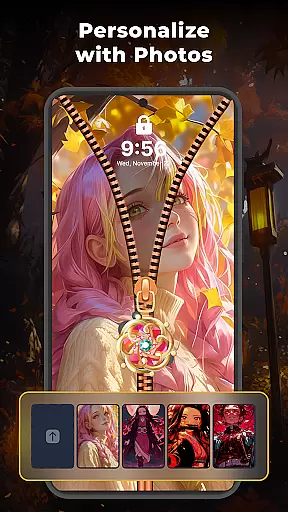
The app supports custom lock screen wallpapers, allowing users to select from a collection of magic wallpapers or upload their own images. This flexibility in theming ensures that the visual elements on the lock screen do not clash but rather complement each other.
Moreover, the inclusion of interactive sound effects adds another layer of compatibility with different themes, enhancing the overall sensory experience without disrupting visual harmony.
With its robust theme compatibility, Zipper Lock Screen guarantees a cohesive and attractive appearance, maintaining the integrity of the deviceu2019s design language while introducing playful and stylish elements.
Unique zipper effect
Highly customizable
Variety of themes
Interactive sound effects
User-friendly interface
Limited practical utility
Potential battery drain
Few advanced settings
Occasional glitches
Ads may disrupt experience

A retro cartoon style watch face and a punch right in the face of the copyright
 4.60
4.60
Shimeji adds cute animated characters to your screen, lively and fun.
4.70
100+ Stylish Fonts, Emojis, Symbols keyboard for Instagram & TikTok!
4.80
Transfer your live wallpapers from Windows to Android using Wallpaper Engine!
4.00 4.50
4.50
Your go to Weather App & Home Screen. Get your weather at a swipe of a finger!
3.80
Crystal-clear, square icon provides a sleek and sophisticated visual upgrade
4.00
One 8 icons glass color version
4.80
Magic fluids wallpaper 4D: Relax with stunning fluid simulation wallpaper app
4.20
Dark icon pack based on One 8
4.80
Personalize your phone with stunning HD and 4K wallpapers!
4.70
Over 28,000 high quality icons to bring color & homogeneity to your phone.
4.60
Ultimate Gallery Lock App - Hide Pictures, Videos and Lock Apps Instantly!
4.60
300+ Beautifully crafted widgets inspired by OneUI.
4.60
Themes - Widget & Wallpaper: Customize home screen, icon changer w unique themes
4.30
Your home screen, just the way you like it.
4.30
More than 3000+ themes and 9000+ wallpapers for everybody!
4.10
Customizable flower power digital watch face for Wear OS watches.
4.00
Capture moments that pass like a storm, second by second.
4.0
Wallpaper Engine Android review—PC sync setup, crash issues, sound reactive limitations, and whether this free companion app is actually good.



User Reviews