
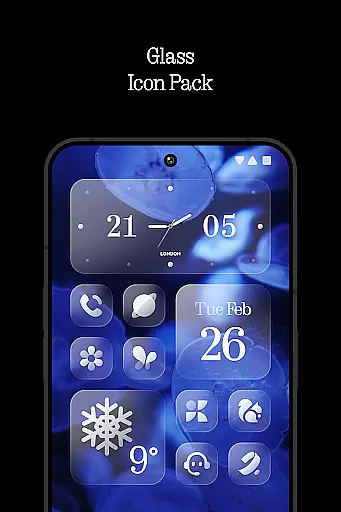
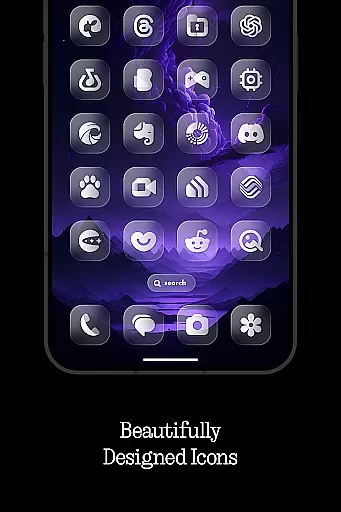
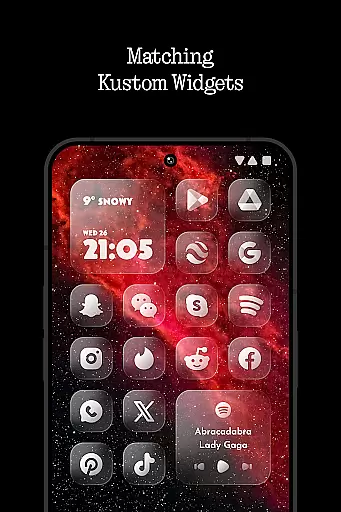
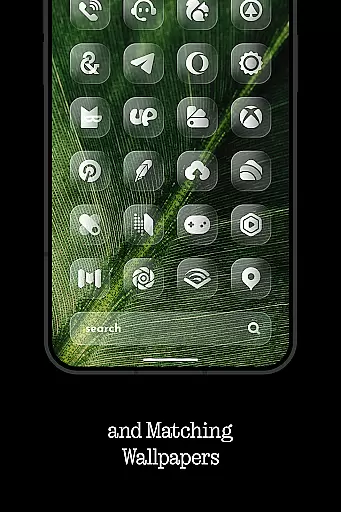
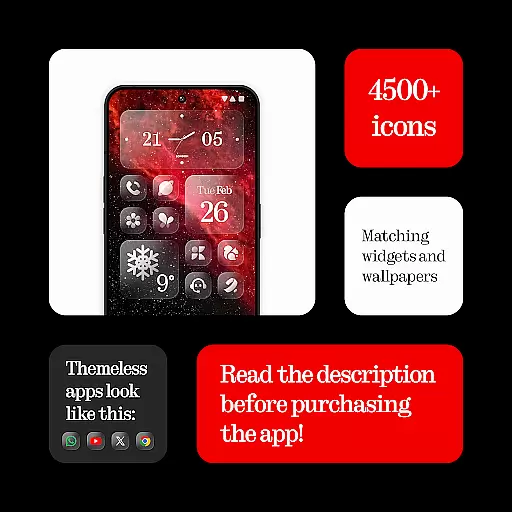
Glass Icons is a premium icon pack designed to elevate your device's visual aesthetics with its crystal-clear, square icons. Featuring over 5400 meticulously crafted icons, this pack provides a sleek and sophisticated look that seamlessly integrates with your device's interface.
The icon pack includes five Kustom widgets and offers cloud-based wallpapers for dynamic customization options. With regular updates and an intuitive icon request tool, users can enjoy a consistently improving experience. Whether you're using Nova Launcher, Lawnchair, or other supported launchers, Glass Icons delivers a cohesive and polished appearance.
Glass Icons stands out with its comprehensive feature set tailored for customization enthusiasts. The pack includes over 5400 high-quality icons, ensuring extensive coverage for popular apps. Its five included Kustom widgets provide additional personalization options, while the cloud-based wallpapers offer stunning background choices.
The icon request tool allows users to suggest missing icons, which are then prioritized in future updates. Supporting numerous launchers like Nova, Lawnchair, and Niagara, this pack ensures broad compatibility. Regular updates not only add new icons but also maintain compatibility with the latest Android versions, making it a reliable long-term solution.
Customization is at the heart of Glass Icons, offering users a versatile way to personalize their device's appearance. With over 5400 icons, this pack ensures that there is an icon for every app you have, providing a cohesive look across your device.
The inclusion of five Kustom widgets adds another layer of personalization, allowing users to create unique home screens that reflect their style. These widgets are not just functional but also serve as design elements that enhance the overall aesthetic.
Glass Icons goes beyond static customization by offering cloud-based wallpapers. This feature enables users to access a dynamic range of backgrounds that can be changed as often as they like, ensuring their device always feels fresh and new.
For those seeking even more control, the icon request tool allows users to ask for specific icons not already included in the pack. Regular updates ensure that the collection stays current with new apps and trends, giving users peace of mind that their customization options will continue to grow over time.
Theme compatibility is crucial for any icon pack, and Glass Icons excels in this area by ensuring seamless integration with a wide array of launchers. Whether you're using Nothing Launcher, Nova Launcher, or Lawnchair Launcher, Glass Icons has been optimized to work flawlessly, providing a consistent visual experience.
The pack supports over ten different launchers, including popular choices like Niagara Launcher and Smart Launcher 6. This extensive support means that no matter which launcher you prefer, you can enjoy the sleek and sophisticated design language of Glass Icons without compromise.
In cases where certain launchers require additional settings for optimal performance, such as activating shadows in Nova Launcher or using Theme Park in Stock One UI Launcher, Glass Icons provides clear instructions. These guidelines help users achieve the best possible look, maintaining the integrity of the design across various platforms.
Furthermore, the FAQ section within the app addresses common questions about compatibility, ensuring users have all the information they need to make the most of their customization experience. By prioritizing theme compatibility, Glass Icons guarantees that every user can enjoy a visually stunning and personalized device interface.
Extensive icon coverage
Frequent updates
Wide launcher support
High-quality design
Innovative widgets
Paid KWGT required
No stock launcher support
FAQ not beginner-friendly
Limited free features
Specific setup needed

A Colorful and Minimal icon pack in an Outline Style - Over 13,600 icons!
 4.70
4.70
Want to make your phone more special than ever?
4.60
App Icon Changer & Shortcut Creator. Customize your icons without any watermarks
4.30
⭐ OneUI inspired Fluffy Icon Pack – Soft. Stylish. Standout. ⭐
4.1
Embrace the Night. Unleash the power of darkness with Raven Dark Icon Pack
4.60
Yandex Browser — stylish and secure, with voice search and data compression
4.40
300+ widgets inspired by Material You and Material 3 expressive design.
4.60
Create stunning widgets with Widget 2026: Aesthetic Widgets for Android!
4.60
Install amazing sticker packs: endless styles, always cool.
4.70
Dark icon pack based on One 8
4.80
100+ Stylish Fonts, Emojis, Symbols keyboard for Instagram & TikTok!
4.80
Handcrafted pixel art icons, widgets & wallpapers
4.60
Beautiful realistic hybrid watch face with numerous customization options.
4.50
Aesthetic Widgets, HD Wallpapers, Themes in Mico Widget for Home and Lock Screen
4.50
Color phone with cool effects for call screen, flash alert & ringtones music
4.50
Unleash Your Creativity and Connect with Loved Ones with Lockscreen Drawing!
4.20
More than 3000+ themes and 9000+ wallpapers for everybody!
4.10
Transform your phone with stunning video wallpapers and a unique, personal touch
3.80
Interactive Miniature Painting Catalogue
3.30
Wallpaper Engine Android review—PC sync setup, crash issues, sound reactive limitations, and whether this free companion app is actually good.



User Reviews