
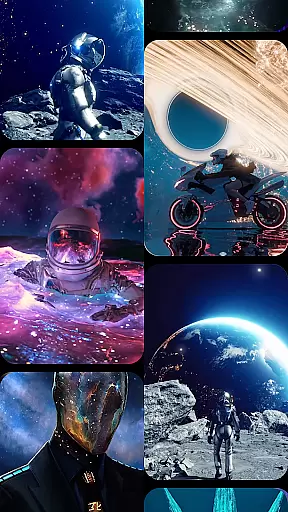

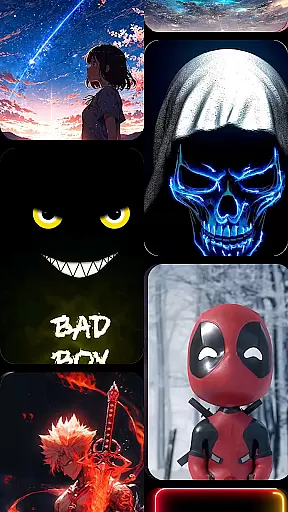







CoolLauncher Pro is a premium home screen replacement app designed to elevate your Android experience. It combines stunning 3D themes, live video wallpapers, and advanced customization options to create a personalized and visually captivating interface. With its sleek design and smooth performance, the app ensures an intuitive user experience while offering tools like real-time weather updates and smart app management.
Whether you're looking for minimalistic layouts or vibrant animations, CoolLauncher Pro caters to all preferences. Its built-in features such as icon packs, custom fonts, and automatic app organization make it more than just a launcher—it's a complete visual and functional upgrade for your device.
CoolLauncher Pro stands out with its extensive personalization options. Users can choose from hundreds of free themes, icon packs, and wallpapers or upload their own content for a unique touch. The app's advanced animation engine powers breathtaking 3D effects and live video wallpapers, ensuring dynamic transitions that bring your screen to life.
Smart app management helps keep your desktop clutter-free by automatically categorizing apps into folders. Additionally, the built-in tools enhance daily productivity—real-time weather updates, access to essential widgets, and a gallery of live wallpapers provide both convenience and style. These features collectively deliver a seamless blend of aesthetics and functionality.
Customization is at the heart of CoolLauncher Pro, offering users a vast array of options to tailor their Android experience.
This includes an extensive selection of themes, icon packs, custom fonts, and wallpapers, allowing for personal expression on every level. Users can choose from pre-designed aesthetics or import their own images and designs, ensuring a unique and personalized interface that reflects individual tastes and styles.
The ability to customize every detail extends beyond mere appearance; it encompasses functional aspects such as app organization and desktop layout, empowering users with control over both form and function.
With CoolLauncher Pro's customization features, individuals can enjoy an unparalleled level of personalization that not only enhances visual appeal but also streamlines their interaction with the device on a daily basis.
Theme compatibility in CoolLauncher Pro ensures that all visual enhancements are seamlessly integrated into the user's experience.
This means supporting a wide range of theme formats and ensuring they work harmoniously across different devices and screen resolutions without losing quality or performance. The launcher supports third-party themes, which expands the creative possibilities for users who wish to explore beyond the built-in offerings.
By prioritizing theme compatibility, CoolLauncher Pro guarantees a consistent look and feel throughout the entire interface, whether using stock themes or downloading new ones from its vast library.
Ultimately, this dedication to compatibility allows users to switch between themes effortlessly while maintaining optimal usability and aesthetic coherence, making each interaction with their device visually pleasing and functionally intuitive.
Highly customizable
Smooth performance
Stunning 3D effects
Live video wallpapers
Smart app organization
Premium price tag
Heavy on resources
Complex for beginners
Limited free themes
Battery consumption

Ultimate widget creator. Design custom widgets for a truly unique home screen!
 3.90
3.90
The definitive Icon pack maker and editor
4.30
Transfer your live wallpapers from Windows to Android using Wallpaper Engine!
4.00
Turn text & photos into stunning AI videos, art, and creative visual stories.
4.50
Icons made of colorful linear lines
4.60
Yandex Browser — stylish and secure, with voice search and data compression
4.40
Handcrafted pixel art icons, widgets & wallpapers
4.60
Struggling to find apps? Use this app to locate and open any app on your phone!
2.20
A minimalist productivity launcher. One-hand-friendly. Zero ads.
4.70
Dark icon pack based on One 8
4.80
Shimeji adds cute animated characters to your screen, lively and fun.
4.70
Add cute Shimeji pets to screen, interact with them and relax with cute motions
4.60
Ultimate Gallery Lock App - Hide Pictures, Videos and Lock Apps Instantly!
4.60
Stylish Pink Cute Hippo keyboard with 10000+ customized keyboard themes!
4.60
Unique Fonts, typefaces and stylish text. Fonts for Instagram, Whatsapp & others
4.20
Unleash Your Creativity and Connect with Loved Ones with Lockscreen Drawing!
4.20
Interactive Miniature Painting Catalogue
3.30
Capture moments that pass like a storm, second by second.
4.1
Custom edge gestures for volume control, brightness, apps, and shortcuts.
4.3
Wallpaper Engine Android review—PC sync setup, crash issues, sound reactive limitations, and whether this free companion app is actually good.



User Reviews