
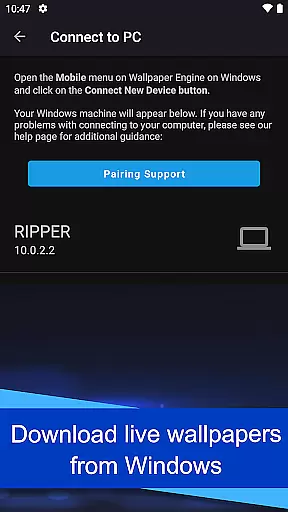
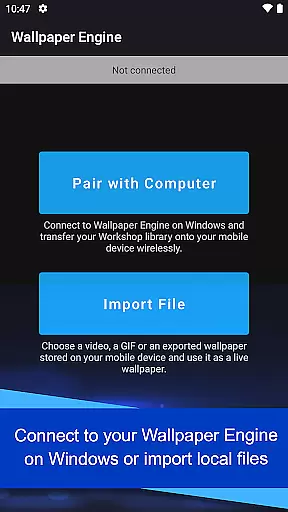
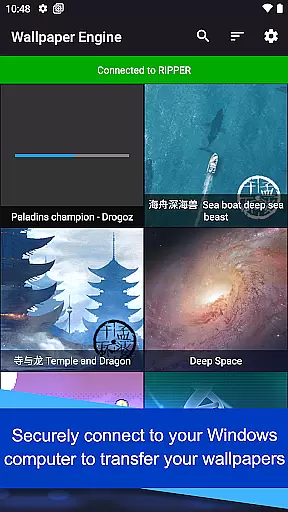
Wallpaper Engine is a personalization app that allows users to import and manage live wallpapers on their Android devices. The app connects seamlessly with the Windows version of Wallpaper Engine, enabling users to transfer their desktop wallpaper library directly to their mobile device. This includes support for various formats such as videos, GIFs, and interactive 2D/3D scenes.
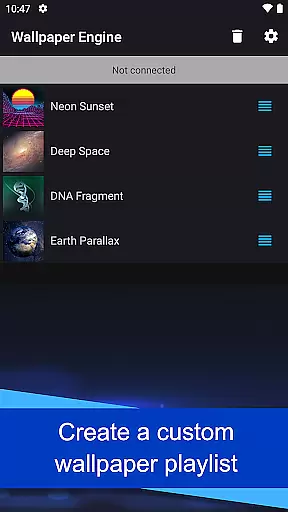
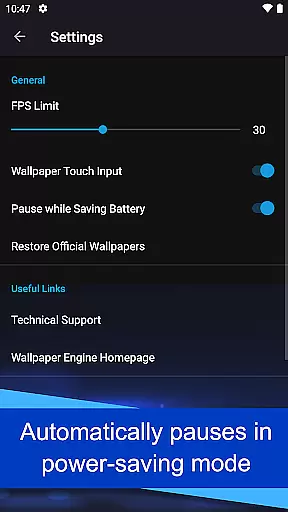
One standout feature is the ability to customize wallpapers according to user preferences, including setting up playlists that automatically cycle wallpapers at regular intervals or based on the time of day. Additionally, wallpapers pause automatically when the phone enters power-saving mode, ensuring optimal battery usage. With its ad-free and privacy-focused design, Wallpaper Engine offers a smooth and uninterrupted user experience.
This app is ideal for users who want to personalize their mobile devices with dynamic and visually appealing wallpapers while maintaining control over their device's performance and privacy settings.
Wallpaper Engine stands out with its comprehensive feature set tailored for personalization enthusiasts. The app supports multiple formats, including videos, GIFs, and interactive 2D/3D scenes, allowing users to create a unique look for their devices. Its seamless integration with the Windows version enables effortless transfer of an existing desktop wallpaper library to mobile, bridging the gap between platforms.
Customization options are abundant, with features like playlist creation that cycles wallpapers based on user-defined intervals or times of day. This ensures a fresh and dynamic appearance every time you unlock your phone. Moreover, the app intelligently manages resources by pausing wallpapers when the device enters power-saving mode, thus preserving battery life without compromising aesthetics.
Privacy and user experience are prioritized, as Wallpaper Engine is completely ad-free and does not track user behavior. This commitment to a clean and respectful environment makes it an excellent choice for those seeking a reliable and customizable wallpaper solution.
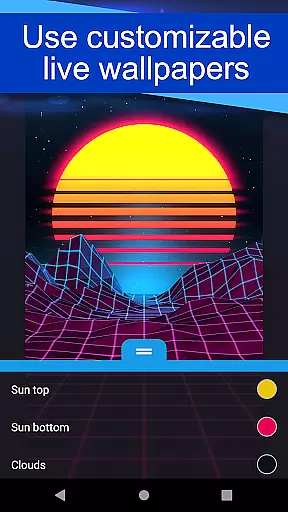
Wallpaper Engine offers a diverse range of customization options that allow users to tailor their wallpapers to match their personal style. The app supports various formats including videos, GIFs, and interactive 2D/3D scenes, providing an extensive library for users to choose from.
By connecting to the Windows version of Wallpaper Engine, users can seamlessly transfer their existing desktop wallpaper collection to their mobile devices. This cross-platform functionality ensures that your personalized settings are not limited to one device, offering a consistent experience across all your screens.
In addition to importing wallpapers, the app also allows for further customization through adjustable settings. Users can modify the look and feel of their wallpapers, ensuring that each background is unique to their preferences. This level of personalization empowers users to create a mobile environment that truly reflects their individuality.
Theme compatibility is a crucial aspect of the Wallpaper Engine app, ensuring that all wallpapers function seamlessly across different Android devices and themes. Whether you're using a stock Android theme or a custom interface, the app's wallpapers adapt to provide optimal visual quality without compromising performance.
The app is designed to be completely ad-free and refrains from tracking user behavior, thus maintaining a pure and uninterrupted theming experience. This approach respects user privacy while delivering high-quality, compatible themes that work efficiently with the deviceu2019s existing aesthetics.
Furthermore, Wallpaper Engine includes a playlist feature that automatically cycles wallpapers at regular intervals or based on the time of day. This dynamic theming capability ensures that your device always looks fresh and aligns with your daily routine, enhancing both usability and personal expression.
User-friendly interface
Versatile format support
Seamless cross-platform sync
Customizable playlists
Ad-free experience
Limited to Android
Requires Windows version
No iOS support
Resource-intensive
Learning curve

Stunningly Different look with Line Icons and Neon Colors
 4.60
4.60
A light in the dark, a unique style and an andless cutomization!
4.30
Winter's Journey: digital watch face for Galaxy Watch & Wear OS
4.80
Turn your lock screen into fun with smile live wallpapers & animated wallpapers!
2.50
Customize your home screen with stunning themes, blur, widgets & icons.
4.60
Vibrant Adaptive Icons with Material You and Enhanced Monet Colors.
4.50
Emoji Maker app - Design custom emojis and effortlessly blend them with Mixer
3.80
Amazing letter fonts in your messages and social statuses
4.70
Custom ringtones songs, music ringtones for Android phones
4.60
A Colorful and Minimal icon pack in an Outline Style - Over 13,600 icons!
4.70
A retro cartoon style watch face and a punch right in the face of the copyright
4.60
Make your phone look simple & luxury, like iDevice
4.60
Transform your phone with Launcher iOS 26 - Smooth & elegant iOS experience
4.50 4.50
4.50
Yandex Browser — stylish and secure, with voice search and data compression
4.40
Run multiple accounts of the same app on a single device
4.10 3.50
3.50
HappyLighting is a Bluetooth lamp control software.
3.40
⭐ OneUI inspired Fluffy Icon Pack – Soft. Stylish. Standout. ⭐
4.0
Wallpaper Engine Android review—PC sync setup, crash issues, sound reactive limitations, and whether this free companion app is actually good.


User Reviews