
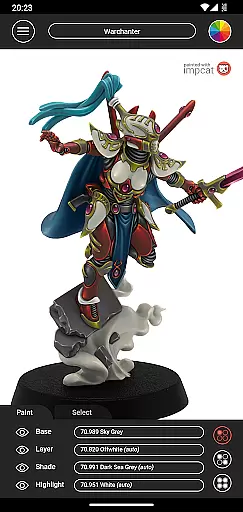
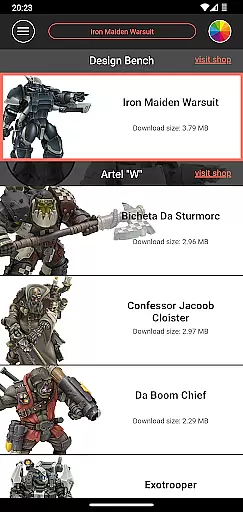
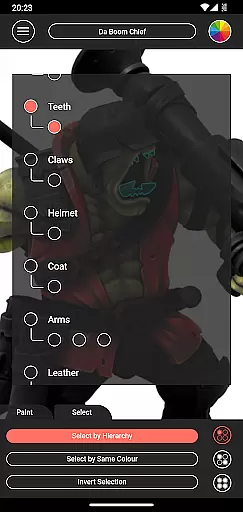
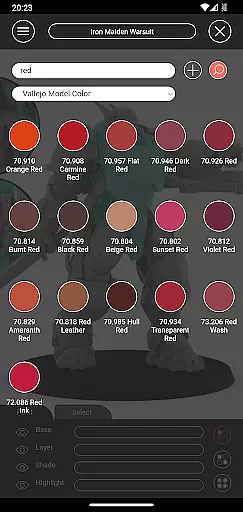
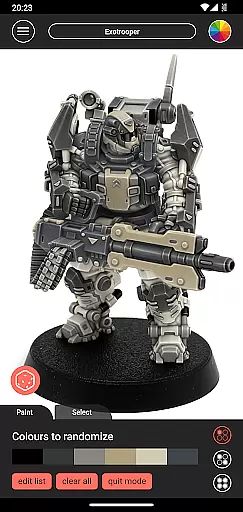
Impcat, short for Interactive Miniature Painting Catalogue, is a simulator designed to deliver photorealistic painting results on gaming and tabletop miniatures. This app provides users with a variety of miniature images that can be painted with colors from predefined palettes, simulating a four-step painting process including base coloring, layering, shading, and highlighting.
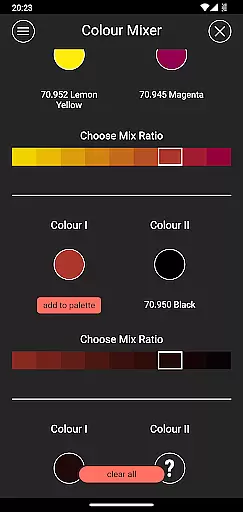
With features like built-in miniatures and color palettes, access to free DLCs, complement recommendation mode, and tools such as shopping list generator, color mixer, and randomizer, Impcat offers an immersive experience for hobbyists and professionals alike. Whether you're planning your next project or looking to simulate paint schemes before purchasing, this app serves as an invaluable tool in the miniature painting community.
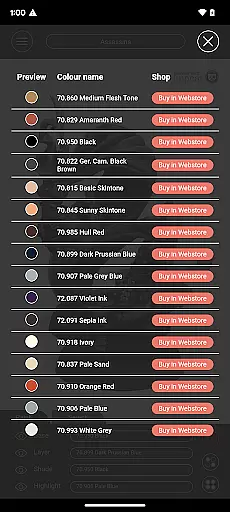
Impcat stands out with its comprehensive set of features tailored for miniature painting enthusiasts. The app includes six built-in miniatures provided by Artel "W" and a vast selection of color palettes featuring Vallejo Model Color and Vallejo Game Color, totaling 308 colors.
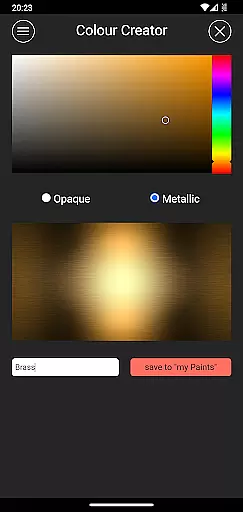
Users can also access free DLC content, utilize a complement recommendation mode for harmonizing paint layers, and benefit from tools like the shopping list generator, color mixer, and creator. These functionalities ensure that users can experiment with different color schemes and techniques virtually before applying them to physical models, thus enhancing both planning and creativity aspects of miniature painting.
Customization is at the heart of impcat, allowing users to explore a vast array of miniature painting possibilities. With six built-in miniatures and over 300 color options from Vallejo Model Color and Vallejo Game Color, the app provides an extensive palette for creativity.
The inclusion of DLCs for additional miniatures and color palettes ensures that your creative options are continually expanding without any extra cost. This commitment to variety means that whether you're a novice painter or a seasoned artist, there's always something new to try.
Moreover, the complement recommendation mode takes personalization a step further by suggesting harmonious layering, shading, and highlighting colors based on your base selection. These intelligent suggestions can be fully customized, giving you both guidance and freedom in your artistic process.
impcat excels in theme compatibility by integrating seamlessly with various color systems used by manufacturers. This ensures that the colors you see in the app match precisely with those you own or plan to purchase, maintaining consistency across physical and digital mediums.
The photorealistic simulation feature bridges the gap between digital experimentation and real-world application. By simulating a four-step painting processu2014base coloring, layering, shading, and highlightingu2014the app delivers results that closely mimic actual paint jobs on gaming and tabletop miniatures.
Additionally, tools like the color mixer and creator enhance this compatibility by letting users experiment with custom blends and shades. The shopping list generator then simplifies acquiring these colors by providing direct links to shop pages, ensuring a smooth transition from digital design to tangible artwork.
User-friendly interface
Extensive color palette options
Free DLC access
Photorealistic simulation
Comprehensive painting tools
Limited built-in miniatures
No micro-transactions
Requires internet for updates
Advanced features may overwhelm beginners
Specific to miniature painting niche

Customizable Glass widgets. Over 360+ stunning widgets and more!
 4.70
4.70
Sparkle your screen with Glitter Wallpapers For Girls and Cute Backgrounds!
4.80
AI-powered Copilot. Personalized keyboard with gifs, stickers & themes
4.40
Art & Emoji Keyboard with Cool Fonts, Cute Themes and Custom Designs.
4.40
Add cute Shimeji pets to screen, interact with them and relax with cute motions
4.60 4.10
4.10
Nothing Icon pack with more than 3750+ highly crafted icons.
4.70
A minimalist productivity launcher. One-hand-friendly. Zero ads.
4.70
Your home screen, just the way you like it.
3.80
Dark icon pack based on One 8
4.80
A Colorful and Minimal icon pack in an Outline Style - Over 13,600 icons!
4.70
Classic analogue watch face. For wear os devices.
4.60
Make your phone look simple & luxury, like iDevice
4.60
300+ Beautifully crafted widgets inspired by OneUI.
4.60
Aesthetic Widgets, HD Wallpapers, Themes in Mico Widget for Home and Lock Screen
4.50
More than 3000+ themes and 9000+ wallpapers for everybody!
4.10
Transfer your live wallpapers from Windows to Android using Wallpaper Engine!
4.00
Ultimate widget creator. Design custom widgets for a truly unique home screen!
3.90
Transform your phone with stunning video wallpapers and a unique, personal touch
3.80
Wallpaper Engine Android review—PC sync setup, crash issues, sound reactive limitations, and whether this free companion app is actually good.



User Reviews