
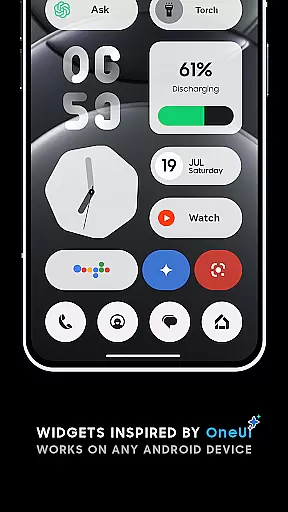
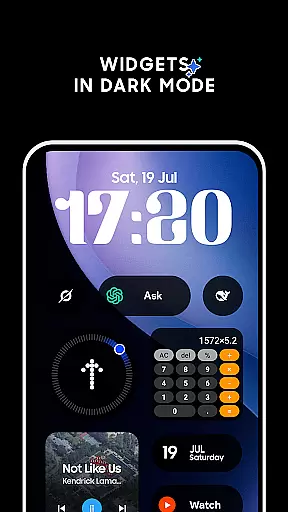
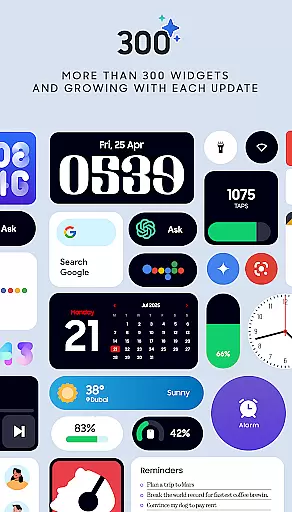
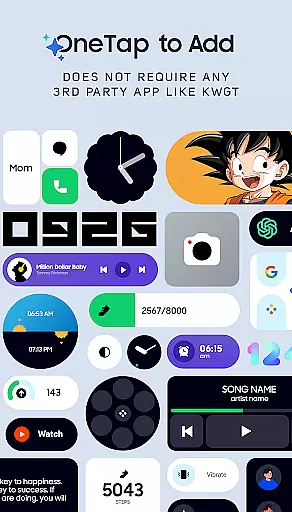
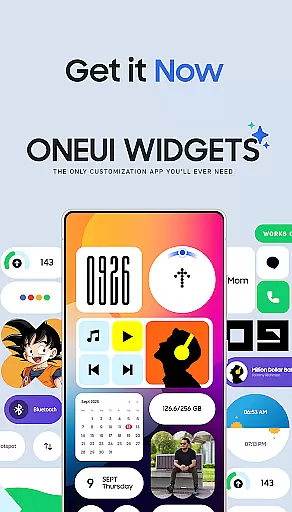
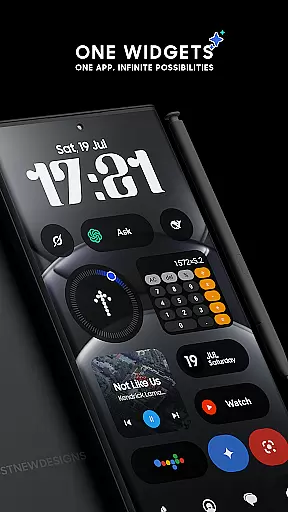
OneUI Widgets is a comprehensive widget pack designed to enhance your Android home screen with over 300 beautifully crafted widgets. Inspired by the sleek One UI OS aesthetic, these widgets offer both functionality and style without requiring additional apps.
The collection includes clock, calendar, battery, weather, quick settings, contact, photo, Google app, utility, productivity, pedometer, quote, and game widgets. Each widget category serves a distinct purpose, from monitoring battery life to providing instant access to favorite contacts. The resizable feature ensures seamless integration into any home screen layout.
Ideal for users seeking a balance of aesthetics and utility, OneUI Widgets allows you to personalize your device while maintaining an elegant look. With regular updates and new widget additions planned, this app ensures your home screen remains fresh and functional.
OneUI Widgets stands out with its native compatibility across all Android devices, eliminating the need for third-party apps like KWGT. This makes adding widgets as simple as a tap, offering instant customization options.
The app boasts fully resizable widgets that adapt to various screen sizes, ensuring optimal display whether small or large. Categories include digital and analog clocks, battery indicators, weather forecasts, quick toggles for WiFi and Bluetooth, and unique Google app integrations.
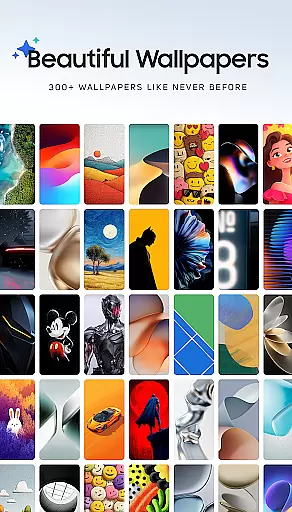
Additional features encompass matching wallpapers, a built-in pedometer widget utilizing motion sensors, and future game widgets. These elements collectively provide a personalized and engaging user experience, setting OneUI Widgets apart in the realm of home screen customization.
OneUI Widgets Pack offers an extensive range of customization options, allowing users to transform their home screens with over 300 beautifully designed widgets. These widgets are inspired by the One UI OS aesthetic and work seamlessly on any Android device without requiring extra apps.
The app provides a diverse selection of widget types, including Clock & Calendar, Battery, Weather, Quick Settings, Contact, Photo, Google, Utility, Productivity, Pedometer, Quote, and even Game widgets. Each category comes with multiple design variations, ensuring that users can find the perfect widget to match their personal style and functional needs.
Users benefit from the fully resizable and responsive nature of most widgets, which allows for precise adjustments in size from small to large. This flexibility ensures a perfect fit for any home screen layout, enhancing both aesthetics and usability.
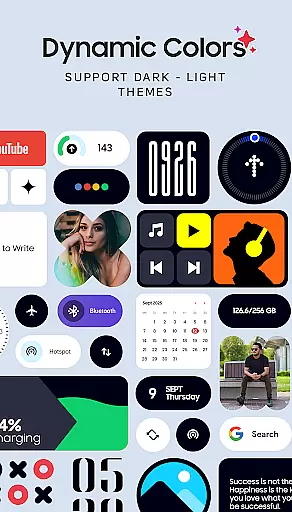
Theme compatibility is a core strength of OneUI Widgets Pack, offering widgets that align perfectly with various themes and design preferences. The included matching wallpapers, numbering over 300, provide exclusive designs that complete the home screen setup, ensuring a cohesive look and feel.
Whether you prefer minimalist indicators or elegant digital and analog clocks, the widgets are crafted to maintain visual consistency across different themes. This attention to detail extends to other widget categories like weather, battery, and quick settings, each designed to integrate smoothly into your chosen theme.
By focusing on quality over quantity, OneUI Widgets guarantees that every widget not only looks great but also functions optimally within the user's selected theme. This dedication to compatibility ensures that your home screen remains visually appealing and highly functional, regardless of the theme you choose.
User-friendly interface
Versatile widget options
Regular updates
Native compatibility
Customizable designs
Limited iOS support
Occasional bugs
Design inconsistencies
Advanced features locked
High system requirements

Shimeji adds cute animated characters to your screen, lively and fun.
 4.70
4.70
App Icon Changer & Shortcut Creator. Customize your icons without any watermarks
4.30 4.50
4.50
Embrace the Night. Unleash the power of darkness with Raven Dark Icon Pack
4.60
Struggling to find apps? Use this app to locate and open any app on your phone!
2.20
400+ Beautifully crafted widgets inspired by NOTHING.
4.70
Emoji Maker app - Design custom emojis and effortlessly blend them with Mixer
3.80
Amazing letter fonts in your messages and social statuses
4.70
Fast SMS & group chat - use GIFs and emojis from your home screen launcher.
4.50
Vertically oriented rectangular icons
4.70
A launcher for Samsung Good Lock and Good Guardians modules without ads
4.70
A minimalist productivity launcher. One-hand-friendly. Zero ads.
4.70
Try creating your own keyboard with "Keyboard theme for android" app now!
4.50 4.50
4.50
AI-powered Copilot. Personalized keyboard with gifs, stickers & themes
4.40
Wear Os Watch Face - Seasonal - Animated Snow Effect - 9 Animals
4.20
Customizable flower power digital watch face for Wear OS watches.
4.00
Interactive Miniature Painting Catalogue
3.30
Turn your lock screen into fun with smile live wallpapers & animated wallpapers!
2.50
Wallpaper Engine Android review—PC sync setup, crash issues, sound reactive limitations, and whether this free companion app is actually good.



User Reviews