
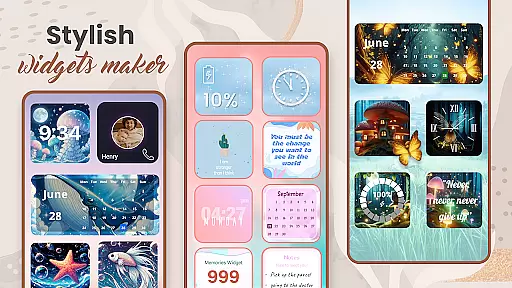
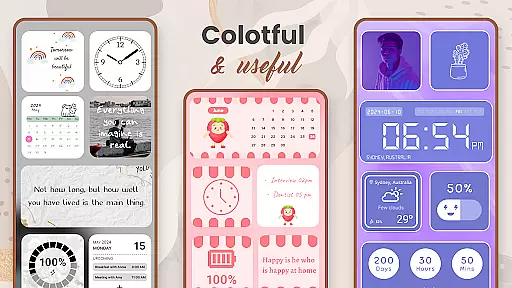
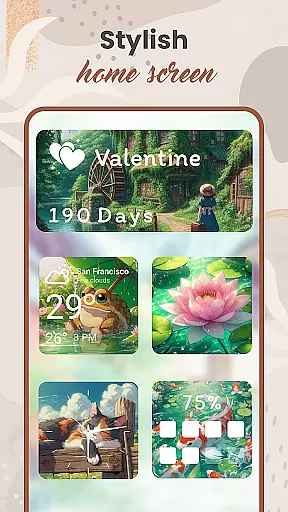
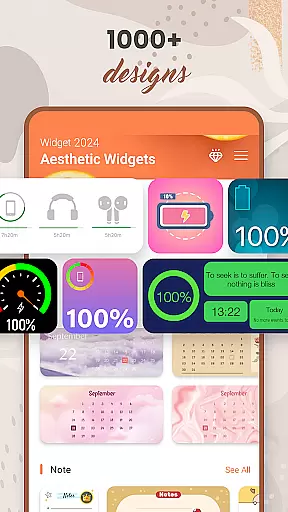
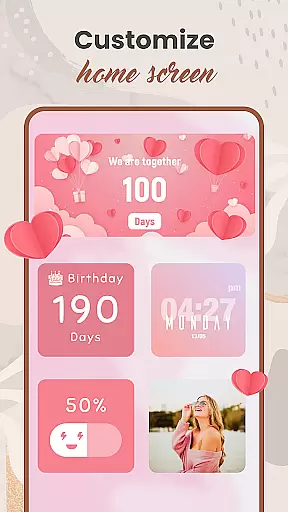
Widget 2025 is a powerful personalization application designed to transform your Android device's home screen with aesthetic and functional widgets. The app offers an extensive range of customization options, including Color Widget Maker, Photo Widgets, Quotes, Weather & Clock styles, Calendar, Countdowns, Contact displays, Battery indicators, and more.
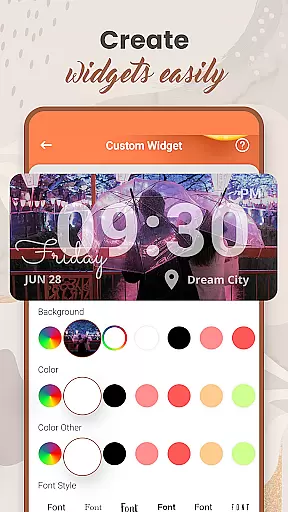
This versatile tool allows users to create fancy widgets effortlessly, with over 1000 styles to choose from. Its user-friendly interface enables complete customization of colors, fonts, styles, and backgrounds, ensuring each user can craft a unique mobile experience that perfectly matches their personal style.
Whether you're looking to enhance your device's visual appeal or improve its functionality with practical tools like weather updates and calendar reminders, Widget 2025 provides everything needed to personalize your Android experience comprehensively.
Widget 2025 stands out through its diverse feature set tailored for personalization enthusiasts. The app's key strength lies in its powerful widget editor, which allows users to create custom widgets that suit their specific needs. With the built-in Color Widget Maker, users can design visually appealing widgets that match their preferred color schemes.
The app offers over 1000 pre-designed Photo Widgets that can be easily added to the home screen, giving users the flexibility to display their favorite images while maintaining an organized layout. Additionally, features like Quotes of the day, Weather & Clock displays, and Calendar functionalities provide both aesthetic and practical value.
Advanced customization options include font selection, background settings, and multi-widget placement, enabling users to optimize their home screens for both beauty and usability. These features collectively ensure that Widget 2025 delivers a superior level of personalization compared to other apps in its category.
Customization is at the heart of Widget 2025, allowing users to express their unique style through a wide array of aesthetic widgets. With over 1000 styles to choose from, this app provides an extensive library of customization options that cater to every taste and preference.
The app's Color Widget Maker and widget editor are powerful tools that enable users to craft personalized widgets with ease. Whether it's adjusting colors, fonts, or backgrounds, these features ensure that each widget can be tailored to match individual aesthetics seamlessly.
Users benefit from the ability to add multiple photo widgets on their home screen, keeping favorite images always visible. This level of personalization not only enhances visual appeal but also improves accessibility by placing important information and controls right at their fingertips.
Ultimately, Widget 2025 transforms the Android experience by offering unlimited tools for customization. It empowers users to create a truly personalized device that reflects their personality and streamlines their daily interactions with technology.
Theme compatibility is a crucial aspect of Widget 2025, ensuring that all custom widgets integrate smoothly with various Android themes. The app supports a cohesive look across devices, maintaining visual consistency regardless of the chosen system theme or third-party overlays.
With its user-friendly interface, Widget 2025 allows for seamless integration of weather, clock styles, calendar reminders, and more into any thematic design. Users can enjoy quotes of the day, countdowns, and notes without disrupting the aesthetic harmony of their device's appearance.
This compatibility extends to functional widgets such as battery indicators and contact shortcuts, which are designed to blend in with the overall theme while providing essential information at a glance. Such thoughtful design enhances both form and function on the home screen.
By prioritizing theme compatibility, Widget 2025 ensures that users' screens remain visually appealing and organized. This attention to detail elevates the customization experience, making it not just about personal expression but also about creating an efficient and enjoyable digital environment.
User-friendly interface
Extensive customization options
Versatile widget selection
Powerful editing tools
Regular updates
May overwhelm new users
Some features require premium
Occasional performance issues
Limited iOS compatibility
Ads in free version

Glass style colourful icons with a One UI look and feel
 4.60
4.60
Ultra realistic high quality analog watch face for Wear OS.
4.60
Realistic animated snow on your wrist, with 10 images landscapes to choose from
4.00
3D, live, and moving wallpapers & themes in 4K and HD for your device.
4.50
Adult video chat, dating, making friends, random matching
4.20
Bring adorable pets to life on your screen. Playful, interactive and full of fun
4.60
More than 3000+ themes and 9000+ wallpapers for everybody!
4.10
Color phone with cool effects for call screen, flash alert & ringtones music
4.50
Vibrant Adaptive Icons with Material You and Enhanced Monet Colors.
4.50
Only for Wear OS devices!
4.90
Gun Chase - Let the chase begin.
4.80
300+ Beautifully crafted widgets inspired by OneUI.
4.60
Beautiful realistic hybrid watch face with numerous customization options.
4.50
Try creating your own keyboard with "Keyboard theme for android" app now!
4.50 4.50
4.50
Unleash Your Creativity and Connect with Loved Ones with Lockscreen Drawing!
4.20
Transfer your live wallpapers from Windows to Android using Wallpaper Engine!
4.00
Crystal-clear, square icon provides a sleek and sophisticated visual upgrade
4.00
Custom edge gestures for volume control, brightness, apps, and shortcuts.
4.4
Wallpaper Engine Android review—PC sync setup, crash issues, sound reactive limitations, and whether this free companion app is actually good.



User Reviews