
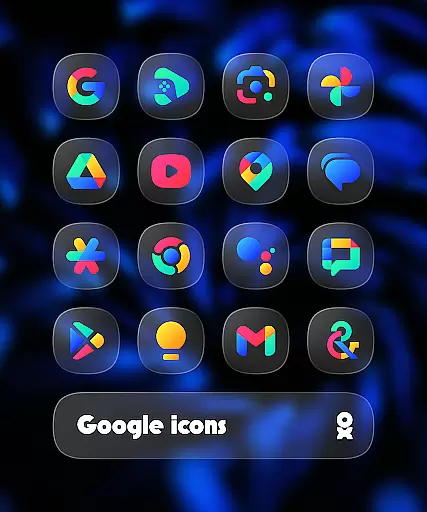
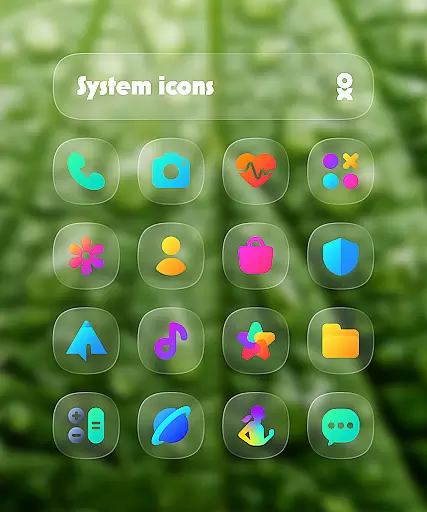
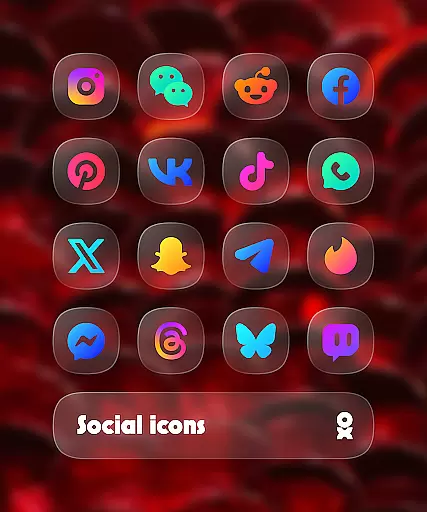
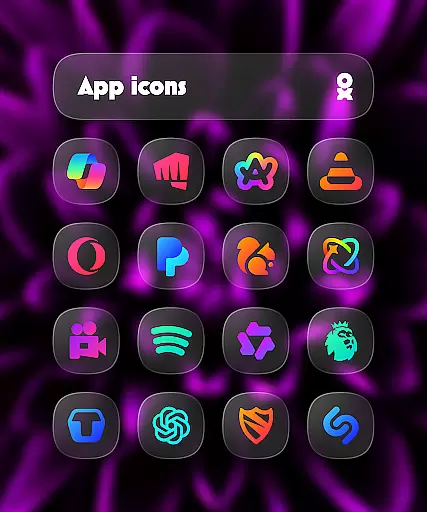
One UI Glass Color Icon Pack offers over 6000 crystal-clear, colorful squircle icons designed with a sleek and minimal aesthetic. Inspired by Samsung's One UI design language, this icon pack provides a modern and elegant look that seamlessly integrates with your device's interface.
The pack includes cloud wallpapers, an icon request tool, and regular updates to ensure compatibility with new apps. With support for numerous launchers including Nova Launcher, Lawnchair, and Samsung’s One UI Home with Theme Park, it delivers a cohesive visual experience across Android devices.
Ideal for users seeking a polished and consistent home screen appearance, this icon pack enhances the overall aesthetic while maintaining usability through its carefully crafted design.
One UI Glass Color Icon Pack stands out with its comprehensive set of features tailored for customization enthusiasts. The pack boasts over 6000 HD icons, each meticulously designed to offer a crystal-clear and colorful appearance that aligns with modern design trends.
In addition to the extensive icon library, users can enjoy exclusive cloud wallpapers that complement the icons. The inclusion of an icon request tool empowers users to request specific app icons not already included. Regular updates ensure that the icon pack stays relevant with newly released apps.
Compatibility is a key feature, supporting a wide range of launchers such as Nova Launcher, One UI Home with Theme Park, and many others. This versatility allows users to maintain a consistent look regardless of their chosen launcher, enhancing both functionality and aesthetics.
One UI Glass Color Icon Pack offers a wide array of customization options that cater to personal preferences and device aesthetics. With over 6000 HD icons, users can enjoy crystal-clear graphics in a colorful and sleek squircle design.
The pack includes cloud wallpapers, adding an extra layer of personalization to your home screen. These dynamic visuals complement the icons and provide a cohesive look across your device's interface.
An icon request tool is also integrated into the app, allowing users to suggest new icons or modifications to existing ones. This feature ensures that the icon pack remains up-to-date with current trends and user needs.
Regular updates are provided to expand the library and maintain compatibility with various launchers, ensuring that you always have access to the latest customization options for a personalized experience.
Theme compatibility is a crucial aspect of One UI Glass Color Icon Pack, designed to seamlessly integrate with multiple launchers. The pack supports popular launchers such as One UI Home with Theme Park, Smart Launcher 6, Niagara Launcher, and many others.
For Samsung users, applying these themes is possible through Theme Park on One UI. Pixel Launcher users can utilize Shortcut Maker for similar effects. This flexibility allows a broad range of devices to benefit from the elegant design inspired by Samsungu2019s One UI language.
Specific instructions are given for different launchers like Nova Launcher where shadow settings need to be enabled for optimal visual results. Additionally, Kustom Widgets require KWGT & KWGT PRO (paid) for full functionality within this icon pack environment.
By supporting numerous launchers and providing detailed guidance, One UI Glass Color Icon Pack guarantees a smooth application process while maintaining high standards of theme consistency and visual appeal.
Extensive icon library
Frequent updates
Wide launcher support
Cloud wallpapers included
Modern design language
Paid app
Requires compatible launcher
Limited to Android
No iOS support
Some features need additional apps

Customizable flower power digital watch face for Wear OS watches.
 4.00
4.00
Sparkle your screen with Glitter Wallpapers For Girls and Cute Backgrounds!
4.80
Shimeji adds cute animated characters to your screen, lively and fun.
4.70
Try creating your own keyboard with "Keyboard theme for android" app now!
4.50
Run multiple accounts of the same app on a single device
4.10 4.50
4.50
Handcrafted pixel art icons, widgets & wallpapers
4.60
Enjoy a variety of amazing live wallpapers and colorful EDGE lighting borders!
4.80
Transform your phone with stylish zipper lock themes and 4D live wallpaper
4.10
Personalize your phone with stunning HD and 4K wallpapers!
4.70
Classic analogue watch face. For wear os devices.
4.60
3D, live, and moving wallpapers & themes in 4K and HD for your device.
4.50
Aesthetic Widgets, HD Wallpapers, Themes in Mico Widget for Home and Lock Screen
4.50 4.50
4.50 4.50
4.50
Color phone with cool effects for call screen, flash alert & ringtones music
4.50
AI-powered Copilot. Personalized keyboard with gifs, stickers & themes
4.40
Organize and manage your photos and videos effortlessly with Photo Gallery
4.20
Emoji Maker app - Design custom emojis and effortlessly blend them with Mixer
3.80
Wallpaper Engine Android review—PC sync setup, crash issues, sound reactive limitations, and whether this free companion app is actually good.


User Reviews