
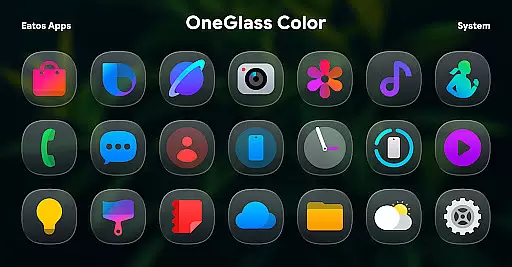
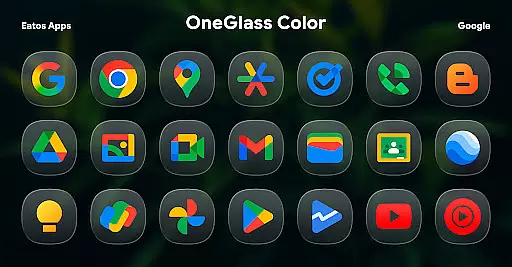
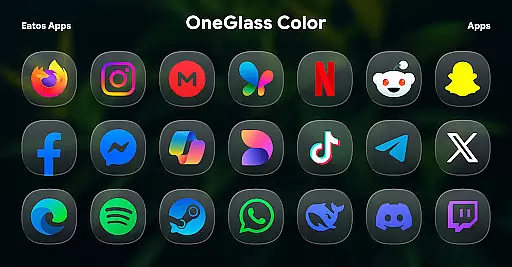
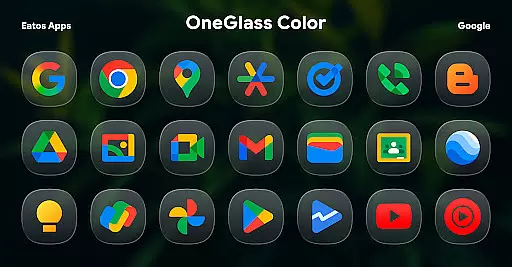
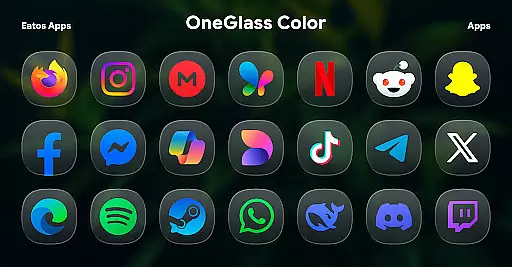
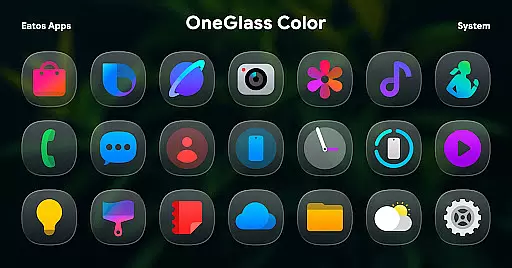
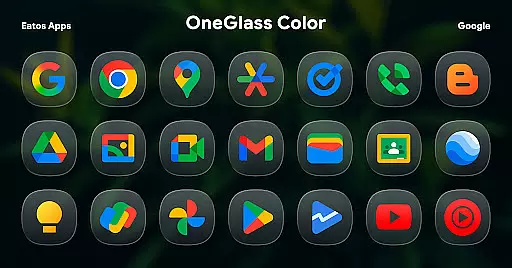
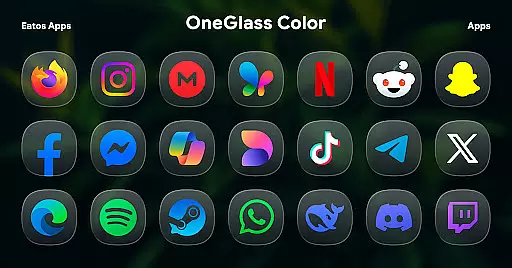
OneGlass 8 (Color) is a premium icon pack featuring over 4,600 beautifully crafted glass-style icons inspired by One 8 design language. This comprehensive customization solution also includes more than 430 high-quality wallpapers, providing users with a complete aesthetic experience for their devices.
Specifically optimized for dark mode usage, the icon pack delivers stunning visual effects when paired with dark wallpapers. The package works seamlessly with popular launchers like Hyperion Launcher, Nova Launcher, and Smart Launcher. For OneUI launcher users, integration can be achieved through Good Lock and Theme Park apps.
This icon pack enables users to transform their device's interface while maintaining consistency across various applications. Its extensive icon library ensures broad app coverage, making it an ideal choice for those seeking a cohesive and stylish home screen appearance.
The icon pack stands out with its massive collection of over 4,600 unique icons, each meticulously designed in glass-style aesthetics that bring depth and elegance to any interface. The inclusion of more than 430 wallpapers provides users with multiple options to complement their chosen icon theme.
A distinctive feature is its optimization for dark mode, ensuring icons maintain their vibrancy and clarity against dark backgrounds. The pack supports major launchers including Hyperion, Nova, and Smart Launcher, while offering specific compatibility with OneUI through Good Lock and Theme Park integration.
Additional functionality includes regular updates to expand icon coverage, detailed documentation for easy setup, and responsive developer support through email and social media channels. These features collectively create a comprehensive customization tool for Android users.
OneGlass 8 (Color) offers a vast array of customization options, ensuring users can tailor their device's appearance to their exact preferences. With over 4,600 Glass color icons and more than 430 wallpapers, this icon pack provides an extensive selection for personalizing your smartphone or tablet.
The customization extends beyond just icons and wallpapers. Designed primarily for dark mode, the pack enhances the visual experience when using dark wallpapers. This makes it ideal for users who prefer a sleek, modern aesthetic that reduces eye strain in low-light environments.
To apply these customizations, users need a compatible launcher such as Hyperion Launcher, Nova Launcher, or Smart Launcher. For OneUI launcher users, additional steps include downloading 'Good Lock' and 'Theme Park' apps, allowing even deeper integration with Samsung's One UI interface.
Theme compatibility is a crucial aspect of OneGlass 8 (Color), ensuring seamless integration with various launchers and devices. The icon pack is designed to work harmoniously with popular launchers like Hyperion Launcher, Nova Launcher, and Smart Launcher, providing users with a consistent and visually appealing experience across different platforms.
For users of Samsung's One UI, OneGlass 8 (Color) ensures compatibility through the use of 'Good Lock' and 'Theme Park' apps. These tools allow users to apply themes easily, following simple instructions available at https://bit.ly/OneUIThemePark. This compatibility ensures that Samsung device users can enjoy the full benefits of the icon pack without any hassle.
In addition to launcher compatibility, the pack also emphasizes visual consistency. Each icon and wallpaper is crafted to maintain a cohesive look and feel, enhancing the overall user experience. Whether you're using a Samsung device or another Android platform, OneGlass 8 (Color) guarantees a smooth and attractive customization process.
Extensive icon coverage
High-quality wallpapers
Dark mode optimization
Regular updates
Responsive support
Requires compatible launcher
No iOS support
OneUI setup complexity
Premium price point
Learning curve for new users

Ninja Turtles Cowabunga SE watch face for Wear OS
 4.50
4.50
App Icon Changer & Shortcut Creator. Customize your icons without any watermarks
4.30 4.10
4.10
Design your screen with unique, vibrant clocks
3.80
Stylish Pink Cute Hippo keyboard with 10000+ customized keyboard themes!
4.60
Unleash Your Creativity and Connect with Loved Ones with Lockscreen Drawing!
4.20
350+ widgets with a premium glass-style finish, perfect for home & lock screens.
4.70
Create unique, fun emojis with Funny Emoji Maker! Unlimited creativity!
4.00
Create stunning widgets with Widget 2026: Aesthetic Widgets for Android!
4.60
Customizable Glass widgets. Over 360+ stunning widgets and more!
4.70
A launcher for Samsung Good Lock and Good Guardians modules without ads
4.70
Bring adorable pets to life on your screen. Playful, interactive and full of fun
4.60
Ultimate Gallery Lock App - Hide Pictures, Videos and Lock Apps Instantly!
4.60
3D, live, and moving wallpapers & themes in 4K and HD for your device.
4.50 4.50
4.50
Color phone with cool effects for call screen, flash alert & ringtones music
4.50
Art & Emoji Keyboard with Cool Fonts, Cute Themes and Custom Designs.
4.40
Organize and manage your photos and videos effortlessly with Photo Gallery
4.20
Custom edge gestures for volume control, brightness, apps, and shortcuts.
4.1
Wallpaper Engine Android review—PC sync setup, crash issues, sound reactive limitations, and whether this free companion app is actually good.



User Reviews