
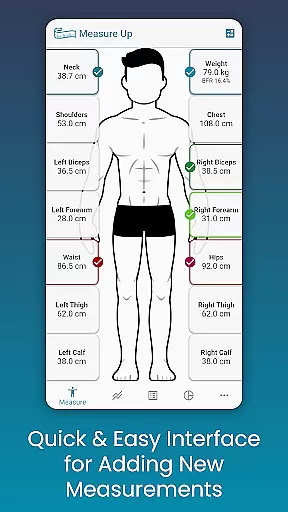
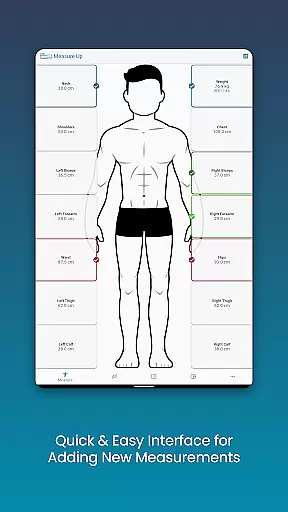
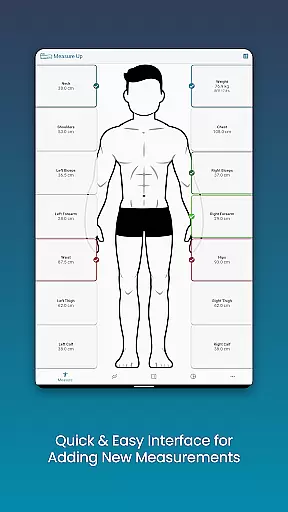
Body Measurement Tracker is a streamlined health and fitness application designed to help users monitor their weight loss or muscle gain journey with ease. The app offers a simple, no-fuss interface that allows for quick recording of body measurements, ensuring that users can efficiently track their progress without the need for complex spreadsheets or notes.
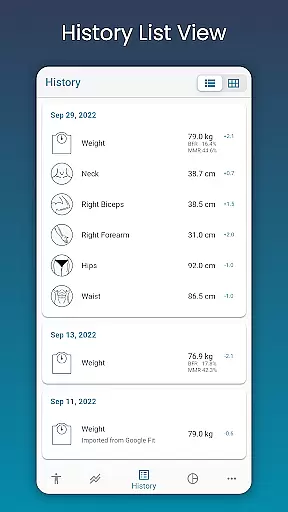
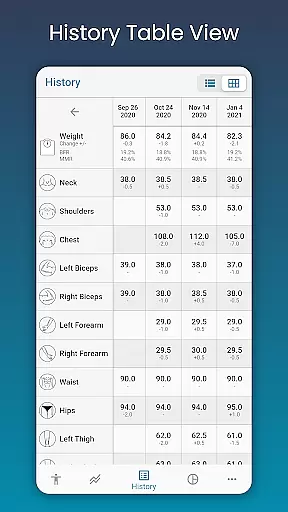
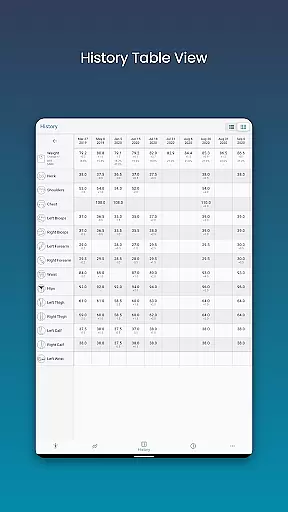
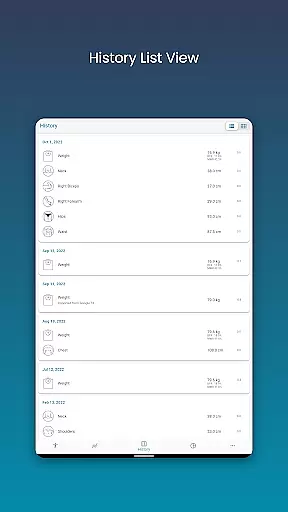
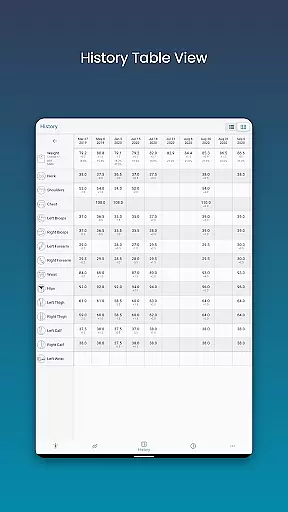
With its unique features, Body Measurement Tracker stands out by providing visual aids such as charts, tables, and lists to interpret progress over time. Users can integrate their data with Google Fit, making it an ideal tool for those who wish to sync their measurements with other health apps and maintain a comprehensive overview of their fitness journey in one accessible location.
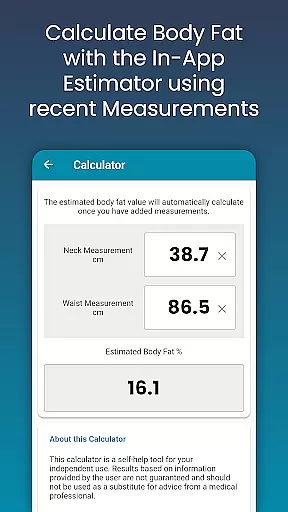
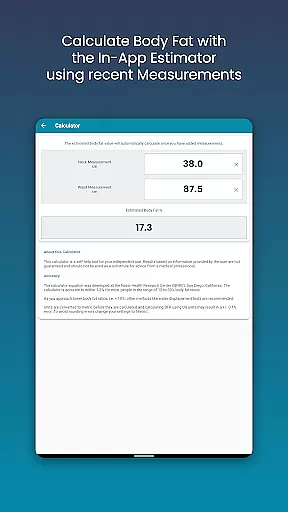
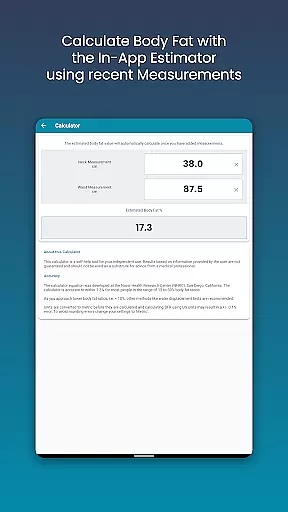
The Body Measurement Tracker boasts an array of features aimed at simplifying the process of tracking physical changes. Its easy measurement input system enables users to swiftly enter data, while also offering the ability to adjust dates for past entries and calculate body fat percentage directly within the app.
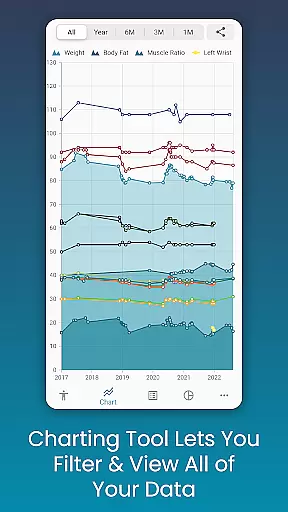
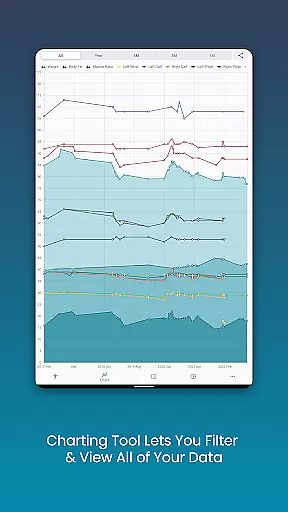
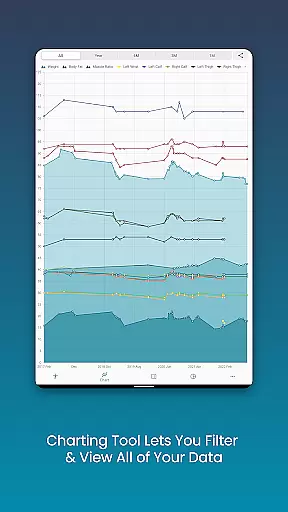
Users can take advantage of the app's chart analysis feature, which provides a detailed view of their progress through customizable and interactive charts. These charts allow for toggling between different types of measurements and offer a stacked view for lean mass and body fat, giving a clear insight into one's physical development. Additionally, the app supports exporting chart data into PNG format for sharing across platforms.
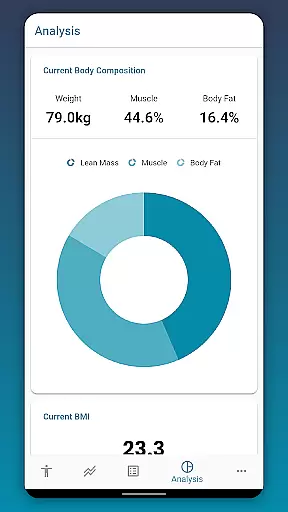
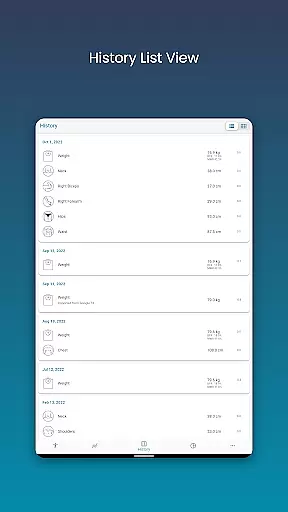
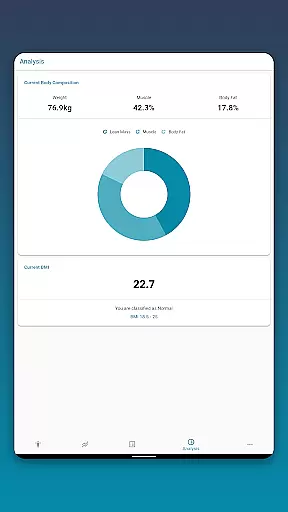
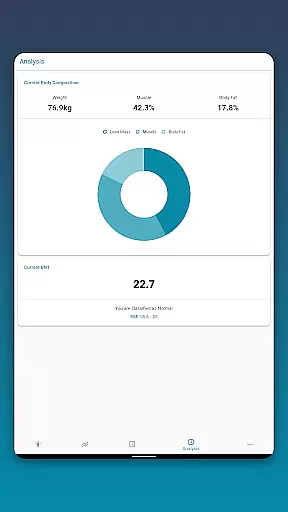
Further enhancing user experience, the app includes extensive history tracking, body composition analysis, BMI calculation, customizable measurement options, and cloud backup services to prevent data loss.
Personalized planning in fitness applications refers to the ability to create tailored workout and measurement plans based on individual user data. This feature is crucial as it allows users to set specific goals and track their progress accurately.
Body Measurement Tracker excels in this area by providing various tools for tracking different body metrics. Users can input custom measurements, utilize the built-in body fat calculator, and adjust entries by date, ensuring that each person's unique journey is captured precisely.
The benefit to users is significant. With personalized planning, individuals can see exactly how their body is changing over time, which helps maintain motivation and make necessary adjustments to their routines. The app's chart analysis feature further enhances this by offering visual representations of progress.
This level of personalization ensures that users are not just following a generic plan but are engaged in a customized fitness journey that adapts to their specific needs and goals, ultimately leading to more effective and sustainable results.
Progress visualization is a critical component of any health and fitness app, allowing users to see their achievements and stay motivated. Visual representations of data make it easier to understand trends and patterns in one's fitness journey.
In Body Measurement Tracker, progress visualization is robust and versatile. Users can view their data through charts, tables, and lists. The unique chart feature lets users toggle different measurements on and off, providing a clear picture of their progress with options to stack lean mass, body fat, and muscle data.
This functionality offers tangible benefits to users. By being able to visually track changes in their body composition, users can better comprehend their progress toward weight loss or muscle gain goals. The ability to export these charts as PNG images adds an extra layer of utility, enabling easy sharing and documentation of milestones.
Ultimately, effective progress visualization keeps users engaged and committed to their fitness goals, transforming raw data into meaningful insights that encourage continued effort and improvement.
User-friendly interface
Comprehensive chart analysis
Google Fit integration
Customizable measurement options
Data backup and restore functionality
Limited to Android platform
No automatic syncing
Premium features require subscription
Occasional bugs reported
Interface may feel outdated

The app helps you address digestive symptoms based on the Fast Tract Diet.
 3.50
3.50
When the night comes, we prepare your eyes for deep, sweet dreams
4.70
Using Recognise™ has been shown to reduce pain, and improve performance.
4.2
Using Recognise™ has been shown to reduce pain and improve performance
4.5
You deserve easy access to important insurance information. Download for FREE.
4.70
Your Health Assistant
3.90
Drink water reminder app. Track water intake. Smart simple hydration tracker.
4.70
Mood journal, habits, self-care tracker, self-love
4.90
Comprehensively record and manage your health
4.50
Beauty Care, Makeup & Skin Care Scanner | Pregnancy App For A Mom | Healthy Baby
5.00
Power-lifting, weightlifting and Wendler 531 app to track your workout program.
4.90
Wall Pilates at home & Pilates workout for beginners for core and weight loss.
4.80
Build Healthy Habits!
4.60
Relax. Sleep Better. Feel Better.
4.50
The most accurate heart rate app to monitor and track your heart rate & pulse.
4.40
This is an application that serves as a companion app for smart watch.
4.20
Histamine intolerance, low FODMAP diet and irritable bowel syndrome (IBS)
4.00
Your plan in your pocket 24/7
3.00
Sync your activities of the most popular sports tracking services
2.70


User Reviews