
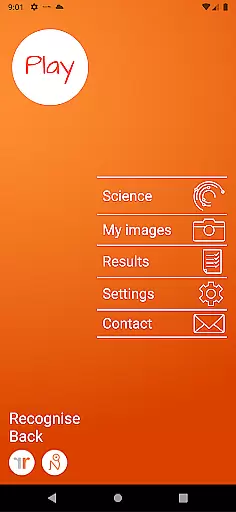
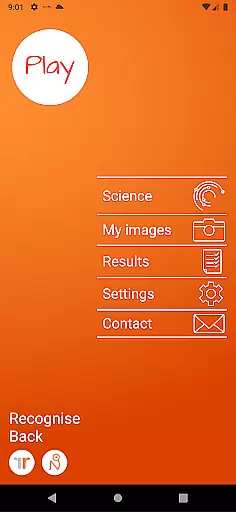
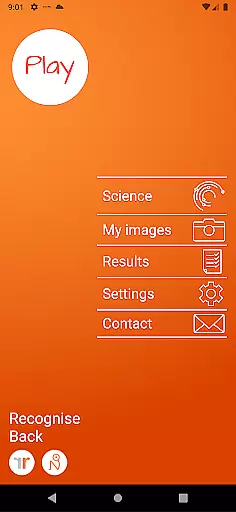
Recognise Back is a specialized health and fitness application designed to assist users in managing pain, enhancing performance, and supporting rehabilitation through a structured Graded Motor Imagery (GMI) program. The app focuses on improving the user's ability to distinguish between left and right body parts, which is crucial for recovery from various complex pain conditions and injuries.
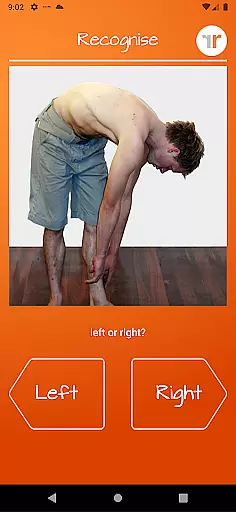
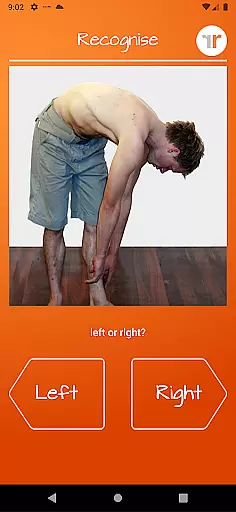
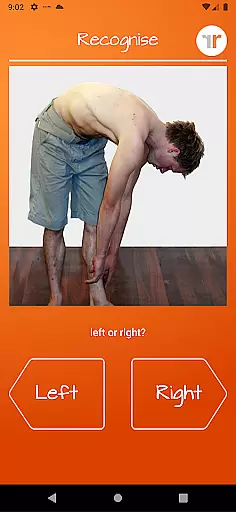
The application offers two primary modes of engagement - TEST and TRAIN. In TEST mode, users can evaluate their proficiency in recognizing images of body areas as either left or right, an exercise known as 'Left/Right Discrimination.' TRAIN mode allows users to leverage their brain's neuroplasticity with diverse tools aimed at enhancing this recognition skill. Recognise Back stands out by integrating clinical tools that enable users to track progress with detailed analytics and share results with healthcare providers.
This app is particularly beneficial for patients undergoing physical therapy, athletes looking to optimize performance, and individuals seeking non-invasive methods to manage chronic pain. By incorporating personalized training regimens and advanced clinical support features, Recognise Back delivers a comprehensive solution for those invested in improving their physical well-being.
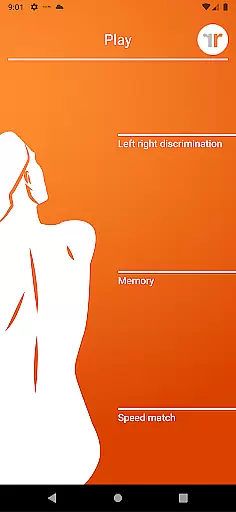
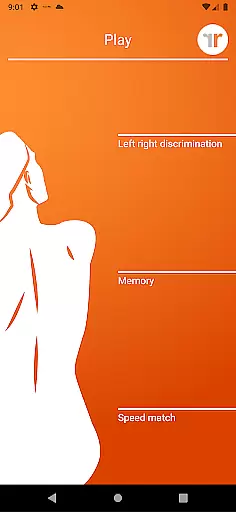
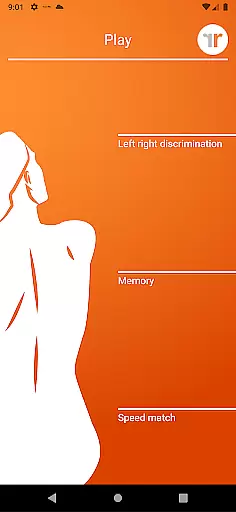
Recognise Back boasts an array of sophisticated features tailored to maximize the effectiveness of its GMI program. Users have access to innovative tools such as 'Memory' and 'Speed match,' which are designed to elevate the training experience to more challenging levels. These tools are complemented by graded difficulty settings and personal best challenges that keep users motivated and engaged.
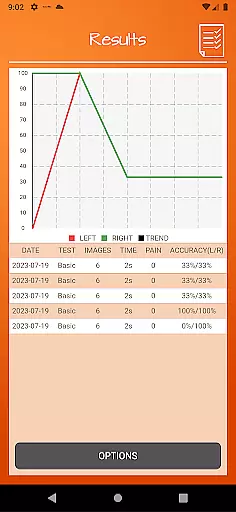
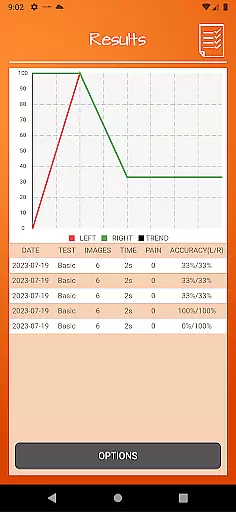
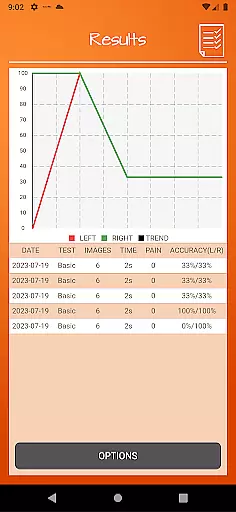
The app provides a robust suite of analytical instruments, including detailed onscreen results and graphs, allowing users to monitor their improvement over time visually. Additionally, Recognise Back facilitates powerful clinical integration through exporting and emailing capabilities, making it easy for users to communicate their progress directly to clinicians or therapists.
Another standout feature is the ability to capture custom images using the device's camera, which can then be incorporated into personalized training sessions. This level of customization ensures that each user's experience is unique and specifically targeted to their rehabilitation needs. With comprehensive explanations of the science behind Left/Right Discrimination and GMI, Recognise Back not only trains but also educates its users, fostering a deeper understanding of their therapeutic journey.
Personalized planning in Recognise Back is a key feature designed to cater to individual rehabilitation needs. This app, part of a Graded Motor Imagery programme, assesses your current abilities and tailors the training accordingly.
The initial testing phase evaluates your capacity to distinguish between left and right body images swiftly and accurately. Based on these results, the app adjusts the difficulty levels and proposes personal best challenges, ensuring that each user receives a customized experience that matches their progress.
With tools like 'Memory' and 'Speed match', users can further refine their personalized training regimen. These features not only enhance neuroplasticity but also keep users engaged with varied exercises that evolve as they improve.
Ultimately, this personalized approach leads to reduced pain, improved performance, and aids in rehabilitation for various complex pain and injury states. The adaptability of Recognise Back ensures that every user's journey is unique and optimally beneficial.
Recognise Back offers robust progress visualization, allowing users to track their rehabilitation journey effectively. Detailed onscreen results and graphs provide clear insights into your improvements over time.
After each session, users receive immediate feedback on their performance. This includes accuracy percentages and response times, which are then plotted on easy-to-understand graphs. Such visual data representation helps in understanding oneu2019s strengths and areas needing improvement.
Additionally, the ability to export and email results directly to clinicians or therapists enhances communication and allows for professional oversight. This clinical integration ensures that healthcare providers can offer informed guidance based on tangible progress metrics.
By capturing your own images and incorporating them into training, you add another layer of personalization to your progress tracking. Overall, Recognise Back empowers users with transparent, accessible, and actionable progress visualization tools.
Effective pain management
Enhances physical performance
Customizable training options
Detailed progress tracking
Clinical integration capabilities
Requires consistent use
Premium priced app
Limited to specific therapies
Complex for beginners
Dependent on device camera quality

Insanity blocks of intense physical activity, short breaks of 30 seconds.
 4.4
4.4
Sync your activities of the most popular sports tracking services
2.70
Use your watch as a bike computer, heart rate monitor and cycling power meter
2.50
Measure real-time wrist & ambient temperature with your Galaxy Watch (Wear OS)
3.20
You deserve easy access to important insurance information. Download for FREE.
4.70
Download MadMuscles to start your positive body transformation!
4.30
Track sleep cycle, relax with white noise, sleep sounds & smart alarm clock
3.80
Fast Body building & Weight Loss. Home Workouts with Daily Coach, No Equipment.
4.30
Easy to use step counter, calorie counter helps lose weight, count steps offline
4.80
sobriety counter app to help and motivate people to stop drinking alcohol.
4.90
a fun app full of surprises :)
4.70
Measure your Pupil Distance for Eyeglasses and VR headsets in 3 quick steps.
4.70
Relax. Sleep Better. Feel Better.
4.50
50 HD sounds to help you relax during the day and sleep great at night!
4.40
Looking to take control of your health? Our psychology-based programs can help.
4.10
Histamine intolerance, low FODMAP diet and irritable bowel syndrome (IBS)
4.00
beat yesterday.
4.00
SportWerks - Workout Tracker for Wear OS Watches
3.90
Your plan in your pocket 24/7
3.00


User Reviews