
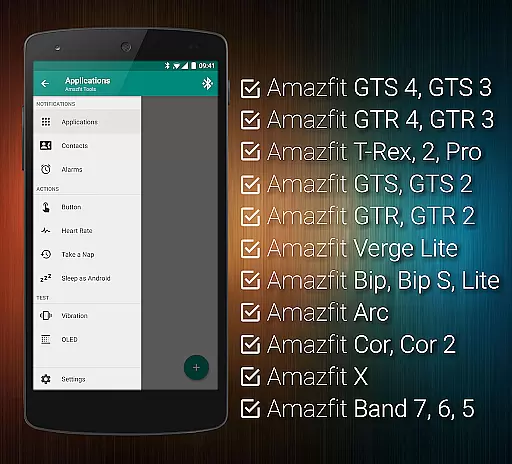
Tools & Amazfit is a comprehensive health and fitness application designed to maximize the potential of your Amazfit smart bracelet. This app offers advanced features beyond basic functionality, including customizable notifications for calls and apps, continuous heart rate monitoring, and integration with Sleep as Android. It supports various Amazfit models and works seamlessly with Android versions from 4.3 to 13+.
The app's power nap feature helps users recharge during busy days, while idle alerts remind them to stay active. With fully customizable widgets and support for automation apps like Tasker, Tools & Amazfit provides a personalized experience tailored to individual needs. Whether you're tracking fitness goals or managing notifications, this app ensures you get the most out of your wearable device.
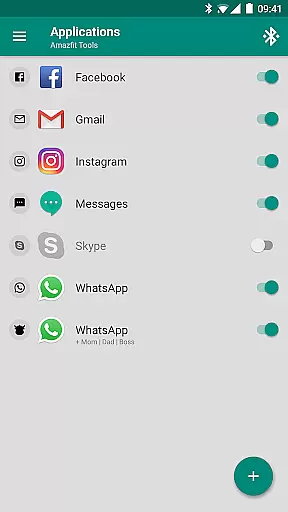
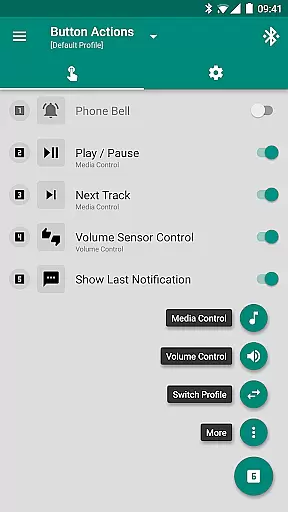
Tools & Amazfit stands out with its extensive feature set that enhances the smart bracelet experience. The app supports displaying full text notifications, allowing users to see caller names and message contents directly on their Amazfit device. Its Button Control and Sensor Control features let users assign specific actions to button presses or hand movements, providing intuitive control over media and phone functions.
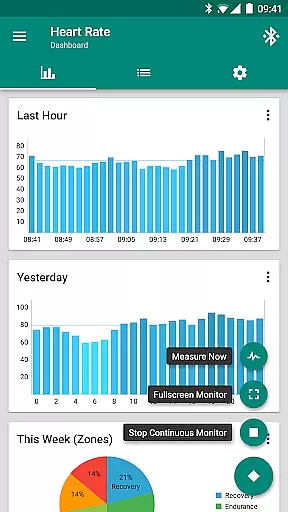
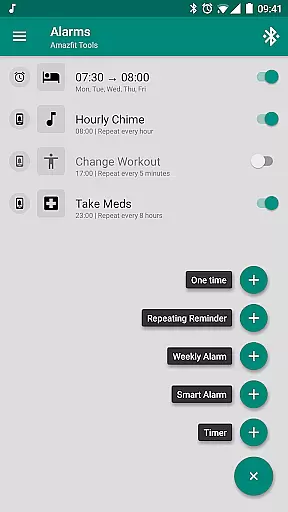
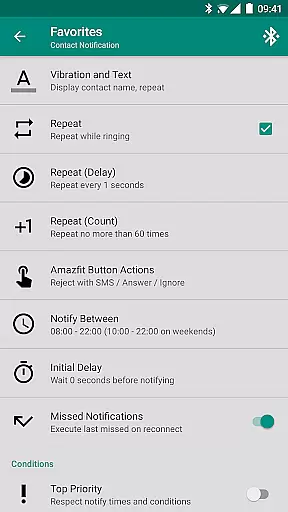
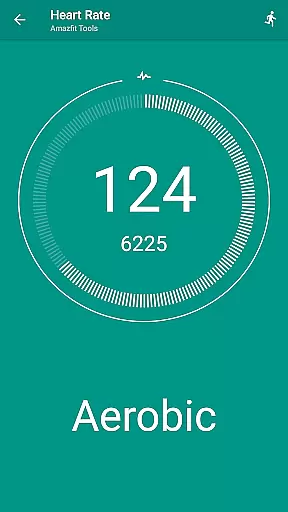
Advanced capabilities include customizable heart rate monitoring with dashboard charts, multiple notification management, and missed notification retrieval. Users can create custom repeating notifications for reminders and alarms, with safety sound backup. The app also offers specialized features like Power Nap and Idle Alerts, ensuring users maintain healthy habits while staying connected throughout their day.
Personalized planning in health and fitness applications refers to the ability to create tailored workout and wellness routines based on individual user data. This feature is crucial for maintaining user engagement and ensuring that fitness goals are met effectively.
Tools & Amazfit leverages advanced algorithms to analyze user inputs such as age, gender, fitness level, and personal goals. It then generates customized plans that adapt over time as the user progresses. The application offers specialized programs like power naps, idle alerts, and continuous heart rate monitoring, which cater to various health needs.
Users benefit from personalized planning by receiving recommendations that suit their unique lifestyles and fitness aspirations. Whether it's setting up hourly chimes for reminders or configuring custom vibration patterns for notifications, the app ensures a bespoke experience.
This functionality not only enhances motivation but also optimizes the path to achieving fitness milestones. By providing adaptable and responsive planning tools, Tools & Amazfit empowers users to take control of their health journey with precision and ease.
Progress visualization is an essential aspect of any fitness application, allowing users to track their achievements and stay motivated. Visual representations of progress help users understand their performance trends and make informed decisions about their fitness routines.
Tools & Amazfit provides comprehensive progress visualization through detailed charts and graphs. Users can view their heart rate trends, sleep patterns, and daily activity levels. These visual tools offer insights into how different activities impact overall health and well-being.
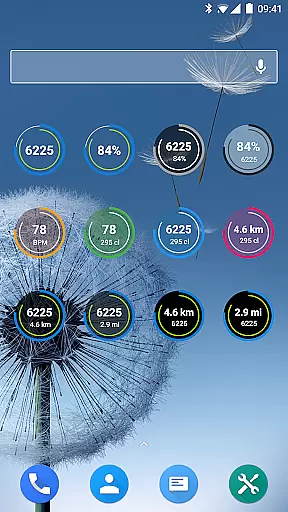
The app's dashboard displays key metrics such as steps taken, calories burned, and active minutes, all presented in an easy-to-understand format. Additionally, features like customizable widgets enable users to prioritize the data most relevant to their goals.
By offering clear and actionable insights, Tools & Amazfit ensures that users remain engaged and committed to their fitness journeys. Progress visualization transforms raw data into meaningful feedback, enhancing the overall user experience and promoting long-term health improvements.
User-friendly interface
Extensive customization options
Wide device compatibility
Advanced health tracking features
Regular updates and improvements
Premium features require payment
Some settings may be complex for beginners
Occasional sync issues reported
Battery consumption could be optimized
Limited iOS support

Home workouts for fitness & fast bodybuilding at home - no equipment needed.
 4.90
4.90
Effortlessly and naturally release anxiety by harnessing the power of your brain
4.60
The Sleep Miracle Sound Machine: Soothes baby to sleep with a gentle "Shhh"
3.00
Show your support for the development of FitNotes - Gym Workout Log
4.90
Eat smarter with Eato, your personal calorie counter and nutrition tracker!
4.40
Blood Pressure Log, HRV & Heartbeat Tracker. Pulse Checker.
4.40
Your personal BP tracking companion, focus on helping you achieve wellness goal.
4.10
Track sleep cycle, relax with white noise, sleep sounds & smart alarm clock
3.80
Your Health Assistant
3.90
Weight loss app: home workout for women to lose weight & burn calories.
4.80
Easy access to health benefits
4.70
A brain game that moves you
4.70
Load the bar with this barbell & plate calculator. It's leg day, not brain day!
4.70
Get lasting results with Chair Yoga, Wall Pilates, and Walking workouts!
4.60
Your portable blood pressure tracker. Record, monitor, and analyze BP anytime.
4.30
Find Paid Clinical Trials In Your Area
3.70
Enjoy the Gluten Free living with the best app. SCAN the barcodes & SEARCH.
3.60
Use your watch as a bike computer, heart rate monitor and cycling power meter
2.50
Using Recognise™ has been shown to reduce pain, and improve performance.
4.4


User Reviews