
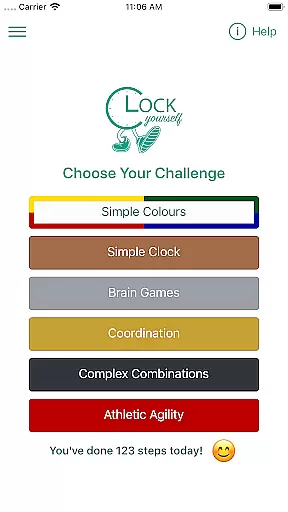
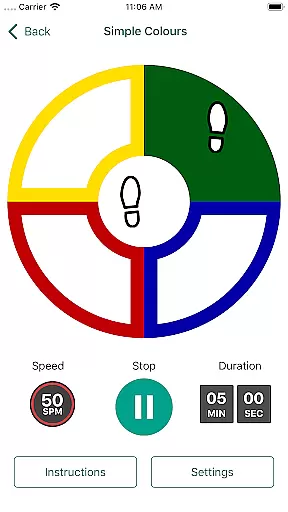
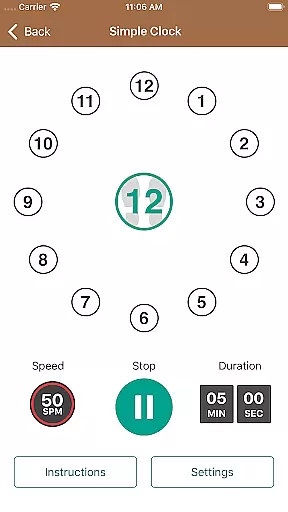
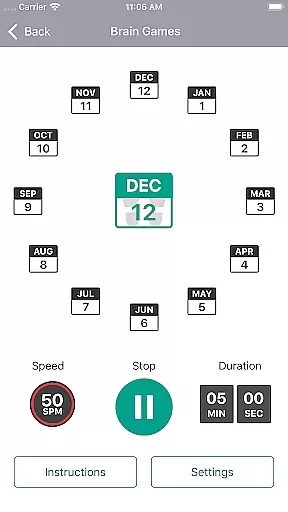
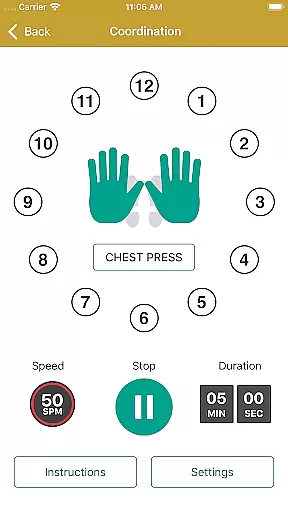
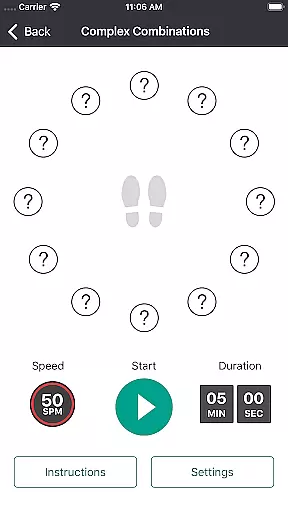
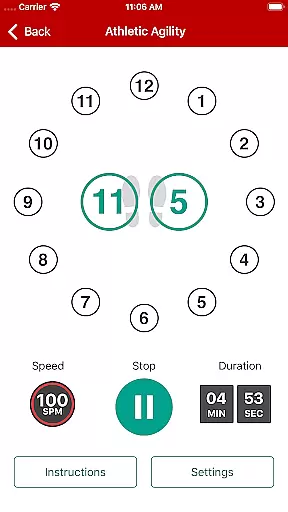
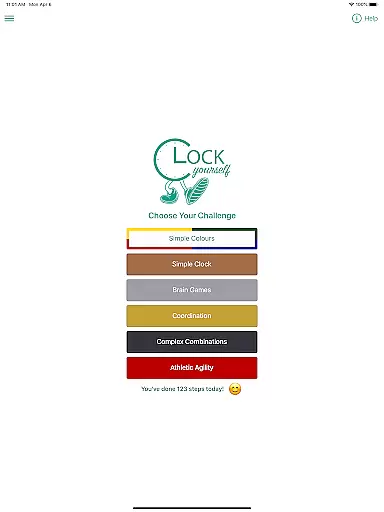
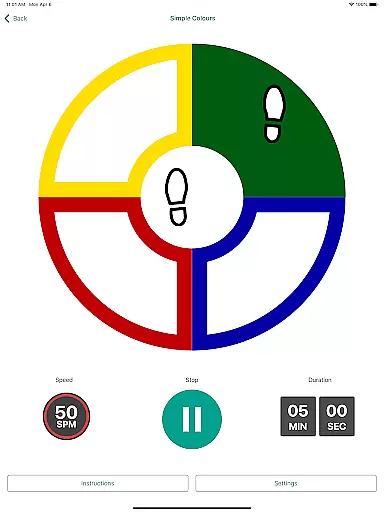
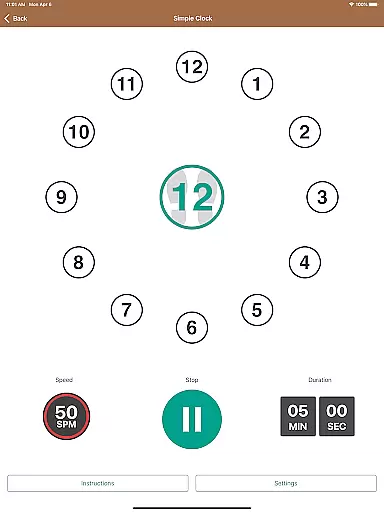
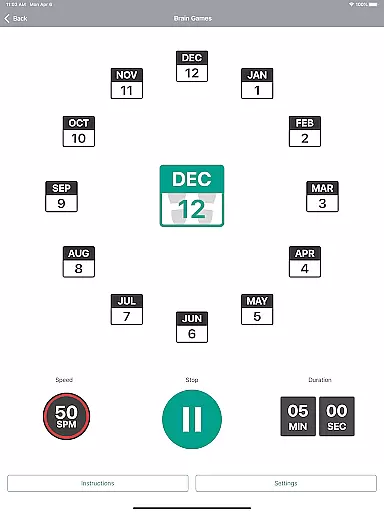
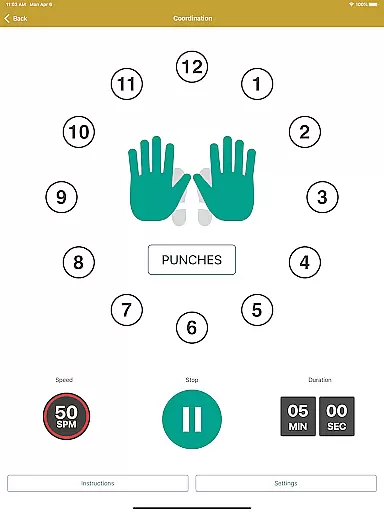
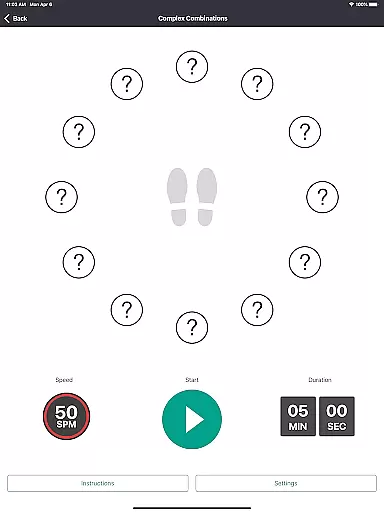
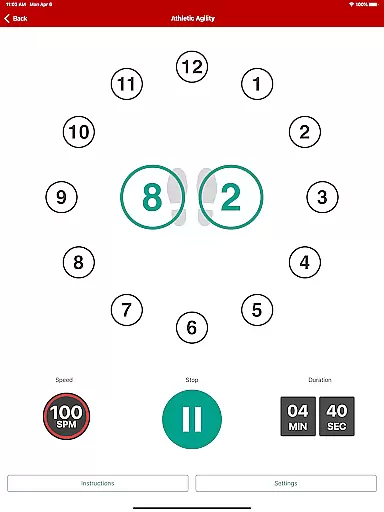
Clock Yourself is an innovative health and fitness app that uniquely combines physical exercise with cognitive training. The app challenges users to perform various stepping exercises while visualizing a circle beneath their feet, stimulating both body and brain simultaneously. This dual-action approach makes it suitable for diverse user groups, from athletes seeking sport-specific agility drills to individuals with mobility limitations who can adapt the exercises for arm reaching or wheelchair movement.
Developed by Australian physiotherapist Meg Lowry and software developer Dave Wallace, Clock Yourself originated from neurological rehabilitation concepts. The app's versatility allows users to control both stepping speed and cognitive complexity, making it appropriate for all fitness levels. Its evidence-based design incorporates volitional step training to improve reaction times in multiple directions, potentially reducing fall risks. The app functions offline after initial download and offers a one-time purchase model without subscriptions or advertisements.
Clock Yourself stands out with its comprehensive features designed for maximum user benefit. The app offers multiple exercise modes that cater to different ability levels and goals, allowing users to progress at their own pace. One of its key innovations is the integration of cognitive challenges with physical movement, creating a unique dual-task training environment that enhances neuroplasticity and coordination.
The app's versatility extends to its language options, with audio prompts available in six languages beyond English, including Mandarin, Japanese, French, German, Spanish, and Dutch. Its portability is another significant advantage, as it requires no special equipment or setup - just enough space to move freely. The built-in activity log tracks user progress, storing data locally on the device rather than in the cloud. Additionally, the app's offline functionality ensures accessibility regardless of internet connection, while still offering the option to email activity logs when connected.
Personalized planning in fitness applications refers to the ability to tailor exercise routines based on individual capabilities and goals. Clock Yourself excels in this area by offering versatile exercises that can be adapted for various skill levels and physical abilities.
The app challenges users to think on their feet, combining physical exercise with cognitive tasks. This dual stimulation ensures a personalized experience as users can modify the exercises according to their pace and complexity preferences. Whether stepping on an imaginary circle or adapting movements for sport-specific drills, the personalization is comprehensive.
Users benefit from full control over both stepping speed and cognitive load, allowing them to create a workout that suits their unique needs. This flexibility makes it ideal for everyone, from athletes looking to enhance agility to those needing low-impact options.
Ultimately, the value of personalized planning in Clock Yourself lies in its inclusivity and adaptability. By harnessing neuroplasticity through varied challenges, users can maintain engagement and achieve better health outcomes without being constrained by a one-size-fits-all approach.
Progress visualization involves presenting user achievements and milestones in a clear and engaging manner. In Clock Yourself, progress tracking is integral to maintaining motivation and ensuring continuous improvement in both physical and cognitive exercises.
The app provides an activity log that meticulously records steps taken and minutes exercised during each session. This data empowers users to monitor their performance over time, fostering a sense of accomplishment with every milestone reached.
By visualizing progress through detailed logs, users gain insights into their consistency and areas needing improvement. The ability to send these logs via email further enhances transparency and allows for external review or sharing with trainers or healthcare providers.
This feature not only tracks physical metrics but also encourages mental agility improvements. With tangible evidence of advancement, users are more likely to stay committed to their fitness journey, making progress visualization a crucial component of Clock Yourself's holistic approach to health and wellness.
User-friendly interface
Versatile exercise options
Offline functionality
No subscription fees
Multi-language support
Limited UI languages
Steep learning curve
Basic visual design
No social features
Manual tracking only

Pack of 66 calming lullabies for smooth fall asleep and relaxation
 4.10
4.10
Period Tracker, the easiest way to track your periods!
4.50
Meditation app, head space app provides calm music to help you meditate & sleep
5.00
Find Paid Clinical Trials In Your Area
3.70
Monitor, analyze, track, and convert blood sugar & help you control diabetes.
4.10
Fast Body building & Weight Loss. Home Workouts with Daily Coach, No Equipment.
4.30
GloryFit is a companion app for the smart bracelet.
3.60
Jogging app for calorie counter and distance tracker. Running app to lose weight
4.20
Monitor blood sugar, gain insights, and manage diabetes with ease.
3.20
Step Counter, track steps when you walk or run
4.70
When the night comes, we prepare your eyes for deep, sweet dreams
4.70
Get lasting results with Chair Yoga, Wall Pilates, and Walking workouts!
4.60
Personal Measurements - Track your gains!
4.50
The Official Blood Type Diet® App - know your categorized foods anytime.
4.50
Track heart rate & HRV in 30s! Get live health insights and anomaly alerts
4.40
Interval timer for High Intensity Interval Training, Tabata and Circuit Training
4.20
3D Body Measurement System
3.60
Measure real-time wrist & ambient temperature with your Galaxy Watch (Wear OS)
3.20
Your plan in your pocket 24/7
3.00


User Reviews