
Flow Weather is a comprehensive weather application designed to be your personal weather assistant. It provides accurate real-time weather data, including temperature, humidity, wind speed, and air quality. The app stands out with its multi-dimensional forecasting, offering both hourly and long-term weather predictions, ensuring you are prepared for any weather condition.
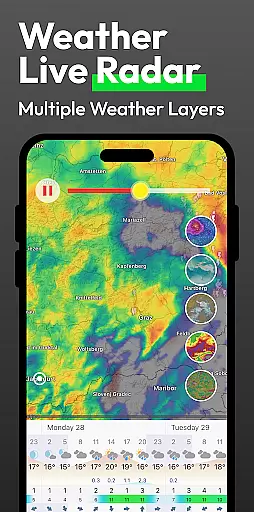
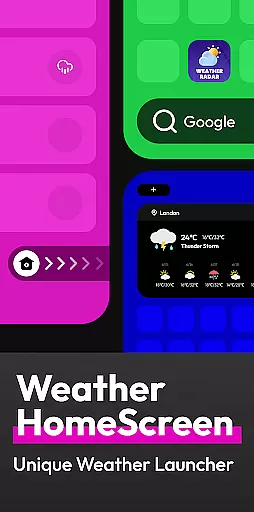
In addition to basic weather information, Flow Weather offers advanced features such as severe weather alerts and interactive weather layers. These layers allow users to explore various meteorological phenomena like wind patterns, cloud coverage, and UV indexes. The app also innovates with an Android launcher integration, allowing users to access weather updates directly from their home screen while managing other phone tasks efficiently.
Whether planning your day-to-day activities or needing detailed weather insights, Flow Weather equips you with the necessary tools to stay informed and safe. Its user-friendly interface and customizable options make it suitable for both casual users and weather enthusiasts alike.
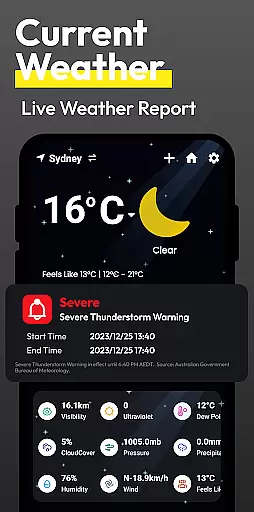
Flow Weather boasts a range of sophisticated features tailored to meet diverse user needs. One of its core functionalities is the advanced real-time weather reporting system, which delivers precise atmospheric details such as temperature, humidity, and wind metrics. This ensures that users have immediate access to critical weather information at their fingertips.
The app's forecasting capabilities are particularly noteworthy. With both hourly and extended forecasts available, users can plan their schedules with confidence. Additionally, the inclusion of severe weather warnings helps mitigate risks by alerting users ahead of impending adverse conditions. For those seeking deeper analysis, interactive weather layers provide visual representations of various environmental factors, enhancing understanding through engaging graphics.
Another standout feature is the innovative Android launcher, which seamlessly integrates weather updates into the smartphone experience. This allows for quick access to weather reports without compromising the phone's overall usability. Privacy-conscious users will appreciate the transparent approach to location permissions, ensuring that personal data remains secure while still benefiting from location-based services.
When it comes to weather applications, the accuracy of forecasts and the credibility of data sources are paramount. Flow Weather excels in these areas by partnering with advanced meteorological services to provide users with precise real-time weather information. This includes detailed indicators such as temperature, humidity, wind speed and direction, air pressure, and air quality for your city.
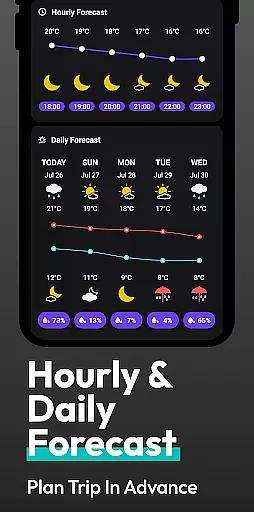
The app's multi-dimensional forecast function is another highlight that sets it apart. It offers hourly weather change forecasts and extends its predictions to many days ahead. These features allow you to plan your schedule and activities based on reliable future weather forecasts, ensuring you're always prepared for what lies ahead.
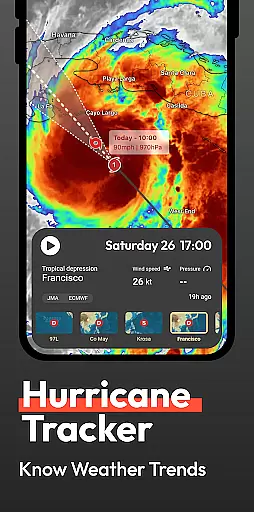
Flow Weather also pushes timely warnings for severe weather conditions like heavy rain, blizzards, high temperatures, and cold waves. This early warning system helps you take precautions against potential inconveniences or risks associated with sudden weather changes, making sure that safety remains a top priority.
Flow Weather provides an extensive temporal and spatial forecast range, which is crucial for planning both short-term and long-term activities. The application goes beyond simple current conditions by delivering hourly updates and extending its forecasting capabilities over several days. This comprehensive approach ensures users have all the necessary information at their fingertips when making decisions about upcoming events or travel plans.
In addition to time-based forecasts, Flow Weather offers interactive weather layers that cater to users seeking professional-level insights into atmospheric dynamics. With access to various layers including wind patterns, cloud coverage, wave activity, UV indexes, and PM2.5 levels, individuals can gain deeper understanding into complex meteorological systems affecting their region.
By integrating seamlessly with Android launchers through innovative interaction design, Flow Weather simplifies how we interact with our devices while staying informed about environmental changes around us. Users benefit from quick swipes revealing immediate climate details alongside efficient search functionalities within a personalized home screen setup tailored specifically towards enhancing daily productivity without compromising ease-of-use.
User-friendly interface
Accurate real-time data
Comprehensive forecasting
Interactive weather maps
Customizable Android launcher
Location permission required
Premium features locked
Occasional data delays
Limited offline functionality
High system resource usage

The Weather Network TV App - Your weather when it really matters
 2.90
2.90
Arrive safely! Travel weather forecasts for your entire trip at time of arrival.
3.60
Instant weather updates, easy to check anytime on your home screen.
3.50
Your ultimate app for accurate local weather information!
4.60
Accurate Local Weather Forecast, let you easily understand the nearby weather!
4.20
Powerful US and worldwide earthquake feed with earthquake alerts and maps.
4.70
Weather radar map, storm tracker, local forecast, live rain alerts & daily news.
4.60
Precision Weather, Right at Your Fingertips
4.40
Your ultimate app for real-time weather information!
4.70
Weather for Indiana, Kentucky and Ohio
4.90
Weather - Local weather forecast, weather daily & hourly, weather radar
4.80
Thermometer shows indoor and outdoor temperature
4.70
The reliable and trusted global air quality, wildfire, pollen, PM2.5 forecast
4.70
Industry leading whitetail movement predictor & hunting app.
4.60
The most accurate weather app, hourly and daily weather, severe weather alerts
4.50
Live weather radar, widgets & forecasts. Track rain, storms & temperature.
4.20
Live NOAA weather app to track storm, rain, wind, lightning & real local updates
4.20
A powerful weather forecast to get real-time weather information
3.60
A powerful tool for ultimate weather awareness
3.50


User Reviews