
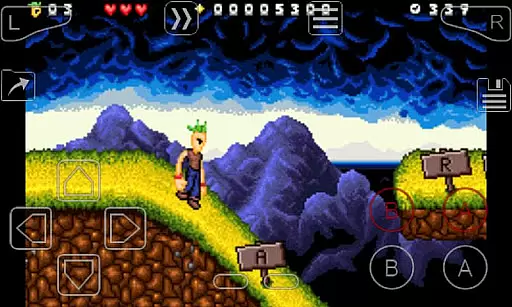
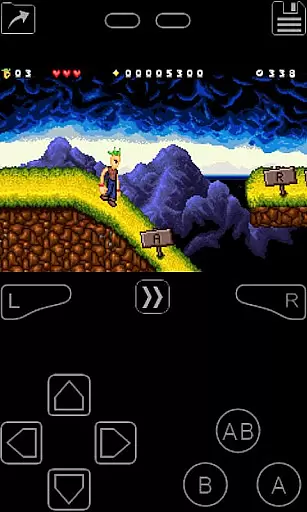
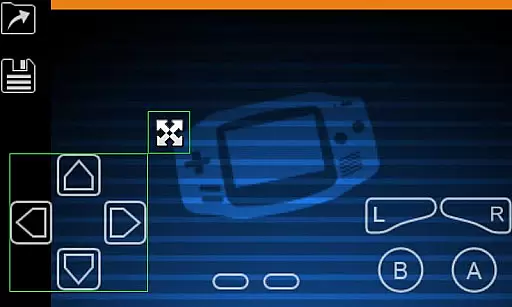
My Boy! is a high-performance GameBoy Advance emulator designed for Android devices, enabling users to play classic GBA games on modern smartphones and tablets. The app features super-fast emulation through its JIT recompiler, ensuring smooth performance even on lower-end devices.
One of the standout capabilities of My Boy! is its comprehensive hardware feature emulation, including gyroscope, tilt, solar sensor, and rumble functionalities, all powered by the device's built-in sensors. Additionally, it supports multiplayer gaming via link cable emulation over Bluetooth or Wi-Fi, making it an ideal choice for nostalgic gamers looking to relive the GBA experience.
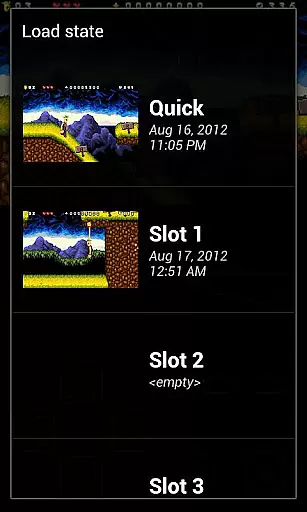
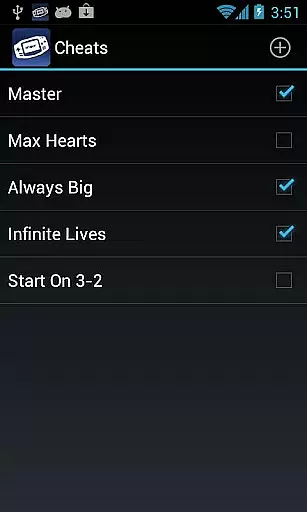
The app also offers advanced customization options such as video filters, cheat code support, and save-state functionality with Google Drive syncing. These features make it not only a powerful emulator but also a versatile tool for both casual players and dedicated retro gaming enthusiasts.
My Boy! stands out with its robust feature set tailored for GameBoy Advance emulation. The app utilizes a JIT recompiler for fast emulation speeds, allowing nearly all GBA games to run without compatibility issues. This ensures a seamless experience across a wide range of Android devices.
A key highlight is the app's support for hardware sensor emulation, including gyroscope, tilt, and solar sensors, which are crucial for certain GBA games. It also provides advanced functionalities like link cable emulation for multiplayer gaming, real-time cheat code entry, and BIOS emulation without requiring external files.
Additional features include OpenGL rendering, customizable screen layouts, multi-touch controls, and cloud save syncing with Google Drive. These tools collectively enhance gameplay while offering users extensive control over their gaming experience, making My Boy! one of the most versatile GBA emulators available.
Arcade authenticity and nostalgia are crucial elements for any emulator aiming to recreate the classic gaming experience on modern devices. My Boy! - GBA Emulator excels in this area by offering high-level BIOS emulation without the need for a BIOS file, ensuring that original GameBoy Advance games run as they were intended.
The emulator supports a wide array of features that enhance its nostalgic value. These include link cable emulation for multiplayer games, either on the same device or across different devices via Bluetooth or Wi-Fi, and compatibility with multilined GameShark/ActionReplay/CodeBreaker cheat codes, allowing users to relive their past gaming exploits seamlessly.
For users, this means an immersive trip down memory lane with the ability to play nearly all GameBoy Advance games without issues. The emulator's attention to detail extends to incorporating hardware sensor support for gyroscope, tilt, and solar sensors, alongside rumble emulation through the Android deviceu2019s vibrator, thus capturing the essence of arcade gaming.
Ultimately, My Boy! delivers an authentic arcade experience by combining these features with fast-forward and slow-down capabilities, save states with screenshots, and OpenGL rendering. This makes it not just a tool for playing games but a comprehensive platform that values the integrity and spirit of arcade gaming, bringing cherished memories back to life on Android devices.
Control responsiveness is a key factor in delivering an engaging and seamless gaming experience, particularly for action-oriented arcade games. My Boy! - GBA Emulator addresses this by providing an advanced on-screen keypad that supports multi-touch functionality, which requires Android 2.0 or later. This ensures that user inputs are registered accurately and swiftly, mimicking the responsiveness of original GameBoy Advance hardware controls.
In addition to the standard keypad, My Boy! offers shortcut buttons for functions such as load/save, enhancing gameplay fluidity. A highly customizable screen layout editor allows users to define the position and size of each on-screen control, as well as the game video display. This level of customization ensures that players can tailor the interface to their preferences, optimizing control schemes for comfort and efficiency.
Users benefit from this meticulous attention to control design as it allows for a more intuitive and enjoyable gaming session. The emulator also supports creating and switching between different screen-layout and key-mapping profiles, catering to various play styles and game genres. This flexibility empowers gamers to fine-tune their setup for peak performance.
By prioritizing control responsiveness and offering extensive customization options, My Boy! - GBA Emulator elevates the arcade gaming experience on Android devices. Players can enjoy precise and lag-free controls, making their gaming sessions not only nostalgic but also competitively viable, closely mirroring the real arcade experience right at their fingertips.
Fast emulation speed
High game compatibility
Multiplayer support
Advanced customization
Cloud save integration
No included games
Complex setup
Legal concerns
Ads in free version
Device limitations

Spaceship racing on a rocky planet — pure action and challenge.
 4.2
4.2
Motorcycle racing games! Prove your paperboy can win in the bike race 3D!
4.50
Play, Craft and Share your Endless Runner Levels on Kooply Run: Subway Craft
4.50
Divine powers at your fingertips! An innovative and frantic shoot-'em-up!
4.1
It's quite possibly the world's hardest game!
3.90
Cool car builder & racing simulator: make a car to win the obstacle course race!
4.60
This app is a very fast emulator
3.40
Jump and fly your way through danger in this rythm-based action platformer!
4.50
Original Space Adventure Experience
4.60
Join the breathtaking chase!
4.80
Challenge your friends across the world to see who can jump the farthest!
4.50
Play all your favorite Playstation games in your android device!!
4.50
Outrun cops, ignite the thrill of a high-speed chase!
4.50
NES Emulator
4.40
Genesis, Mega Drive, Mega CD, Master System, Game Gear Emulator!
4.20
Slice up a juicy storm!
4.20
A Ball Bouncer With Depth
4.00
Dad doesn’t let you go out, can you outwit your parents and escape?
4.00
A fluid, action-packed arcade space shootout!
4.1


User Reviews