
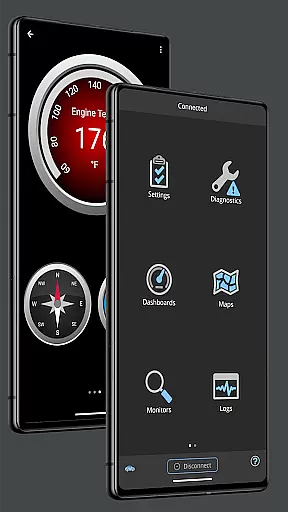
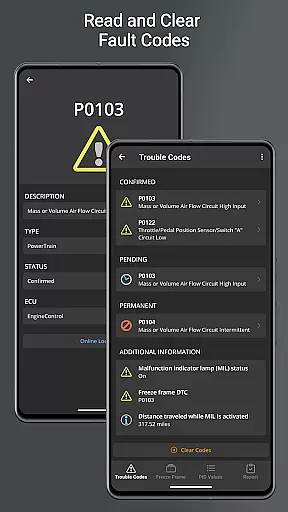
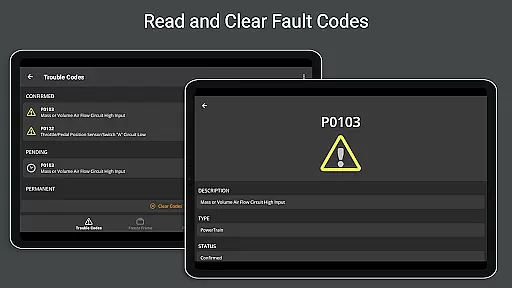
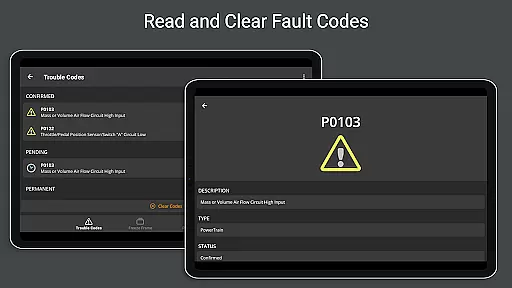
OBD Fusion is a comprehensive vehicle diagnostics tool designed for Android users, enabling direct access to OBD2 vehicle data. This app stands out by offering professional-grade features to both car mechanics and everyday drivers. With its ability to read diagnostic trouble codes, clear check engine lights, and estimate fuel economy, it serves as an all-in-one solution for vehicle maintenance and monitoring.
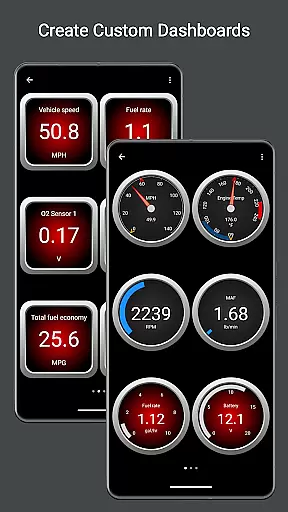
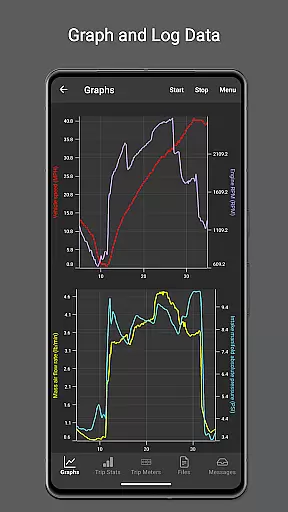
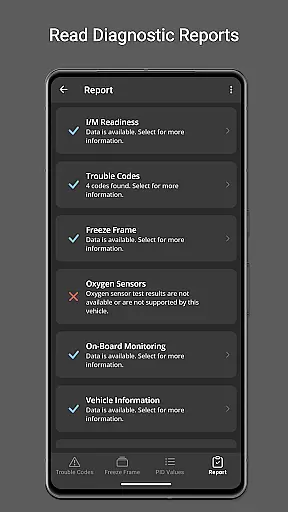
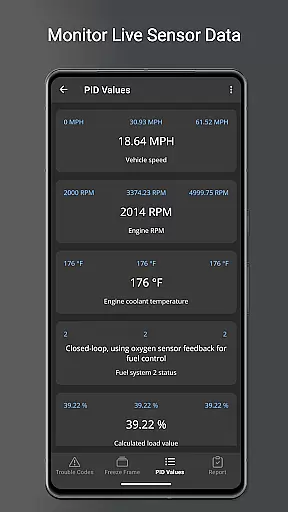
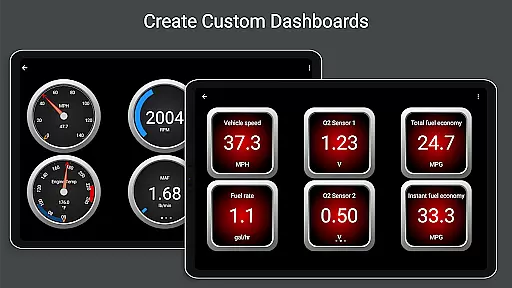
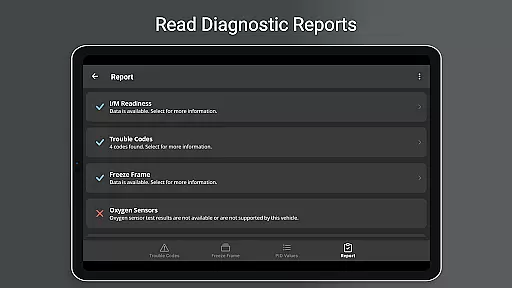
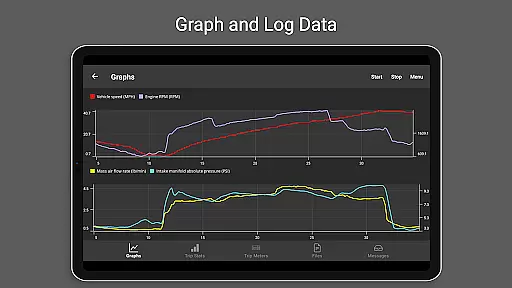
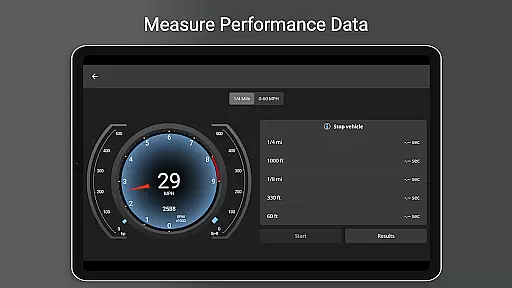
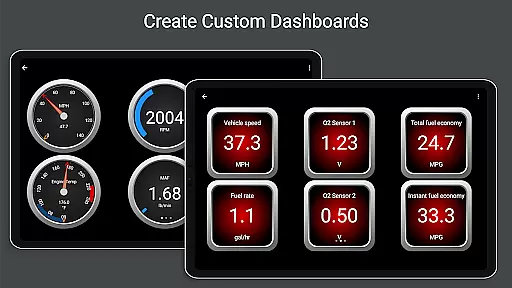
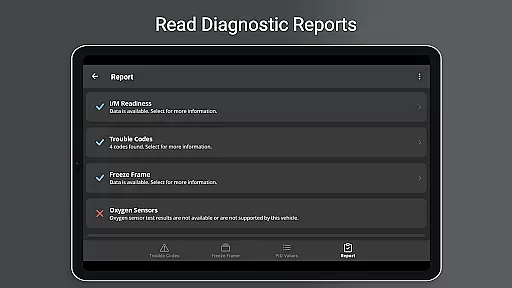
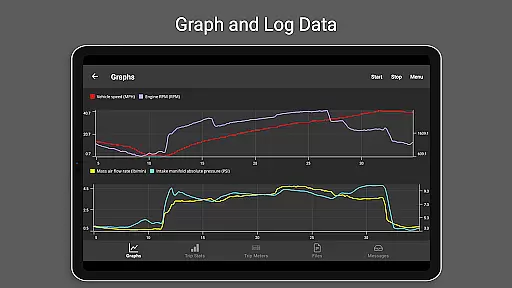
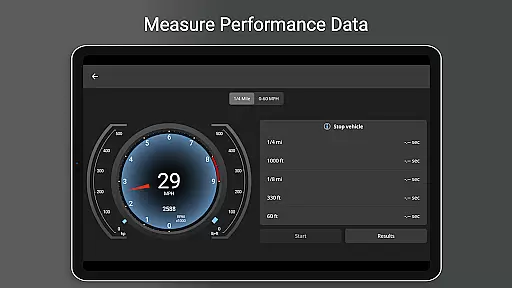
The app provides advanced functionalities such as customizable dashboards, real-time graphing of vehicle sensors, and detailed diagnostic reports. These features allow users to tailor their monitoring experience while providing critical insights into their vehicle's performance. Whether you're diagnosing an issue or tracking fuel usage during daily commutes, OBD Fusion delivers the tools necessary for efficient vehicle management.
OBD Fusion boasts an extensive range of features that cater to various user needs. One notable capability is its support for Android Auto, which enhances the driving experience by integrating essential vehicle data directly into your car's display system (though dashboard gauges are not supported). The app also allows users to create custom enhanced PIDs and includes built-in enhanced PIDs for specific Ford and GM vehicles.
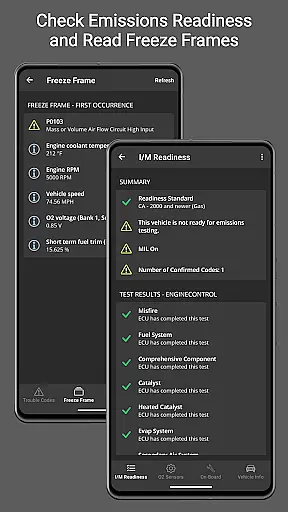
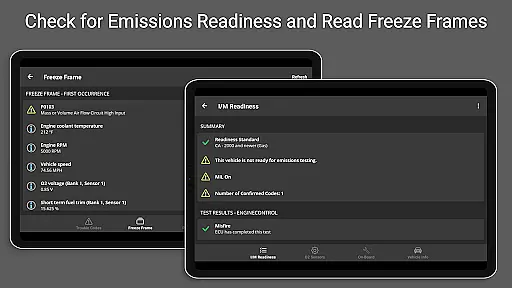
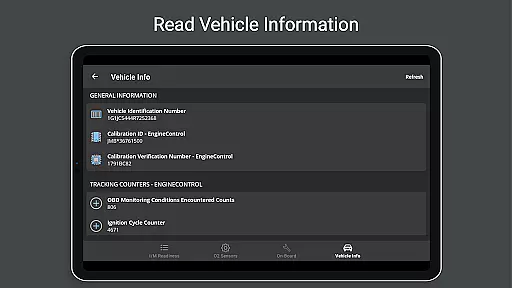
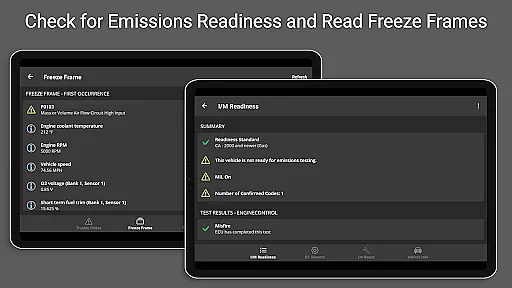
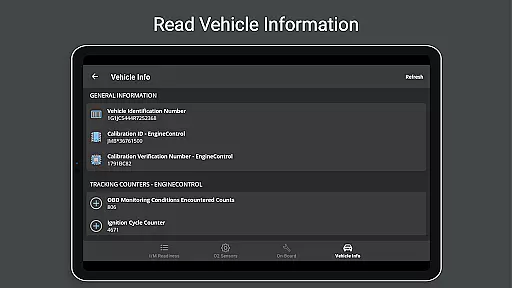
Data logging and exporting functionalities enable users to track multiple parameters over time, such as fuel economy and EV energy economy. Additionally, OBD Fusion supports over 150 PIDs and provides detailed emissions readiness statuses for each US state. Users can generate full diagnostic reports, view freeze frame data, and access oxygen sensor results, making it an indispensable tool for thorough vehicle analysis.
Real-time messaging speed and reliability are crucial for any communication app, especially one like OBD Fusion that interfaces with vehicle diagnostics. This feature ensures that data between the app and the vehicle's onboard diagnostics system is transmitted without delays or interruptions.
OBD Fusion achieves this by maintaining a stable connection with OBD-II and EOBD compliant vehicles through various means such as Bluetooth, Bluetooth LE, USB, and Wi-Fi adapters. The app supports ELM 327 compatible adapters, which are known for their reliable data transmission capabilities. However, it is recommended to use high-quality adapters to avoid slow refresh rates and random disconnections.
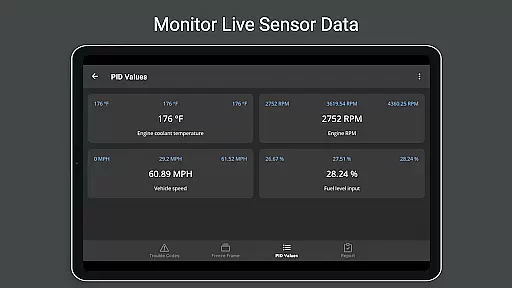
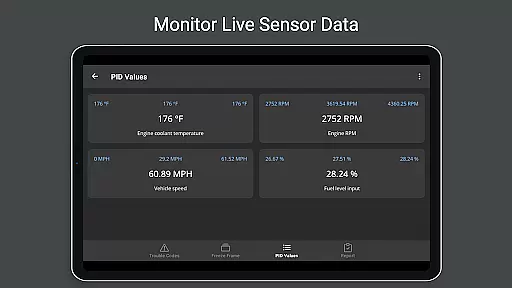
For users, this means they can trust the real-time dashboard display and graphing features to provide up-to-the-second information about their vehicle's performance. Whether monitoring fuel economy, tracking diagnostic trouble codes, or viewing live sensor data, the immediacy and accuracy of the information are guaranteed, enhancing the overall user experience.
The benefit of having real-time messaging in OBD Fusion is clear: car mechanics, do-it-yourselfers, and everyday drivers can make informed decisions quickly, whether they're diagnosing issues on the spot or fine-tuning their vehicleu2019s performance during a drive.
Media sharing support in communication apps allows users to exchange various types of data seamlessly. For an application like OBD Fusion, which focuses on vehicle diagnostics, media sharing encompasses the ability to log data to CSV format and export it for analysis in spreadsheet applications.
This functionality is particularly useful when users need to share diagnostic reports with mechanics or analyze trends over time. OBD Fusion enables logging of extensive vehicle parameters, including engine torque, turbo boost pressure, air-to-fuel ratio, and more. Once logged, these files can be easily shared via email or other file-sharing services supported by the user's device.
In addition to numerical data, OBD Fusion also supports the export of freeze frame data, oxygen sensor results, and on-board monitoring tests. These comprehensive reports help professionals and enthusiasts alike to better understand vehicle health and performance metrics.
By providing robust media sharing support, OBD Fusion empowers its users to collaborate effectively with service providers, keep detailed records of their vehicle's condition, and contribute to a community of automotive enthusiasts who value data-driven insights.
User-friendly interface
Comprehensive diagnostic tools
Customizable dashboard options
Real-time data monitoring
Wide compatibility with vehicles
Requires compatible scan tool
Clone adapters may be unreliable
Limited Android Auto functionality
Advanced features need specific hardware
Some functions depend on vehicle support

Tether to Windows, OS X, Linux PCs or Android tablets. No root. No tether fees.
 3.90
3.90
Secure Messaging App to Enhance Messenger Texting Experience and Organize SMS.
3.50
Messages: Fast, simple SMS app with scheduling and smart features.
4.00
Welcome to the future of phone service.
4.60
Caller ID App! Add names & photos to unknown calls & Call Recording
4.40
Federated instant messaging for your mobile device (Jabber, XMPP, Snikket)
4.10
A softphone with crystal clear SIP Calling & Reliable VoIP dialer
4.00
FolderSync enables easy sync of files between cloud storage and Android devices.
4.60
Share the moment!
4.10
Stay in touch with the people who matter most.
4.60
Faster version of Messages. Messenger for your contacts.
4.50
Smart and simple anti-wiring application - IMSI-catchers catcher
4.40
Manage your data, talk & text - affordable phone plans & data usage made simple
4.30
Call Blocker app: Identify unknown callers, block spam calls, fraud & robocalls
4.30
Simplify texting with Messages SMS, offline messaging, themes & smart tools!
4.30
2nd Phone Number Line for Anonymous Texting, Calling, and Picture Messages
4.30
Chill zone on your phone: relax with fun reels & hype shorts!
4.20
WazzapMigrator: transfer your WhatsApp history from iPhone to Android
4.00
Caller ID, Spam Call & SMS Blocker
3.80


User Reviews