




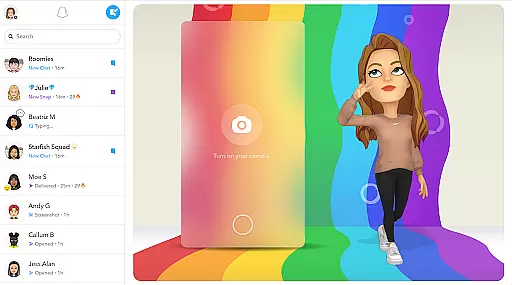
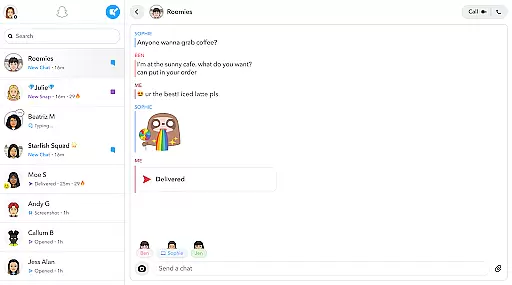
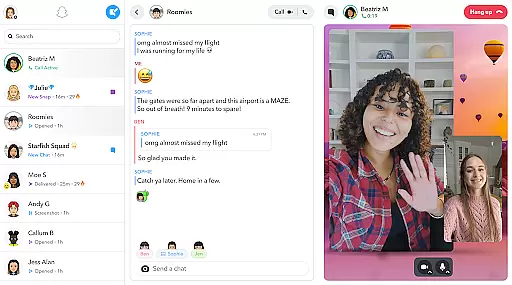

Snapchat is a dynamic communication app that allows users to share moments instantly through photos and videos. The app opens directly to the camera, making it easy to capture and send snaps with creative enhancements like Lenses, Filters, and Bitmoji. Users can engage in live messaging or video chat with up to 16 friends at once, while expressing themselves with exclusive Friendmojis.
Beyond direct communication, Snapchat offers Stories and Spotlight features for sharing experiences with a wider audience. The app also includes a map feature for location sharing and Memories for saving unlimited content. Friendship Profiles provide personalized insights into connections with friends, enhancing the overall social experience.
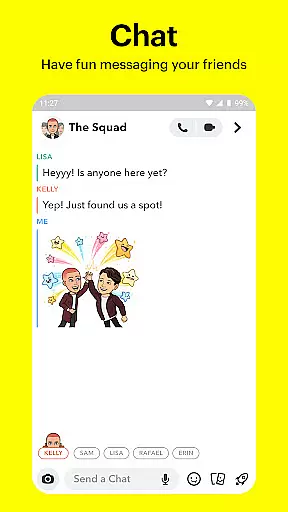
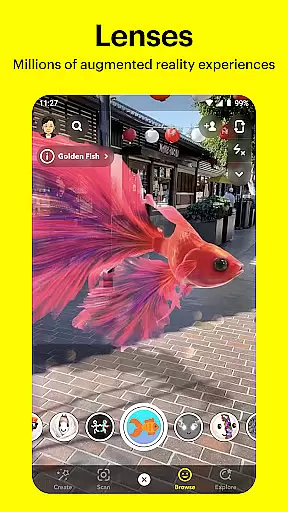
Snapchat stands out with its innovative camera-first design and daily updated Lenses created by the community. The Chat feature supports group interactions through live messaging and Group Stories, while video chats allow up to 16 participants with added Lens effects. Stories enable users to view updates from friends or explore curated content based on interests.
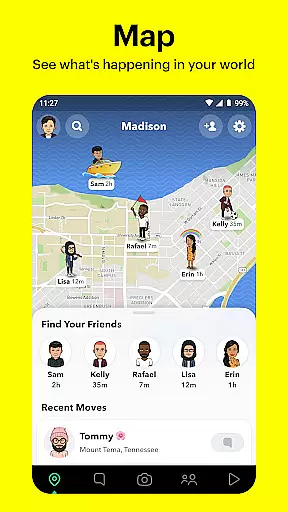
The Spotlight section highlights top user-generated content, encouraging engagement and sharing. Additionally, the Map feature lets users share their location selectively, and Memories provides unlimited storage for photos and videos. Friendship Profiles offer unique insights into each connection, fostering deeper interactions through shared memories and common traits.
Real-time messaging speed and reliability are crucial for maintaining seamless communication in any messaging app. Snapchat ensures that messages are delivered instantly, allowing users to stay connected without delays.
The app employs advanced server infrastructure and optimized data transmission protocols to guarantee that texts, images, and videos are sent and received promptly. This infrastructure supports live messaging, enabling users to exchange messages fluidly and efficiently.
For users, this means they can engage in conversations that feel as natural as face-to-face interactions. Whether it's a quick chat or an extended conversation, Snapchat's reliable messaging system ensures that no message is missed, enhancing the overall user experience.
Ultimately, Snapchat's commitment to real-time messaging speed and reliability fosters a dynamic and engaging environment where users can share moments and maintain connections effortlessly.
Media sharing support is a vital feature for modern communication apps, allowing users to share various types of content seamlessly. Snapchat excels in this area by offering extensive options for sending photos, videos, and other media formats.
Users can capture media directly through the appu2019s integrated camera, apply creative filters, lenses, and effects, and instantly share these creations with friends. The platform also supports importing media from the deviceu2019s gallery, ensuring users have flexibility in what they can send.
This robust media sharing capability enhances personal expression and interaction. Friends can exchange Snaps enriched with augmented reality effects or enjoy video chats with up to 16 participants while using fun lenses and filters.
By prioritizing comprehensive media sharing support, Snapchat not only boosts user engagement but also provides a versatile platform for creative and meaningful exchanges, making every conversation more lively and interactive.
Instant photo sharing
Creative lens options
Group video chat
Personalized stories
Exclusive friendmojis
Privacy concerns
High data usage
Complex navigation
Limited search
Ad-heavy interface

Save 10% automatically on your first international mobile top up.
 4.60
4.60
The ultimate productivity solution for all your email communication needs.
4.40
Google's fast and secure browser
4.10
A Browser with powerful ad blocker to help focus on what really matters.
3.00
WazzapMigrator: transfer your WhatsApp history from iPhone to Android
4.00
Quickly and easily identify and block unknown callers
3.70
Create a secure hotspot on-the-go with Portable WiFi - Mobile hotspot.
4.40
Manage Phone Calls, call history, and contacts easily with Phone Pro.
4.4
Caller ID, Spam Call & SMS Blocker
3.80
Messenger for SMS - texting message app, faster, simpler & safer, for you.
4.70
Fast internet with AI, Adblock & VPN. Browse on a safe, incognito web browser.
4.70
Faster version of Messages. Messenger for your contacts.
4.50
This app enables the phone to receive and send FT8 traffic!
3.80
Message and video call your family and friends in HD!
3.80
Fun, free app that lets kids video call and message family and close friends.
3.80
Pure modern IRC experience for Android
3.70
Manage and Fund Calling Accounts and Schedule and Join Video Sessions
3.60
Call & Text Anywhere With A Canadian Number.
3.60
Auto Reply SMS, Text Messaging, Away SMS Response, Busy SMS messages, Block Text
3.10


User Reviews