
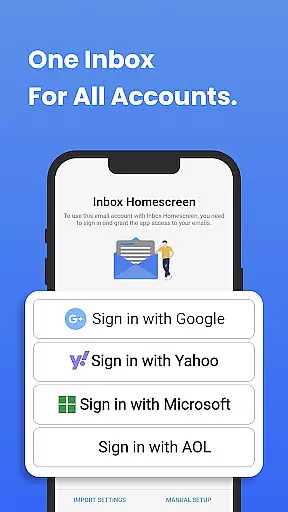
Inbox Homescreen is a communication app designed to streamline email management across multiple platforms. It allows users to access all their email accounts in one place, supporting services like Gmail, Outlook, and Yahoo.
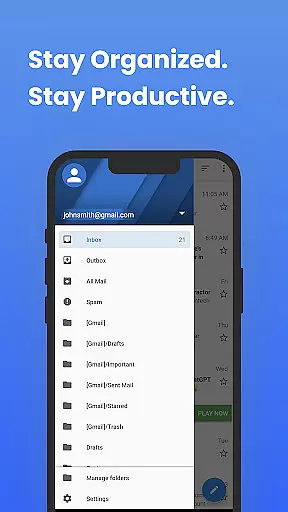
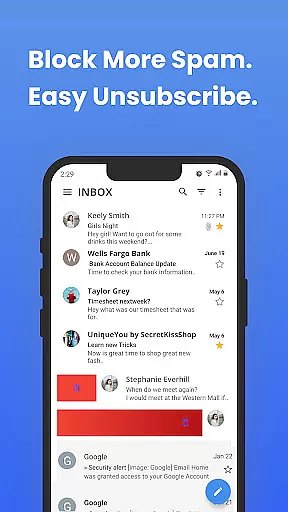
The app offers advanced organizational features such as filters for sorting emails, priority settings for important messages, and scheduling options for sending emails later. Its customizable interface lets users personalize themes and layouts, enhancing usability and productivity.
Inbox Homescreen stands out with its seamless integration across various email services, providing a unified platform for all your email needs. The app's filtering system automatically categorizes incoming emails, ensuring that users can focus on what matters most.
Productivity is further enhanced through customizable themes and layouts, allowing users to tailor the interface to their preferences. With an intuitive design, Inbox Homescreen ensures easy navigation and efficient email management, making it an essential tool for anyone looking to optimize their communication workflow.
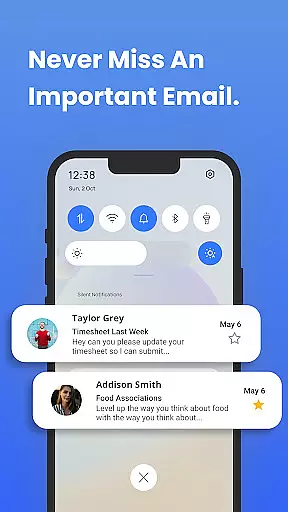
In today's fast-paced digital world, the speed and reliability of real-time messaging are crucial for effective communication. Inbox Homescreen excels in this area by providing instantaneous message delivery across all your email accounts.
The application achieves this through seamless integration with major email services like Gmail, Outlook, and Yahoo. This ensures that whether you're sending, receiving, or managing emails, the process is smooth and efficient.
Users will appreciate the advanced features designed to keep them organized. With capabilities such as setting up filters for automatic email sorting, prioritizing important messages, and scheduling emails, staying on top of your inbox has never been easier.
Ultimately, the real-time messaging functionality of Inbox Homescreen enhances productivity by ensuring that users can rely on prompt and accurate email communications, thus facilitating better personal and professional interactions.
Effective communication often requires more than just text; it involves sharing various forms of media. Inbox Homescreen supports this need by enabling users to share different types of files effortlessly from their email interface.
With compatibility across multiple email services, the app allows users to attach and send documents, images, videos, and more without any hassle. This versatility ensures that users can communicate comprehensively without being limited by file formats.
Beyond basic media sharing, Inbox Homescreen offers a customizable experience. Users can choose from various themes and layouts, enhancing both the aesthetic appeal and functional aspects of their emailing tasks.
This robust support for media sharing not only simplifies communication but also enriches user interaction by allowing a broader range of expression and information exchange, making every conversation more meaningful and productive.
User-friendly interface
Advanced email sorting
Customizable themes
Unified inbox solution
Enhanced productivity tools
Limited third-party integrations
Occasional syncing issues
Basic free version
Privacy concerns with search
Learning curve for new users

Call Forwarding is easy and simple application to use.
 3.80
3.80
Call Blocker app: Identify unknown callers, block spam calls, fraud & robocalls
4.30
Simplify texting with Messages SMS, offline messaging, themes & smart tools!
4.30
HD Video Meeting app is a fast & unlimited video conferencing app across world.
4.30
Manage Phone Calls, call history, and contacts easily with Phone Pro.
4.2
Manage your mobile phone plan, check unlimited 5g data usage and track rewards
4.50
Fast internet with AI, Adblock & VPN. Browse on a safe, incognito web browser.
4.70
Get through your inbox faster with the mail app designed to simplify your life.
4.40
Enhance browsing with AI-powered features and Copilot.
4.70
A browser that does more than load page, like keeping your privacy safe.
4.70
Browse fast on Opera Mini, with Data Saving, News, Football Scores, and Download
4.60
An agentic AI browser for Android, built by Perplexity
4.50
Talk & text free with a second phone number plus unlimited 5G data, no fees.
4.50
2nd Phone Number Line for Anonymous Texting, Calling, and Picture Messages
4.30
SMS Messenger is a lightning-fast messaging app.
4.20
A customizable phone number in the cloud
4.20 3.90
3.90
Pure modern IRC experience for Android
3.70
TeamSpeak - Secure Chat for Gaming & Business
3.10


User Reviews