

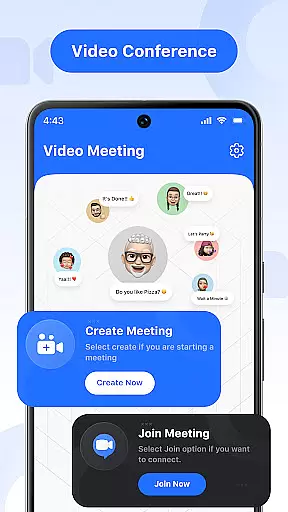

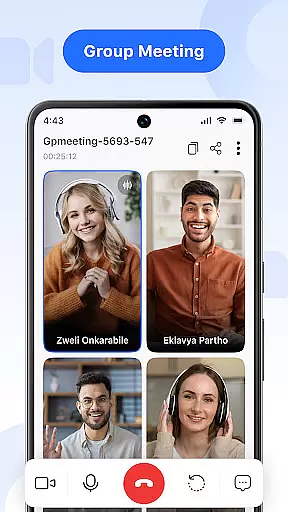

Video Meeting is a cutting-edge video conferencing app designed to enhance virtual communication and collaboration. With its robust feature set, the app supports seamless HD video calls, real-time team interaction, and secure meeting environments. Whether for business meetings, personal chats, or group discussions, Video Meeting ensures smooth and productive online connections.
The app offers versatile functionalities including instant meeting hosting, quick join via secure codes, private one-on-one chats, and group hangouts. It also provides essential controls like mute/unmute audio, toggle video display, and screen sharing for presentations. Suitable for professionals and casual users alike, Video Meeting is ideal for work, study, or social interactions.
By delivering flawless HD video and audio quality through an intuitive interface, Video Meeting stands out as a reliable tool for modern communication needs. Its encrypted access and multi-language support further enhance user experience, making it adaptable to various scenarios such as virtual classrooms, webinars, and international calls.
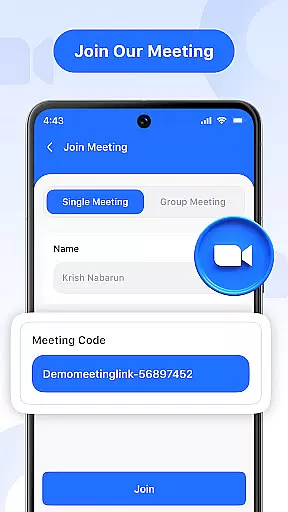
Video Meeting boasts a comprehensive suite of features tailored to streamline virtual interactions. The app allows users to instantly host meetings and invite participants effortlessly, ensuring minimal setup time. Quick Join functionality enables users to enter meetings using shared links or secure codes, providing immediate access without delays.
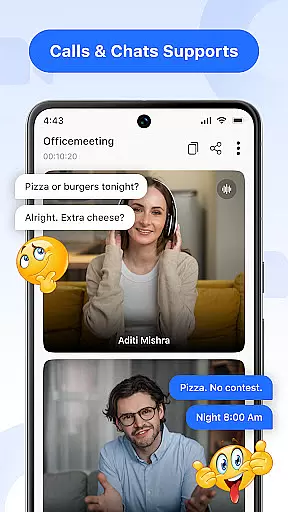
Among its standout features are real-time chat capabilities that allow communication without interrupting the call, audio controls for muting or unmuting the microphone during conversations, and video toggle options for showing or hiding the camera feed based on user comfort and privacy preferences. Additionally, the app supports screen sharing, enabling users to present documents, slides, or applications live with a single tap.
Video Meeting also includes options to easily exit meetings when needed and conclude sessions for all participants with a simple click. Multi-language support breaks communication barriers, offering users the flexibility to choose their preferred language. These features collectively ensure a smooth, secure, and efficient virtual meeting experience.
Real-time messaging speed and reliability are crucial for effective communication in video conferencing applications. This feature ensures that messages are delivered instantly and consistently, without delays or failures.
Video Meeting app excels in this area by providing a robust infrastructure that supports uninterrupted message delivery. Whether you're sending a quick text during a meeting or engaging in a full conversation via the app's chat function, you can expect your messages to appear immediately for all participants to see.
The benefit to users is significant; real-time messaging enhances collaboration by allowing team members to communicate seamlessly, ask questions, provide feedback, and share ideas without interrupting the flow of the meeting. It keeps everyone on the same page and ensures that no critical information is missed due to lagging technology.
With its reliable messaging system, Video Meeting app stands out as an essential tool for businesses and individuals who require efficient and dependable communication solutions.
Media sharing support in video conferencing tools allows users to exchange various types of files, enhancing collaborative efforts and presentations. The ability to share media easily can transform a standard video call into an interactive session with visual aids and resources.
In Video Meeting, media sharing is integrated seamlessly into the platform. Users can share their screens, present documents, slides, or applications live with just one tap. This functionality supports a wide range of formats, ensuring compatibility and ease of use for all participants.
This feature offers tangible benefits to users by facilitating more engaging and informative meetings. Presenters can walk attendees through complex data, display graphics, or demonstrate software functions in real-time, making discussions more productive and dynamic.
By incorporating comprehensive media sharing capabilities, Video Meeting app not only meets but exceeds user expectations for modern communication platforms, positioning itself as a versatile choice for diverse virtual interactions.
User-friendly interface
HD video and audio
Secure meeting codes
Real-time chat
Multi-language support
Limited free features
Occasional lags
High data usage
No offline mode
Premium subscription cost

A web browser that respects your privacy.
 4.30
4.30
Our Black Friday sale is here. Unlock special discounts on Proton Mail now.
4.30
A Browser with powerful ad blocker to help focus on what really matters.
3.00
RemoteHams.com Android RCForb Client Pre-Release
4.30
Weargram is an unofficial Telegram Client for Wear OS.
3.50
Bringing the functionality of Winlink to your Android device
4.0
Threema is the messenger with the most consistent focus on security and privacy.
4.00
SMS Messenger is a lightning-fast messaging app.
4.20
Enhance browsing with AI-powered features and Copilot.
4.70
A browser that does more than load page, like keeping your privacy safe.
4.70
Read OBD2 data and DTCs Create custom dashboards Enhanced diagnostics available
4.70
Smart and simple anti-wiring application - IMSI-catchers catcher
4.40
Phone Dialer with Caller ID, Address Book & Contacts Manager.
4.30
Fast and simple walkie talkie app
4.20
Chill zone on your phone: relax with fun reels & hype shorts!
4.20
Federated instant messaging for your mobile device (Jabber, XMPP, Snikket)
4.10
Telegram is a messaging app with a focus on speed and security.
4.00 3.90
3.90
Fun, free app that lets kids video call and message family and close friends.
3.80


User Reviews