
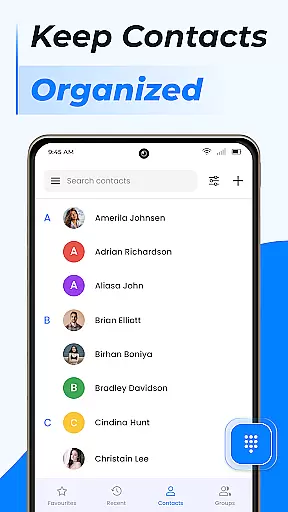
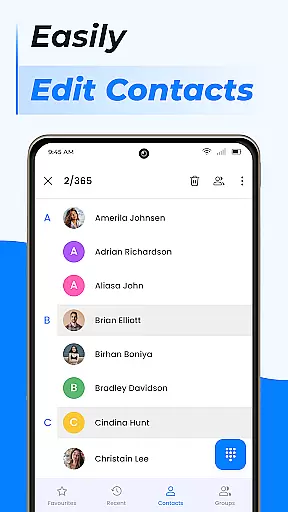
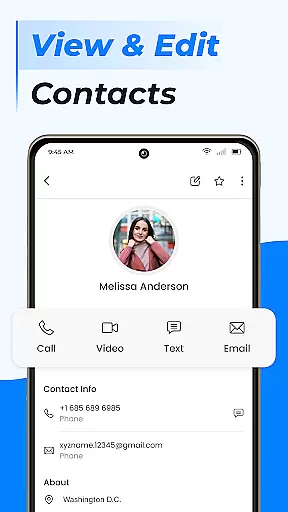
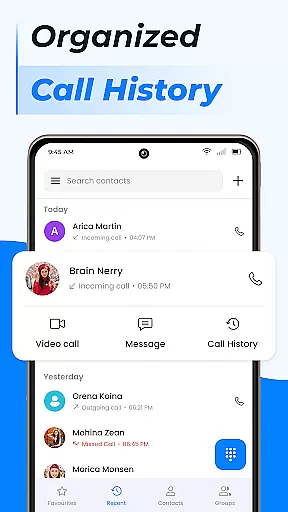
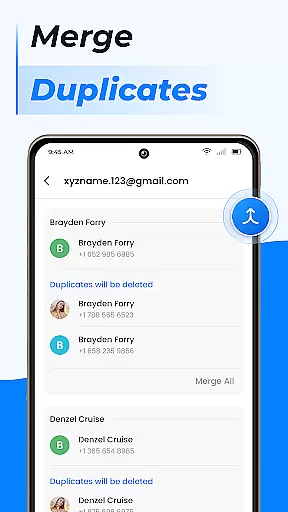
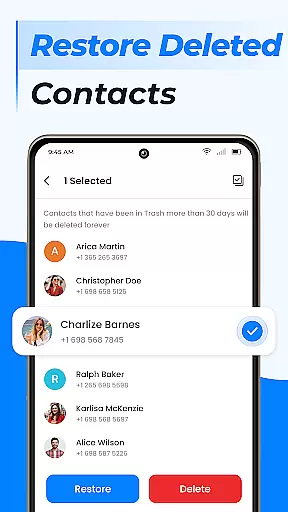
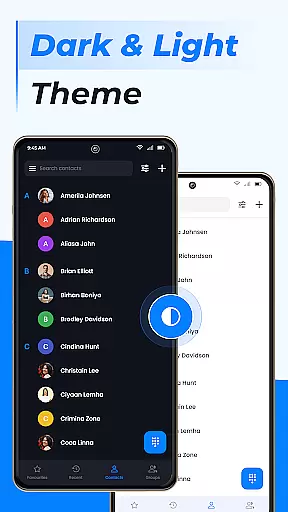
Contacts is a comprehensive communication management app designed for Android users. This application allows you to efficiently manage all your contacts, ensuring that your phone book remains organized and up-to-date. With its intuitive interface, you can easily add new contacts, edit existing ones, and manage duplicates by linking them together.
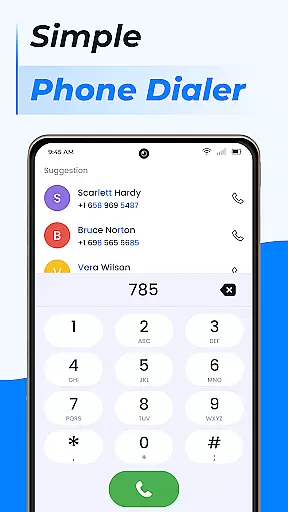
In addition to basic contact management, Contacts offers advanced features such as creating groups to separate work and personal contacts, managing contact storage by moving information to a SIM card, and sharing profiles with others. The app also includes a fast dialer, call blocking, caller ID, and smart contact search functionalities, making it more than just a simple phonebook tool.
The true value of Contacts lies in its ability to streamline your communication processes. Whether you need to quickly access frequently contacted individuals or ensure that your contact information is backed up and synchronized across devices, this app provides the tools necessary to keep everything in order. Its integration with cloud services and Google Contacts ensures that your data is always secure and accessible from any device.
Contacts stands out due to its rich array of features tailored to enhance user experience. One of the key highlights is the Smart Contacts Search, which allows users to find specific contacts quickly without scrolling through an extensive list. This feature uses intelligent algorithms to predict and display results based on partial inputs, saving time and effort.
Another significant aspect is the Call Block and Caller ID functionality. Users can block unwanted calls and text messages directly from the app, providing an additional layer of privacy and security. The Caller ID feature identifies unknown numbers, helping users screen their calls effectively. Furthermore, the app's capability to create custom contact lists and merge duplicate entries ensures that your phonebook remains clutter-free and easy to navigate.
Lastly, the integration with cloud services and Google Contacts adds another dimension to the app’s utility. By syncing data across multiple devices, users can access their contact information anytime, anywhere. This seamless synchronization not only enhances convenience but also serves as a reliable backup solution, protecting valuable data against loss or corruption.
Real-time messaging speed and reliability are crucial for effective communication applications. In today's fast-paced world, users expect instant delivery of their messages without delays or failures.
The Contacts app excels in this area by ensuring that all interactions with your contacts happen seamlessly and swiftly. Whether you're sending a quick text or updating your status, the app processes these actions almost instantly, providing a smooth user experience.
This application leverages advanced server infrastructure to maintain high-speed connections between devices, ensuring that messages are delivered promptly even during peak usage times. This means you can rely on the app to keep you connected with friends, family, and colleagues at all times.
By prioritizing real-time messaging capabilities, Contacts not only meets but exceeds user expectations for communication apps. The result is an efficient tool that supports both personal and professional communication needs reliably.
Media sharing support is a vital feature for modern communication apps, allowing users to exchange photos, videos, and other files effortlessly. This functionality enriches conversations and helps convey information more vividly than text alone.
In the Contacts app, media sharing is streamlined and intuitive. Users can easily attach images, documents, or video clips to messages with just a few taps. This ease of use encourages more engaging and expressive interactions among contacts.
Beyond basic file attachments, the app ensures compatibility across various formats, making it versatile for different types of media. Whether you need to send a PDF document for work or share vacation photos with friends, the app handles it all efficiently.
Moreover, the robust backend infrastructure guarantees that large files transfer smoothly without compromising speed or quality. By integrating comprehensive media sharing capabilities, Contacts enhances its value as a multifaceted communication platform.
User-friendly interface
Advanced contact management
Integrated call blocking
Cloud synchronization
Smart search functionality
Limited customization options
Occasional sync issues
Ads in free version
Requires internet for some features
Heavy on storage

 3.90
3.90
Use this Dialer app alone or as a TREK: Total Interface companion.
4.70
Messages: Fast, simple SMS app with scheduling and smart features.
4.00
Our Black Friday sale is here. Unlock special discounts on Proton Mail now.
4.30
Send SMS and chat messages easily with a fast text messaging app for Android.
4.10
Fun, free app that lets kids video call and message family and close friends.
3.80
FolderSync enables easy sync of files between cloud storage and Android devices.
4.60
Read OBD2 data and DTCs Create custom dashboards Enhanced diagnostics available
4.70
Share the moment!
4.10
Build your web browser around you with private search, and more.
4.60
Fast and mini browser with Ad Blocker,Video Downloader and Video Player
4.40
Block spam calls & scam - no more annoying calls with the call blocker function
4.30
Federated instant messaging for your mobile device (Jabber, XMPP, Snikket)
4.10
Telegram is a messaging app with a focus on speed and security.
4.00
Weargram is an unofficial Telegram Client for Wear OS.
3.50
At select facilities, you now have an easy way to video visit your loved ones!
3.30
Watchgram for Telegram: Experience seamless Telegram messaging on your watch
1.80
Radio communication simulator for gaming communities
4.1
An app dedicated solely to marriage, not dating, and supported by a rigorous verification mechanism to ensure seriousness.
4.0


User Reviews