
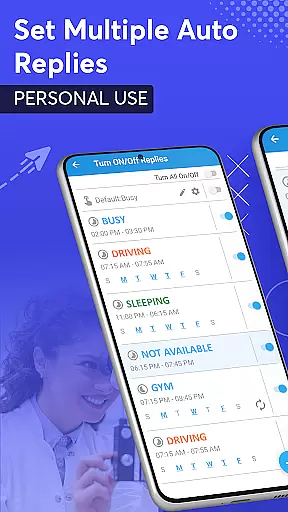
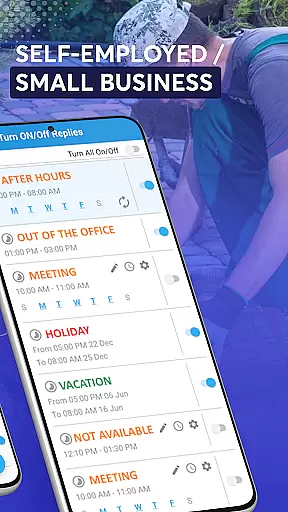
SMS Auto Reply is a comprehensive communication tool designed to enhance user convenience and safety. This app enables automatic responses to incoming messages across multiple platforms including SMS, WhatsApp, Facebook, and more. Whether you're driving, in a meeting, or simply unavailable, the app ensures that your contacts are promptly notified.
The application offers customizable auto-reply options based on various triggers such as time of day, location, or specific contacts. Additionally, its Text-to-Speech feature reads out incoming messages, allowing users to stay informed without manual interaction. With its Smart Drive Mode, SMS Auto Reply promotes safer driving habits by minimizing distractions.
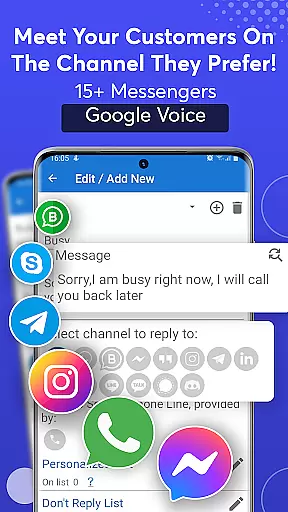
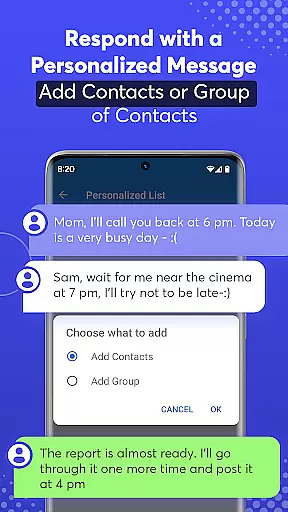
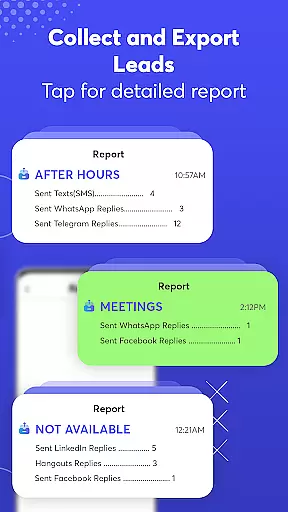
One of the standout features of SMS Auto Reply is its ability to integrate with numerous messaging apps like WhatsApp, Facebook, and Telegram. Users can set up multiple auto-reply scenarios tailored to different situations, ensuring personalized communication even when they're unavailable.
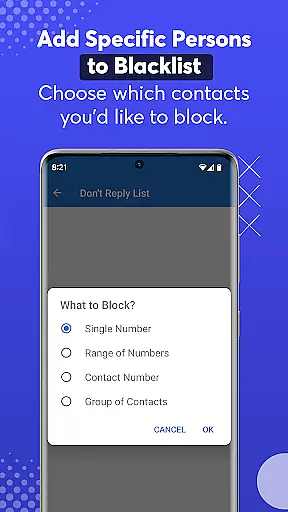
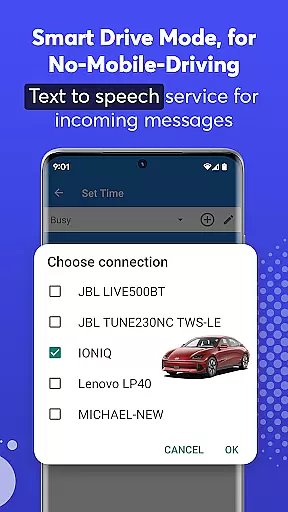
The app also includes advanced automation capabilities. Users can create rules based on date, time, Bluetooth connections, and contact lists. The Text-to-Speech functionality enhances accessibility by audibly announcing incoming messages. Furthermore, the Smart Drive Mode automatically activates when connected to a car's Bluetooth, reinforcing safe driving practices while maintaining connectivity.
Real-time messaging speed and reliability are crucial for any communication app, ensuring that messages are delivered instantly and without fail. SMS Auto Reply excels in this area by providing a robust system that automatically sends replies to incoming messages across multiple platforms like SMS, WhatsApp, Facebook, and more.
The application is designed to handle various scenarios where immediate responses are necessary, such as when you're driving or in a meeting. By leveraging advanced algorithms, it ensures that your auto-replies are sent out promptly, maintaining the flow of communication even when you can't respond personally.
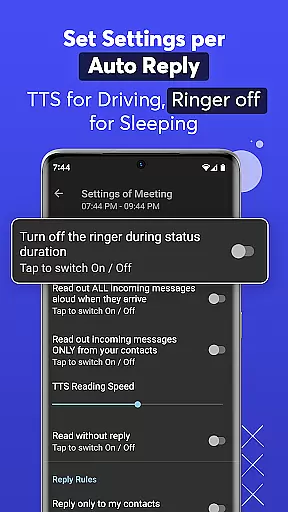
Users benefit from this feature through enhanced safety and convenience. For instance, while driving, the app not only sends an auto-reply but also reads incoming messages aloud using Text-to-Speech technology. This dual functionality keeps users informed and allows them to respond appropriately without taking their eyes off the road.
Overall, the real-time messaging capabilities of SMS Auto Reply make it an indispensable tool for anyone looking to maintain constant connectivity while managing their daily activities safely and efficiently.
Media sharing support is another vital aspect of modern communication apps, allowing users to exchange various types of media seamlessly. SMS Auto Reply offers comprehensive media sharing features that enable automatic responses with rich content, including text, images, and emojis, across different messaging platforms.
This app supports a wide range of messengers, such as WhatsApp, Facebook, Telegram, and others, ensuring that your automated replies are not limited to plain text. You can customize your auto-responses to include native emoji sets from WhatsApp, adding a personal touch to your messages. Additionally, the app's ability to read incoming messages aloud via Text-to-Speech enhances its media handling capabilities.
For users, this means they can maintain engaging and interactive conversations even when they're unavailable. Whether it's sending a quick image response or replying with an emoji, SMS Auto Reply ensures that your communications remain dynamic and expressive.
By integrating these advanced media sharing features, SMS Auto Reply stands out as a versatile solution for managing diverse communication needs effectively and effortlessly.
Customizable auto replies
Multi-platform support
Text-to-Speech functionality
Smart Drive Mode for safety
Comprehensive automation options
Premium version costs
Complex setup for beginners
Limited free features
Occasional message delays
Bluetooth connection issues

Pure modern IRC experience for Android
 3.70
3.70
Enables Plus features of Quick Search.
4.1
A web browser that respects your privacy.
4.30
Enjoy secure messaging & calling. Safe Messenger: group chats, calls, messages.
4.20
This app enables the phone to receive and send FT8 traffic!
3.80
Manage and Fund Calling Accounts and Schedule and Join Video Sessions
3.60
TeamSpeak - Secure Chat for Gaming & Business
3.10
An app dedicated solely to marriage, not dating, and supported by a rigorous verification mechanism to ensure seriousness.
4.4
Threema is the messenger with the most consistent focus on security and privacy.
4.00
Messenger, an MMS & SMS messages app with Blockers, Driving mode & Private box
4.60
Connect and browse the internet with a fast VPN proxy server and IP blocker.
4.50
Caller ID App! Add names & photos to unknown calls & Call Recording
4.40
Call Blocker app: Identify unknown callers, block spam calls, fraud & robocalls
4.30
Chill zone on your phone: relax with fun reels & hype shorts!
4.20
Messenger app for faster and simpler SMS text messaging, and personalized themes
4.10
WazzapMigrator: transfer your WhatsApp history from iPhone to Android
4.00
Telegram is a messaging app with a focus on speed and security.
4.00
Fast, Simple And Secure Application That Provides SMBv3 Server On Your Device
3.30
Watchgram for Telegram: Experience seamless Telegram messaging on your watch
1.80


User Reviews