

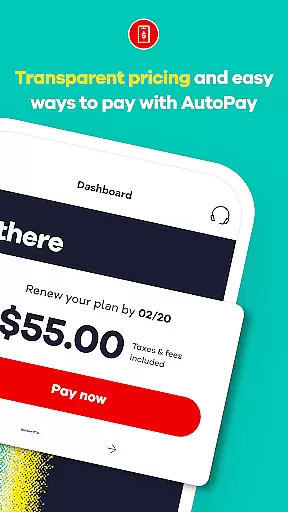
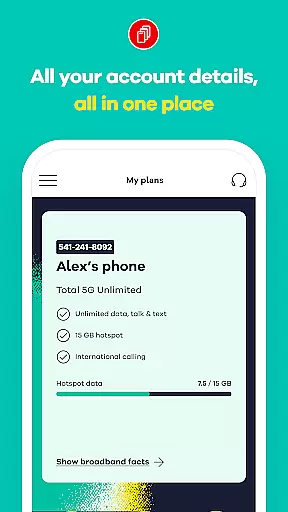
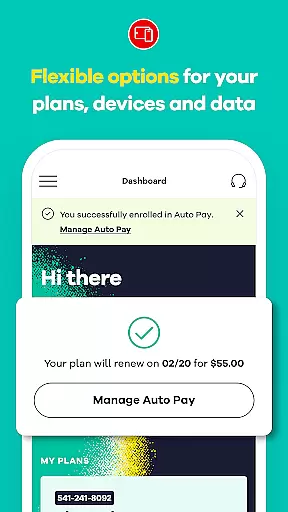
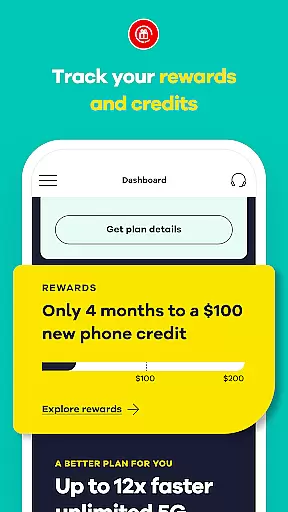
My Total Wireless: Account App is a comprehensive communication tool designed to help users manage their Total Wireless account with ease. The app allows you to track past and future payments, monitor current plans, rewards, and data usage, ensuring that your phone service is always at your fingertips.
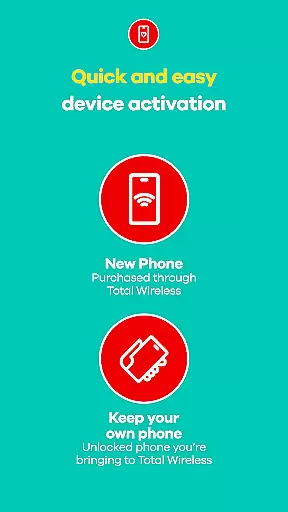
With its newly improved Activation experience, the app provides quick access to the Verizon Wireless 5G network. Whether you're making payments or monitoring unlimited data usage, this app offers full control over your phone service. It's an essential tool for both existing and potential Total Wireless customers looking to switch and take advantage of the app's seamless account management features.
The My Total Wireless app offers a range of features tailored to enhance your mobile account management experience. One of the standout features is the Cell Phone Plan Management, which allows users to easily organize and manage devices and data usage. Even with unlimited data, you can track and optimize your data usage, ensuring seamless connectivity.
Another key feature is the support for 5G Network Plans & Unlimited Data. Users can switch to a Total 5G or Total 5G+ Unlimited plan to benefit from the most reliable mobile network covered by the Verizon 5G Network. Additionally, the app includes a Total Wireless Wallet, enabling users to add funds to their account for purchasing service plans, devices, and accessories, thus providing a holistic mobile network management solution.
Real-time messaging speed and reliability are crucial for maintaining seamless communication in any mobile application. My Total Wireless: Account App excels in this area by providing users with instant updates on their account activities, ensuring that every message or notification reaches them without delay.
The app employs advanced push notification technology and optimized data transmission protocols to deliver real-time alerts about payments, plan changes, and data usage. This ensures that users are always informed about the status of their Total Wireless account, allowing them to take immediate action when needed.
For users, this means peace of mind knowing that they will receive timely notifications regarding their cell phone plans and rewards. Whether it's an alert about low data usage or a reminder to make a payment, the app ensures that all messages are delivered promptly and reliably.
Ultimately, the robust infrastructure supporting real-time messaging within My Total Wireless: Account App enhances user experience by keeping them connected and in control of their mobile service. This feature is vital for anyone who relies on staying updated with their telecom services.
Media sharing support is an essential feature for modern communication apps, enabling users to exchange various types of media effortlessly. My Total Wireless: Account App incorporates comprehensive media sharing capabilities, allowing users to upload and share documents, images, and other files related to their account management.
The app supports multiple file formats, ensuring compatibility with a wide range of devices and operating systems. Users can easily attach receipts, screenshots, or other relevant documents when contacting customer support or managing their account details. This flexibility streamlines the process of resolving issues or updating account information.
By integrating intuitive media sharing functionalities, the app simplifies tasks such as verifying payments or submitting proof of purchase for rewards programs. This not only saves time but also enhances the overall efficiency of account management for Total Wireless customers.
In summary, the media sharing support in My Total Wireless: Account App empowers users to handle their telecom needs more effectively, making it a valuable tool for anyone looking to manage their mobile service with ease and convenience.
User-friendly interface
Comprehensive account management
Supports 5G network plans
Unlimited data tracking
Rewards for loyal customers
Limited to Total Wireless customers
Requires 5G-capable device
Activation terms apply
Auto-renewal required
Geographical limitations

 3.90
3.90
Fast and simple walkie talkie app
4.20
Radio communication simulator for gaming communities
4.2
فیلتر شکن قوی پرسرعت کلید جدید برای اندرویدسریع ترین وی پی ان برای همه اپراتورها
4.70
A Browser with powerful ad blocker to help focus on what really matters.
3.00
Chat on the Jabber network (XMPP protocol); support for SMS and other gateways
2.10
TeamSpeak - Secure Chat for Gaming & Business
3.10
Manage your mobile phone plan, check unlimited 5g data usage and track rewards
4.50
Useful. Social. Expressive.
4.70
Identify unknown numbers, block spam calls, customize calls with cool themes.
4.60
Browse fast on Opera Mini, with Data Saving, News, Football Scores, and Download
4.60
Share the moment!
4.10
Fast Dialer & Contact Manager with Caller ID and Spam Protection
4.00
Threema is the messenger with the most consistent focus on security and privacy.
4.00
Quickly and easily identify and block unknown callers
3.70
Secure Messaging App to Enhance Messenger Texting Experience and Organize SMS.
3.50
A softphone app with seamless SIP calling and an intuitive VoIP dialer
3.50
At select facilities, you now have an easy way to video visit your loved ones!
3.30
Enables Plus features of Quick Search.
4.3


User Reviews