
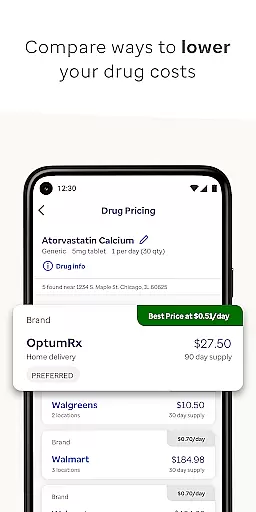
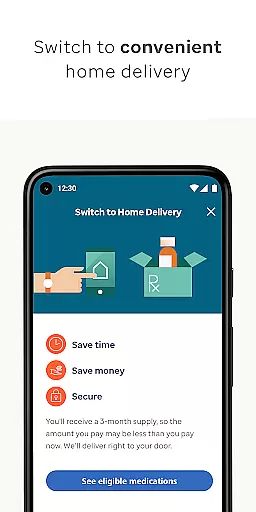
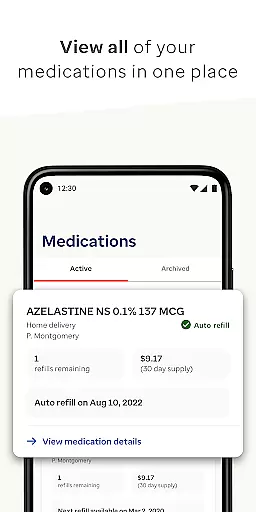
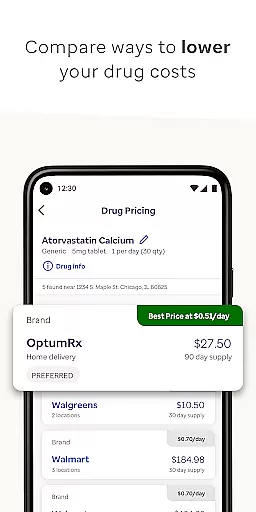
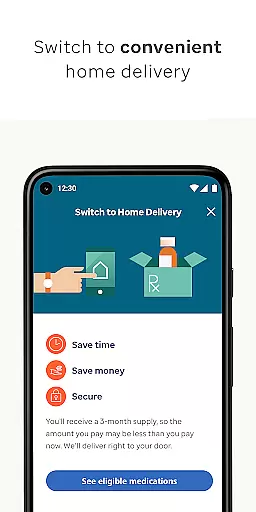
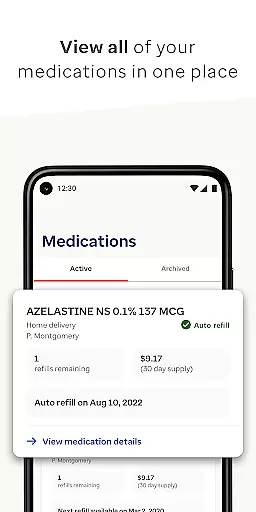
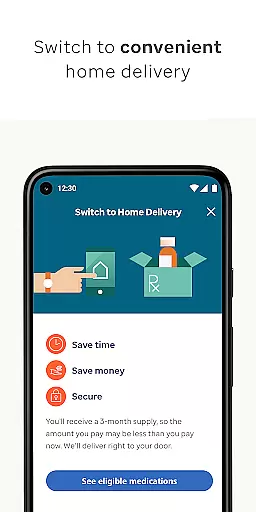
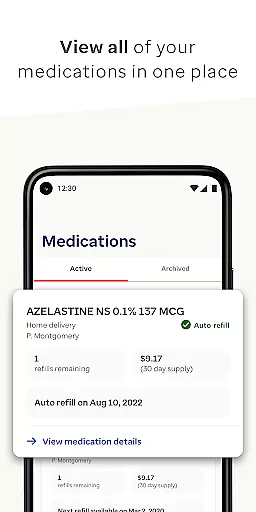

OptumRx is a comprehensive mobile application designed to simplify the management of pharmacy benefits for its users. The app enables members to handle their medication needs remotely, eliminating the need for in-person pharmacy visits. With OptumRx, users can compare drug prices, view all their medications at a glance, and transfer eligible prescriptions to home delivery seamlessly.
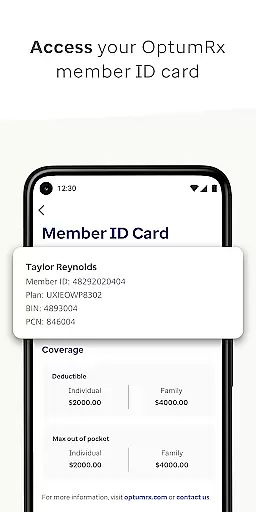
In addition to its core functionalities, OptumRx offers features such as viewing member ID cards, resolving home delivery order holds, and managing account information. This makes it an indispensable tool for individuals seeking convenience and efficiency in managing their healthcare needs. Whether you are at home or on the go, OptumRx provides the necessary tools to ensure your medication management is smooth and hassle-free.
The true value of OptumRx lies in its commitment to affordability, accessibility, and advocacy. By providing users with the lowest available prices for their medications, ensuring timely access through various delivery options, and offering compassionate customer support, OptumRx stands out as a reliable solution for modern medication management.
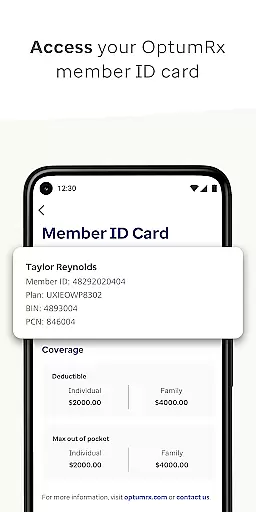
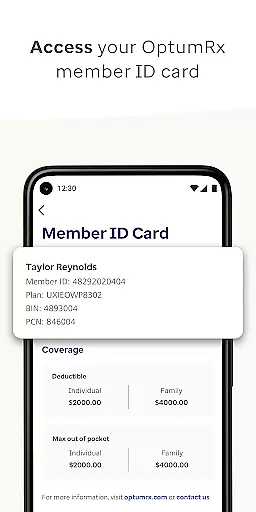
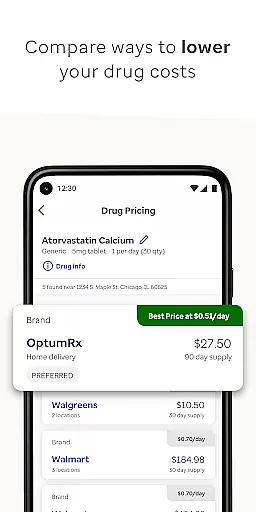
OptumRx boasts a variety of features that cater to the diverse needs of its users. One of the standout capabilities is the ability to search, compare, and save on drug prices. This feature empowers users to make informed decisions about their medication purchases, ensuring they get the best possible deal. Additionally, the app allows users to view their member ID card digitally, which is particularly useful when visiting healthcare providers or pharmacies.
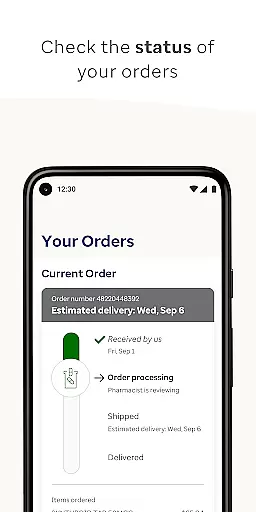
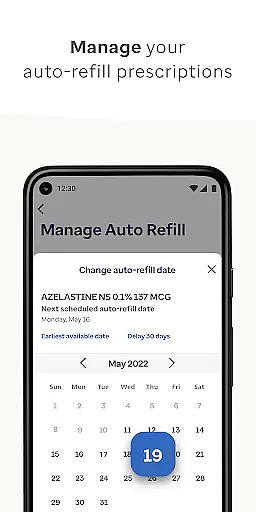
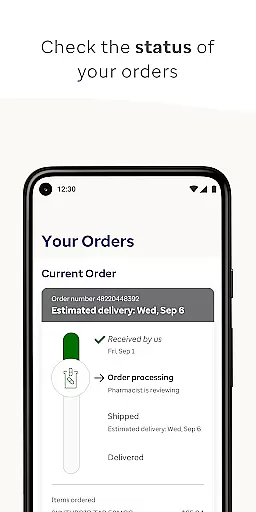
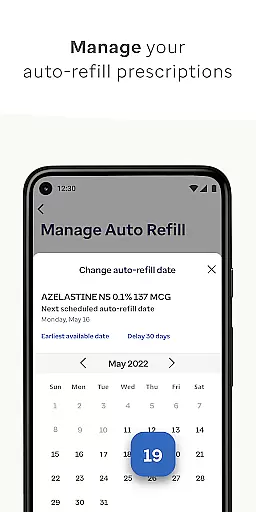
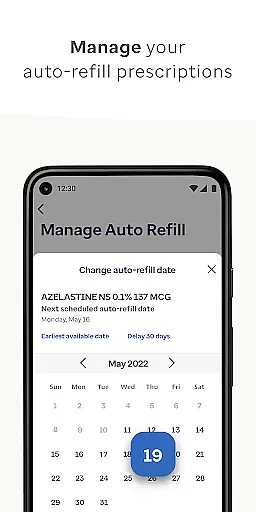
Another significant feature is the management of home delivery orders. Users can easily refill their home delivery prescriptions, check the status of their orders, and set up automatic refills. This not only saves time but also ensures that users never run out of essential medications. Furthermore, the app provides tools to resolve any holds on home delivery orders promptly, thus avoiding delays in receiving medications.
OptumRx also excels in providing a seamless experience across devices. Users can manage their Medicine Cabinet from any device, whether they are at home or on the go. This flexibility ensures that users have constant access to their medication information and can make necessary updates or changes whenever needed. Overall, these features collectively enhance the user experience by making medication management more accessible and efficient.
In the realm of digital health solutions, the credibility of medical content is paramount. OptumRx ensures that all information provided within the app is thoroughly vetted by healthcare professionals and industry experts. This meticulous review process guarantees that users receive accurate and reliable guidance concerning their pharmacy benefits and medication management.
The app's commitment to verified medical content means that users can confidently compare drug prices and explore different pricing options. Each piece of data is sourced from reputable providers and cross-checked for accuracy, empowering users to make informed decisions about their healthcare purchases without leaving their homes.
Furthermore, features such as resolving home delivery order holds or managing account information are supported by a robust framework of expert-reviewed protocols. These ensure seamless user experiences while maintaining high standards of operational integrity in every interaction with the OptumRx platform.
OptumRx elevates teleconsultation services by integrating compassionate care with cutting-edge technology. The application facilitates high-quality virtual consultations, allowing users to connect with healthcare professionals who provide personalized advice regarding medication needs and pharmacy benefits management.
Through its intuitive interface, patients can easily access support whenever required, ensuring timely interventions and continuous care. Whether it involves refilling prescriptions, checking order statuses, or setting up automatic refills, each feature is designed to enhance the teleconsultation experience through simplicity and efficiency.
Additionally, the promise of accessibility is realized via seamless integration across devices, enabling members to manage their medications on-the-go. By prioritizing user-centric design principles, OptumRx delivers an unmatched level of convenience and reliability in remote healthcare interactions, reinforcing trust and satisfaction among its users.
User-friendly interface
Comprehensive medication management
Cost-effective solutions
Convenient home delivery
Accessible customer support
Limited to pharmacy services
Requires internet connection
Occasional app glitches
Not all medications eligible for home delivery
Privacy concerns with digital ID card

Health Care at Your Fingertips
 4.60
4.60
Want to make it easier to manage your health? We’re with you, wherever you are.
4.70
A scientifically-proven method to help people with dementia or memory impairment
4.0
HealtheLife lets you easily manage your health online.
3.20
Master AEMT with 1,400+ study items, TEIs, practice tests, and scoring.
4.10
Control your hearing aids discreetly with the touch of a finger
4.30
The Better Pharmacy Experience
4.90
MHealth is the mobile version of MEDITECH’s Patient and Consumer Health Portal.
3.10
A rapid reference for healthcare professionals caring for pediatric patients.
4.30
Save up to 80% on your pharmacy prescriptions & medications with free Rx coupons
4.70
Leafly is a weed app for finding dispensaries, cannabis strains, & more.
4.70
Coaches you through labour using hypnobirthing techniques & tracks contractions
4.70
Boost reading, writing, speaking and listening with a scientifically proven app.
4.70
The MDLIVE app makes connecting with a doctor fast, easy, and convenient.
4.60
Check and Track your Blood Pressure & Heart Rate.
4.50
Beat alcohol and drug addiction with a revolutionary treatment program in an app
4.50
Radiographic Positioning Guide for Medical Imaging Professionals and Students
4.50
Assess and treat left neglect more effectively in stroke and brain injury rehab.
4.30
Care Simplified by MyChart
3.40


User Reviews