
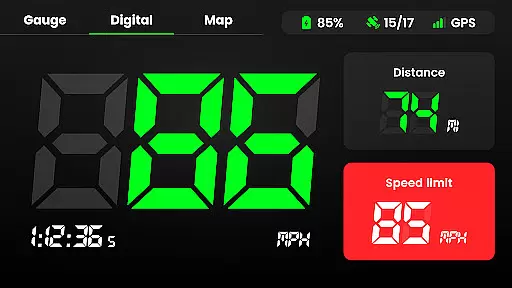
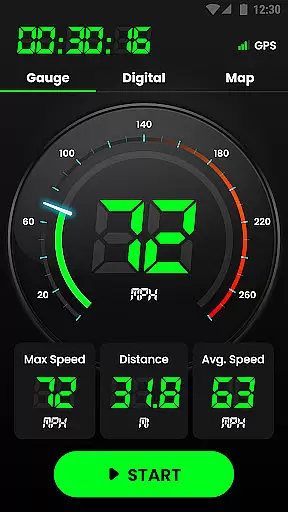
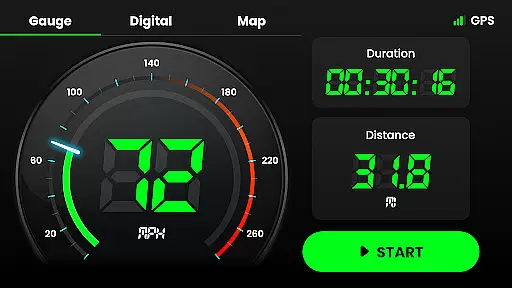
Speedometer is a highly accurate GPS-based speed tracking application designed to measure the velocity of various modes of transportation. Whether you're driving, cycling, or even walking, this app provides real-time speed updates and distance tracking through an intuitive interface. The app supports both digital and analog displays, allowing users to view their current speed in different formats.
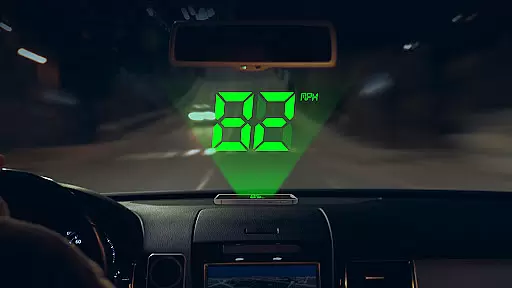
One of the standout features of Speedometer is its ability to work offline, ensuring that users can track their speed even when internet connectivity is poor. With additional functionalities like speed limit alerts, HUD mode for mirroring speed on your car windshield, and multiple unit options (km/h, mph, knots), it caters to a wide range of use cases. Whether you're monitoring your daily mileage or replacing a faulty vehicle speedometer, this app offers a reliable solution.
The app also includes advanced tracking capabilities such as recording trip history, average speed, maximum speed, and detailed location data. Its small size and battery-friendly design make it an ideal choice for those who need constant access to precise speed information without compromising device performance.
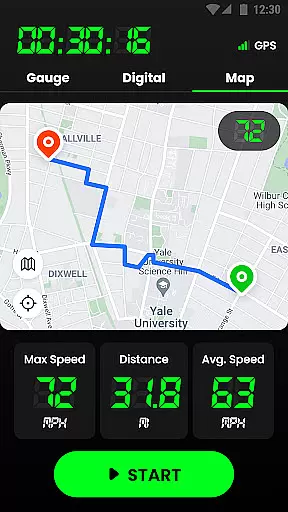
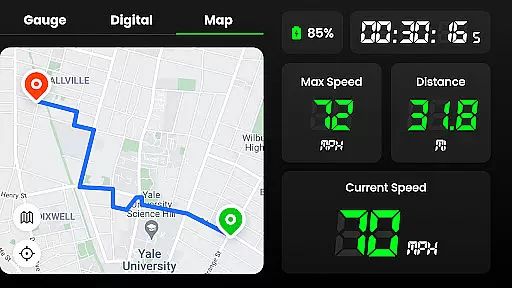
Speedometer stands out with its comprehensive feature set tailored for accurate speed measurement and tracking. One of its core functionalities is the GPS navigation system, which ensures fast and reliable location tracking, even in offline mode. This allows users to monitor their real-time speed, distance traveled, and journey routes on an interactive map, regardless of internet availability.
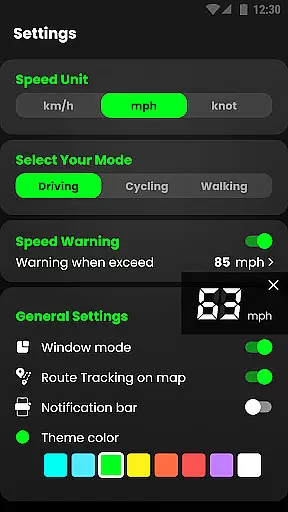
The app offers two display modes—digital and analog—along with a Head-Up Display (HUD) mode that mirrors your speed on the windshield, mimicking a traditional car speedometer. Users can switch between different units of speed measurement, including kilometers per hour (km/h), miles per hour (mph), and knots, providing flexibility for various types of vehicles and activities. Additionally, the app supports both portrait and landscape orientations, catering to individual preferences.
Other notable features include speed limit alerts with vibration and voice notifications, detailed travel history logs, and customizable themes. These aspects not only enhance usability but also ensure user safety by keeping them informed about their speed limits. The inclusion of widgets and notification bar support further simplifies speed monitoring, making it accessible at a glance.
Map accuracy is a critical feature for any navigation or tracking application, and Speedometer excels in this area. The app uses advanced GPS technology to ensure precise location tracking, whether you're driving, cycling, or walking. This high level of accuracy allows users to rely on the app not only for speed measurement but also for detailed route tracking.
The GPS Speedometer & Odometer provides real-time location updates, ensuring that users always have the most current information about their position. This feature is particularly useful when traveling through unfamiliar areas or when internet connectivity is poor. The app's ability to work offline enhances its reliability, making it an essential tool for any journey.
With its intuitive map interface, users can easily visualize their travel path and track important details such as starting and ending points. The app records every journey, providing users with a comprehensive history of their routes. This functionality ensures that users can review past trips, offering valuable insights into their travel patterns and habits.
Route planning is an integral part of efficient travel, and Speedometer offers robust features to assist users in this aspect. The app provides multiple route options, allowing users to choose the most suitable path based on their preferences. Whether it's the fastest route, the shortest distance, or avoiding toll roads, the app caters to various needs, ensuring a personalized travel experience.
In addition to offering alternative routes, Speedometer incorporates real-time traffic data to help users avoid congestion and make informed decisions. This dynamic routing capability ensures that users can adapt to changing road conditions and reach their destinations without unnecessary delays. The app's ability to estimate travel time accurately further enhances the planning process, giving users peace of mind.
Speedometer also supports both portrait and landscape modes, providing flexibility in how users interact with the route planning features. Users can switch between different speed units and enjoy a user-friendly interface that simplifies navigation. With practical widgets and support for display in the notification bar, accessing route information has never been easier, ensuring a seamless and enjoyable travel experience.
User-friendly interface
Accurate GPS tracking
Offline functionality
Multiple speed units
Customizable themes
Battery consumption
Limited free features
Occasional GPS lag
No advanced analytics
Basic UI design

Explore the world with Live Satellite View, 3D Maps, GPS Navigation & Earth Map.
 2.90
2.90
The fastest and most convenient way to pay for parking on our lots.
4.40
Your guide to the recreational opportunities of the Bureau of Land Management!
3.40
Airport parking, with airport shuttle (TPS shuttle), reservations, and Spot Club
4.80
Get route map navigation with 3D satellite view, and live earth camera streaming
3.70
Bolt is a ride-hailing app for requesting fast, safe, and affordable transport
4.80
Find radar, speed camera, flight tracker. Use hud, location tracker, speedometer
4.20
Route Planner is travel map to get turn by turn navigation & driving directions
3.90
Get real-time bus and train schedules for easy, hassle-free city transportation.
3.90
Find trails, organize your locations and navigate with offline maps.
4.60
Navigate with your watch and keep the phone in your pocket!
4.60
America’s largest public fast charging network, with over 500 charging stations.
4.50
Route tracker, Speedometer, Odometer, Fuel, HUD mode, save route as .GPX
4.40
Drive safe with real-time speed camera radar, police, and traffic alerts
3.80
MapQuest is your go-to app for maps, GPS, voice navigation & live traffic.
3.80
Live Satellite view app for find GPS navigation Direction and live location map
3.70
Navigate via GPS Maps of GPS Voice Navigation, driving directions to find routes
3.60
Offline maps for phone and smart watch: topographic maps, satellite images...
3.30
Ride CTA, Metra & Pace: Manage your fares, buy Metra tickets, get arrivals.
3.00


User Reviews