

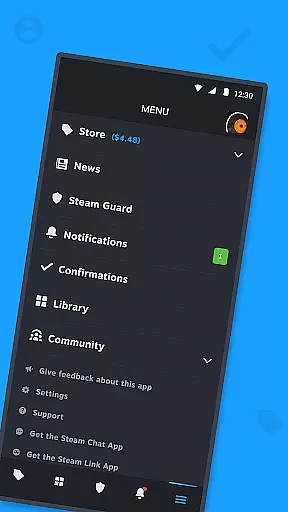
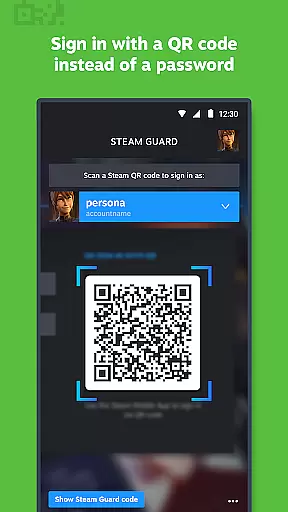

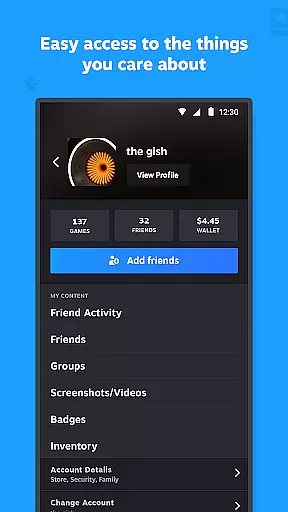


Steam Mobile is an essential companion for all Steam users, providing a comprehensive suite of features that enhance your gaming experience. The app allows you to shop for PC games directly from your mobile device, ensuring you never miss out on sales. With Steam Guard's two-factor authentication and QR code sign-in capabilities, your account remains secure while offering convenient access.
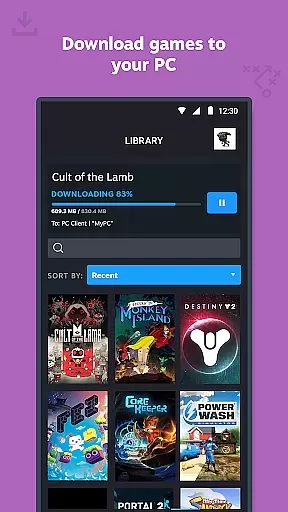
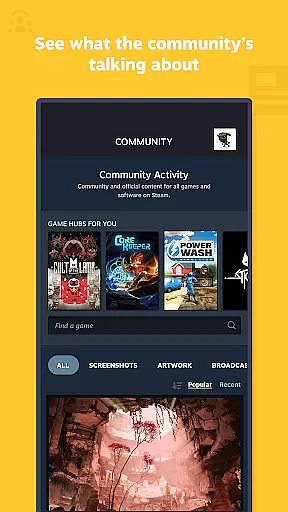
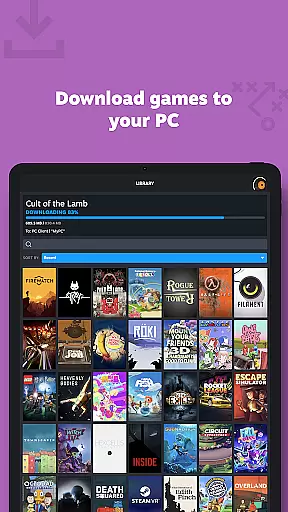
The Library feature lets you manage game downloads and updates remotely, keeping your gaming library up-to-date at all times. Additionally, the Trade and Market Confirmations streamline item trading and sales by enabling you to confirm transactions via your phone. This multifunctional app also offers personalized news feeds, customizable notifications, and full access to the Steam Community, making it an indispensable tool for gamers on the go.
Steam Mobile boasts a variety of robust features designed to cater to every gamer's needs. One standout feature is the ability to browse and purchase games from the extensive Steam catalog right from your phone. This ensures you can take advantage of sales and new releases without being tied to your computer.
Security is paramount, and Steam Guard provides two-factor authentication along with QR code sign-in options. These features ensure that only you have access to your account, adding an extra layer of protection. The Library view has been revamped to offer easy access to game content, discussions, guides, and support, allowing you to manage your gaming experience efficiently.
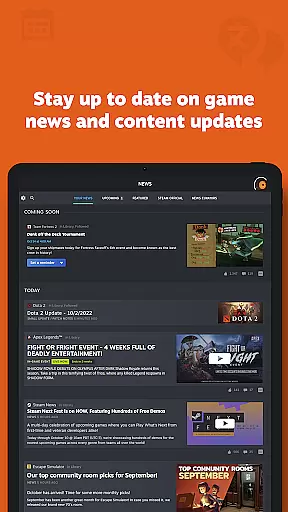
Trade and Market Confirmations further enhance convenience by letting you approve trades and market listings directly from your phone. Personalized news feeds keep you updated on events and content relevant to your library, while customizable notifications ensure you stay informed about wishlist items, sales, and community interactions.
In the realm of digital entertainment, content diversity and regular updates form the backbone of user engagement. The Steam Mobile App excels in this area by offering a rich tapestry of PC games that cater to every imaginable taste. From action-packed adventures to intricate strategy games, the app's catalog is a treasure trove for gamers.
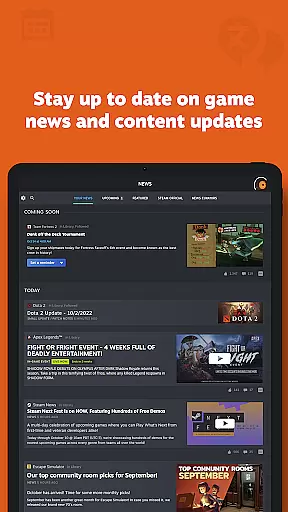
Moreover, the app doesn't just stop at games; it extends its reach to include a personalized News feed. This feature ensures that users are always in the loop with the latest happenings from their favorite publishers and developers. Such an approach not only keeps the content fresh but also highly relevant to individual preferences.
The inclusion of community-driven elements like discussions, guides, and the bustling Steam Community further amplifies the diversity of content. Users can dive into groups, explore the Market, engage with Workshop creations, and even catch live broadcasts. This multifaceted environment guarantees that there's always something new and exciting to discover.
By intertwining an extensive game library with dynamic community interactions and a steady stream of updates, the Steam Mobile App ensures that its content remains both varied and vibrant. This strategic blend keeps users coming back for more, solidifying the app's position as a leading entertainment platform.
User engagement and retention are critical metrics for any entertainment platform, and the Steam Mobile App tackles these fronts with finesse. By integrating features such as the Library view, it offers users an intuitive way to manage their game content. This ease of access encourages longer and more frequent interactions with the app.
Additionally, the app enhances user stickiness through its Trade and Market Confirmations. By allowing users to confirm item trades and sales via their mobile devices, it creates a seamless bridge between the mobile app and the desktop client. This interconnectedness fosters a more engaged user base that is actively participating in the Steam ecosystem.
Customizable notifications serve as another pillar supporting sustained user engagement. Whether it's wishlist updates, sales alerts, or friend activities, these tailored notifications ensure that users remain connected to what matters most to them. This personal touch helps maintain high retention rates as users feel more invested in the platform.
Ultimately, the Steam Mobile App's strategic incorporation of engaging content, coupled with features that promote active participation and personalized notifications, crafts an environment ripe for prolonged user engagement. These elements work in concert to not only attract users but also to keep them firmly anchored within the Steam universe.
User-friendly interface
Comprehensive security features
Remote management capabilities
Personalized news feed
Extensive community access
Limited offline functionality
Occasional sync issues
Requires stable internet
Some features need PC
Notifications can be overwhelming

Rain and lightning effects for your Philips Hue lights
 4.30
4.30
Fun brain twisting challenge with trending Whirlpool Filter.
4.70
Series,Películas y Telenovelas
4.50
Binaural Brainwave Doses for Every Imaginable Mood
3.60
Geooh GO is the most feature rich geocaching app available today.
4.50
VR 360 Cinema Player is the ultimate VR player for playing videos on mobile
3.50
Hand-drawn, cartoon OC creator - original character creator
4.70
Earn big rewards like PayPal & Amazon gift cards by playing games you love!
4.30
World's largest dedicated anime collection
4.70
Colorful flows will relax and calm you down, or get you trippy and creative!
4.90
Exclusive creator communities
4.70
Live TV, sports & holiday movies — stream on phone, tablet & TV
4.60
Your Avatar, Endless Fun
4.60
The Xbox app keeps you connected to your gaming community.
4.50
Music visualizer and party effects for Hue
3.90
Alice Box is an Instrumental Trans Communication app.
3.80
Ultimate VR movie player for android mobile videos
4.4
See the frequencies! Watch the magic!
4.0
Raise Christmas Magic with daily missions, magical scanners, and kindness.
4.1


User Reviews