
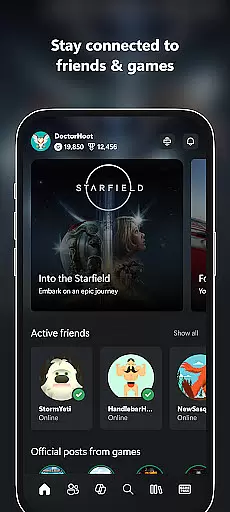
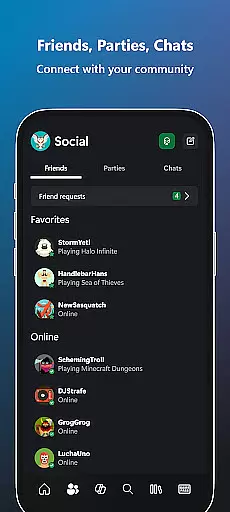
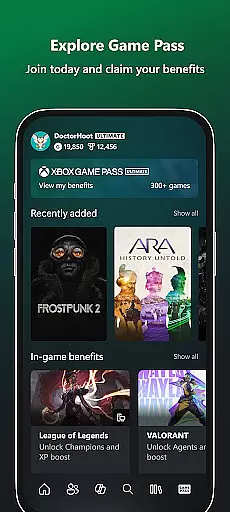
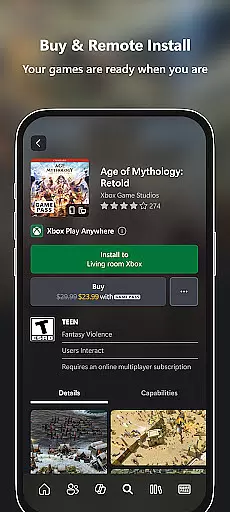
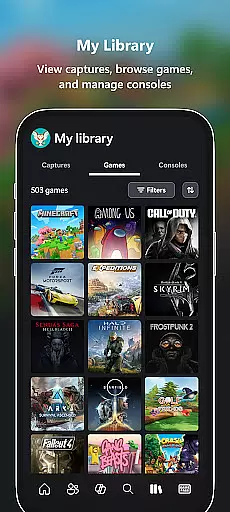
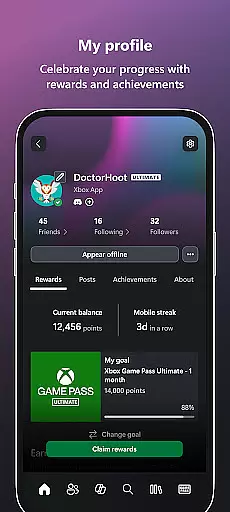
Xbox is a comprehensive entertainment app that bridges the gap between console gaming and mobile experiences. The app allows users to stay connected with friends through integrated voice and text chat, regardless of whether they are playing on a console or PC. It provides real-time notifications for achievements, messages, and game invites, ensuring you never miss important updates. Additionally, Xbox offers seamless purchasing options for games and add-on content directly within the app, eliminating the need to switch platforms. With features like Game Pass catalog exploration, Perks redemption, and easy sharing of game clips to social networks, this app enhances your gaming lifestyle while offering convenience and accessibility.
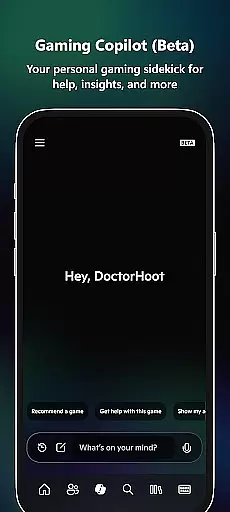
One of the standout features of the Xbox app is its ability to download games remotely to your console, ensuring your games are ready to play the moment you sit down. Furthermore, the introduction of Gaming Copilot (Beta) adds a personal assistant element, helping players overcome in-game challenges, gain insights, and receive tailored recommendations. Whether you're managing your gaming library, interacting with friends, or exploring new titles, the Xbox app ensures you remain immersed in your gaming world from anywhere.
The Xbox app boasts an impressive array of features designed to enhance user engagement and streamline the gaming experience. One key feature is its cross-platform communication system, which supports both voice and text chat across console, PC, and mobile devices. This ensures uninterrupted interaction with friends, no matter where they are gaming. Another notable feature is the remote game download capability, allowing users to queue up game installations on their console directly from their mobile device, saving time and effort.
In addition to communication and convenience features, the Xbox app also includes tools for managing your gaming ecosystem. Users can explore and subscribe to Game Pass offerings, redeem exclusive Perks, and purchase new games or add-ons without leaving the app. The inclusion of Gaming Copilot (Beta) introduces AI-driven assistance, providing gameplay tips, roadblock solutions, and personalized recommendations. These features collectively create a versatile and powerful tool that keeps gamers connected, informed, and entertained.
In the realm of digital entertainment, content variety and freshness are paramount to maintaining user engagement. The Xbox app excels in this area by offering a dynamic range of features that cater to diverse gaming preferences. With integrated voice and text chat, users can connect with friends across console and PC platforms, ensuring a seamless social experience.
Furthermore, the app provides timely notifications on game launches, party invites, and messages, keeping users in the loop with real-time updates. This constant stream of fresh content ensures that gamers are always in touch with the latest happenings in their gaming community.
The inclusion of the Game Pass catalog adds another layer of variety, allowing users to explore and access a wide array of games and exclusive perks. Such an extensive selection not only enhances user satisfaction but also encourages prolonged app usage.
Additionally, the Gaming Copilot feature serves as a personal aide, offering recommendations and insights that help users overcome in-game challenges. This innovative tool enriches the gaming journey, making each session feel new and engaging.
User engagement duration and retention are critical metrics for any entertainment platform, and the Xbox app addresses these aspects effectively. By providing comprehensive tools such as voice and text chat, the app fosters continuous interaction among users, regardless of whether they are playing on console or PC.
The ability to buy games and add-on content directly within the app eliminates unnecessary steps, streamlining the purchasing process and encouraging longer sessions. This convenience factor plays a significant role in retaining users who wish to acquire new content without interrupting their gaming flow.
Notifications for game launches, party invites, and messages serve as prompts that draw users back into the app. These timely alerts ensure that users remain engaged with their gaming community and are less likely to disengage from the platform.
Moreover, features like sharing game clips and screenshots to social networks enhance user investment in the app. By facilitating easy content sharing, the Xbox app not only boosts user engagement but also promotes organic growth through community interactions, ultimately leading to higher retention rates.
User-friendly interface
Seamless cross-platform integration
Remote game downloads
Integrated Game Pass management
AI-powered Gaming Copilot
Limited functionality for non-Xbox gamers
Occasional connectivity issues
Premium features require subscription
Beta features may be unstable
Heavy reliance on network stability

Ultimate VR movie player for android mobile videos
 4.4
4.4
Watch short films, dramas, reels, series and movies anytime on Micro Drama.
4.60
Fire effects for your Philips Hue lights
4.20
Earn gift cards for playing games. Become a real game tester!
4.40
Experience the video editing experience brought by our intuitive interface
4.10
Official KennysGifs Stickers
4.20
Companion app for Elden Ring to track quests, bosses, progress and more.
4.70
Daily immersive workout plan: Body warm up & finger yoga exercises
3.80
Watch New Episodes & Live TV
3.80
Catalog & tracker of your DVD, Blu-ray & Digital Movie and TV Collection Library
4.80
Watch Reels, Drama Shorts & TV Series Anytime. Download DramaWave Now!
4.70
Underrated short-drama gems that hit hard and keep your heart hooked.
4.50
Chat with AI characters! Anime, games, roleplay & more.
4.50
Create melty bead designs by numbers, photos or your imagination
4.40
Create and play realistic-looking mock Emergency Alert System messages.
4.30
Music visualizer and party effects for Hue
3.90
Necrophone is spirit box ghost hunting app made for spirit communication.
3.70
Connect. Discover. Control.
3.60
Neon Christmas Tree Animated: Festive Wear OS watch face with fitness info
4.5


User Reviews