
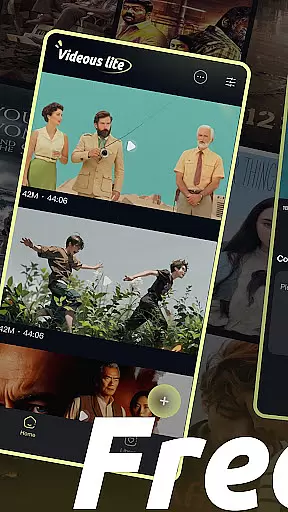
Videous lite is a streamlined video management and editing application tailored for both casual users and professional creators. Its primary function revolves around simplifying video processing tasks while maintaining an intuitive interface. The app allows users to efficiently organize, edit, and manage their video libraries with features such as chronological sorting, tagging, and quick uploads.
One of Videous lite's standout capabilities is its seamless integration of practical tools that cater to various needs. Users can upload videos directly from their devices, edit them with precision using the progress bar, and categorize content through customizable tags. This makes it particularly useful for those who need to handle large volumes of video files while ensuring easy access and organization. Whether for personal entertainment or professional projects, Videous lite offers significant value by enhancing productivity without compromising usability.
Videous lite distinguishes itself through a variety of robust features designed to enhance user experience. First and foremost, the app provides an easy-to-navigate video library where files are displayed in chronological order, each marked with essential details like length and size. This ensures users can quickly locate and manage their content without hassle. Additionally, the settings menu allows for personalized configurations, empowering users to tailor the app to their specific preferences.
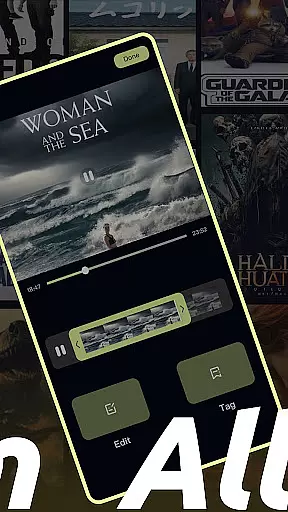
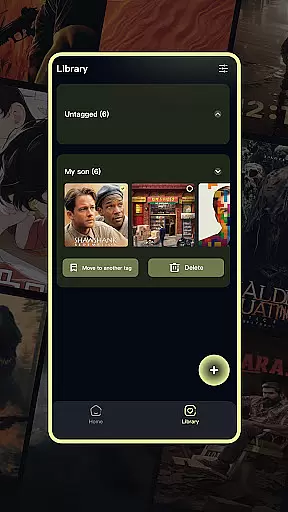
The editing functionality is another highlight, offering precise controls via a draggable progress bar. This feature enables users to trim and adjust videos effortlessly, creating polished clips in minimal time. Furthermore, the tag customization system streamlines video categorization, making retrieval straightforward and efficient. These innovations collectively position Videous lite as a versatile tool for anyone seeking to optimize their video management process while enjoying a seamless editing experience.
In the realm of digital content, having a diverse and frequently updated library is crucial for user engagement. Videous lite-Made Easy offers an extensive array of video management and editing features that cater to both personal entertainment and professional creation needs. The application's intuitive interface allows users to effortlessly upload, edit, and manage their video libraries.
One of the standout aspects of Videous lite is its ability to keep content fresh and engaging. Users can quickly upload local videos through the prominent + button on the homepage, instantly expanding their video collection. This ease of adding new content ensures that users always have something new to work with, keeping their libraries dynamic and up-to-date.
Moreover, the app provides practical functions such as chronological video arrangement, length and size markers, and customizable tags. These features not only enhance content variety but also make it easier for users to organize and retrieve their videos efficiently. By offering these capabilities, Videous lite ensures that users can maintain a vibrant and well-managed video library, encouraging continuous creativity and exploration.
User engagement duration and retention are key metrics in evaluating the success of any entertainment application. Videous lite-Made Easy excels in this area by providing a seamless and enjoyable user experience. Its straightforward design and robust feature set ensure that users remain engaged and continue to use the app over time.
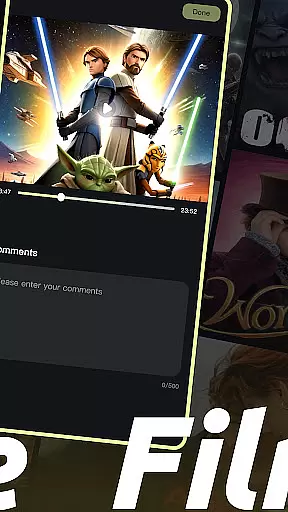
The app's easy-to-navigate interface plays a significant role in retaining users. With clearly laid-out video libraries, intuitive editing tools, and efficient management options, Videous lite makes video processing accessible even to novices. Users can easily tweak settings, view comments, and delete videos, all from the convenience of their home screen.
Additionally, Videous lite offers powerful video editing capabilities that allow users to drag progress bars and customize tags, facilitating quick and precise edits. These features help users create ideal clips swiftly, enhancing their overall experience and encouraging longer usage sessions. By focusing on user-centric design and functionality, Videous lite effectively boosts engagement duration and fosters user retention.
User-friendly interface
Efficient video tagging
Quick upload options
Precise editing tools
Intuitive organization
Limited advanced features
Basic design aesthetics
Few customization options
No cloud integration
Occasional bugs

Rain and lightning effects for your Philips Hue lights
 4.30
4.30
Watch short films, dramas, reels, series and movies anytime on Micro Drama.
4.60
Triple A is a highly complex, kinetic, and interactive visualizer.
4.50
Stream Live TV, News & Documentaries. Watch Full Seasons with PBS Passport.
4.80
Unleash Your AI Imagination
4.60
Geooh GO is the most feature rich geocaching app available today.
4.50
VR 360 Cinema Player is the ultimate VR player for playing videos on mobile
3.50
Bold original series & hit movies that don't hold back.
4.40
Watch TV shows, movies, and stream Live TV channels without a subscription!
3.80
Stories that spark in seconds.
4.80
Live TV, sports & holiday movies — stream on phone, tablet & TV
4.60
The JBL Portable app works with JBL portable Bluetooth speakers.
4.60
Just play games to earn gift cards. Keep playing, keep earning.
4.50
Everything FOX in one place. Watch FOX News, NFL, MLB, TV shows and more.
4.50
Fire effects for your Philips Hue lights
4.20
Music visualizer and party effects for Hue
3.90
Exclusive Short Drama Video! All in HD. Bringe trending reels & enjoy drama time
3.80
Watch everything you want.
2.90
Collaboration with popular VTubers
4.1


User Reviews