

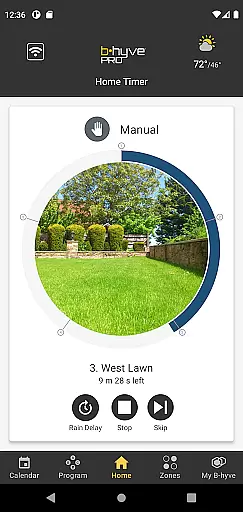
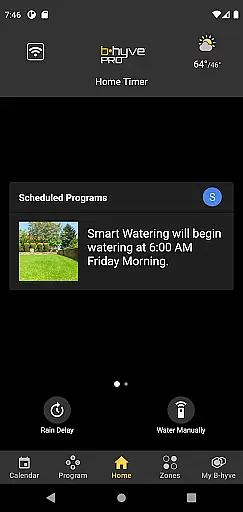
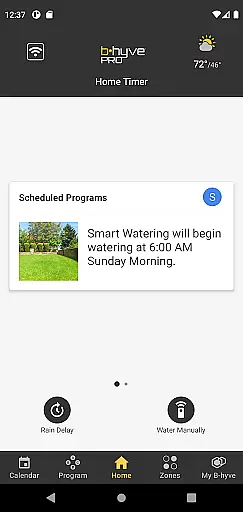
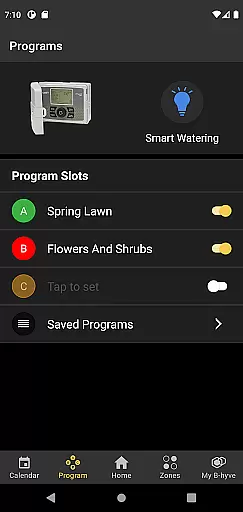
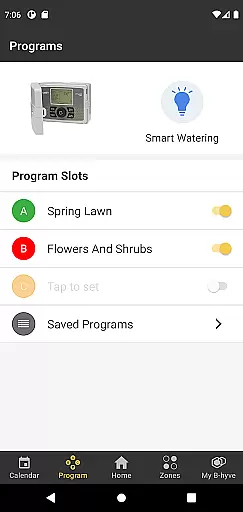
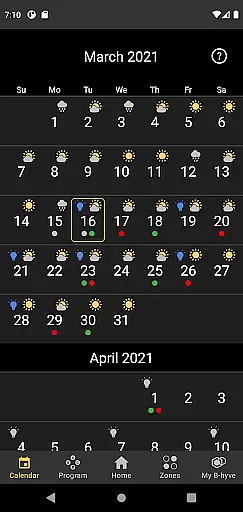
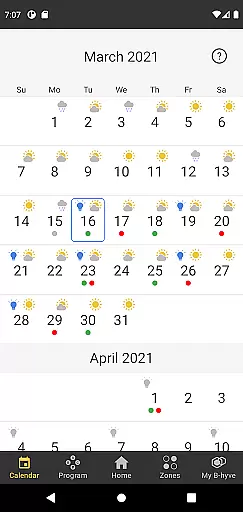
The B-hyve Pro App is a powerful tool designed specifically for landscape irrigation professionals. It allows users to remotely manage and operate B-hyve Pro controllers from their smartphones or tablets. With an intuitive interface, the app makes it easy to connect to any B-hyve Pro controller through WiFi or Bluetooth, providing flexibility in various job site conditions.
Once connected, users can set up smart watering schedules that optimize water usage based on local weather conditions. This not only helps conserve water but also saves clients money. The app's multi-site management feature enables professionals to control an unlimited number of controllers from a single application, streamlining operations across different locations.
The B-hyve Pro App offers a comprehensive set of features tailored for efficient irrigation management. One standout feature is its dual connectivity option, supporting both WiFi and Bluetooth. This ensures that users can access their controllers even in areas with limited or no WiFi availability. Once a stable internet connection is established, remote management becomes possible from anywhere in the world.
The app is EPA- and SWAT-certified, guaranteeing efficient water usage and qualifying users for potential rebates. Its flexible scheduling options allow for both fixed and weather-based smart watering plans. Additionally, the innovative catch-cup feature integrated into the app helps achieve up to 25% more water savings compared to other smart controllers. Compatibility with Alexa further enhances user convenience.
For landscape irrigation professionals, the authenticity of property listings within the B-hyve Pro App is paramount. This app provides accurate and real-time information about B-hyve Pro controllers, ensuring that users can trust the data they access.
The app's direct connection through WiFi or Bluetooth to the controllers at the timer location guarantees that the information displayed is current and precise. This feature eliminates discrepancies and misinformation, which is crucial for professionals who rely on exact data to manage irrigation systems effectively.
Users benefit from this authenticity by being able to make informed decisions regarding the watering schedules and system management. The ability to connect directly via Bluetooth when WiFi is unavailable further enhances the reliability of the information provided.
This trustworthy representation of each controlleru2019s status and settings allows professionals to optimize water usage, saving their clients' money and conserving resources without compromising plant health.
The B-hyve Pro App offers a suite of home management features that streamline the operation of landscape irrigation systems. With an intuitive layout, it simplifies the process of setting up and managing B-hyve Pro controllers, making it accessible even for those who are not tech-savvy.
One standout feature is its flexible scheduling options, allowing users to customize watering based on fixed schedules or smart watering technology that adapts to local weather conditions. This flexibility ensures optimal hydration for landscapes while maximizing water efficiency.
Additionally, multi-site management capabilities enable professionals to oversee numerous properties from one platform. By sharing secure access with different stakeholders using an app-generated code, collaboration becomes seamless and efficient.
These comprehensive home management features empower users to maintain healthy landscapes with minimal effort, leveraging technology to deliver convenience and precision in every aspect of irrigation control.
User-friendly interface
Efficient water management
Remote access capability
Multi-site management
Alexa compatibility
Limited to B-hyve Pro controllers
Requires stable internet
Premium features may cost extra
Initial setup complexity
Dependent on third-party WiFi

Use Home by ShowingTime to easily manage showings, tours, feedback and more
 3.60
3.60
PRO Version of GLB AR Viewer
4.1
Control your Daikin, Amana & Goodman heating & cooling systems from anywhere
4.40
Find paints using a Color Muse & ColorSnap® Match
3.60
Download today to join the community to help bring lost pets home faster.
4.70
Plants, Beauty, Collectibles
4.60
Find the perfect paint color with advanced tools to explore and visualize color.
3.80
Samsung remote app helps control all Samsung Smartthings TVs. Fast and Stable!
4.10
Find homes for sale and apartments for rent in the best neighborhood.
4.70
Home Ideas | Renovation Advice | Local Pros. Go From Dream to Home with Houzz.
4.70
Resident Center, powered by Buildium, is designed with simplicity in mind.
4.50
The Merkury Smart app makes it easy to control your smart devices.
4.50
Apartment finder for apartments for rent. Compare prices, amenities & rentals.
4.50
Wobble Fix Tool
4.40
AI Home Designer & Room Planner: Decorate your interior space with AI
4.40
Plan your remodel AI home renovation easily using planner 5D and home decor AI.
4.40
Make your phone a surveillance camera remote with a home camera app for Android!
4.40
Schlage Lock Company LLC
4.00
Draw house plans, floor plans 3d & house design with house plan drawing 3d app
3.60


User Reviews