
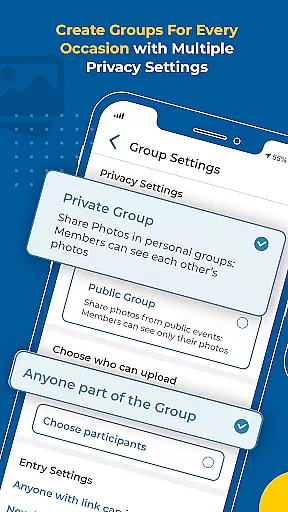


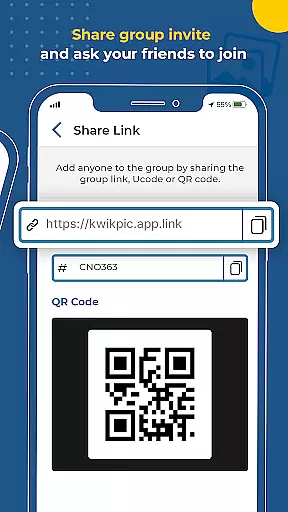
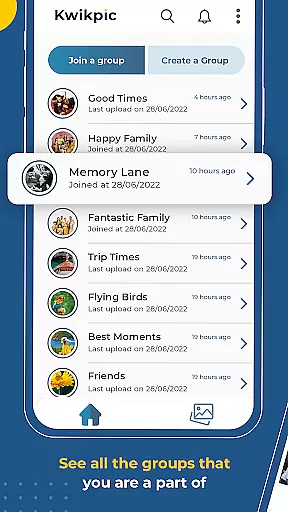
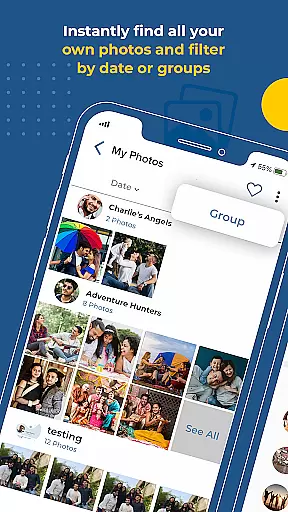
Kwikpic is an innovative photo management solution designed specifically for events. This app revolutionizes the way event photos are shared and organized by utilizing advanced AI technology. The core functionality revolves around instant face matching, automatic tagging, and real-time notifications, making photo sharing effortless for users.
What sets Kwikpic apart is its ability to maintain original image quality while processing and delivering photos to the right recipients. Whether it's a wedding, conference, or family gathering, users can upload images from various sources including device galleries and cloud storage platforms like Google Drive. The app's intelligent face recognition system automatically sorts and delivers photos to group members, eliminating the tedious task of manual organization.
The application proves particularly valuable in event scenarios where multiple participants capture numerous photos. It streamlines the process of finding and sharing common photos among group members while providing useful analytics such as total impressions and download counts. This makes Kwikpic an indispensable tool for both casual event attendees and professional photographers looking to efficiently manage and distribute event photographs.
Kwikpic offers a comprehensive set of features that cater to various aspects of event photography management. The app's primary advantage lies in its sophisticated AI-powered face recognition technology, which accurately identifies and matches faces across multiple photographs. This feature alone saves users countless hours they would otherwise spend manually sorting and distributing images.
Beyond basic photo sharing capabilities, Kwikpic provides robust analytical tools that track essential metrics such as total impressions, downloads, and user engagement. The platform supports seamless integration with multiple photo sources, allowing users to upload directly from their device gallery or preferred cloud storage services. Its intelligent notification system ensures that tagged individuals receive immediate alerts about new photos featuring them.
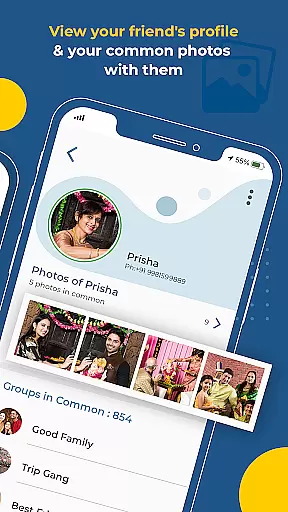
Additional notable features include group photo discovery, which helps identify common images among community members, and its unique no-quality-loss processing engine. The latter ensures that all shared photographs retain their original resolution and clarity throughout the entire processing and delivery pipeline, maintaining professional-grade quality standards for every distributed image.
Creating and managing tasks within an application is crucial for organizing events effectively. Kwikpic allows users to upload photos from various sources, including gallery and cloud storage platforms like gDrive. This flexibility ensures that event organizers can easily consolidate all event-related images in one place.
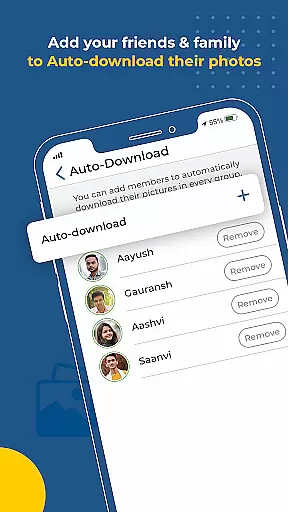
The app's AI technology enables detailed customization by sorting and delivering photos using face recognition. Event hosts can effortlessly tag individuals in pictures, ensuring each guest receives personalized content. This feature significantly enhances the user experience by automating what would otherwise be a tedious manual process.
Users benefit from the ability to track analytics such as total impressions and downloads. These insights help event organizers understand engagement levels and optimize future events accordingly. The detailed tagging and notification system ensures that everyone involved in the event stays informed and connected.
Reminder settings play a vital role in ensuring timely updates and notifications for event participants. Kwikpic excels in this area by providing instant face matching, tagging, and notification features. Once photos are uploaded, the app automatically identifies individuals and sends them notifications, ensuring they receive their pictures without delay.
This immediate feedback loop enhances user engagement and satisfaction. Guests no longer need to wait or search through countless photos to find themselves; Kwikpic does it for them. The app's intelligent system keeps everyone updated, fostering a sense of community and shared experience among event attendees.
Moreover, the ability to customize reminder settings adds another layer of convenience. Users can tailor notifications based on their preferences, ensuring they only receive relevant updates. This thoughtful design consideration makes Kwikpic an indispensable tool for anyone looking to streamline photo sharing at events.
User-friendly interface
Advanced AI technology
Real-time notifications
High-quality photo sharing
Comprehensive analytics
Limited free storage
Premium feature costs
Occasional processing delays
Device compatibility issues
Learning curve for new users

The Official App
 4.0
4.0
Invitation card maker for birthday party & Wedding. Digital greeting card editor
4.90
Clubs, Festivals, Discounted Tickets, Guest Lists & VIP Tables
4.90
Wedding planner app with wedding venues, wedding checklist, countdown & budget.
4.60
TV.Garden is a video player to play your own TV streams from around the world!
3.40
Meet people over dinner
4.40
Design Invitations & Cards for Any Occasion
4.80
Octrober 2025: We've updated the MyGenMobile App with a new look and feel!
4.40
Buy and Sell Tickets for Concerts, Sports, and Theater.
4.70
Plan your wedding for free on the go: vendors, budget, website and checklists!
4.80
Save money on concert, sport, and theater tickets, and discover upcoming events.
4.80
Find tickets to upcoming concerts, sports events, festivals, shows, attractions
4.70
Discover events, experiences, and things to do near you - Anytime, Anywhere!
4.70
Create Wedding Invitation and Wedding Anniversary Cards using our app
4.60
Greeting card maker with photos best app| Birthday cards| All wishes eCards FREE
4.50
PheedLoop Go! is the mobile event app for events powered by PheedLoop.
4.40
RAISE-365 makes fundraising easy and fun!
3.20
It is an Event Planning Application.
4.1
Digital Income Wallet of the Final Libertadores 2025
4.3


User Reviews