
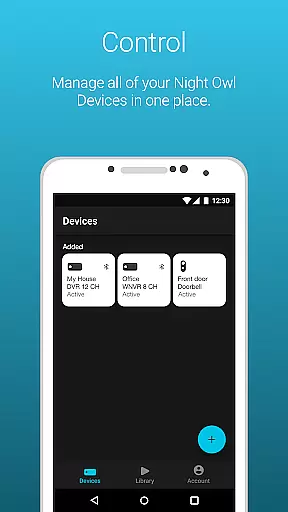
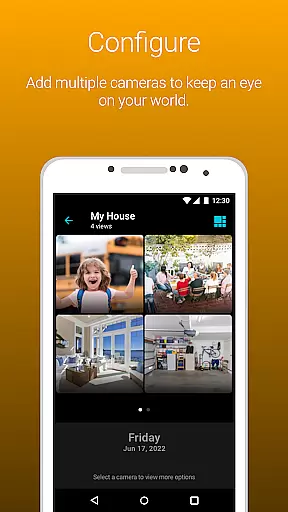
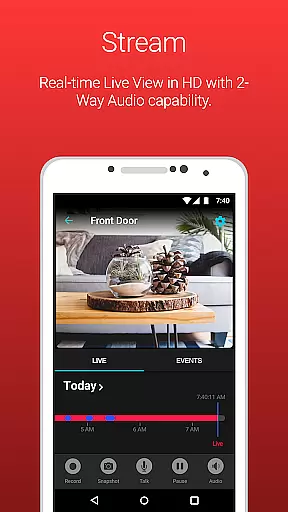
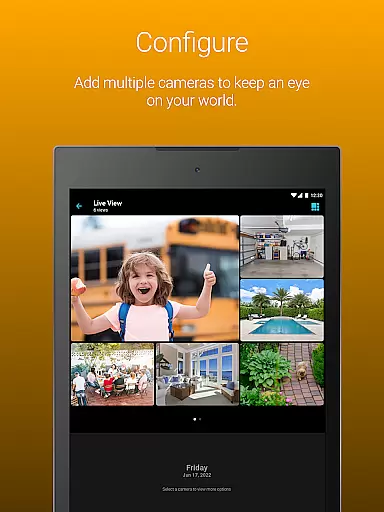
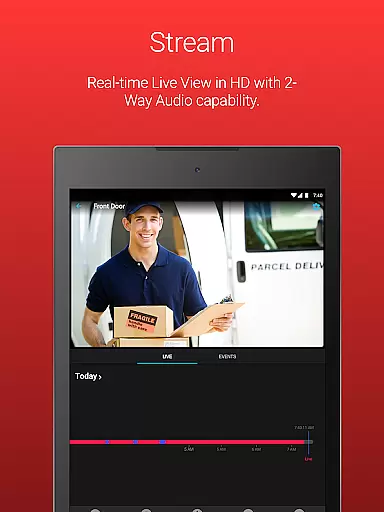
Night Owl Protect is a comprehensive home and business security application that allows users to monitor their properties in real-time through connected cameras. The app supports live footage viewing, audio features with applicable models, and cloud storage access for subscribed users. It emphasizes data security with 2-step verification and single sign-on capabilities.
One of the standout features is its ability to send real-time mobile alerts based on specific triggers like human or vehicle detection. Users can easily configure alert settings, playback recordings using filters, and share images or videos via social networks, email, or text. This makes it an essential tool for those seeking to maintain constant vigilance over their premises.
The application's value lies in its versatility and user-centric design. Whether you're a homeowner wanting to protect your family or a business owner needing to monitor operations, Night Owl Protect offers a secure and convenient solution. Its compatibility with various Night Owl devices and NDAA compliance further reinforces its reliability and commitment to privacy protection.
Night Owl Protect stands out with its robust feature set tailored for security-conscious users. The app provides Secure App-Based Bluetooth Setup for easy product configuration, ensuring a smooth initial setup process. Its real-time alert system uses advanced detection methods to notify users of potential threats, allowing for immediate action when needed.
Among its notable features are 2-way audio communication, siren activation, and preset voice messages for applicable models. These features enable users to interact with visitors or deter intruders remotely. The app also supports creating favorites and groups for organized camera management and offers password reset functionality directly within the app for enhanced account security.
For users subscribing to the Night Owl Protect Cloud service, the app provides access to cloud-stored recordings, adding another layer of data safety. With compatibility across numerous Night Owl devices and adherence to strict security standards, this app delivers both innovation and peace of mind to its users.
In the realm of home security, the authenticity and reliability of your surveillance system are paramount. Night Owl Protect ensures property listing authenticity by providing users with a secure and verified platform to monitor their premises. The application supports a wide range of Night Owl devices, each designed and engineered in the United States, guaranteeing top-tier quality and compliance with stringent security standards.
The app allows for real-time monitoring, ensuring that what you see on your device is exactly what's happening at your property without any delay or misrepresentation. This immediacy and accuracy in video feed delivery reinforce the authenticity of the property listings viewed through the app. Users can trust that the live footage they access is genuine and reflective of the current state of their home or business.
Furthermore, Night Owl Protect offers features such as 2-step verification and password resets directly from the app, enhancing the security around who can access your property's camera feeds. These measures ensure that only authorized individuals have viewing rights, thus maintaining the integrity and authenticity of the property information displayed.
Night Owl Protect goes beyond simple surveillance by integrating comprehensive home management features into its platform. With capabilities like creating favorites and groups, users can organize their cameras to better manage different areas of their property. This feature not only simplifies navigation within the app but also enhances the overall efficiency of managing multiple devices across various locations.
The application facilitates easy sharing of images and recordings via social networks, email, and text messages. This functionality is crucial for home management as it allows users to quickly disseminate important information or alerts to family members, friends, or authorities if needed. By enabling seamless communication, Night Owl Protect empowers homeowners to take swift action when necessary.
Additionally, the app provides advanced alert settings where users can configure notifications based on specific triggers such as human, face, or vehicle detection. These customizable alerts ensure that users receive relevant updates about their property, aiding in proactive home management. Coupled with cloud storage options for recordings, these features collectively contribute to a robust system that helps protect and efficiently manage homes and businesses alike.
User-friendly interface
Advanced alert system
Secure cloud access
Wide device compatibility
NDAA compliance
Feature disparity across models
Cloud service subscription required
High data usage on mobile networks
Limited offline functionality
Premium features locked behind paywall

Technology powering many in-home services for residents across the United States
 3.80
3.80
Tailored Care Guides For Houseplants, Indoor Plants, Garden Plants & Flowers.
4.60
AI-powered home design, interior design, home decor, and room design solutions
4.50
AI floor creator to design your dream house, plan rooms & style your home
4.00
Plants, Beauty, Collectibles
4.60
The only mappable smart lights for custom decoration.
4.50
Floor Plan Creator Home Design with 2D interior design and 3d view.
3.90
Find the perfect paint color with advanced tools to explore and visualize color.
3.80
Fire & Power Safety
4.50
B-hyve Pro App for landscape irrigation professionals
4.70
Find homes for sale and apartments for rent in the best neighborhood.
4.70
Resident Center, powered by Buildium, is designed with simplicity in mind.
4.50
SmartRent - Opening Doors To A Smarter World
4.40
Set up your devices, customize settings, and monitor your home—from anywhere
4.40
Make your phone a surveillance camera remote with a home camera app for Android!
4.40
IP camera view and playback, for your WiFi cam or home security cctv system.
3.70
Draw your floor plan smartly. Make house design blueprint with home planner app
3.60
Find paints using a Color Muse & ColorSnap® Match
3.60
Unlock AI-based barcode scanning and support the development of Grocy Android
4.5


User Reviews