
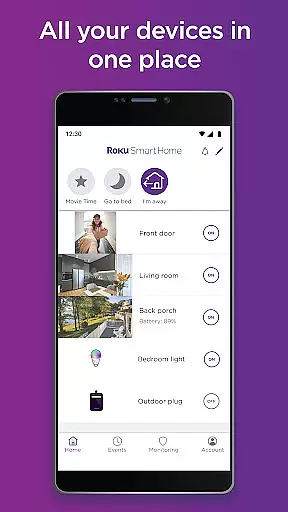
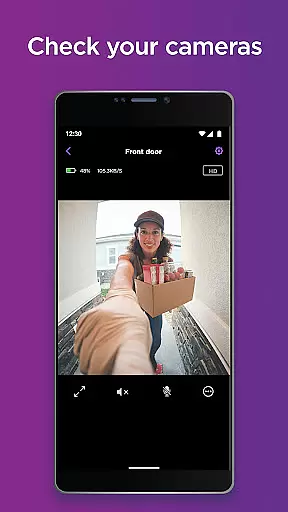
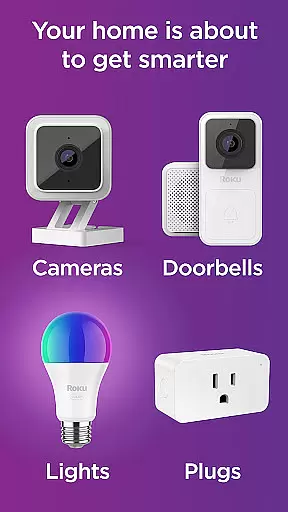
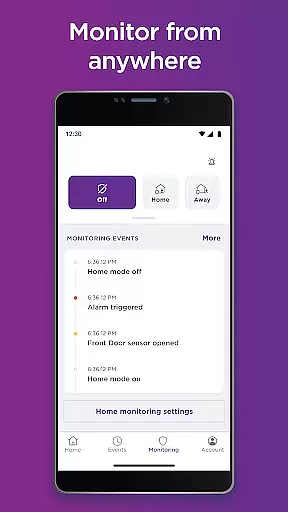
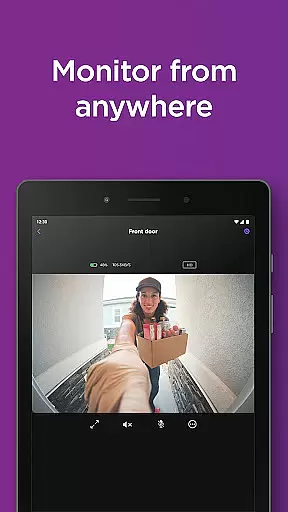
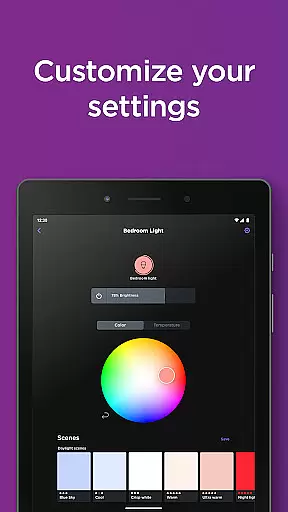
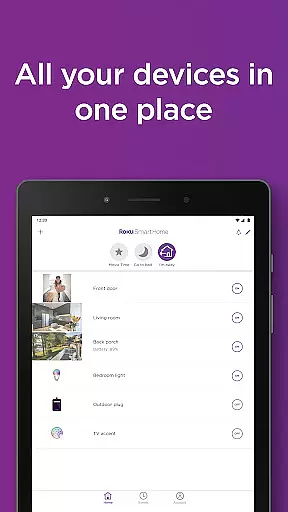
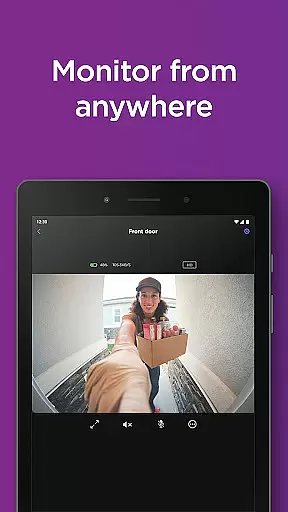
Roku Smart Home is a comprehensive smart home management application designed to simplify the control of various smart devices within your household. The app serves as a centralized hub for managing Roku-branded smart home products, including security cameras, video doorbells, smart bulbs, light strips, and plugs. With its intuitive interface, users can effortlessly set up new devices, customize settings, and monitor their homes remotely.
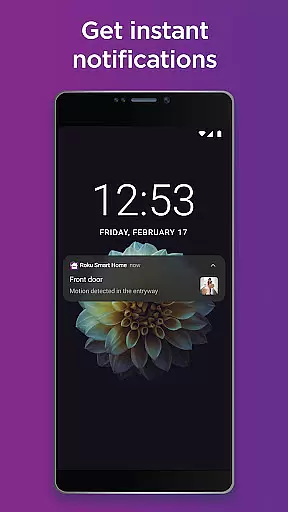
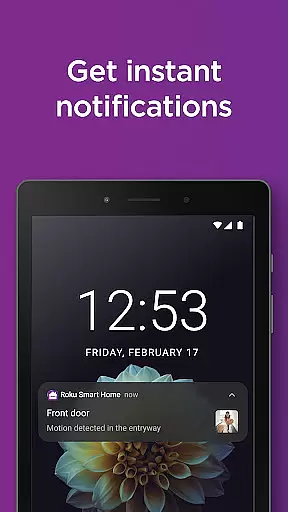
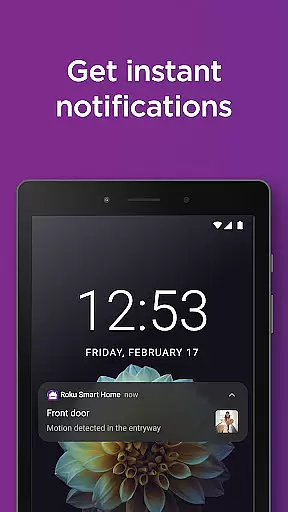
One of the standout features of Roku Smart Home is its ability to provide real-time monitoring and notifications. Users can receive instant alerts for motion or sound detection, access live footage from security cameras, and even communicate through two-way audio on supported devices. Additionally, the app offers advanced customization options such as setting up motion detection zones and filtering alerts based on specific criteria like people, pets, or packages.
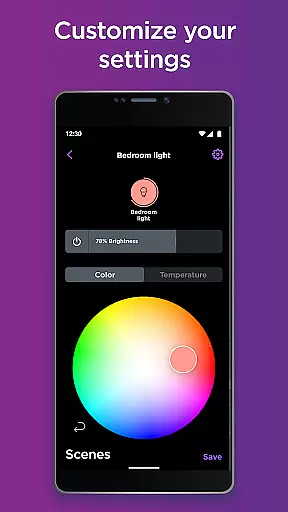
The application's value extends beyond security features. It also allows users to create personalized lighting scenarios with smart bulbs and light strips, schedule appliance usage with smart plugs, and automate routines that enhance convenience and energy efficiency. Whether you're looking to improve home security or create a more intelligent living space, Roku Smart Home provides the tools necessary to achieve a truly connected home experience.
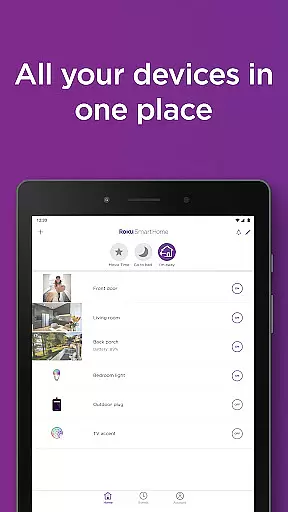
Roku Smart Home distinguishes itself through a combination of robust features and user-friendly design. The app's most notable characteristic is its unified device management system, which consolidates all compatible Roku smart home products into a single interface. This integration enables users to view and control multiple devices simultaneously, streamlining the smart home experience.
Security features are particularly impressive, offering professional-grade monitoring capabilities without requiring complex installation or additional hardware. The app supports instant notifications with customizable parameters, allowing users to fine-tune their alert preferences. Advanced features like smart detection utilize AI technology to identify specific objects or individuals, ensuring that users only receive relevant notifications. Furthermore, the optional subscription service provides cloud storage for motion-triggered recordings, extending the system's functionality.
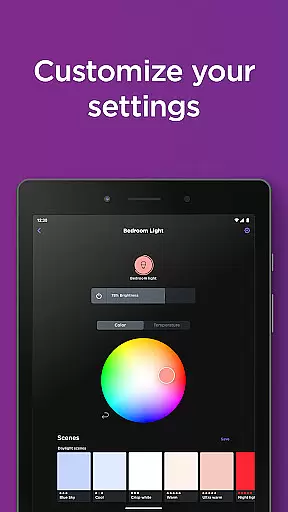
Beyond security, Roku Smart Home excels in home automation. The app offers extensive customization options for smart lighting, including color adjustment, brightness control, and preset creation. Users can establish sophisticated automation rules that adapt to their daily routines, such as scheduling lights to turn on at sunset or activating outdoor lighting when motion is detected. These features, combined with the app's intuitive setup process and reliable performance, make Roku Smart Home a compelling choice for both smart home beginners and enthusiasts.
In the realm of smart home management, ensuring the authenticity and accuracy of your connected devices is paramount. The Roku Smart Home app excels in this area by providing users with genuine listings and precise details for all their registered smart devices.
Upon installation of each device, whether it's a security camera, smart bulb, or video doorbell, the app meticulously verifies and registers each product. This verification process ensures that every listed device within the app corresponds to an actual, reliable piece of hardware installed in your home.
Users benefit from this rigorous approach through enhanced security and seamless integration. With verified device listings, homeowners can rest assured that their smart home ecosystem is both secure and efficient, eliminating concerns about unauthorized or counterfeit devices.
The true value lies in the peace of mind that comes with knowing every device is authentic and functioning as intended. This level of transparency and reliability establishes Roku Smart Home as a trustworthy solution for managing your entire smart home infrastructure.
A comprehensive home management system should offer more than just basic controlu2014it should provide sophisticated tools for organizing and optimizing your living space. The Roku Smart Home app delivers on this promise by offering advanced features that transform how you interact with your home environment.
One standout feature is the ability to group multiple devices together for unified control. This means you can manage all your smart lights, cameras, and plugs from a single interface, creating customized scenes that adapt to your daily routines. For instance, setting up a 'Good Morning' scene that gradually brightens your bedroom lights while activating outdoor security cameras.
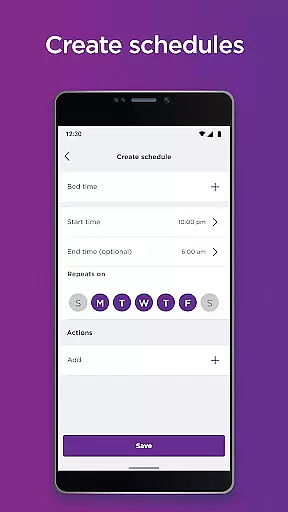
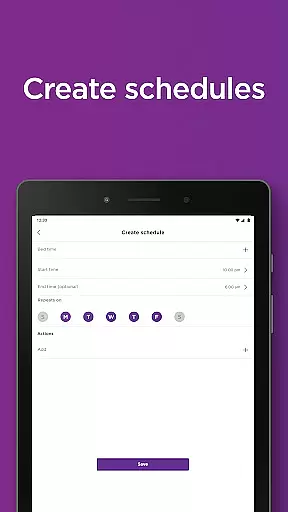
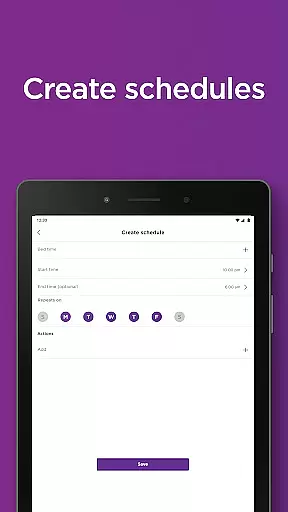
The app also includes robust scheduling capabilities, allowing users to automate routine tasks. You can program smart bulbs to dim at sunset, schedule security cameras to activate during specific hours, or set smart plugs to power appliances on and off according to your preferred timetable.
These sophisticated home management features not only enhance convenience but also contribute to energy efficiency and improved home security. By providing granular control over every aspect of your smart home, Roku Smart Home empowers users to create a truly personalized and responsive living environment.
User-friendly interface
Comprehensive device support
Advanced security features
Customizable automation
Reliable performance
Subscription required
Limited third-party support
Occasional connectivity issues
Basic free features
Device compatibility

PRO Version of GLB AR Viewer
 4.0
4.0
Universal TV Remote for TV, control all Smart TVs with your mobile phone.
4.3
Schlage Lock Company LLC
4.00
The only mappable smart lights for custom decoration.
4.50
Find the perfect paint color with advanced tools to explore and visualize color.
3.80
Apartment finder for apartments for rent. Compare prices, amenities & rentals.
4.50
3D House Design and AI Room Planner - from floor plans to full interior design.
4.40
Samsung remote app helps control all Samsung Smartthings TVs. Fast and Stable!
4.10
A Smarter Home in Seconds
4.70
Connect with reliable pros for maintenance services, plumbing, and home design!
4.80
Innovative and budget-friendly housing options
4.60
Map-based search app for apartments and homes for rent.
4.60
Resident Center, powered by Buildium, is designed with simplicity in mind.
4.50
Fire & Power Safety
4.50
Control your Daikin, Amana & Goodman heating & cooling systems from anywhere
4.40
SmartRent - Opening Doors To A Smarter World
4.40
Fully control your Philips TV with this all-in-one remote control app.
4.20
USHUD.com helps you find the best homes for sale in your area
4.00
Book your local plumber 24/7, track your service order & get exclusive coupons
4.00


User Reviews