
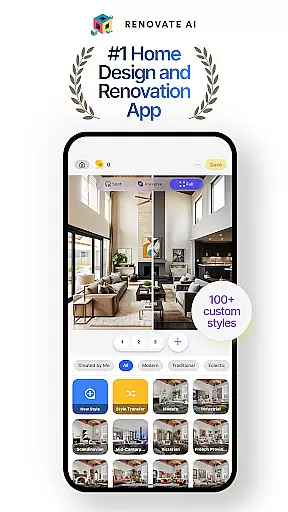
Renovate AI represents a breakthrough in home design and interior decoration, offering users the ability to reimagine their spaces with cutting-edge AI technology. This app provides powerful tools for creating photorealistic interiors and exteriors, making it an ideal solution for anyone interested in house design or room planning. Whether you're redesigning a single room or planning a full renovation, Renovate AI brings professional-level design capabilities to your fingertips.
The application stands out with its specialized features such as Virtual Staging, 3D Elevations, and Exterior Renovation. These functionalities allow users to experiment with colors, furniture, and layouts until they achieve their desired look. Additionally, Renovate AI supports both indoor and outdoor design projects, ensuring that every corner of your home can be beautifully transformed. The app's intuitive interface and advanced AI models make it accessible for beginners while still offering depth for more experienced designers.
For those looking to visualize their dream spaces quickly and affordably, Renovate AI is an invaluable tool. It eliminates the need for costly consultations with professional designers by empowering users to take control of their own home design projects. With its comprehensive suite of features and user-friendly approach, Renovate AI helps bring creative visions to life, whether you're working on a simple redecoration or a complete home makeover.
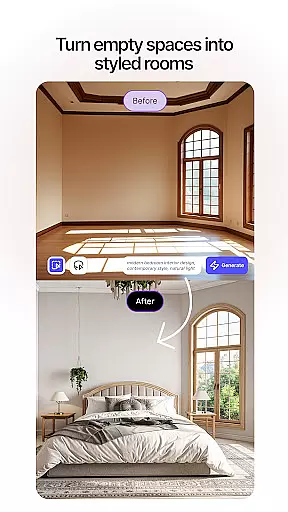
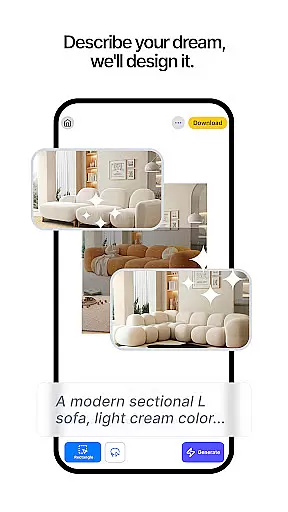
Renovate AI boasts an impressive array of features designed to cater to all aspects of home design and renovation. One of its standout capabilities is Virtual Staging, which allows users to instantly redesign interiors by adding furniture, lighting, fixtures, and decor elements. This feature enables users to see how different pieces will look in their space before making any physical changes, saving both time and money.
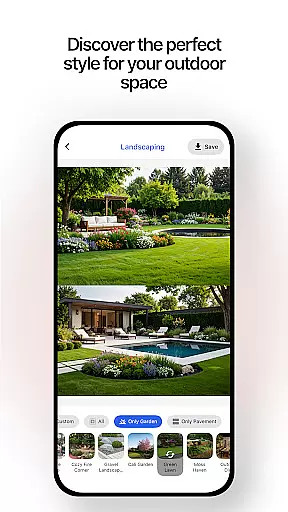
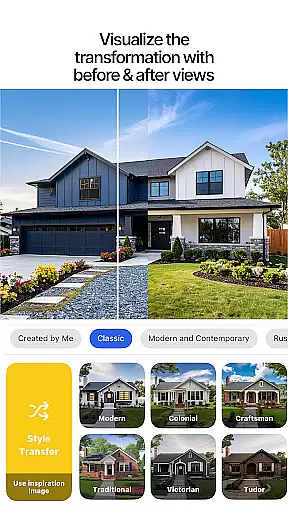
In addition to Virtual Staging, Renovate AI offers 3D Elevations and Image Upscaling. The 3D Elevations feature transforms flat 2D projects into lifelike 3D renders, providing a realistic preview of the final design. Meanwhile, Image Upscaling converts low-resolution plans into crystal-clear 4K visuals, ensuring that every detail is visible and precise. These tools are complemented by Exterior Renovation and Landscape Design features, which help users remodel facades and create stunning outdoor areas.
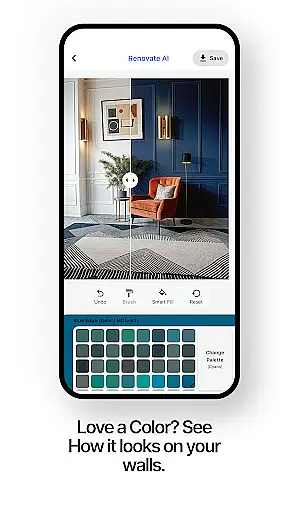
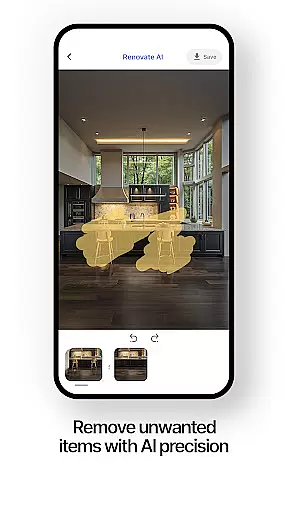
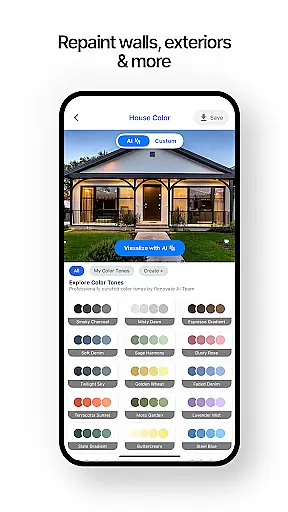
Another innovative aspect of Renovate AI is its Sketch-to-Render functionality, which turns hand-drawn sketches into polished AI interior design renders. This feature bridges the gap between traditional design methods and modern technology, allowing users to quickly visualize their ideas. Furthermore, the app includes Object Removal and Exterior Painting tools, enabling users to remove unwanted items from their designs and experiment with new color schemes. Together, these features provide a comprehensive toolkit for anyone looking to redesign their living spaces.
In the realm of home design and renovation, having authentic and reliable property listings is crucial for users looking to transform their spaces. Renovate AI ensures that every design option and feature presented is verified and accurately reflects potential outcomes.
Through advanced AI models, the app provides realistic previews of interiors and exteriors, ensuring users can trust the design suggestions they receive. This includes everything from virtual staging to exterior painting options, all generated with precision.
Users benefit from this authenticity by being able to confidently plan and execute their design ideas, knowing that what they see in the app is a true representation of what can be achieved. This eliminates guesswork and helps in making informed decisions about renovations.
The value of Renovate AI's commitment to authenticity lies in its ability to turn user visions into reality without misleading representations, thus enhancing user satisfaction and trust in the platform.
Effective home management is essential for overseeing various aspects of interior design and renovation projects. Renovate AI offers comprehensive tools that allow users to manage and track changes in their home design efficiently.
Features such as 3D elevations, object removal, and landscape design provide users with the ability to visualize and modify their spaces extensively. These tools are integrated seamlessly, offering a cohesive approach to managing home renovations.
By utilizing these features, users gain precise control over their projects, from planning room layouts to executing exterior makeovers. This level of detail ensures that every aspect of the home can be meticulously designed and managed within the app.
Renovate AI stands out by empowering users with sophisticated yet accessible home management capabilities, making it an indispensable tool for anyone looking to redesign or renovate their living spaces effectively.
User-friendly interface
Advanced AI models
Comprehensive design tools
Cost-effective solution
Versatile design options
Limited free renders
Premium features require subscription
Steep learning curve for beginners
Occasional rendering delays
Cloud storage dependency

Turn your phone into a wifi cam with smart features and umlimited reach.
 4.20
4.20
Control your Daikin, Amana & Goodman heating & cooling systems from anywhere
4.40
Fully control your Philips TV with this all-in-one remote control app.
4.20
Smart AI plant care schedules, Real plant experts, support & Thriving community!
4.20
Schlage Lock Company LLC
4.00
Book your local plumber 24/7, track your service order & get exclusive coupons
4.00
WiZ smart light system
4.40
Apartment finder for apartments for rent. Compare prices, amenities & rentals.
4.50
Make your phone a surveillance camera remote with a home camera app for Android!
4.40
View houses and apartments for rent, updated daily.
4.80
Houses for Sale & Homes for Rent: Buy Homes, Rent Apartments & Sell Real Estate
4.80
Find your next home, house, apartment, condo, casa, flat, rental, studio, or bed
4.70
Innovative and budget-friendly housing options
4.60
Control the scent and ambiance of your home and car, right from your phone.
4.50
3D House Design and AI Room Planner - from floor plans to full interior design.
4.40
The official app for Home Assistant. Control your home anywhere in the world.
4.30
Design your dream home with 3D planning app, Visualize your dream home in 3D.
4.20
Design house plans in 2D & 3D, style furniture, and preview renovation layouts
3.70
PRO Version of GLB AR Viewer
4.2


User Reviews