
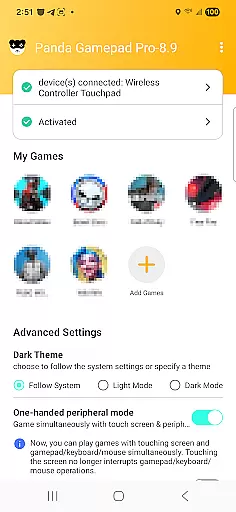
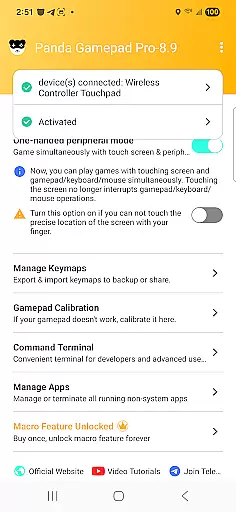
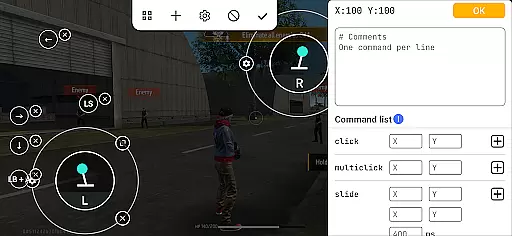
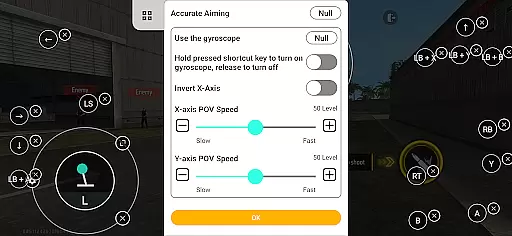
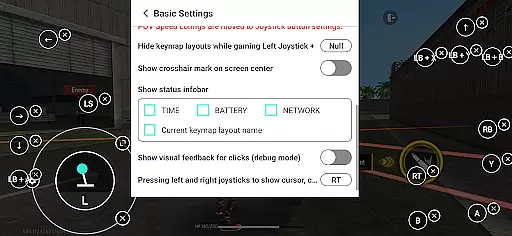
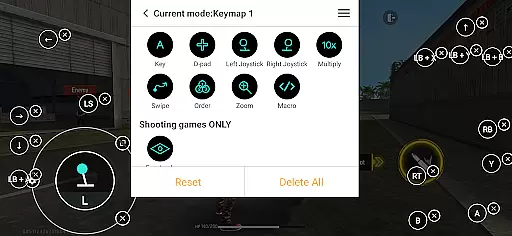
Panda Gamepad Pro is a powerful tool designed to enhance mobile gaming experiences by enabling gamepad controls. This app allows gamers to enjoy precise and comfortable control over their favorite mobile games, eliminating the frustration of touch controls. With compatibility across nearly all gamepad brands and extensive support for various game genres, it ensures an immersive experience.
The application stands out with features like Direct Game Launch, which lets users jump straight into gameplay without cloning hassles, and Secure Google Play Login, ensuring safe access. Additionally, its Ban-Proof Gaming technology provides peace of mind by avoiding bans in games sensitive to duplication running. Whether you're using the latest controllers or older models, Panda Gamepad Pro offers seamless integration and activation options tailored to different Android versions.
Panda Gamepad Pro boasts several key features that make it indispensable for mobile gamers. Firstly, its Universal Compatibility supports almost every gamepad brand available today, from modern devices to classic ones, ensuring no gamer is left behind. Secondly, the app's Extensive Game Support covers multiple genres including shooting games, MOBAs, sports titles, and more, providing enhanced control schemes for each type.
Another standout feature is the Hassle-Free Activation process, which varies depending on your device’s Android version. For Android 11 and above, activation occurs directly on the device, while earlier versions require quick setup via PC or Mac. Rooted devices benefit from automatic activation. These streamlined processes ensure minimal setup time, allowing players to focus on what truly matters—their gaming experience.
Panda Gamepad Pro excels in delivering precise and effective control for mobile gaming. The app ensures that every button press and joystick movement on your gamepad translates directly into accurate in-game actions.
With its advanced mapping technology, the application supports a wide range of game genres including shooting games, MOBAs, and sports games. This versatility allows gamers to enjoy enhanced control schemes tailored specifically for each game type.
The unique feature set includes direct game launching and secure Google Play login, which streamlines the gaming experience while maintaining account safety. These functions work together seamlessly to provide an uninterrupted gaming session.
Ultimately, Panda Gamepad Pro's dedication to precision and compatibility makes it an invaluable tool for gamers seeking to elevate their mobile gaming experience with the comfort and accuracy of a physical controller.
Achieving a balance between functionality and ease-of-use, Panda Gamepad Pro offers an intuitive interface that caters to both novice and experienced gamers alike. Upon launching the app, users are greeted with a straightforward setup process that gets them up and running quickly.
The activation procedure varies based on the Android version but remains hassle-free across all devices. For newer Android versions, direct activation is possible, whereas older versions can be activated via PC or Mac, ensuring broad accessibility without compromising convenience.
Moreover, Panda Gamepad Pro provides extensive video tutorials and guides available at https://www.youtube.com/@0xgary and https://pandagame.app/a respectively. These resources help demystify any complexities associated with setting up and using the application effectively.
By prioritizing user experience through thoughtful design choices, Panda Gamepad Pro ensures that gamers spend less time configuring controls and more time enjoying their favorite titles with improved gameplay mechanics.
Enhanced game control
Wide gamepad support
Secure login system
Ban-proof technology
Easy activation
Limited iOS support
Requires internet
Premium cost
Occasional bugs
Device compatibility

Remote for Roku, Fire TV, Samsung TV, LG TV, Android TV, Chromecast and VIZIO TV
 4.20
4.20
HD Video player and downloader for all formats, fast & smooth 4K video playback.
4.60
App that Recover your pictures, videos or files after you delete them.
4.20
eXtended Permission Manager - a small app to manage permissions and AppOps
4.50
Keep track of your Palia friendships, tasks, and inventory with Palia Notebook
4.60
Mirror your screen to Chromecast and Android TV - Super fast and simple
4.60
With videos, electrical calculators, and built-in ebook, Ugly’s has your answer.
4.50
Screen Mirroring with sound for Samsung TV, LG TV, Sony TV, Smart TV and Browser
4.20
Button mapper, mouse toggle, sleep timer and a lot of another features
4.50
Unit and currency converter with easy and simple UI.
4.80
Remote Play with FSR upscaling, low latency & full controller support
4.80
The Ultimate Flex Drivers Utility App - Convenient Tapping & Block Filters
4.70
Canon PRINT is a companion app for your Canon printer.
4.60 4.50
4.50
Just swipe the edge to do something!
4.40
An easy-to-use calculator designed to save time calculating and bending conduit
4.30
Quickly check the frequency of the Earth
4.30
pdf merge, word to pdf, jpg to pdf, edit pdf, convert to pdf and much more!
4.20
Save any video in HD - paste the link, download fast and watch offline.
4.1
Honest Scratch app review—is it actually good for teaching kids to code? Real user insights on features, limitations, and learning outcomes.


User Reviews