
Unofficial Palia Notebook is a comprehensive companion app designed specifically for players of the video game Palia. This ad-free tool helps users efficiently manage their in-game interactions and resources, making gameplay more organized and enjoyable. The app allows you to track daily interactions with villagers, including chatting, gift-giving, and monitoring their schedules and locations.
In addition to villager management, the app provides robust inventory tracking features. You can monitor your collected items, create tasks, and track processing activities like preserves, seeds, and worms offline. The app also includes detailed information on villager preferences, current game time, and item properties, enabling strategic planning for maximum in-game profits. Whether you're managing tasks, tracking accomplishments, or optimizing item processing, Unofficial Palia Notebook serves as an indispensable tool for both casual and dedicated Palia players.
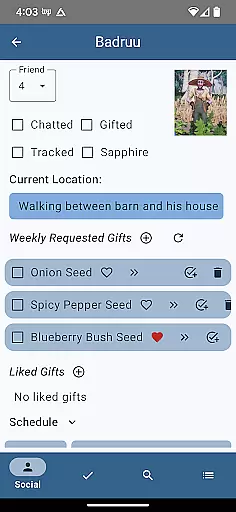
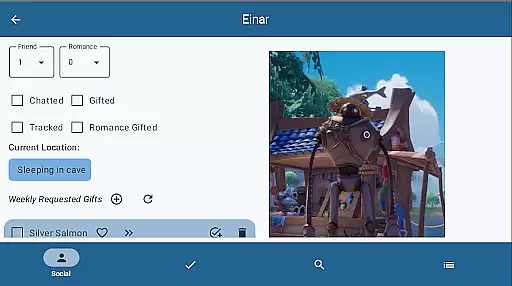
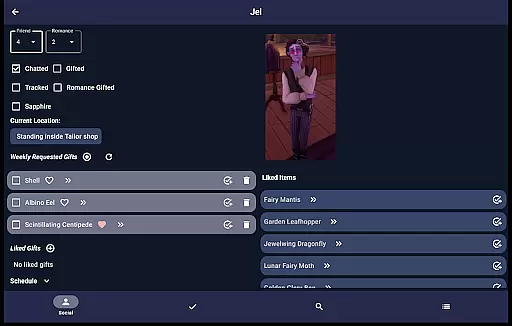
The Unofficial Palia Notebook offers an impressive array of features that cater to various aspects of the Palia gaming experience. One of its standout capabilities is the Villager screen, where you can track chat and gift statuses, view schedules, discover current locations, and look up likes. These statuses automatically update with the game time, ensuring accurate and timely information.
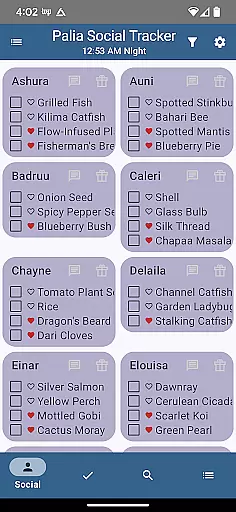
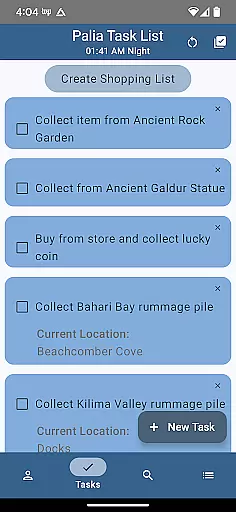
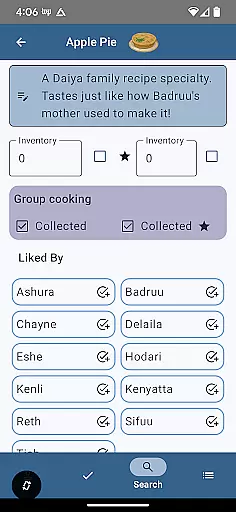
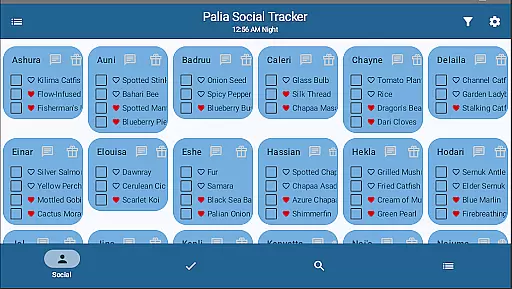
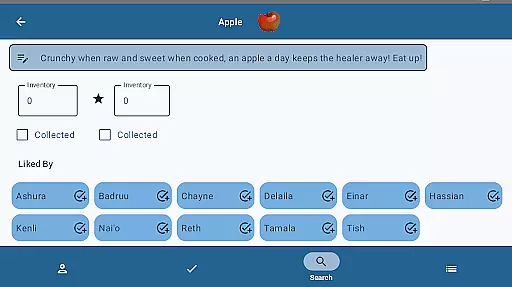
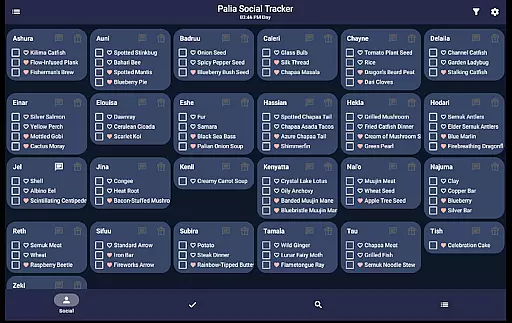
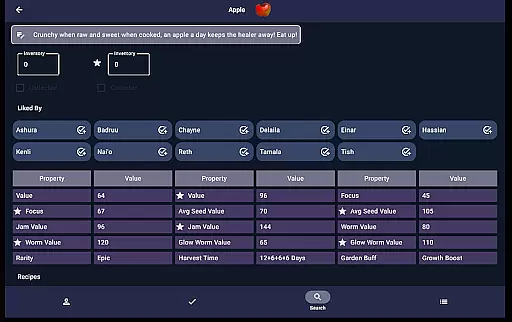
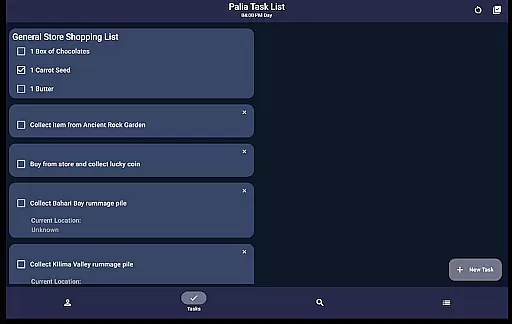
Another key feature is the Social Tracker screen, which lets you view all villagers at once, see interaction statuses, and filter based on your activities. The Task Edit screen enhances task management by allowing you to create and modify tasks, specify required items, and link other tasks as prerequisites. Additionally, the Items screen provides detailed item properties, inventory tracking, and processing values for seeds, preserves, and worms, helping you strategize for maximum profitability.
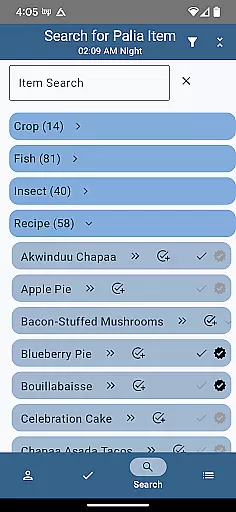
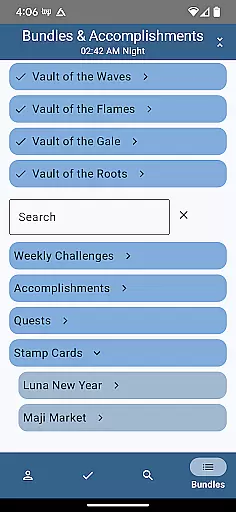
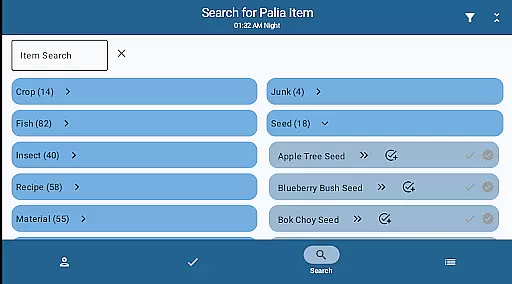
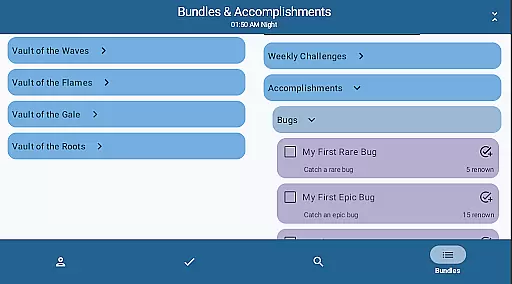
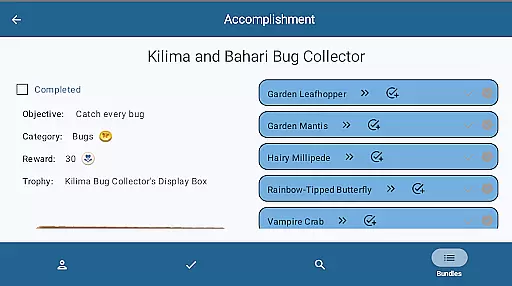
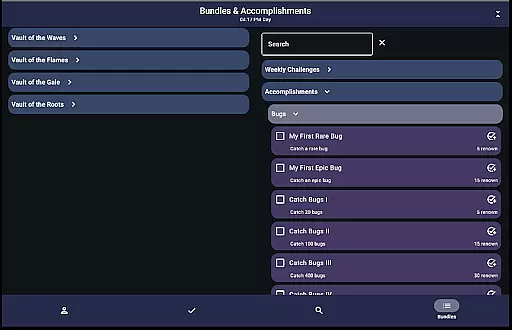
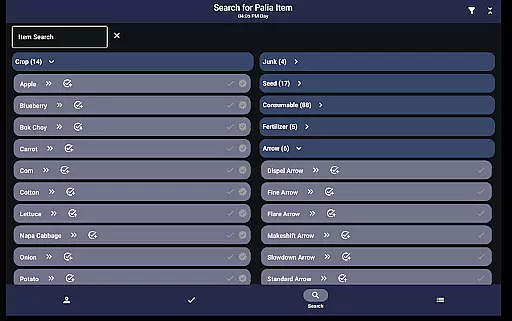
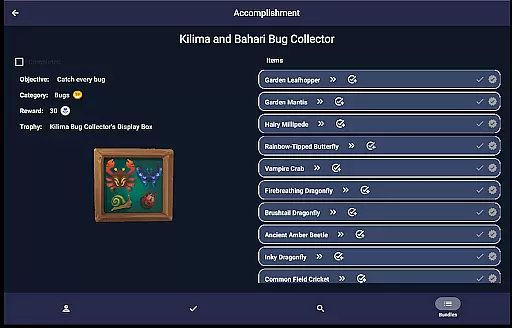
The Search screen further enriches the user experience by enabling browsing through item categories, searching by name, and filtering by location, biome, and time. This makes it easier to find specific items like fish, bugs, or furniture. Lastly, the Bundles and Accomplishments screens allow you to track your progress on bundles, quests, and accomplishments, streamlining your path to achieving in-game goals.
Palia Notebook serves as an essential tool for players of the Palia video game, offering accurate tracking and management features that enhance gameplay. The app meticulously records daily interactions with villagers, including chatting and gift-giving, while also monitoring their schedules and locations. This precision ensures that players can maintain an optimal relationship with each villager, making social management both effective and effortless.
The application's inventory tracking system is another testament to its functional accuracy. Players can log their items, achievements, and resources such as preserves, seeds, and worms. By accurately reflecting in-game inventories and processes, Palia Notebook allows users to strategize their activities efficiently, ensuring they maximize their in-game productivity and profits.
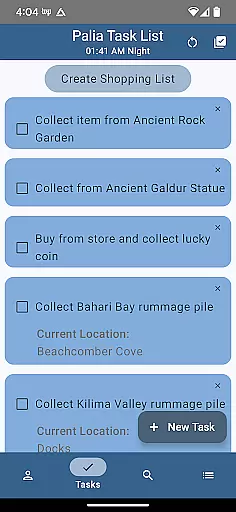
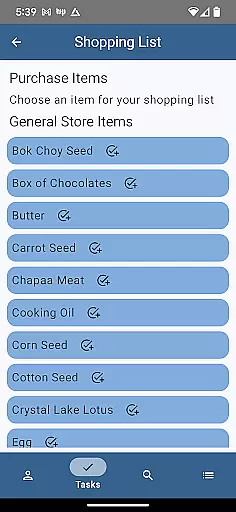
Task creation and management within the app further demonstrate its operational effectiveness. Users can create tasks linked to specific items or villager gifts, even establishing prerequisite chains for complex objectives. This structured approach enables players to organize their gaming priorities methodically, enhancing both planning and execution phases of gameplay.
The user interface of Palia Notebook is designed with simplicity and intuitiveness at its core, providing a seamless experience for players. Each screen within the app focuses on ease of navigation and clarity of information, allowing users to effortlessly track villager interactions, manage inventories, and monitor task progress. The straightforward layout ensures that players spend less time managing their game and more time enjoying it.
In the Social Tracker screen, players can view all villagers simultaneously, filtering those they've interacted with or searching for specific item requests. This intuitive design simplifies social management, enabling quick updates and strategic planning without confusion or clutter. Such features ensure that even new players can quickly adapt to the appu2019s functionalities.
Additionally, the search functionality exemplifies the app's commitment to user-friendly design. With options to browse by item categories, names, locations, and biomes, players can swiftly find necessary information. Whether determining available fish or bugs or selecting furniture by set and type, the app's intuitive filters make decision-making easy and efficient, significantly enriching the overall gaming experience.
User-friendly interface
Comprehensive villager tracking
Robust inventory management
Strategic task creation
Detailed item analysis
Limited to Palia gamers
No iOS version available
Offline functionality only
Requires manual updates
Ad-free comes at a cost

 4.50
4.50
Quickly switch to an encrypted DNS server on Android TV
4.50
Connect instantly to a fast, encrypted VPN with one tap
4.60
1-Click close all background apps on Android TV
3.90
Unlock your Essential Key. Create custom shortcuts to your favorite apps!
4.3
App to pay for FUTO Keyboard
4.60
An easy-to-use calculator designed to save time calculating and bending conduit
4.30
Detect hidden spy camera with advanced scanning {{ Premium version }}
4.00
Fast VPN USA for any country. Super secure VPN for calls, streaming, games, TV.
4.40
The ultimate tool for network analysis, wifi scanning and problem detection.
4.90
Remote Play with FSR upscaling, low latency & full controller support
4.80
Fast Video Downloader, Movie Downloader, Torrent Downloader & Adblock Browser
4.70
HD Video player and downloader for all formats, fast & smooth 4K video playback.
4.60 4.50
4.50 4.50
4.50
Quickly check the frequency of the Earth
4.30
VESC Tool can monitor and configure VESC-compatible devices over BLE and Wifi
4.20
Unleash gamepad precision for ultimate mobile gaming dominance.
3.90
A non-root local ADB shell client. READ BELOW!
3.40
Honest Scratch app review—is it actually good for teaching kids to code? Real user insights on features, limitations, and learning outcomes.



User Reviews