
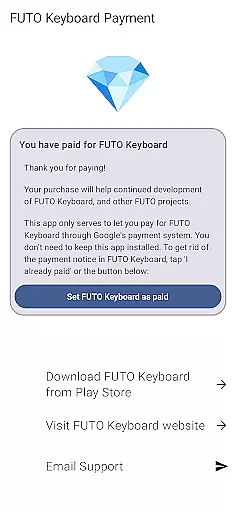
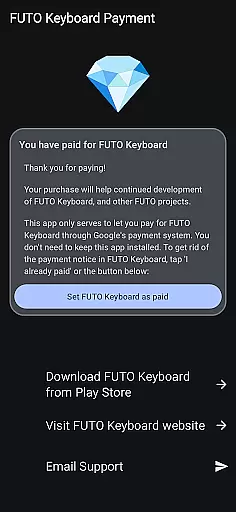
Payment for FUTO Keyboard is a specialized tool application designed to facilitate payment for the main FUTO Keyboard app. This app itself does not include any keyboard functionality but serves as a payment gateway for users who wish to support the development of FUTO Keyboard through Google Play.
The primary purpose of this app is to allow users to make in-app purchases that will remove payment notifications from the main FUTO Keyboard interface. It is crucial to have the actual FUTO Keyboard installed before purchasing this payment app, ensuring seamless integration and proper functionality.
This app is particularly useful for users who prefer to manage their app payments via Google Play or those who have already paid for FUTO Voice Input and want to extend their support directly through this platform.
One of the key features of Payment for FUTO Keyboard is its ability to integrate with the main FUTO Keyboard app, allowing users to remove payment notices seamlessly. The app acts as a bridge between the user and the core functionalities of FUTO Keyboard, ensuring that all transactions are processed efficiently.
Another notable feature is the straightforward payment process it offers. Users can easily navigate through the app to complete their purchase without any hassle. Once the transaction is completed, the app automatically updates the main FUTO Keyboard to reflect the changes, enhancing the overall user experience by removing any payment-related interruptions.
Additionally, this app provides clear instructions and links to download the actual FUTO Keyboard, making sure users have all necessary components installed before proceeding with the purchase. This ensures a smooth and error-free experience when using both applications together.
When it comes to utility apps like Payment for FUTO Keyboard, the precision and reliability of core functions are crucial. This app serves as a payment gateway to unlock features in the main FUTO Keyboard application. It ensures that users who have made payments can seamlessly access the full functionalities of the keyboard without interruptions or errors.
The app's primary role is to authenticate and verify payments accurately, which directly impacts user satisfaction. By integrating with Google Play's billing system, it guarantees secure and reliable transactions. This process eliminates any discrepancies in payment processing, ensuring that users receive exactly what they pay for without delays or technical issues.
For users, this means peace of mind knowing that their payment will be recognized immediately within the FUTO Keyboard app. The removal of the payment notice after purchase enhances the overall user experience by providing an uninterrupted interface. This streamlined approach demonstrates the app's commitment to delivering on its promises efficiently.
A simple and intuitive interface is essential for utility applications such as Payment for FUTO Keyboard. Despite its limited scope, the app excels in offering straightforward navigation and clear instructions. Users can easily understand the purpose of the app and complete their transactions without confusion or unnecessary steps.
The design focuses on minimizing user effort while maximizing clarity. Upon opening the app, users are greeted with concise information about its purpose and how it interacts with the main FUTO Keyboard application. The absence of complex menus or settings reduces cognitive load, allowing users to focus solely on making their payment.
This simplicity extends to post-purchase experiences as well. After buying the app, users automatically see the payment notice removed from the FUTO Keyboard interface. Such seamless integration between the payment app and the keyboard showcases an intuitive design philosophy that prioritizes user convenience above all else.
User-friendly payment process
Seamless integration with FUTO Keyboard
Clear installation instructions
Efficient transaction handling
Supports developers through Google Play
No standalone functionality
Requires separate keyboard app
Limited to Google Play users
Potential confusion for new users
Additional installation steps required

PDF Reader - Document Viewer: Read, Manage & Organize Your Documents
 3.10
3.10
Canon PRINT is a companion app for your Canon printer.
4.60
Keep track of your Palia friendships, tasks, and inventory with Palia Notebook
4.60
ADB support Android 4.X-Android 13(Support wireless pair mode).No root required!
4.70
Create your own live wallpaper or check out thousands already made presets
3.90
Best leveling tool for your Android device. Hang paintings like a pro.
4.90
Unleash gamepad precision for ultimate mobile gaming dominance.
3.90
Powerful collection of electronics tools and reference.A must for any enthusiast
4.90
Screen recorder with audio to record high-quality videos and take screenshots.
4.40
Support Fossify apps with a warm thank you!
5.00
The ultimate tool for network analysis, wifi scanning and problem detection.
4.90
Just swipe the edge to do something!
4.40
Pro Emulator is an easy to use game console emulator for a range of consoles.
4.40
Signal Strength, Mobile, Wifi, Speed Test, Bad Signals, Cellular, 5G, LTE, 4G
4.20
View detailed information about your Nissan Leaf the dealer never shows you.
4.10
Detect hidden spy camera with advanced scanning {{ Premium version }}
4.00
Introducing Smart Printer, your ultimate destination for printing solutions!
4.00
Clean the junk files on your device
3.40
A non-root local ADB shell client. READ BELOW!
3.40
Honest Scratch app review—is it actually good for teaching kids to code? Real user insights on features, limitations, and learning outcomes.



User Reviews