
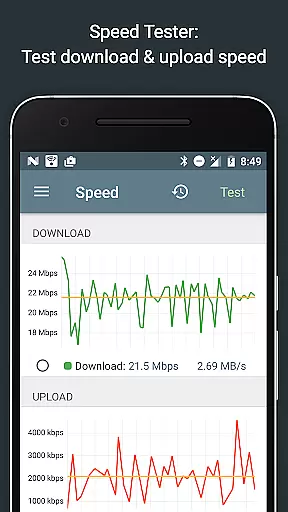
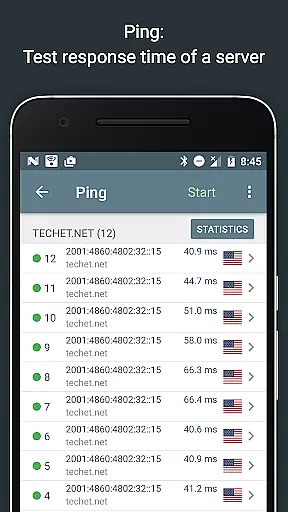
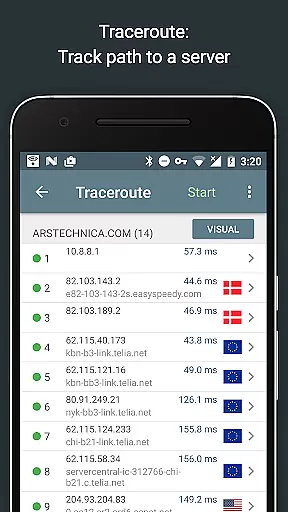
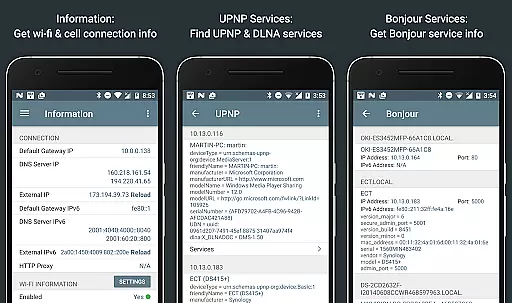
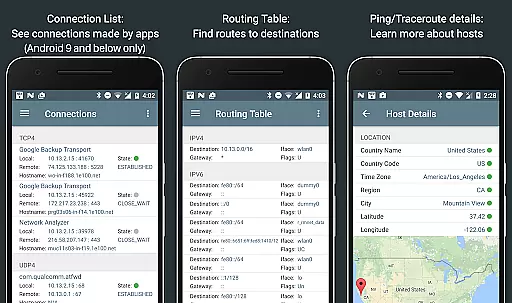
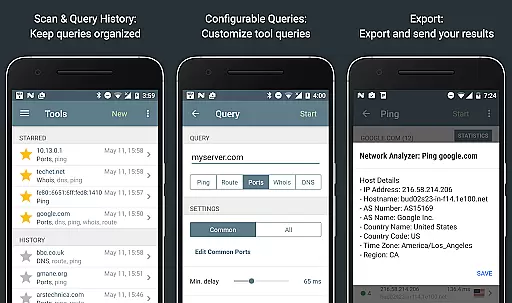
Network Analyzer Pro is a comprehensive network diagnostic tool designed to help users identify and resolve issues related to Wi-Fi networks, Internet connectivity, and remote server problems. The app offers an extensive suite of tools including a fast Wi-Fi device discovery feature that lists all LAN devices with their addresses and names, along with the Bonjour/DLNA services they provide. It also includes standard diagnostic tools such as ping, traceroute, port scanner, DNS lookup, whois, and network speed test.
In addition to diagnosing local network issues, Network Analyzer Pro provides detailed information about neighboring Wi-Fi networks, including signal strength, encryption type, and router manufacturer. This helps users optimize their wireless router's channel selection. All features are compatible with both IPv4 and IPv6 protocols, making it a versatile solution for network administrators and tech-savvy individuals alike.
The app's value lies in its ability to present complex network data in an accessible format, allowing users to make informed decisions about their network setup. Whether troubleshooting connectivity issues or optimizing network performance, Network Analyzer Pro serves as an essential tool for maintaining a healthy and efficient network environment.
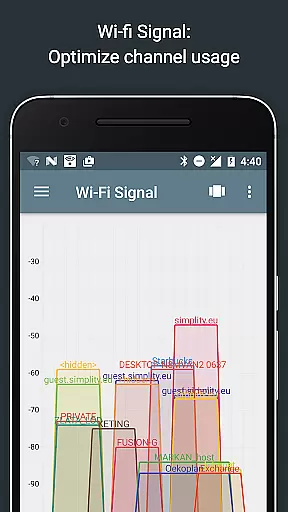
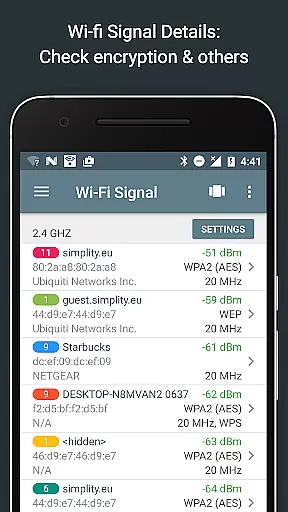
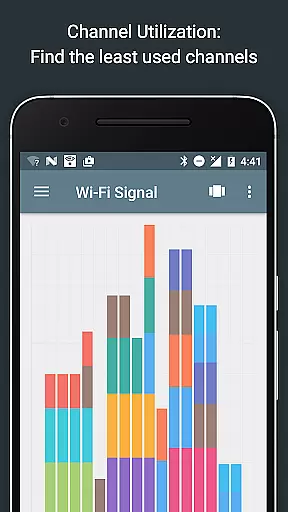
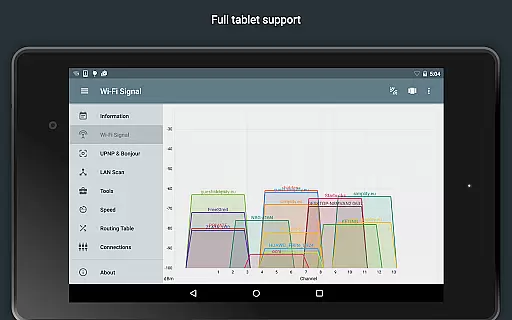
Network Analyzer Pro stands out with its wide array of advanced features tailored for network diagnostics. One notable feature is the Wi-Fi signal meter, which provides both graphical and textual representations of network channels and signal strengths. Users can view channel usage graphs, detect Wi-Fi network types (WEP, WPA, WPA2), encryption methods (AES, TKIP), and even gather details like BSSID (router MAC address), manufacturer, and WPS support.
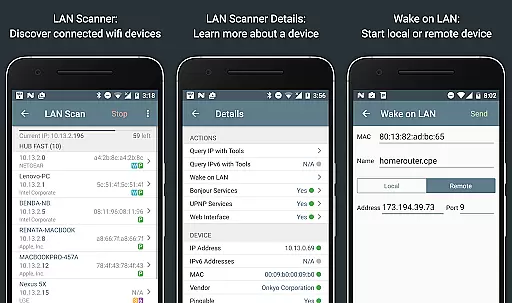
Another key feature is the LAN scanner, which quickly identifies all network devices, providing IP addresses, NetBIOS, mDNS (Bonjour), LLMNR, and DNS names where available. The app also tests the pingability of discovered devices, checks IPv6 availability, and supports Wake on LAN (WOL) functionality. Additionally, users can perform custom IP range scans and filter or search through the list of discovered devices.
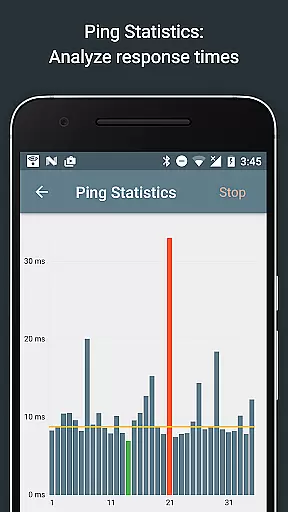
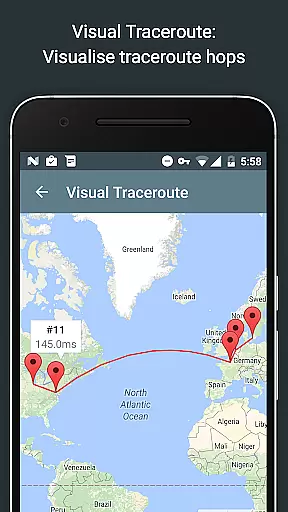
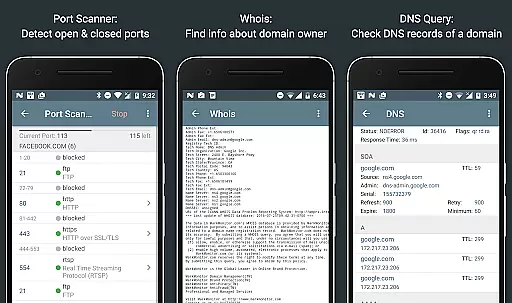
The app further enhances user experience with routing table visualization, real-time graphical ping statistics, and complete trace route mapping. These features, combined with the port scanner, Whois lookup, DNS lookup, and internet speed test, offer a holistic approach to network analysis. Each tool is designed to deliver precise and actionable insights, empowering users to maintain optimal network health.
Network Analyzer Pro stands out for its precision and effectiveness in diagnosing network issues. The app provides a comprehensive suite of tools including ping, traceroute, port scanner, DNS lookup, and whois, all essential for accurate network diagnostics.
The wifi signal meter offers both graphical and textual representations, showing network channels, signal strengths, and detailed information such as encryption type and router manufacturer. This ensures users can accurately assess their network's performance and security.
With capabilities like the fast and reliable LAN scanner, users can detect all network devices, providing IP addresses, device names, and additional relevant details. IPv6 support is robust, ensuring compatibility with modern networks and enhancing diagnostic accuracy.
Real-time updates and visualizations, such as the complete trace route on maps and graphical ping statistics, offer users immediate insights into their network's status. These features collectively ensure that Network Analyzer Pro delivers precise and actionable network diagnostic data.
A user-friendly interface is crucial for effectively utilizing complex tools, and Network Analyzer Pro excels in this area. The layout is intuitive, presenting all necessary diagnostic tools in an easily navigable format, which simplifies the process of network analysis even for less technical users.
Features such as the channel usage graph and wifi network details are visually represented, making it easier to interpret data at a glance. Users can quickly identify the best channel for their wireless router by examining clear graphical displays of signal strengths and channel utilizations.
The app includes filtering and search functionalities within the discovered device list, allowing users to swiftly locate specific devices or filter results based on criteria such as device type or connectivity status. This enhances usability and saves time during network troubleshooting.
Additionally, Network Analyzer Pro supports exporting results via email or other means, and includes copy/paste functionality, making it simple to share diagnostic information with IT professionals or network administrators. Such features underline the app's commitment to combining powerful diagnostic tools with an accessible, intuitive interface.
Comprehensive toolset
Fast device discovery
Detailed network reports
User-friendly interface
Regular updates
Paid version required
Complex for beginners
Limited free features
No offline support
Occasional bugs

 4.10
4.10
1-Click close all background apps on Android TV
3.90
Clean the junk files on your device
3.40
Carry a FTP server in your pocket and avoid USB cables for file transfer
4.20
Amateur Radio app for APRS: Track friends, exchange messages, get tactical info.
3.90
Undelete and recover your lost or deleted files with DiskDigger!
3.40
Fast Video Downloader, Movie Downloader, Torrent Downloader & Adblock Browser
4.70
Creation, Learning, Entertainment & More — The All-in-One AI Search Engine
4.70
Enjoy a smooth mobile reading experience!
3.60
Change your GPS location instantly. Simulate routes anywhere in the world.
4.90 4.50
4.50
Just swipe the edge to do something!
4.40
Universal TV remote control all TVs, Roku, LG, Samsung, Fire, Vizio, Sony, TCL.
4.40
Forza Tuning Calculator App for Forza Horizon 5, Motorsport and Earlier Titles
4.40
Pro Emulator is an easy to use game console emulator for a range of consoles.
4.40
Clean up large files and similar photos, fast and easy to use
4.40
PC precision for mobile gaming: dominate with keyboard and mouse!
4.30
Create your own live wallpaper or check out thousands already made presets
3.90
Smart and comfortable browsing experience.
3.80
Honest Scratch app review—is it actually good for teaching kids to code? Real user insights on features, limitations, and learning outcomes.



User Reviews